


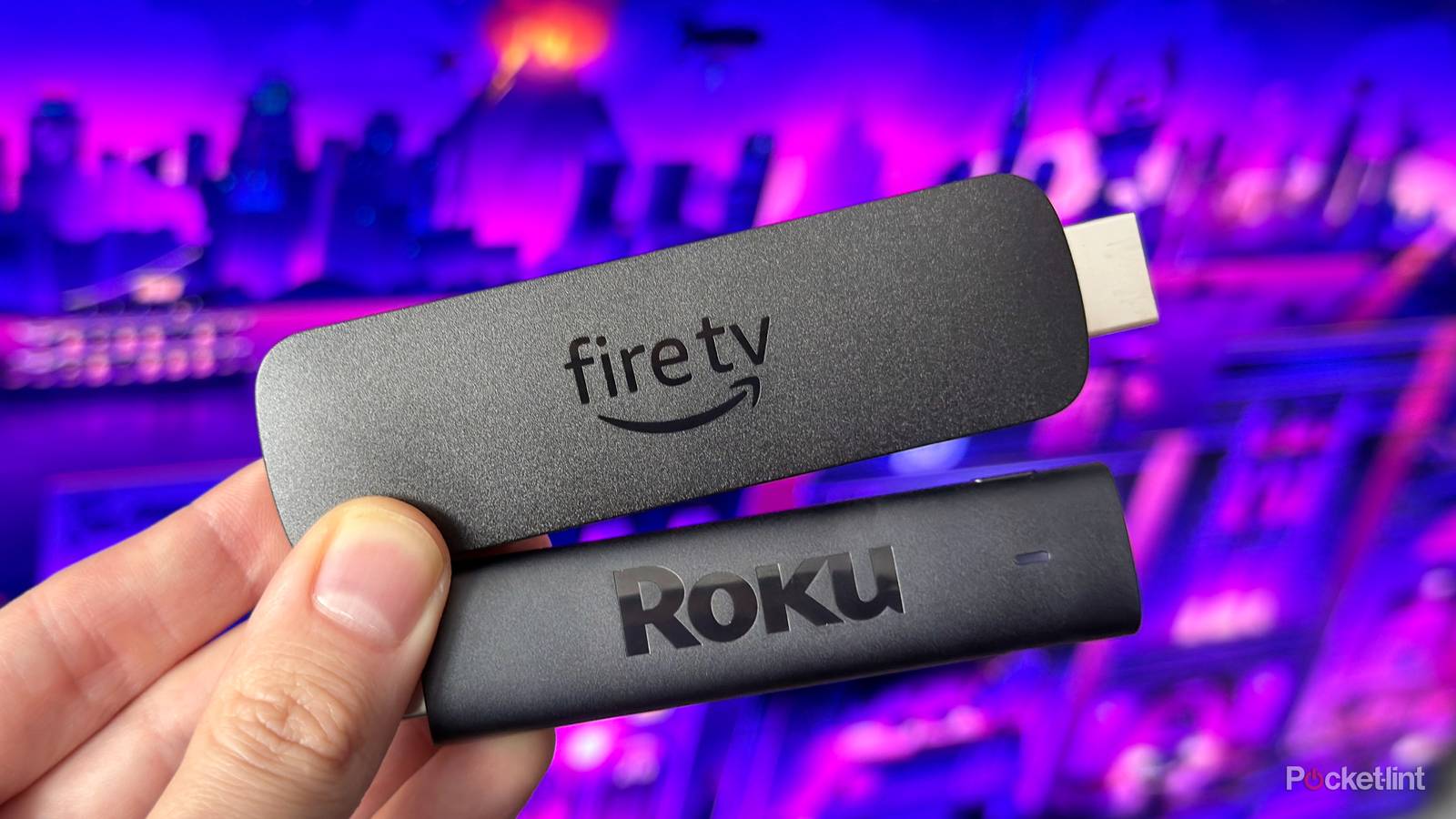
I’ve been using both a Roku Streaming Stick 4K and a Fire TV Stick 4K Max lately, and it’s really opened my eyes to just how much they have in common. While their user interfaces are distinct, both are incredibly easy to use and make it simple to access a wide variety of streaming apps, including staples like Netflix, Disney+, and Prime Video, as well as many others.
Both Roku and Amazon’s Fire TV sticks also shine when it comes to free content. Thanks to the huge selection of FAST (free ad-supported TV) apps available — like Pluto TV, Tubi, Plex, and, of course, The Roku Channel — you’re not exactly hurting for things to watch for free. Each platform even offers a dedicated live TV channel guide, making it easy to scroll through hundreds of free channels in a very cable-like way.
Streaming quality is another area where the two are nearly identical. While Roku and Amazon each offer several tiers of devices — from their HD sticks to the Roku Streaming Stick 4K and Fire TV Stick 4K Max — an apples-to-apples comparison of quality shows that the top-tier models are basically on equal footing. Both support 4K HDR streaming, along with Dolby Vision and Dolby Atmos, and in my experience, the difference in picture and sound quality has been negligible.
That said, despite their similarities, I have discovered one major area where Fire TV completely runs laps around Roku: support for cloud gaming. Right now, all of Amazon’s Fire TV Sticks and the Fire TV Cube support cloud gaming, while Roku’s streaming sticks and the Roku Ultra don’t support cloud gaming at all. And I think this is an area that could sway many minds now and into the future about which streaming device to buy.

- Brand
-
Amazon
- Resolution
-
4K
- Audio codecs
-
Dolby Atmos
There are two main cloud gaming apps
Xbox Cloud Gaming offers hundreds of games to play

If you’re unfamiliar with cloud gaming, it’s essentially streaming, but for gaming. It lets you play games from the cloud without needing a gaming console, like a PS5 or Xbox Series X, effectively turning your streaming stick into a full-fledged gaming console. And considering both the PS5 and Xbox Series X cost north of $500 now, being able to turn a streaming stick that costs as little as $40 into a console isn’t exactly a bad proposition, at least in my eyes. It’s a core feature that really sets Amazon’s Fire TV Sticks apart from Roku’s Streaming Sticks.
With that in mind, there are two primary cloud gaming apps that Fire TV Sticks support but Roku doesn’t: Xbox and Amazon Luna.
Xbox is definitely one of the most popular cloud gaming apps. Thanks to Xbox Cloud Gaming, you can stream hundreds of Xbox games from the cloud from Xbox’s Game Pass library, or games you already own, like Indiana Jones and the Great Circle, Borderlands 4, Arc Raiders, Skyrim, or Fallout 4. However, in order to play games from the cloud through the Xbox app on a Fire TV Stick, you’ll need an Xbox Game Pass subscription, which starts at $10 a month for the entry-level Essential plan, or $30 for the top-tier Ultimate plan, which offers the widest selection of games to play.

Then there is Amazon Luna, which, as the name suggests, is Amazon’s cloud gaming service. Despite not being as big a name in gaming as Xbox, it still offers a decent selection of games, such as Hogwarts Legacy, Kingdom Come: Deliverance 2, and Death Stranding. While it does require a paid subscription, if you have an Amazon Prime membership, you get the Luna Standard subscription included for free.
Additionally, later this year, GeForce Now, Nvidia’s cloud gaming service, which offers a free tier, will come to the Fire TV Stick Plus and 4K Max, bringing PC cloud gaming to a streaming stick for the first time.
The Fire TV Stick HD only supports Amazon Luna; the 4K Select, 4K Plus, 4K Max, and Fire TV Cube support both Amazon Luna and Xbox. You also need a wireless Bluetooth controller to play games from the cloud.
An experience you can’t get on your Roku
Cloud gaming is only getting better

After testing both Xbox Cloud Gaming and Amazon Luna on my Fire TV Stick 4K Max, I came away genuinely impressed by how well they worked. Is the experience identical to playing games natively on a console? To put it bluntly, no. Amazon Luna tops out at around 1080p, while Xbox Cloud Gaming maxes out at 1080p or 1440p, depending on the game and your subscription. Because of that, games don’t look as crisp as they would on a console. Still, considering everything is being streamed from the cloud on a streaming stick that only cost me about $40, it’s hard to complain. Even at lower resolution, games looked surprisingly good on my 4K TV (as you can see in the image above).
I did notice a bit of input lag with my controller, but it was manageable in the single-player games I tested, like Indiana Jones and the Great Circle and Kingdom Come: Deliverance 2, and something I got used to. For casual gaming sessions, it never felt like a dealbreaker.
As cloud gaming continues to improve in both quality and input latency, and rolls out to more smart TVs, I think it will become a feature many people expect from their streaming devices.

Overall, the novelty of being able to play games on your TV without buying an expensive console is honestly pretty awesome. It’s become one of my favorite things about Fire TV, and after switching back and forth between a Roku Streaming Stick 4K and a Fire TV Stick 4K Max, I quickly realized I missed cloud gaming when using the Roku.
As cloud gaming continues to improve in both quality and input latency, and rolls out to more smart TVs, I think it will become a feature many people expect from their streaming devices. Amazon’s Fire TV Sticks are already ahead of the curve here, and while they’re similar to Roku’s Streaming Sticks in price and core streaming features, I think cloud gaming support genuinely gives Fire TV Sticks an edge.
If gaming isn’t on your radar, Roku’s streaming devices are still excellent for watching shows and movies. But if you want a streaming stick that can double as a gaming console whenever you feel like jumping into a game instead of watching a show, the Fire TV Stick is the clear winner. Hopefully, Roku adds support for cloud gaming apps at some point in the future.