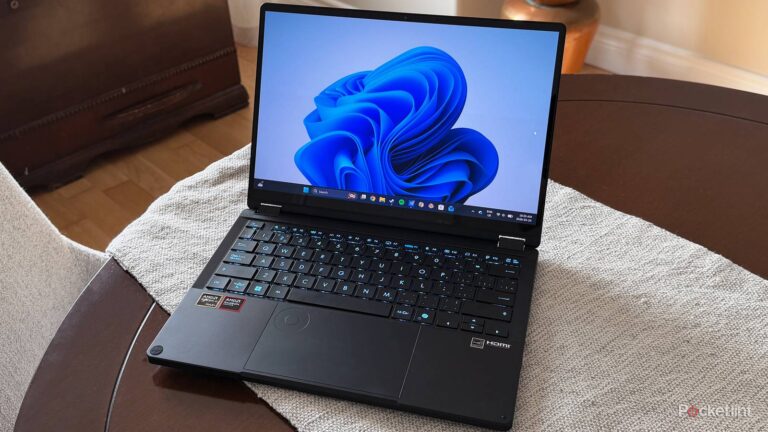




HDMI runs the world, at least in my house. The only DisplayPort cable that I own is plugged into my PC, and that’s largely because I don’t have any other choice. For everything else in my house, it’s HDMI or nothing. That’s not a bad thing, however, as HDMI does everything I want it to. It even has some advantages over DisplayPort — HDMI-CEC being a big one.
The way HDMI-CEC works is that all your devices are interconnected and controlled by a single remote. If you have multiple devices plugged in, like a streaming box, game console, receiver, etc., then you have a lot of remotes lying around. Instead of having to use all of them to do specific things, HDMI-CEC, as long as it’s turned on for each of your devices, lets you use one remote for it all. It’s great when it works, but the reality is that it doesn’t always work the way that it should. Even worse, this technology has been around for a long time now, and it doesn’t seem like things are going to get better.
After putting up with these issues for a while, an opportunity fell into my lap. I was given the chance to review the SofaBaton X2 universal remote, and it was excellent timing since I was actually looking into a universal remote. With the Logitech Harmony line being gone, there weren’t many high-end options. Fortunately, the SofaBaton solved my problems, and while it’s not a cheap fix, it’s the best one I can think of if you’re looking for something that can truly do it all.


4.5/5
- Brand
-
SofaBaton
- Integrations
-
IR, Bluetooth, Wi-Fi
- Battery
-
USB-C
- Integrated Screen
-
Yes
Universal remotes shouldn’t be the fix, but they are
Skip HDMI-CEC entirely

Let me be clear and say that this isn’t something that actually fixes HDMI-CEC. HDMI-CEC will still have the same issues as before, but using a universal remote lets you bypass the functionality. I would call that a fix, but I suppose it’s more of a workaround. No matter what you call it, it means the issues that were plaguing you are gone.
A universal remote, like the SofaBaton X2 and any other worth its salt, acts as a remote for all your devices. On the surface, that sounds a lot like what HDMI-CEC does, but it’s simpler. Instead of a cable doing it all for you, the universal remote acts as a specific remote for each device. This means there aren’t any wires that can get crossed because the remote isn’t doing anything that requires anything like that. Ever since getting a remote, I haven’t had to worry about my Xbox randomly turning on when I turn on my TV, and everything works pretty much the same as it did.
The downside is needing an IR blaster that sits on my entertainment stand, so it’s another thing I have to make room for. It hasn’t been an eyesore like I thought it’d be when I first set it up, so it’s not really a big deal. My specific remote lets me set up macros that control everything at once. For example, I have one that turns on my TV, my Apple TV 4K, and my receiver, all while defaulting to the Apple TV 4K home screen. All I have to do is slide a button on the touchscreen, and everything activates. It takes a split second, and I get to hear that satisfying click of all my devices coming to life at the same time.
With HDMI-CEC, this same setup could work in theory, but you run the risk of accidentally turning on your Blu-ray player. That’s not happening anymore with the universal remote, so it’s a big upgrade in my eyes. Don’t get me wrong, I still use HDMI-CEC because I have more TVs than just my living room TV. For those other TVs, I just try to keep my devices limited. I found that the handshake problems become more pronounced as you add devices. If you stick to about three, the problems aren’t as prominent. It’s when you add things like Blu-ray players, game consoles, streaming boxes, receivers, and soundbars all at once that you run into trouble.
The elephant in the room
Yes, it’s the price

Tons of people are price-conscious today, and if you’re not, you really should be. Technology isn’t a cheap hobby, so it’d be ideal if my dirt-cheap HDMI cable could work the way it’s supposed to. Unfortunately, that’s not the reality we’re in, at least as it pertains to HDMI-CEC. Having one remote rule the world is great in practice, but it’s not how it works.
If you’re searching for greener pastures and decide on a universal remote, it’ll cost you. This SofaBaton X2 remote costs $360 from Amazon, making it a very steep price to pay. I was fortunate enough to receive one for free, but that’s not going to help most people. There are cheap universal remotes with fewer features than the SofaBaton, and if you’re looking for something very basic, that could fit the bill.
The good news is that this remote entered my daily rotation and I have no intention of giving it up until it dies or gets replaced by something better. Sadly, there aren’t many high-end remotes on the market anymore, so you have to pony up for something like this to get a great one. For what it’s worth, I love my X2, but I don’t know if I’d recommend it to the average person.
I have a lot of devices that I want to control, so it fits my needs perfectly. If you’re just controlling a TV and a soundbar, I don’t think it makes a lot of sense to do that. It’s a tricky situation that doesn’t have many easy fixes. You could ultimately decide to live with what HDMI-CEC has to offer, warts and all, and just put up with it. That’s what I did for several years before doing something about it. Depending on how patient you are, you might be willing to deal with it for longer.
The worst part about all of this is that when HDMI-CEC actually works, it’s great. It’s just those annoying times when you turn on your TV, and it defaults to the wrong device, or it turns on a device you don’t plan on using. When it happens a few times in a row, you’re just left pulling your hair out, wondering what you could do differently. You try unplugging all your devices and plugging them back in, only to realize that was never the problem at all. It just feels like gambling each time I turn on the TV, and a universal remote doesn’t have that same issue.