


In today’s supersaturated world of USB Type-C, there’s an abundance of dedicated dongles, hubs, and docks out on the market. These gadgets vary in terms of performance, port selection, and brand name recognition, but one thing is almost universally the same: these products are physically very boring.
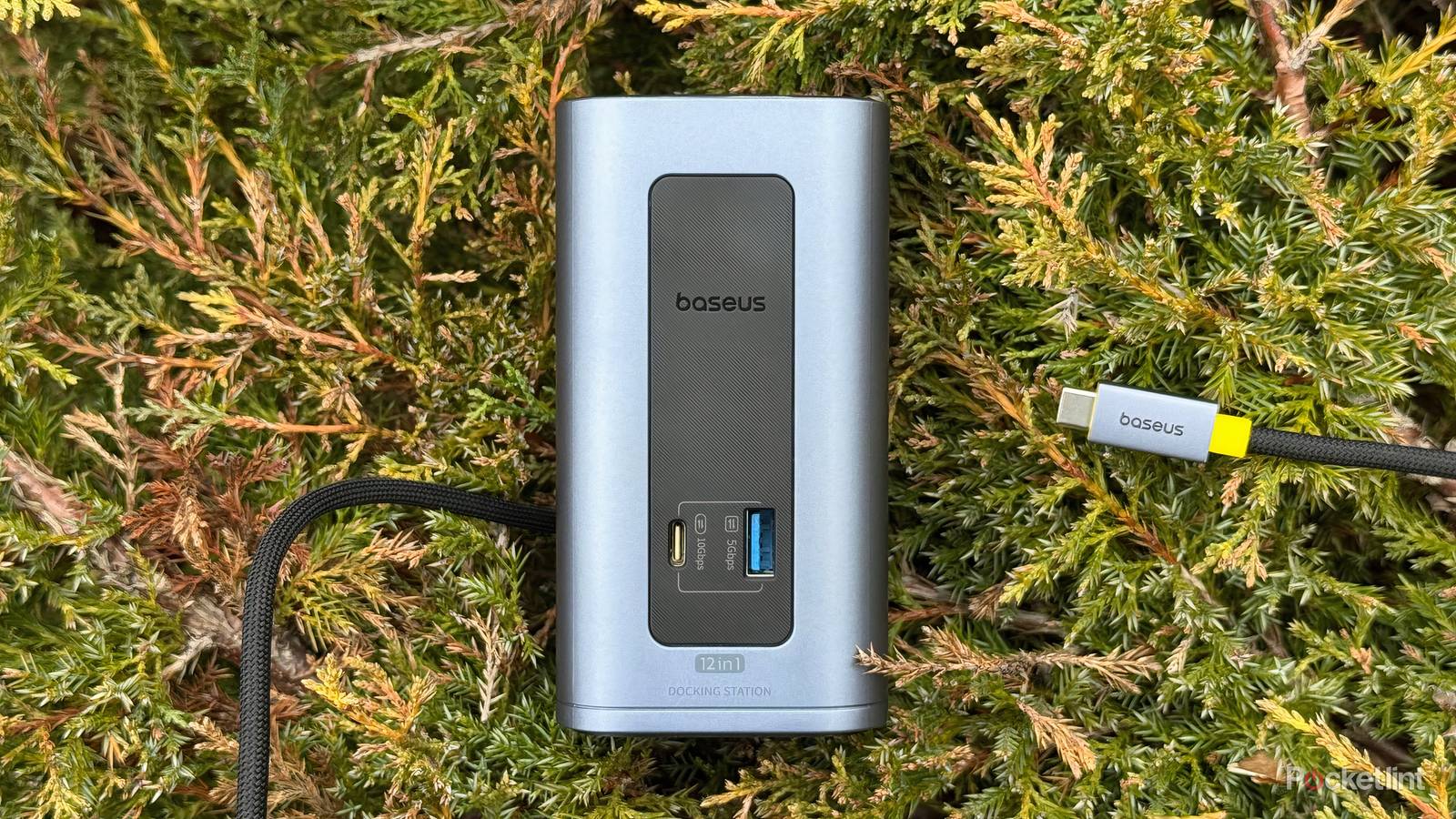
That’s where Baseus’ (lengthily named) Nomos NU1 Air Mac 12-in-1 Docking Station comes into play. Uniquely, this $200 dock is shaped like a mini PC tower, giving it a unique appearance when compared to its dull, uninspired set-top box and hub-style peers.
Right off the bat, I’m a fan of the NU1 Air from a fit and finish perspective. The unit’s 14.2oz (402g) case is enclosed in aluminum, which gives it a premium look and feel, and the attached 2.6-foot (31.2-inch) cable is both thick and heavily braided to reduce kinking.
I like the yellow accenting sprinkled throughout the product, which is subtle enough not to look garish, but noticeable enough to offer a pop of personality. The dark metallic sheen matches Apple’s Space Gray product portfolio perfectly, though I do wish the dock came in an optional silver hue for fans like myself who prefer a natural metal look.
For those keeping count at home, the Baseus Nomos NU1 Air Mac 12-in-1 Docking Station houses the following I/O within its compact 4.7 x 2.6 x 2.5 inch (6.5 x 6.5 x 12cm) chassis.
- 1x USB Type-C Power Input Port (100W PD)
- 2x USB Type-C Data Ports (10Gbps)
- 2x USB Type-A Data Ports (5Gbps)
- 2x USB Type-A Data Ports (480Mbps)
- 1x DisplayPort 2 (up to 4K@60Hz)
- 1x DisplayPort 1 (up to 4K@60Hz)
- 1x HDMI 2 (up to 4K@60Hz)
- 1x HDMI 1 (up to 4K@60Hz)
- 1x Gigabit Ethernet (1Gbps)
The only missing ports I’d like to have seen included in this dock are 10 Gigabit Ethernet (10GbE) for faster wired internet throughput, SDXC and microSDXC card slots for added flash storage flexibility, and a 3.5mm AUX jack for wired audio. Of course, Baseus does offer other docking stations with these ports built in, but, owing to bandwidth limitations, these other docks invariably sacrifice I/O selection in other ways.
Cable clutter begone
The Nomos NU1 Air makes quick work of any desk setup

The Baseus NU1 Air solves a very real, very frustrating problem that many Mac and PC users can relate to: cable clutter. My M1 iMac has four USB-C ports and one headphone jack to call its own, but it lacks its predecessor’s broader legacy I/O selection. As such, I’ve found myself juggling cables and dongles for the better part of half a decade, which has created something of a cable clutter conundrum within my workspace.
Of course, the NU1 Air isn’t even remotely the only docking option available for purchase, and, at $200, it’s far from the cheapest peripheral, either. That being said, it offers a stylish design that compliments my home office setup, and its tower-esque form factor takes up less space on the desk than traditional set-top-box designs.
…regrettably, there’s no wall brick included in the box here.
The front of the NU1 Air features both a Type-C and a Type-A port for convenience, and the rest of the aforementioned ports are neatly arranged across the rear of the unit. I’m happy to report that all I/O on both the front and the back are properly labeled, which is great for accessibility.
Dual display expansion (two concurrent 4K monitors at up to 60Hz) is supported, as is speedy 100W charging speeds via the dedicated Type-C Power Delivery port. All ports can be used simultaneously, so long as you have a powerful enough charging adapter connected to your Mac — regrettably, there’s no wall brick included in the box here.
I never thought I could love a button so much
The Nomos NU1 Air’s top-mounted lock button is a real treat

Putting aside its attractive looks and its confident verticality, the Nomos NU1 Air has one other quirky trick up its sleeve. At the very top of the unit is a large button, which can be tapped to lock your Mac, or long-pressed to enter energy-saving mode.
The button itself is tactile, but also a bit hollow feeling when pressed down. It’s perfectly serviceable, but it’s not the luxurious clicky experience I’d have hoped for at this price range. Nevertheless, I’m surprisingly happy with its inclusion — I love hitting the large press target to quickly lock my iMac before getting up and walking away from my desk.
It’s worth noting that this particular Nomos docking station from Baseus is designed specifically for macOS. The company sells alternative models that are compatible with Windows PCs. In my testing, the NU1 Air’s top-mounted button successfully locked my iMac, my MacBook Air, and even my iPad mini. As expected, it failed to lock my Surface Pro 12-inch.
I love hitting the large press target to quickly lock my iMac before getting up and walking away…
Overall, Baseus has a slam-dunk on its hands with the NU1 Air Mac 12-in-1 Docking Station. I absolutely love its external design, its form factor makes all the sense in the world to me, it comes packed with I/O, and its lock / energy-saving mode button is a clever inclusion.
I really wish the NU1 Air worked across all computing platforms, that it included an SD card reader, and that it shipped with a charging brick, but, even without these additions, it’s still an excellent choice for anyone looking for a premium USB-C Mac dock.
This device was provided to Pocket-lint by Baseus.