


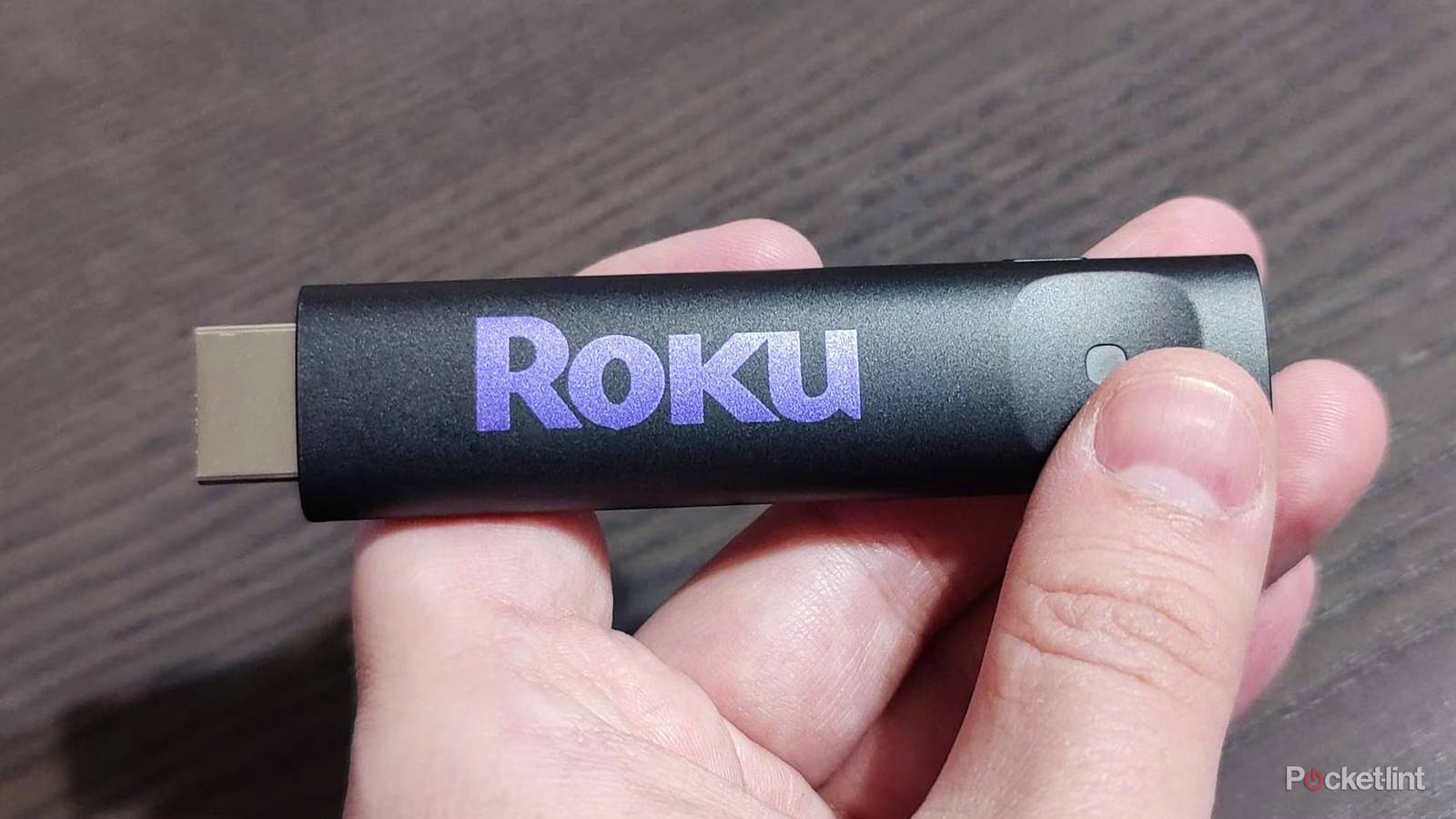
If you just picked up a smart TV and installed all of your apps, you’re probably a happy camper. However, if you’re like me, there will come a time when you’re no longer satisfied with the sluggish performance of your TV, and you’ll pick up something like a Roku Streaming Stick or a Roku Ultra. I actually have both of those, and I’m a big fan of them. They are excellent performers and very snappy out of the box. However, they don’t stay that way.
There will come a time when your Roku slows down, but you don’t have to toss it into the garbage can and get a new one. There are quite a few steps you can take first, and the simplest one is clearing your cache. This takes just a few seconds, and it could have your Roku feeling as good as new. Of course, if it doesn’t work, then you still have some more troubleshooting ahead of you. In my experience, this has been the fix I needed more times than not.
Clear the cache and fix your problems
Easier than you think

Your cache is filled up with data as you use devices, and it’s not exclusive to your Roku devices. It happens with your game consoles, your phones, your TVs, and pretty much anything that has apps. It lets you jump back into the action quickly, since it typically keeps the files you keep going back to readily available. However, it’s an issue when enough apps have their data stored like that, and they’re all fighting for space. It’s going to eventually tank your performance, and you should clear it periodically.
In the case of a Roku, it’s not as simple as hitting a clear cache button, but it is a simple process. What you have to do is give your Roku a restart. You can do this by selecting Settings, going into System, picking Power, and then hitting Reset. This will give your Roku a reset, and you should notice things running smoothly again.
If you like, you can take advantage of a button combo on your remote. Those steps are as follows:
- Press the Home button five times Press the Up arrow once
- Press the Rewind button twice
- Press the Fast Forward Button twice
It’s a method that’s been around for quite a while now, but I can confirm that it still works on my 2024 Roku Ultra. When you do it, your Roku will freeze for several seconds before restarting, so don’t fret when that happens to you. The Roku automatically resets after that, and it’s the same as going through the settings and doing it there.
Like many electronics, you can always unplug it and plug it back in. It works with many devices, and it’s really easy to do. Just remember that you have to leave it unplugged for 10 or so seconds before plugging it back in. You’ll know it gave itself an actual reset if the start up sequence takes a little longer than usual.

- Connectivity
-
HDMI
- Remote
-
Yes
- Video
-
HD, 1080p
- Misc.
-
Works with Alexa, Works with Apple AirPlay and HomeKit, Works with Google Home, Works with Roku Smart Home
If this doesn’t fix the problem you might be in trouble
It’s not a magic fix

This method is meant to be something you try if your Roku is more sluggish than usual. It won’t suddenly bring a dead Roku back to life, so don’t expect it to do that. Roku devices last quite a long time, but there will come a time when it’s time to upgrade your stick or box. The good news is that a new Roku stick isn’t expensive at all. While it costs more to replace a Roku Ultra, a Roku stick costs about $30, and they are frequently on sale. Instead of spending hours and hours troubleshooting problems, I’d rather go out and buy a new one.
I haven’t had a Roku stick die on me yet, and I actually haven’t had any streaming device die on me. I find myself upgrading them before they get to that point, and that’s how I end up with a lot of e-waste that I wouldn’t otherwise have. I have a Google Chromecast 4K, something Google doesn’t even make anymore, that works perfectly sitting in a box. More times than not, little tricks like restarting your device have been all it takes to get a device running as good as new. I suppose that’s why it’s common advice to just unplug something and plug it back in for electronics.
A lot of people periodically give their devices a reset like this to keep them running smoothly. It’s not a bad habit to have, especially since it doesn’t cause any problems for your device by doing so. If you could do it at least once a month, you’d be surprised by how well it keeps things running smoothly. Give it a try the next time you have problems with your Roku — or any streaming device for that matter.