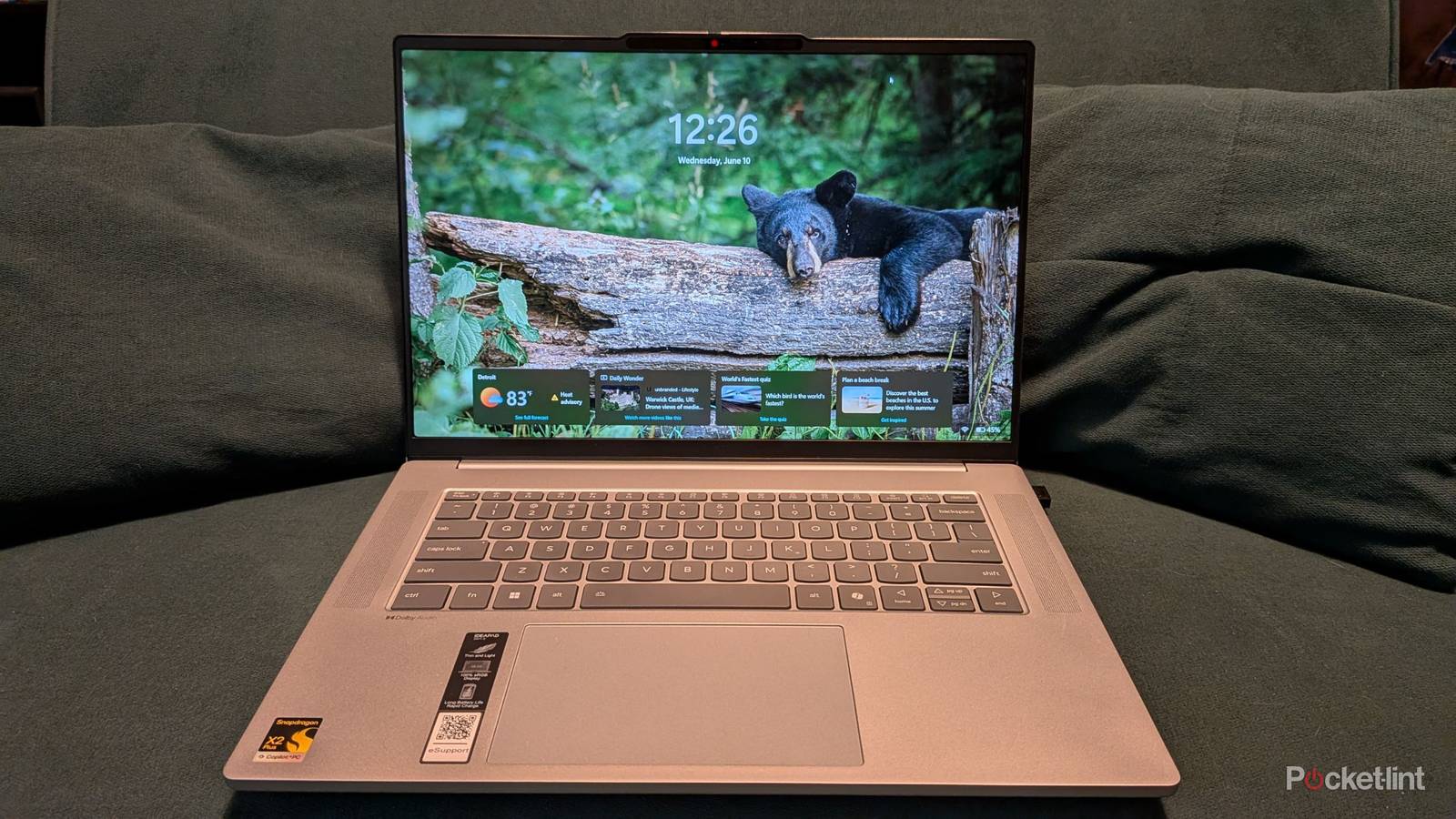
I want to preface this review by letting you know that I’m not typically a big fan of laptops. I use them here and there, but I get most of my work done on my desktop with a 3440x1440p ultrawide monitor. I love the real estate offered here, and nothing beats having a bunch of extra space so I can actually move my arm around while I move my mouse. With that said, I love the Lenovo IdeaPad Slim 5x Gen 11 laptop.
This is a laptop that runs on a Snapdragon processor, a name you’ll likely recognize if you’re into handheld devices or phones. I didn’t actually know Snapdragon had crept its way into the laptop space, and that’s what caught my attention about this laptop. I didn’t ever imagine a world where Windows was running on a Snapdragon device, but that’s where we’re at. After using the laptop for several weeks, I have nothing but good things to say. It’s also something that has its share of limitations, but at $850, that’s to be expected. This isn’t something that’s going to run the latest AAA video game releases at high settings. However, if you’re looking for a new laptop that you’ll use for daily productivity, there’s a lot to like here.


4.5/5
- Operating System
-
Windows 11
- CPU
-
Snapdragon X2 Plus
- RAM
-
16 GB
- Storage
-
500 GB
- Good price
- Great feeling keyboard
- Touch screen
- 16 GB RAM is the sweet spot
- Plenty of ports
- Loud touchpad
- Speakers are just okay
Price, availability, and specs
Hits the sweet spot
At $850, this laptop is a bit in between the super budget options and the high-end ones. I think it’s the perfect sweet spot, and there’s a lot of bang for your buck. The touch screen is excellent, the battery life is superb, the speed is snappy, and the 16 GB of RAM is plenty for web browsing.
There’s a lot of value packed into this laptop, and as somebody who doesn’t use laptops very often, I’m quite impressed. I’ve enjoyed my entire time with this laptop. When I typically review laptops, I’m usually ready to head back to my PC for work, but that’s not the case here. Sitting on the couch for work one or two days a week has been enjoyable thanks to the IdeaPad Slim 5x.
- Operating System
-
Windows 11
- CPU
-
Snapdragon X2 Plus
- RAM
-
16 GB
- Storage
-
500 GB
- Display (Size, Resolution)
-
1920×1200
- Ports
-
HDMI, 2 USB-C, 2 USB-A
- Price
-
850
- Brand
-
Lenovo
- Audio
-
Dolby Audio
- Webcam
-
Yes
What I like about the IdeaPad Slim 5x Gen 11
A productivity monster

The main things I use a laptop for are browsing the internet, word processing, and watching YouTube. This IdeaPad is absolutely perfect for that, and it even has some bonuses that other laptops in the price range don’t have. For starters, this laptop actually has a USB-A port — a pair of them, actually. This is huge for somebody like myself who doesn’t like to lug around a third-party USB hub just to get the same versatility that used to be easy to find on laptops just a few years ago. I don’t like to use trackpads on laptops, and I don’t have to since I have my USB mouse dongle plugged in.
Something I didn’t really know I needed until I started using it is a touch screen. I had a touchscreen laptop back in college that could flip all the way over to a tablet, but I never used it like that. I found that using a laptop and scrolling on something like Reddit is perfect for a touch screen. It’s one of those things that seemed like a gimmick until I got my hands on it, and now I use it all the time. What’s nice is that the screen doesn’t even get covered with fingerprints despite me using it heavily, so you don’t need to keep a rag handy to wipe anything down. Obviously, you should still clean your screen with regularity, but you don’t need to wipe off smudges each time you touch your screen like you would with a TV screen.
What stands out to me the most on the laptop is the number of ports that it has. This is a fantastic work laptop, and if you need to hop into a meeting, it has a webcam and a 3.5mm headphone jack. I’ll always applaud a device for having a headphone jack because it’s a rarity in this day and age. On top of that, it has an HDMI port that lets you connect an additional monitor for more screen real estate. Joining the two USB-A ports are a pair of USB-C ports, and there’s even an SD card port. This type of versatility is often available through a USB hub, so I love that it’s all here without me needing to buy anything else. Sadly, there’s not an Ethernet port.
The 1920×1200 screen isn’t a resolution that’ll turn any heads, but it’s perfectly serviceable. The standout is the 120hz refresh rate that makes zipping across the screen with my cursor feel as snappy as ever. Battery life is no slouch, either. Over the course of seven hours, my battery dropped from 81% to 30% at 20% brightness with no power-saving options turned on. The fact that all of this is possible with a $850 price tag is impressive.
What I don’t like about the IdeaPad Slim 5x Gen 11
Minor nitpicks

To be perfectly honest, there’s not a lot that I actually dislike about the IdeaPad Slim 5x. I don’t expect it to be a powerhouse, so it’s not like I’ll hold any lack of performance against it. As a basic internet browser and word processor, it’s great. Some nitpicks I have are very minor, and they might not even matter to you.
One such problem is audio. These small speakers, while serviceable, won’t be any replacement for your actual sound system. To be fair, laptops aren’t particularly known for having excellent speakers, but you can find some that have Dolby Atmos support. These speakers boast just regular Dolby Audio, so don’t expect the cutting edge here. I found that keeping the laptop away from max volume has been best as it can get sort of tinny if you crank it up all the way. This is something I notice with a lot of laptops over time, so it’s not unique here. I’m also not a fan of touchpads, so I connected a mouse as soon as I could. If you use the touchpad, you’ll quickly notice that it’s the loudest button on the entire device — more specifically the left-click button.
For what this laptop is, I really don’t have many issues to write home about. It’s not a gaming powerhouse, and it’s not the best at any particular thing. What it’s great at is being a perfectly fine laptop for people on a budget.
Should you buy the IdeaPad Slim 5x Gen 11?
I say yes

I’ve spent several weeks with this laptop, and I thought I’d be dying to go back to my desktop for full-time work. While I still prefer using my desktop, I don’t mind using this IdeaPad for work whatsoever. I love the feel of the keyboard, I love the touch screen, and I love the long battery life. I can easily spend 8+ hours on the couch without having the plug it in from a full charge, which is fantastic.
I’m actually sad that I have to send this back because I would love to keep it and continue using it. If somebody’s looking for a budget-friendly laptop that is great for word processing and browsing the internet, I can wholeheartedly recommend the Idea Pad Slim 5x Gen 11. The biggest thing I’d be looking for in this price range is long battery life, a solid screen, and a decently fast processor. This laptop checks all of those boxes, and a 500 GB hard drive is nice to have as a bonus. When you couple that with all the different ports on display with the solid, aluminum build, this is a worthwhile contender for the budget-friendly laptop crown.
4.5/5
- Operating System
-
Windows 11
- CPU
-
Snapdragon X2 Plus
- RAM
-
16 GB
- Storage
-
500 GB