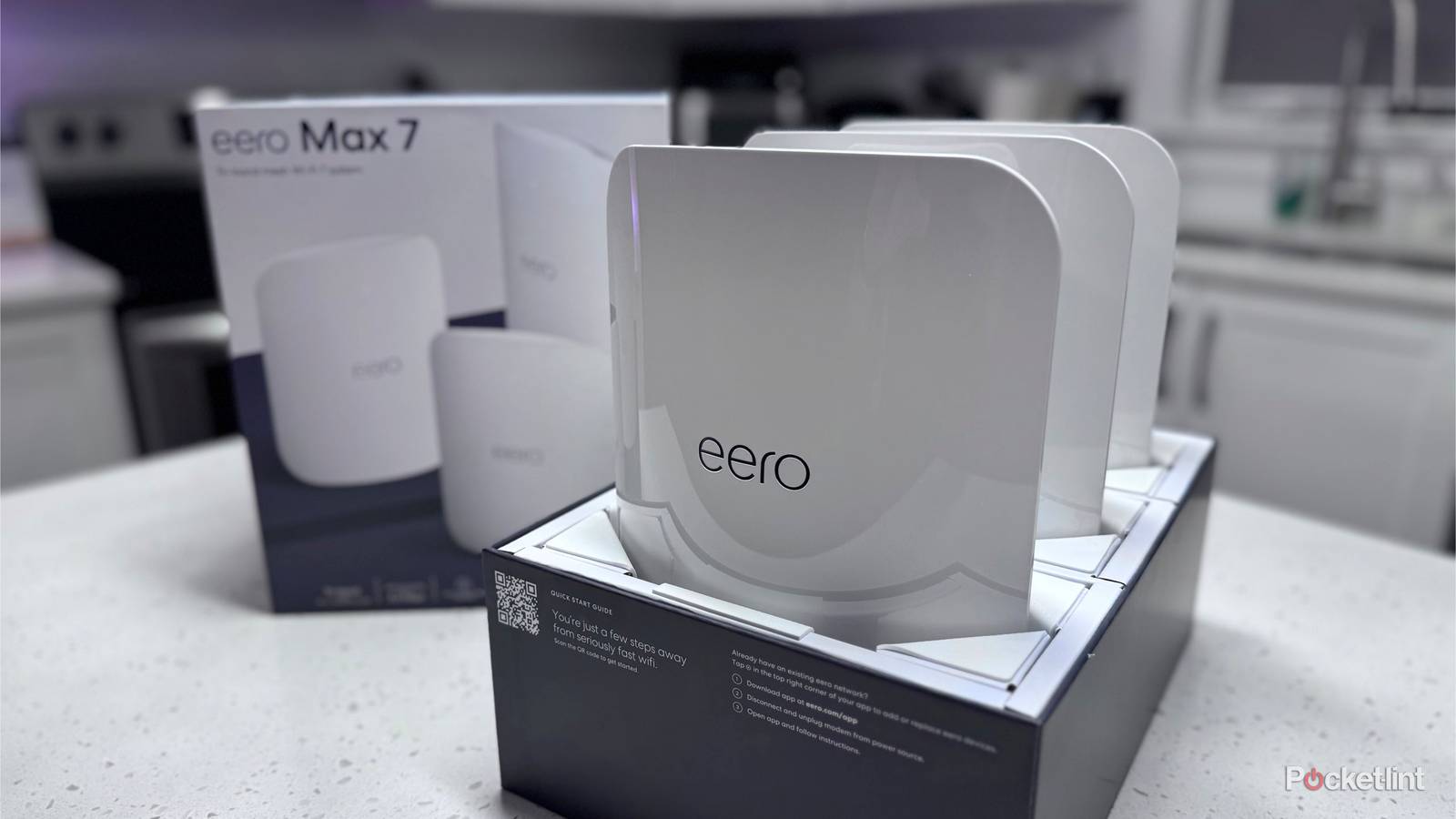
If you’re committed to a new Wi-Fi setup, Wi-Fi 7 is the way to go with anything more than a shoestring budget. The cost of the tech has dropped considerably, to the point where some routers are already in budget territory. You do get what you pay for — yet if you’re moving into a new apartment and your demands aren’t too tough, one of these cheaper models may do the trick.
Regardless of the scale of your plans, it’s important to run through a checklist before spending any money. Unless you’ve completed the steps below first, you could be wasting your investment, or at least find yourself disappointed with the results. As with a lot of tech, new hardware isn’t a magic bullet. It’s only worth paying if it actually improves your quality of life.
Check the Wi-Fi compatibility of connecting devices
Like driving a Pinto on the Autobahn

There are a number of technical advantages to Wi-Fi 7. It offers a much larger total capacity than Wi-Fi 6E, up to 46Gbps, and includes architectural changes like wider 320MHz channels and MLO (Multi-Link Operation). The latter allows devices to exploit multiple frequency bands simultaneously. It’s arguably overkill for most homes, but of course what’s bleeding-edge one year can quickly become the norm, so choosing Wi-Fi 7 today might save you money in the long run by postponing your next upgrade.
Before you upgrade at all, though, verify whether your most important devices support Wi-Fi 7. Many phones, tablets, and laptops are still limited to Wi-Fi 6E, if not Wi-Fi 6. That old TV in your bedroom could be on Wi-Fi 5 (802.11ac) — a standard dating back to 2013, and made obsolete almost instantly when Wi-Fi 6 launched in 2019. TV makers tend to skimp on their wireless radios, I’ve noticed.
The crux is that if none of your devices are equipped with WI-Fi 7, you won’t see any benefits from a supporting router, so you might as well wait until other upgrades are in place. If you’ve got a handful of products with the standard, there may be a better argument for a new router if those are essential devices, such as your work computer. Even then, however, you won’t get the most out of Wi-Fi 7 until as many devices as possible have made the leap. Anything on a lower standard will effectively bog down the network (though not seriously) by operating less efficiently.
Try cheaper methods of boosting network speeds first
Efficiency can make a huge difference

If you’ve got the room for it financially, it can be tempting to spend your way out of problems. Often, this does work, and it gets your hands on shiny new hardware that you might’ve otherwise been unable to justify.
When it comes to networking, however, it’s hypothetically possible to buy a $400 router and see little to no performance improvement. The issue is that, beyond device compatibility, some conditions can prevent any Wi-Fi setup from working well. It doesn’t make sense to install a V12 engine in a car with a flat tire.
First, consider where your existing router is placed, or routers plural in the case of a mesh system. A standalone unit should be sitting in a central room to maximize its reach. Any router you own should be raised off the floor, and preferably moved away from any objects that could be causing interference, such as TVs and cluttered bookshelves. Whatever you do, don’t stuff a router in a drawer, cabinet, or closet — you’re limiting its effective range before signals can even cross the room. Think of it like an FM radio tower. You wouldn’t expect to hear NPR crystal-clear from a tower on the opposite side of a mountain.
In some circumstances, your home itself could be the trouble. Some wall and floor materials are all too good at blocking signals. You may need to find an alternate location for your router(s), or consider wiring up some connecting devices via Ethernet cables. Ethernet is largely immune to range or interference issues, with the bonus of maximizing speeds and freeing up wireless frequencies. If you do decide to go this route, make sure to choose Cat 6 cables, which are rated up to 10Gbps. You’ll also want to buy covers and hiders to prevent tripping and keep your home tidy. A major wiring project can potentially cost more than a new router, but that might yield more tangible results in the end.
If you’re using a standalone router in a multi-story house, you may actually get more benefit from building out a mesh system, no matter that you’re sticking to Wi-Fi 6 or 6E. Just be sure that the products you’re using match or surpass the performance of the gateway router.
Map out the necessary specs
Be the man (or woman) with the plan

Congratulations — if you’ve made it this far, you can probably rationalize buying a new Wi-Fi 7 router. But now what? As you might guess from their wildly different pricetags, not all routers are equal. It’s important to spend some time dissecting specs and understanding what you need.
The leading consideration is coverage. Any product you buy should at least match the square footage of your home, and probably exceed it, since devices connecting from the fringes might otherwise encounter flaky signals. Don’t forget any yard or garage coverage you might want, either. If you have a particularly large property, you might need to invest in an outdoor mesh to reach things like security cameras or your garage.
Next, consider the available ports. You can’t go wrong with having as many Ethernet ports as possible, but one may suffice if you’re willing to buy a switch or keep most devices wireless. I’d recommend buying a router with a 2.5Gbps WAN (modem) jack, and at least one 2.5Gbps LAN (local) port. While most internet plans are still stuck at 1Gbps or below, it’s better to have the option of tapping multi-gig internet when it’s available. You may also want a free USB 3.x port for connecting data storage. USB 2.0 ports aren’t much good beyond printers.
Any product you buy should at least match the square footage of your home, and probably exceed it, since devices connecting from the fringes might otherwise encounter flaky signals.
It’s only at this stage that you should be considering the raw speed of a particular router. More gigabits are better, naturally, but be wary if you’re buying a mesh kit — some systems don’t rely on dedicated backhauls for router-to-router communications. That sabotages the practical bandwidth for connecting devices. You can use Ethernet for a wired backhaul in a pinch, but stringing that much cable tends to defeat the purpose of a mesh.
Lastly, if you’re got smart home accessories, you may want to hunt for a product with Matter and/or Thread support. The former is a universal pairing standard, eliminating the need for specific platform compatibility, but every home needs at least one Matter controller to manage things. Thread, meanwhile, is a wireless standard used for low-power accessories like light bulbs and sensors. The more Thread devices you have, the more reliable they become, and some Wi-Fi routers can double as “border routers” for bridging Thread meshes with the wider world.