


If you’re looking to upgrade your TV’s streaming experience without spending a fortune, a streaming stick is hands down one of the best options. They’re affordable, and there are plenty to choose from, including models from Onn and Roku. However, the option many people gravitate toward, and the lineup that arguably made streaming sticks mainstream in the first place, is Amazon’s Fire TV Sticks.
For those unfamiliar, Fire TV Sticks are compact yet capable streaming devices that plug directly into your TV’s HDMI port, unlocking a whole new world of streaming. They make it easy to access streaming services like Netflix, Disney+, and HBO Max on your TV, as well as FAST (free ad-supported TV) apps such as Pluto TV and The Roku Channel. So if you’re ready to say goodbye to cable and lean into streaming, a Fire TV Stick is a great place to start.
That said, Amazon’s Fire TV Stick lineup has changed quite a bit recently. With four different models to choose from, it can be a little confusing to figure out which one to buy and what actually sets them apart. So if you’re thinking about picking up a Fire TV Stick for the first time, or upgrading your current one, here’s everything you need to know before you add one to your cart.

- Brand
-
Amazon
- Resolution
-
4K
- Audio codecs
-
Dolby Atmos
- RAM/storage
-
16 GB
Fire OS vs. Vega OS
Vega OS is Amazon’s new operating system for Fire Sticks

Recently, Amazon released two new Fire TV Sticks: the Fire TV Stick 4K Select and a new version of the Fire TV Stick HD. What sets them apart from the other two Fire TV Sticks Amazon sells, the 4K Plus and 4K Max, is the software they run. The 4K Select and HD both run Vega OS, Amazon’s new Linux-based operating system, whereas the 4K Plus and 4K Max run Fire OS, Amazon’s Android-based system that has powered its Fire TV devices for well over a decade.
While the user interfaces on Vega OS and Fire OS look almost identical, the biggest difference is flexibility. Vega OS doesn’t support sideloading third-party Android apps, whereas Fire OS does because it’s built on Android. That means if you buy the Fire TV Stick HD or 4K Select, you’re limited to downloading apps only from the Amazon Appstore. On the other hand, with the 4K Plus and 4K Max, you can download apps not just from the Amazon Appstore but also sideload third-party Android apps you can’t get there, including custom launchers.

Quiz
Fire TV Stick history
Trivia challenge
From its 2014 debut to 4K streaming dominance — how well do you really know Amazon’s Fire TV Stick?
HistoryHardwareStreamingFeaturesAmazon
In what year did Amazon first release the original Fire TV Stick?
Correct! Amazon launched the original Fire TV Stick in November 2014, initially as an invitation-only product before making it widely available. It was designed as a budget-friendly alternative to the full Fire TV box released earlier that same year.
Not quite. Amazon launched the Fire TV Stick in November 2014, following the debut of the larger Fire TV set-top box earlier that year. It quickly became one of the best-selling streaming devices on the market.
Which port does the Fire TV Stick plug into on your television?
Correct! The Fire TV Stick connects directly into an HDMI port on your TV, making it incredibly simple to set up. A separate USB cable is also included to provide power to the device.
Not quite. The Fire TV Stick uses an HDMI connection to plug directly into your television. This design keeps the device compact and ensures compatibility with virtually any modern TV.
Which Fire TV Stick model was the first to support 4K Ultra HD streaming?
Correct! The Fire TV Stick 4K, released in October 2018, was the first stick-form-factor Fire TV device to support 4K Ultra HD, HDR10, Dolby Vision, and Dolby Atmos. It was a significant upgrade over the standard stick lineup.
Not quite. The Fire TV Stick 4K, launched in 2018, was the first in the stick lineup to offer 4K Ultra HD support along with HDR10, Dolby Vision, and Dolby Atmos audio. Earlier stick models were capped at 1080p Full HD.
What is the name of Amazon’s voice assistant built into the Fire TV Stick remote?
Correct! Amazon’s own voice assistant, Alexa, is integrated into the Fire TV Stick remote, allowing users to search for content, control smart home devices, check the weather, and more using just their voice.
Not quite. Amazon built its own voice assistant, Alexa, into the Fire TV Stick remote. Alexa lets you search for content hands-free, control compatible smart home devices, and access a wide range of skills beyond just streaming.
What is the name of Amazon’s own free streaming service that comes pre-installed on Fire TV Sticks?
Correct! Amazon Freevee (previously known as IMDb TV) is Amazon’s free, ad-supported streaming service that comes pre-loaded on Fire TV devices. It offers a wide library of movies and TV shows at no subscription cost.
Not quite. Amazon Freevee, formerly called IMDb TV, is Amazon’s free ad-supported streaming service that comes built into Fire TV Sticks. While Prime Video requires a subscription, Freevee is completely free to watch with ads.
Which budget-focused Fire TV Stick model was introduced in 2020, featuring a simplified remote without TV controls?
Correct! The Fire TV Stick Lite launched in 2020 as Amazon’s most affordable streaming stick. Its remote omits the dedicated TV power and volume buttons found on standard Fire TV remotes, keeping costs down for budget-conscious buyers.
Not quite. Amazon introduced the Fire TV Stick Lite in 2020 as its entry-level streaming stick. The Lite version’s remote drops the TV control buttons to reduce the price, making it an attractive option for first-time streamers.
Before being rebranded, what was the original name of the Fire TV Stick’s operating system?
Correct! The Fire TV Stick runs Fire OS, Amazon’s own operating system that is based on Android but heavily customised with Amazon’s own apps, services, and interface. It has been the backbone of all Fire TV devices since launch.
Not quite. Fire TV Sticks have always run Fire OS, Amazon’s forked version of Android that replaces Google’s services with Amazon’s own ecosystem. Despite its Android roots, Fire OS looks and behaves quite differently from standard Android TV.
Which connectivity standard did the Fire TV Stick 4K Max (1st Gen, 2021) introduce to the Fire TV Stick lineup for the first time?
Correct! The Fire TV Stick 4K Max launched in 2021 as the first Fire TV Stick to support Wi-Fi 6 (802.11ax), offering faster and more reliable wireless connectivity compared to previous models. It also featured a more powerful processor than the standard 4K stick.
Not quite. The Fire TV Stick 4K Max, released in 2021, made history as the first Fire TV Stick to include Wi-Fi 6 support. This newer wireless standard delivers improved speeds and better performance in homes with many connected devices.
Your Score
/ 8
Thanks for playing!
To put it simply, if your main concern is just watching streaming services on your TV, Vega OS handles that just fine, and pretty much every major streaming app is available through the Amazon Appstore, whether it be Netflix, Disney+, HBO Max, YouTube TV, Peacock, Prime Video, and the list goes on. It’s really only if you’re more of an enthusiast and want the added flexibility to download third-party apps from outside the Amazon Appstore that Fire OS has the advantage, and you may want to stick with one of those models instead.
Choosing the right Fire Stick
The 4K Max offers the best value

Now that we’ve sorted out the difference between Vega OS and Fire OS, let’s look more closely at the Fire TV Stick models Amazon sells. Currently, Amazon’s Fire TV Stick lineup includes four models: the Fire TV Stick HD, 4K Select, 4K Plus, and 4K Max.
The Fire TV Stick HD is Amazon’s newest Fire TV Stick, running Vega OS and supporting up to 1080p streaming. If you’re planning to connect it to an older HD TV, the Fire TV Stick HD is your best bet, as it works best with 720p or 1080p TVs. It also features a new slim design and doesn’t need a wall plug, so you can power it by plugging it into your TV’s USB port. It also supports HDR and HDR10+ streaming, features Wi-Fi 6, and has 1GB of RAM and 8GB of storage. It’s regularly priced at $35.
Next up is the Fire TV Stick 4K Select. It also runs Vega OS like the HD, but it supports 4K streaming. So if you have a TV that supports 4K resolution, this will be a better fit for you if you’re just looking for something basic. Like the HD, it supports HDR and HDR10+ streaming, features Wi-Fi 6, and has 1GB of RAM and 8GB of storage. It’s regularly priced at $40.
Fire TV Stick HD | Fire TV Stick 4K Select | Fire TV Stick 4K Plus | Fire TV Stick 4K Max | |
|---|---|---|---|---|
Picture Quality | 1080p HD | 4K Ultra HD | 4K Ultra HD | 4K Ultra HD |
Supported Video | HDR10, HDR10+, HLG | HDR10, HDR10+, HLG | Dolby Vision, HDR10, HDR10+, HLG | Dolby Vision, HDR10, HDR10+, HLG |
Supported Audio | Dolby-encoded audio | Dolby-encoded audio | Dolby Atmos | Dolby Atmos |
Wi-Fi | Wi-Fi 6 | Wi-Fi 5 | Wi-Fi 6 | Wi-Fi 6E |
Storage | 8GB | 8GB | 8GB | 16GB |
RAM | 1GB | 1GB | 2GB | 2GB |
Operating System | Vega OS | Vega OS | Fire OS | Fire OS |
Cloud Gaming | Amazon Luna, Xbox Cloud Gaming | Amazon Luna, Xbox Cloud Gaming | Amazon Luna, Xbox Cloud Gaming, Nvidia GeForce Now | Amazon Luna, Xbox Cloud Gaming, Nvidia GeForce Now |
Price | $35 | $40 | $50 | $60 |
The Fire TV Stick 4K Plus is where things get more interesting: it’s a faster version of the 4K Select that runs on Fire OS, supports 4K HDR streaming and Wi-Fi 6, and includes additional features like Dolby Vision and Dolby Atmos. While the 4K Plus still has 8GB of storage, it features 2GB of RAM (an upgrade from the 1GB in the HD and 4K Select), giving it a performance edge that makes streaming smoother. It’s regularly priced at $50.
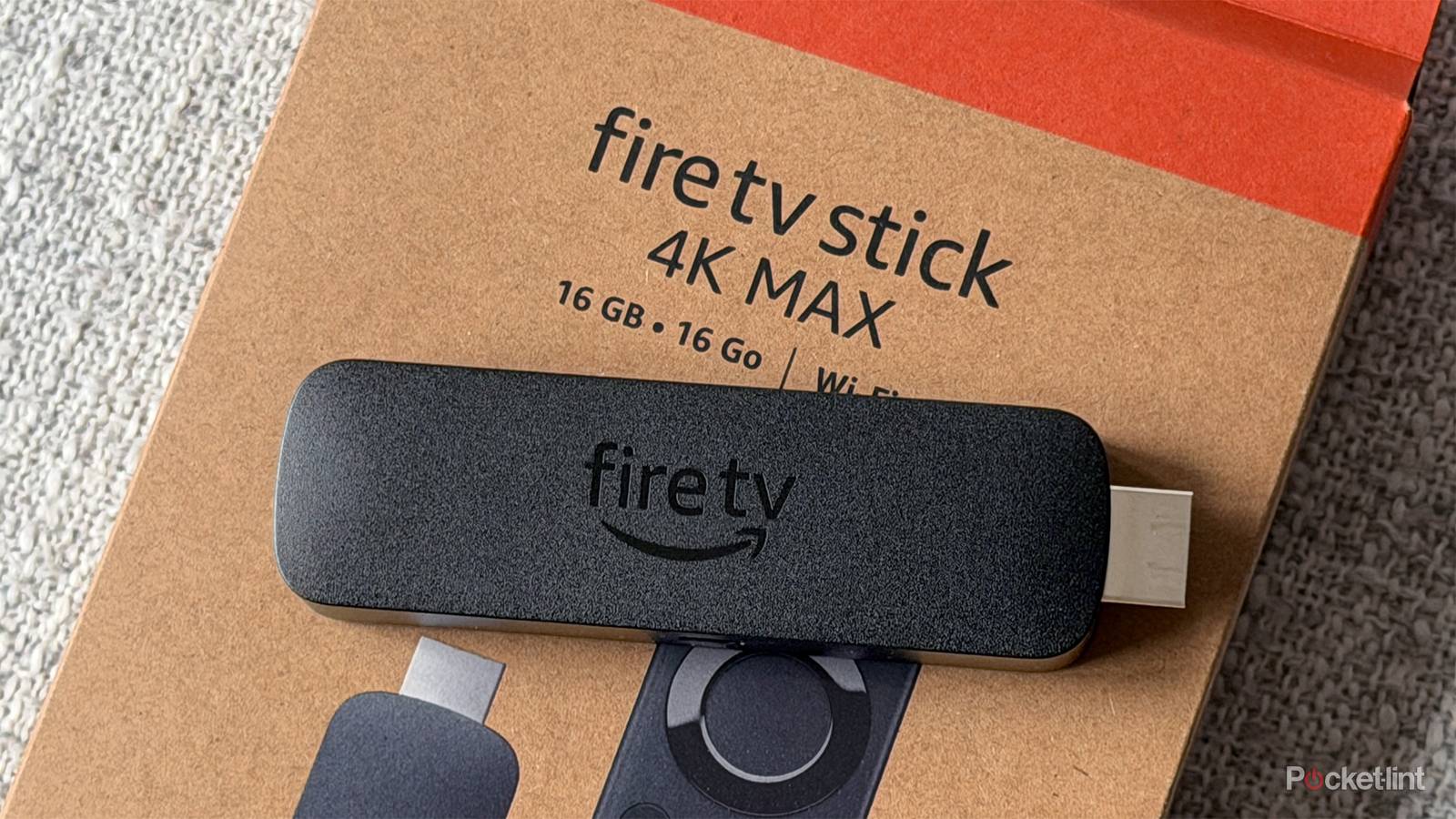
Finally, there is the Fire TV Stick 4K Max, Amazon’s most powerful streaming stick. It runs Fire OS and supports 4K HDR streaming, Dolby Vision, and Dolby Atmos, and comes with 2GB of RAM and 16GB of storage. It also has the fastest Wi-Fi of any Fire TV Stick, with Wi-Fi 6E support. It’s regularly priced at $60.
All in all, if you’re just looking for a streaming stick for an older HD TV, the Fire TV Stick HD is likely your best bet. On the other hand, if you want the best 4K streaming experience possible, I’d go with the 4K Max, as it’s the powerful, feature-rich model, and offers the added flexibility of Fire OS.
There are lots of free streaming services available
If you’re tired of paying for streaming, there are free alternatives

It’s no secret that there are a lot of paid streaming services out there these days, and the vast majority of them are available on Fire TV Sticks. That includes big names like Netflix, Disney+, HBO Max, Paramount+, and Prime Video. Plus, if you’re looking for a cable replacement, you can also download live TV streaming apps like YouTube TV, Fubo, and DirecTV, all of which require a paid subscription.
That said, one of my favorite things about Fire TV Sticks is just how many free streaming apps you can install. So if you’re tired of juggling multiple paid subscriptions every month, these free services are a great alternative.
Apps like The Roku Channel, Pluto TV, Tubi, and Plex all offer a huge selection of free movies and TV shows on demand, along with free live TV channels, often referred to as FAST (free ad-supported TV) channels. For example, The Roku Channel offers over 500 FAST channels, while Plex has more than 600. So there’s no shortage of free content on a Fire TV Stick if you’re looking to cut down on your monthly streaming bill. And with the cost of streaming constantly going up (looking at you, Netflix), I’ve been turning to these free apps a lot more on my Fire TV Stick 4K Max lately.
Cloud gaming turns your Fire Stick into a console
You can stream the latest games on your Fire Stick without a console

One of my favorite features that Fire TV Sticks have, which I regret not using sooner, is cloud gaming. If you’re not familiar with it, cloud gaming lets you connect a Bluetooth controller to your Fire TV Stick and play games streamed from the cloud without needing a console.
So even if you don’t have a PS5 or Xbox Series X, cloud gaming lets you stream and play both new releases and a huge library of older titles directly on your Fire TV Stick. A few services make this possible, including Amazon Luna, Xbox Cloud Gaming, and Nvidia GeForce Now.
Amazon Luna and Xbox Cloud Gaming both require a paid subscription, but Nvidia GeForce Now has a free tier. What makes GeForce Now unique is that it offers PC games, not just console games, so if you want to turn your Fire TV Stick into a gaming PC, you can do that thanks to the cloud.
However, it’s important to note that Nvidia GeForce Now is available only on the Fire TV Stick 4K Plus and 4K Max, whereas Amazon Luna and Xbox Cloud Gaming are available on the new Fire TV Stick HD, 4K Select, 4K Plus, and 4K Max
Never pay full price for a Fire Stick
They are almost always on sale

To cap things off, I want to share one last piece of advice when it comes to Fire TV Sticks: never pay full price for one. The reason I say this is that Amazon puts its Fire TV Sticks on sale all the time, and you can usually score a good deal if you just wait for one to go on sale. For example, the Fire TV Stick 4K Max often goes on sale for $40 — $20 off its regular price of $60. So if you’re looking to save some money, keep an eye out for deals on them.