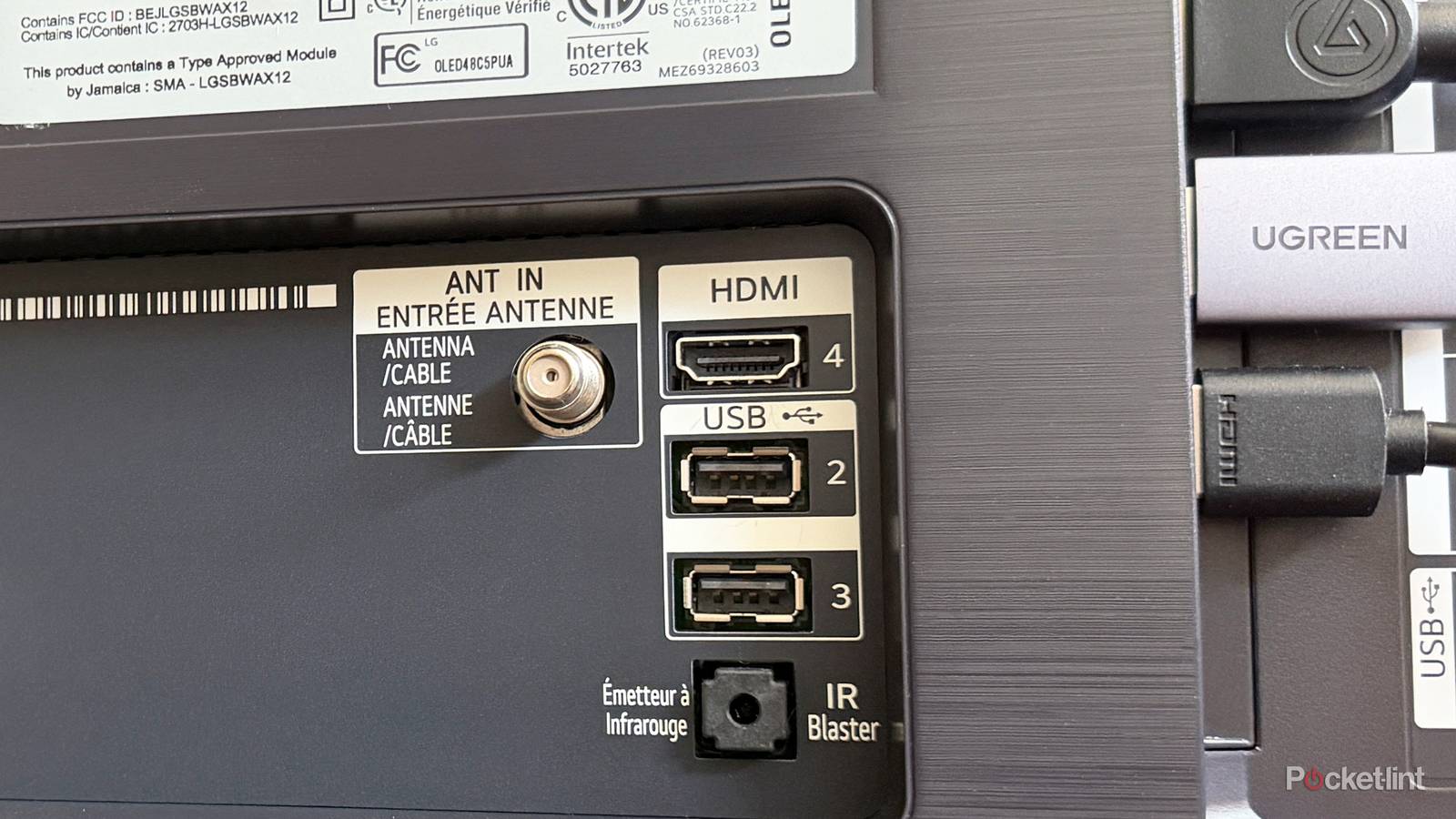
When I picked up a new LG TV recently and saw just how incredibly thin it was, it reminded me of just how far TVs have come over the past 20 years. We’ve gone from large, heavy big-box TVs to flat-screen plasma TVs, and now to where we are today: ultra-thin, smart, incredibly sharp TVs featuring a variety of panel technologies, including QLED, Mini-LED, OLED, and the newer Micro RGB.
But while TVs have changed dramatically over the past two decades, one thing has remained largely the same on the back of them since the late 2000s: the inclusion of an HDMI port. HDMI, which can transmit both video and audio through a single cable, has become a staple of modern TVs. And as TVs have evolved, so has HDMI, with newer standards introduced over the years, including HDMI 1.4, HDMI 2.0, and HDMI 2.1.
HDMI 2.1 has been the gold standard on smart TVs for a while now, supporting up to 4K at 120Hz, 8K at 60Hz, and useful gaming features like Variable Refresh Rate (VRR) and Auto Low Latency Mode (ALLM). Simply put, it’s the best port to plug your streaming devices, consoles, 4K Blu-ray players, and PCs into. The problem is that even though many TVs have multiple HDMI ports, they don’t always offer the same capabilities. Some TVs only have one or two HDMI 2.1 ports, with the rest being HDMI 2.0, while on others, every single port supports HDMI 2.1. To make things even more confusing, TV makers don’t always use the same labels for these ports, making it difficult to know which one is actually the most capable. Here’s how to tell.
How to find the HDMI 2.1 port on your TV
There are different labels, though they’re not always clear

If you’re wondering which HDMI port on your TV supports HDMI 2.1, there are a few different labels to look out for that can indicate that a port supports the standard.
One label that I’ve seen on a lot of TVs is “4K@120Hz.” If you see this label above one or more of the HDMI ports on your TV, it’s usually a good indication that those ports support key HDMI 2.1 features, including the ability to display 4K at 120Hz, which is great for gaming.
Another label you may see is VRR or ALLM, although these aren’t quite as common as 4K at 120Hz. VRR stands for Variable Refresh Rate, a gaming feature that synchronizes your TV’s refresh rate with your console’s frame rate, which can help reduce screen tearing and make gameplay look much smoother. ALLM, meanwhile, stands for Auto Low Latency Mode, which automatically puts your TV into a low-latency mode when you start gaming, helping reduce input lag and making your controls feel more responsive.

8K is another label that’s sometimes used to differentiate HDMI 2.1 ports, although you’re more likely to see this on AV receivers and other home theater equipment than on smart TVs.
If you don’t see any labels on your TV’s HDMI ports, it could mean one of two things: all of your HDMI ports support HDMI 2.1, which is becoming increasingly common on newer, higher-end smart TVs, or none of them support HDMI 2.1. That’s why I always recommend looking up your TV’s make and model online and checking its specifications to see exactly what each HDMI port is capable of, because the labels don’t always paint the clearest picture.
For example, on my LG TV, all four HDMI ports support HDMI 2.1, so nearly all of them are completely unlabeled despite supporting the standard. The only label on one of my TV’s HDMI ports is eARC. While an eARC port can also support HDMI 2.1, that’s not always the case.
Don’t confuse eARC with HDMI 2.1
Not all eARC ports fully support HDMI 2.1

If you’re not familiar with eARC (Enhanced Audio Return Channel), it was introduced with the HDMI 2.1 specification and allows your TV to transmit high-bandwidth, lossless audio formats, such as Dolby Atmos and DTS, to audio devices connected to your TV, like a soundbar or AV receiver.
Although eARC is mainly designed for audio devices, that doesn’t mean it can’t be used with other devices. Personally, I use my TV’s eARC port with my desktop PC because I know the port fully supports HDMI 2.1, and I’ve had no issues gaming in 4K with HDR at a high refresh rate.
However, while eARC can indicate HDMI 2.1 support on many TVs, that’s not always the case. Some TV makers limit the port’s capabilities to HDMI 2.0 while still supporting eARC for streaming uncompressed audio formats like Dolby TrueHD and Dolby Atmos. Things get even more confusing because on some TVs, eARC is the only HDMI port that supports HDMI 2.1 features, such as on Amazon’s Ember 4-Series and Sony’s Bravia 2 II series. So while eARC can be a useful indication that a port supports at least some HDMI 2.1 features, it doesn’t necessarily mean the port supports the full HDMI 2.1 specification or 48Gbps bandwidth. Like before, it’s best to double-check your TV’s specs to see exactly what that port supports.
All in all, if you’re looking for the best port to use on your TV, PC, PS5, 4K Blu-ray player, or more, keep an eye out for labels such as 4K@120Hz or VRR, which can indicate whether a port supports HDMI 2.1. However, I recommend checking your TV’s specs (either online or in the manual) to see exactly what each port supports, as the labels don’t always paint the full picture.

- Brand
-
LG
- Display Size
-
42, 48, 55, 65, 77, or 83 inches
- Operating System
-
webOS
- Display Type
-
OLED