There’s a lot going on in the smart TV ecosystem right now. Sony has partnered with TCL for its TVs and home entertainment business, while Google continues to push AI deeper into televisions with Gemini for Google TV.
And yet, for all these advancements, there’s one surprisingly basic issue that still hasn’t gone away: your TV turning on by itself.
If this has happened to you, no one pressed the remote, you didn’t cast anything, and you just walk into the room to find the TV already on, you’re not alone. It feels slightly creepy and, honestly, a bit frustrating, especially when you haven’t done anything, and your TV is just sitting there drawing power for no reason at all.
The good news is that this usually isn’t a hardware fault or a serious software bug. It’s more of a side effect of how modern TVs are designed to work with other devices, which is exactly why it keeps happening.
The even better news is that you can fix this pretty easily and stop it from happening altogether.

4 ways to instantly upgrade your smart TV for free
If your smart TV isn’t performing as well as it should, these quick fixes will have it feeling brand-new.
Why your smart TV keeps turning on by itself

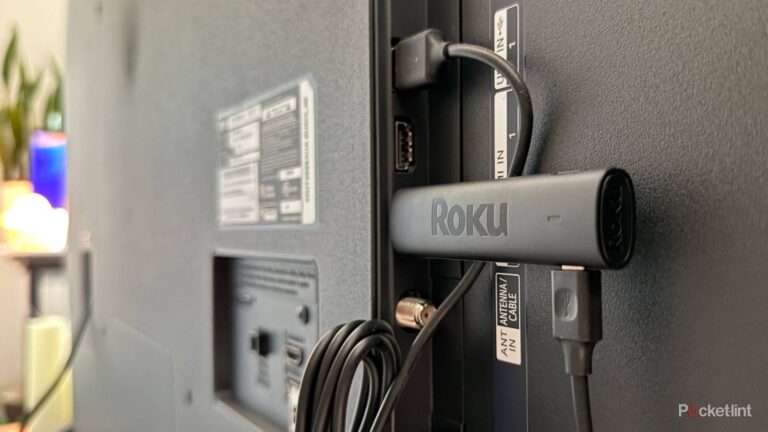
In most cases, when a smart TV turns on by itself, it’s usually because you have multiple devices connected to it, like soundbars, streaming boxes, gaming consoles, and more. More often than not, it’s not the TV acting on its own, but your TV reacting to a signal coming from one of these devices.
Modern TVs are constantly communicating with everything connected to them through HDMI Consumer Electronics Control, or HDMI-CEC. This allows devices to talk to each other.
For example, when you power on your PlayStation 5, your TV automatically turns on because it knows you’re about to play a game. Similarly, when you press the volume buttons on your Apple TV remote, it changes the TV’s volume instead of the streaming box’s volume. All of your devices work together as one system.
When this works properly, it feels seamless. The problem is that HDMI-CEC doesn’t understand intent. It only understands signals.
Streaming devices are often the biggest culprits here. Many of them briefly wake up in the background to check for updates or sync data.
And that short wake-up can send a signal telling the TV to turn on. Soundbars can do something similar when they detect power input.
In fact, even your phone can play a role. So even if you just tapped that cast button on your phone accidentally, it can wake a streaming device, which then wakes the TV.

Tweak these 5 settings to make your LG smart TV feel brand new
Unlock the full potential of your LG TV with these hidden features.
How to stop your TV from turning on automatically

The good news is that you can stop this from happening. The fix, however, can be a little painful since it may require digging into the settings of every device connected to your TV, or disabling HDMI-CEC entirely. Doing the latter also means you may need to rely on separate physical remotes to control each device.
The easiest way out is to disable HDMI-CEC on your TV altogether. This breaks the communication between your TV and connected devices, so pressing the power button on something like a PS5 won’t automatically turn the TV on. The upside is that your TV also won’t randomly power itself on anymore.
You can disable HDMI-CEC by heading into your TV’s settings. On Sony TVs running Google TV, the feature is called Bravia Sync. Samsung labels it Anynet+, LG calls it SIMPLINK (HDMI-CEC), and TCL usually lists it under the more generic HDMI-CEC name.
A better approach, though, is figuring out which device is causing the problem and limiting its control.
Check which device is often on the screen when your TV randomly turns on and disable HDMI CEC in the setting for that particular device only. Most streaming devices and consoles let you disable power control in their own settings while keeping other HDMI-CEC features intact.
This way, your remote can still control volume or switch inputs, but that device won’t be able to wake your TV on its own.
How you can still control devices with one remote

If you’re like me and have decided to disable HDMI-CEC on your TV entirely, it doesn’t mean you have to live with three remotes cluttering your table. Even with CEC power controls turned off, you can still keep things simple.
Streaming devices like Google TV, Amazon’s Fire TV, and Apple TV all offer companion apps that let you control playback, browse content, and even enter text far more easily than using a physical remote. In real life, this often ends up being faster than relying on HDMI-CEC in the first place.
That said, if you can figure out which specific device is waking your TV and just tweak that particular device’s settings to stop that behavior, that’s still the better approach in my opinion.