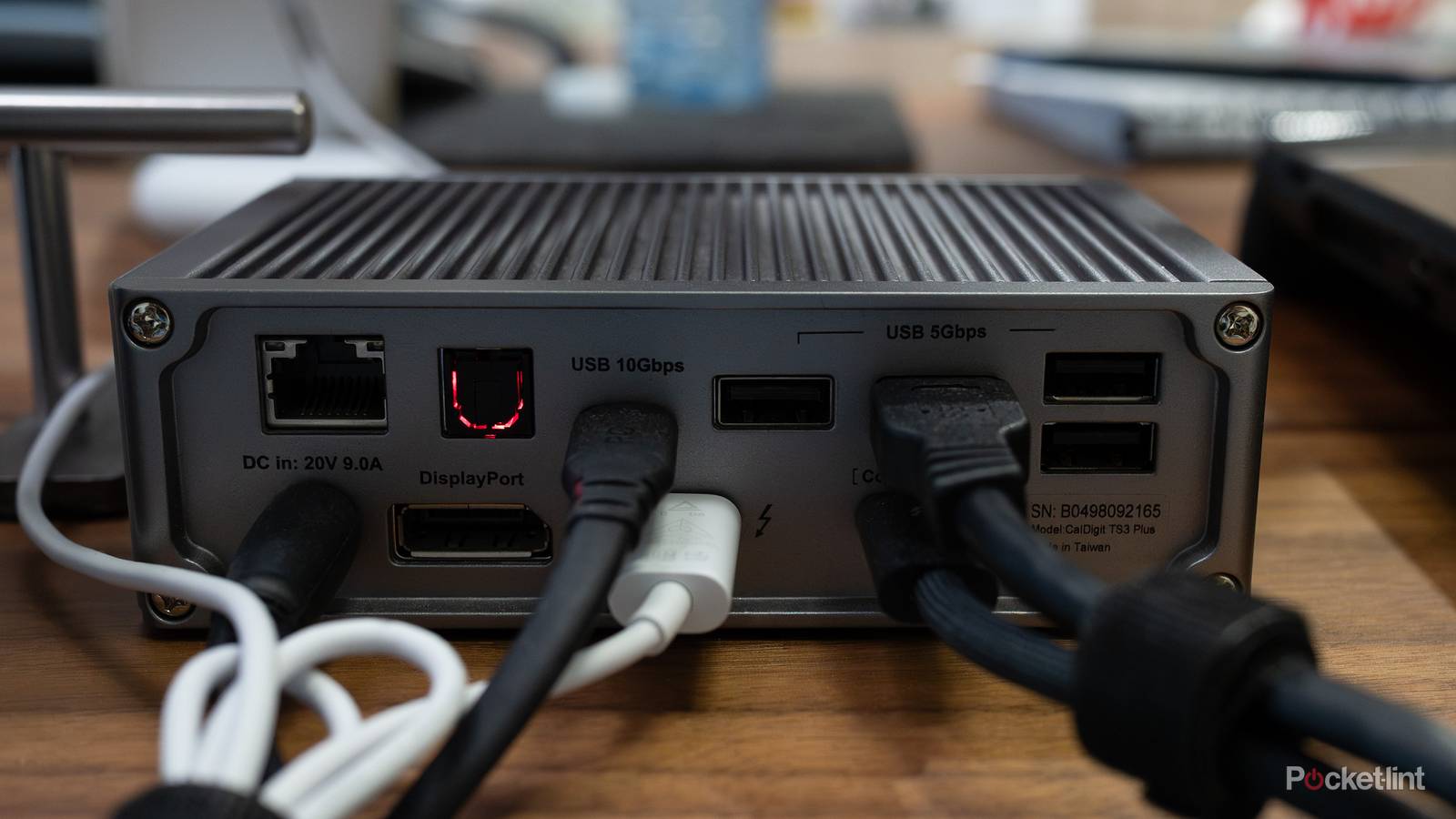
The USB-C format is pretty much normalized now, and that’s a good thing for many reasons. The biggest thing is that I can now use the same cable for everything. There’s no more digging around and finding ones that are only needed for specific things. I still have instances of that, like my Apple TV 4K remote needing a Lightning cable, but it’s all USB-C for the most part.
While that’s great and all, there’s actually a downside to it, and it’s that I’m just drowning in cables of varying sizes and speeds. Much like HDMI cables, every new device I buy comes with its own cable. This is good because nobody wants to track down their own, but in my situation, I just toss it aside and don’t think much of it. Now that we’re a few years into the USB-C world, I have so many extra cables. In my living room, I just keep a laptop USB-C cable plugged in, and I use it to charge anything I need while I’m sitting on my couch. This includes my Nintendo Switch 2, my phone, my laptop, and now, my Ayn Odin 2 Portal.
This means that every additional USB-C cable I’ve gotten has been thrown to the side, and it’s becoming an issue. As you might know, USB-C cables come at varying speeds. The good news is that you can’t blow up a small device by using a high-speed cable. However, using a slower cable to charge a larger device, such as a laptop, takes longer. My problem is that I can’t tell the difference between these cables, and I have so many of them now.

USB cables and connectors
Trivia challenge
Think you know your USB-A from your USB-C? Put your connector knowledge to the test.
HistoryHardwareStandardsConnectorsSpeed
In what year was the original USB 1.0 standard officially released?
Correct! USB 1.0 was released in January 1996, developed by a consortium of companies including Intel, IBM, and Microsoft. It was designed to standardize the connection of peripherals and replace the messy mix of serial and parallel ports.
Not quite — USB 1.0 launched in January 1996. It was the result of collaboration between tech giants like Intel, IBM, and Microsoft who wanted to create a single, universal connector to replace the tangle of serial, parallel, and PS/2 ports of the era.
What is the maximum theoretical data transfer speed of USB 3.0?
Correct! USB 3.0, also known as SuperSpeed USB, offers a maximum theoretical transfer rate of 5 Gbps. That’s roughly ten times faster than USB 2.0’s 480 Mbps, making it a major leap forward when it launched in 2008.
The correct answer is 5 Gbps. USB 3.0 — branded as SuperSpeed USB — was introduced in 2008 and offered a tenfold speed increase over USB 2.0’s 480 Mbps ceiling. The 10 Gbps figure belongs to the later USB 3.1 Gen 2 standard.
Which USB connector type is reversible, meaning it can be plugged in either way up?
Correct! USB-C features a symmetrical, oval-shaped connector that can be inserted in either orientation. Introduced in 2014, it was one of the most celebrated design improvements in USB history and eliminated the frustration of plugging in the wrong way.
The answer is USB-C. Introduced in 2014, the USB-C connector has a symmetrical oval shape that works whichever way you plug it in. It was a landmark design change after years of users struggling to insert USB-A connectors the right way on the first try.
What was the maximum data transfer speed of USB 2.0, also known as Hi-Speed USB?
Correct! USB 2.0 introduced a maximum theoretical speed of 480 Mbps when it launched in 2000. While real-world speeds were lower, it was a massive improvement over USB 1.1’s 12 Mbps and dominated the market for nearly a decade.
The correct answer is 480 Mbps. USB 2.0, released in 2000, topped out at 480 Mbps — earning the nickname Hi-Speed USB. The 12 Mbps figure actually belongs to USB 1.1’s Full-Speed mode, which predated USB 2.0 by several years.
What color is the plastic insert inside a standard USB 3.0 Type-A port used to distinguish it from USB 2.0?
Correct! USB 3.0 Type-A ports are identified by their distinctive blue plastic insert, making it easy to visually distinguish them from the black or white inserts found in USB 2.0 ports. This color coding became an industry-wide convention.
The answer is blue. USB 3.0 ports use a blue plastic insert as a quick visual indicator of the higher-speed standard. Yellow is sometimes used for charging-only ports that provide power even when a device is off, while red can indicate always-on USB ports on some motherboards.
Which company is widely credited as the primary driving force behind the creation of the original USB standard?
Correct! Intel was the primary architect of USB, with engineer Ajay Bhatt leading the development effort. Bhatt wanted to solve the nightmare of incompatible PC peripherals, and Intel championed the standard through the industry consortium that brought it to life.
The answer is Intel. Engineer Ajay Bhatt at Intel is widely credited as the driving force behind USB’s creation. While companies like IBM, Microsoft, and Compaq were part of the founding consortium, Intel led the charge to develop a universal connector that would simplify PC peripherals for everyone.
Which USB connector type is most commonly found on the device end of older Android smartphone charging cables?
Correct! USB Micro-B was the connector of choice for Android smartphones and many other devices throughout the late 2000s and 2010s. It became so dominant that the EU mandated it as a common charger standard, before USB-C eventually took over that role.
The correct answer is USB Micro-B. That small, trapezoid-shaped connector became the default charging port for Android phones and countless other gadgets throughout the 2010s. Mini-USB preceded it and was common on digital cameras and older devices before Micro-USB took over.
USB4, which is based on the Thunderbolt 3 protocol, can reach a maximum data transfer speed of how much?
Correct! USB4 supports speeds of up to 40 Gbps, matching Thunderbolt 3, on which it is based. Intel contributed the Thunderbolt 3 specification royalty-free to make USB4 possible, and all USB4 connections use the USB-C connector form factor.
The answer is 40 Gbps. USB4 was built on Intel’s Thunderbolt 3 protocol, which Intel donated royalty-free to the USB Implementers Forum. This gave USB4 a maximum theoretical speed of 40 Gbps — double that of USB 3.2 Gen 2×2 — and it exclusively uses the USB-C connector.
Your Score
/ 8
Thanks for playing!
Not every cable is the same, and it gets confusing
So many options

To be clear, I’m very glad we have a universal standard for cables now, because it’s just a lot more convenient to keep one thing plugged in versus several at a time. My issue is that when you’re moving things into another room, you have to sort through a mess of cables to find out what’s best for what. In the case of a laptop, you need a decent cable, something around 45W at least, to charge it. A lot of my smaller devices don’t come with cables with that type of power draw, and I have a lot of 18W ones. These 18W cables are great for phones, so it’s not like they’re useless, but there are many situations where they don’t have the same performance.
My problem is that I can’t easily tell what each cable is until I use it, and I’m really not trying to dig through a box of cables that all look the same to do that. The answer to my problem is to use the same cable that came with the device all the time, but that doesn’t make sense, as it does with an HDMI cable. In many ways, USB-C has fallen into the same trap as HDMI. All HDMI cables look identical, and it’s not until you read some of the fine print on the cable itself that you notice the difference between them. It’s a lot like inspecting a USB-C cable and looking for that small lightning bolt to know it’s a Thunderbolt cable.
It’s annoying that we have to do this, and I liked how USB-A cables handled this. You knew you could find USB 3.0 speeds by looking for the blue on the connector of the cable. You didn’t have to read anything, and it simplified the whole process. Of course, you would have to know what that color means to begin with, but I still liked that over having to squint at the writing on a cable to know a difference.
There are some safeguards put in place to make sure you never damage your device, thankfully. If you plug a high-powered laptop charger into a phone, it’s not going to overheat it. Your phone will only draw the power that it needs to charge, so there’s no downside to this. However, using a weaker phone charger to charge a laptop will typically give you a message on your laptop saying it’s not charging as fast as it could be. That’s not dangerous either, but your laptop will continue to lose battery life while using it, so you shouldn’t do this if you need your laptop to stay on.
The downside of a unified platform
I still prefer it

With everything using the same cable, it was bound for something to happen like this sooner or later, but I’ll still take this over the alternative, where I still need to use Micro-USB and Mini-USB cables. It’s much nicer knowing that my cable will work no matter what, just at a diminished quality if I have mismatched power. I think a little more work can be done to make it easier to understand. I dread having to look through a collection of cables, but it beats having to dig through that same collection hoping there’s a Micro-USB cable in there.
I still have quite a few holdouts for older cables. My PS3 and PS4 controllers need different cables, and I really need to upgrade my Kindle Paperwhite to get it on the USB-C bandwagon. Those are really the only devices I use with any regularity where it’d be nice to have an updated platform. In a few years, when everything is finally switched over, I hope this remains the status quo for a while. It’s so nice to keep one good cable in my living room to use with everything, rather than have several that all serve the same purpose of powering or charging a device.
It’s tough to look back at how jumbled things used to be a few years ago, and I still have nightmares explaining to my parents what the difference between all their cables was. Thankfully, that’s behind us now, and we just have a different, but much more manageable, problem to deal with. I’m sure there will come a time when we move on from USB-C, but I hope we stick with this particular format for a while. The varying speeds on display remind me so much of HDMI, where all the connectors are the same between cables, but they do different things depending on your needs.
Another thing I’ve noticed over the years is that these USB-C cables get frayed a lot quicker than other ones. A lot of that might just be due to more wear and tear put on the cable since I have them pulling double-duty now. My most-used cables are now braided, so I don’t have to worry about them as often, but it’s definitely something I’ve noticed.