When it comes to TVs, there’s one cable that rules above the rest, and that’s the HDMI cable. Over the years, it’s overtaken just about everything, and having a single cable that’s able to handle both the audio and picture is a good thing overall. I certainly don’t miss the days of component cables and having to plug specific cables into specific ports depending on the color. It’s much easier now because most of the guesswork has been taken out of it. There are still some exceptions, like what to plug into your eARC port, for example, but it’s been simplified for the most part.
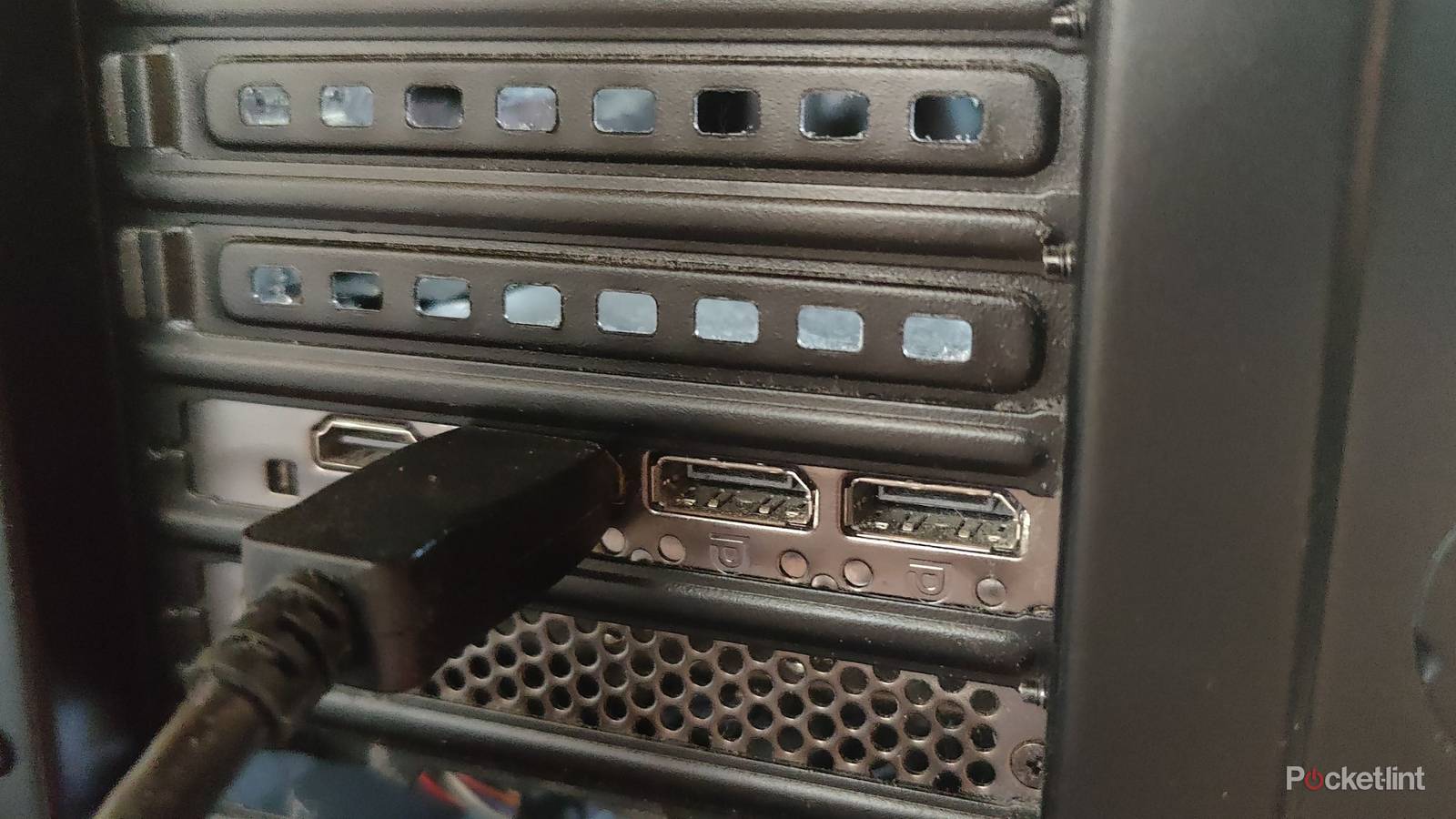
HDMI’s competitor, DisplayPort, runs things over on PC. I’m not sure if competitor is even the right word to use here because both HDMI and DisplayPort stay in their own lane. For starters, a TV doesn’t have a DisplayPort option, even if you want to plug in a cable. PC has HDMI options, but it really feels like you’re supposed to be using DisplayPort cables. My RTX 3070 Ti GPU has a single HDMI slot compared to three DisplayPort cables. Considering just how many people like to use multiple monitors on their PC, that doesn’t work.
With each cable being set in its particular ecosystem, it’s hard to imagine one overtaking the other. For what it’s worth, I’m perfectly fine with the way things are. Don’t get me wrong, I love using DisplayPort on my PC, but I don’t want it on my TV.
DisplayPort can stay where it is
There’s just no point

TV prices feel like they have finally gotten to a good price point where there are clear budget, mid-range, and high-end options for people to pick from. I’m glad I can go out and grab a 4K TV for $300 and get the bare minimum from it. I fear that adding a DisplayPort port to TVs would just drive the price up for no reason. I can’t think of any reason to add these ports to TVs, largely because HDMI does the exact same thing.
Performance between the two is close enough, and when you take PC performance out of the mix, it’s even closer. I don’t think we’ve even come close to maximizing what HDMI 2.1 can do for game consoles, and we’re already looking at HDMI 2.2. When you take consoles out of the equation, most other things you use an HDMI cable for work just fine with HDMI 2.0. This includes streaming boxes and Blu-ray players, so I just don’t see the point of adding another cable into the mix. It would just confuse people and mean I have to potentially buy even more new cables.
The only thing mainstream that uses DisplayPort cables is a PC. Game consoles, streaming boxes, cable boxes, Blu-ray players, and receivers don’t have support for it. Unless you plan to lug a PC into your living room, it really doesn’t make any sense for manufacturers to start using the format. The upcoming Steam Machine will have DisplayPort, but it will also have HDMI. This machine is meant to act as a bridge between console and PC gaming, so it makes sense for it to have both ports. The only problem here is that you’ll just use one in your living room unless you have a computer monitor in there.
If the new Xbox also launches with a DisplayPort port, then maybe we can have this conversation again. For the time being, I just don’t think it’s worth the time to talk about things like this. Both formats do what they set out to do, and both of them have their share of defenders. I don’t particularly care either way, and I have plenty of both cables. Nowadays, I do most of my gaming handheld, completely free of an HDMI or DisplayPort cable.

Quiz
HDMI 2.0 and its history
Trivia challenge
Think you know everything about the standard that supercharged your home cinema? Put your knowledge to the test.
HistoryStandardsVideoHardwareBandwidth
In what year was HDMI 2.0 officially released?
Correct! HDMI 2.0 was released in September 2013 by the HDMI Forum. It arrived just in time to support the growing demand for 4K content and displays entering the consumer market.
Not quite. HDMI 2.0 launched in September 2013. This timing was deliberate, as manufacturers needed a standard capable of handling 4K resolution at smoother frame rates than its predecessor could manage.
What is the maximum bandwidth offered by HDMI 2.0?
That’s right! HDMI 2.0 delivers a maximum bandwidth of 18 Gbps, a significant jump from HDMI 1.4’s 10.2 Gbps. This extra headroom was essential for supporting 4K at 60 frames per second.
Not quite. HDMI 2.0 supports up to 18 Gbps of bandwidth. For comparison, its predecessor HDMI 1.4 was capped at 10.2 Gbps, which wasn’t enough for smooth 4K playback at 60fps.
What is the maximum frame rate HDMI 2.0 supports at 4K resolution?
Correct! HDMI 2.0 can handle 4K resolution at up to 60fps. This was a major improvement over HDMI 1.4, which could only push 4K at 30fps — a limitation that made motion look choppy on large screens.
Not quite. The answer is 60fps. HDMI 1.4 had already introduced 4K support but was limited to 30fps, and HDMI 2.0 doubled that frame rate, making a huge difference for sports and gaming content.
Which organisation took over governance of the HDMI specification from HDMI Licensing LLC, leading up to the release of HDMI 2.0?
Spot on! The HDMI Forum was established in 2011 and took over development of the HDMI specification, releasing HDMI 2.0 as its first major standard in 2013. It brought a broader group of industry members into the process.
Not quite. The HDMI Forum was the body responsible. Founded in 2011, it replaced the original HDMI Licensing LLC structure for specification development, opening membership to a wider range of consumer electronics companies.
How many simultaneous audio streams does HDMI 2.0 support?
Correct! HDMI 2.0 supports up to 4 simultaneous audio streams, an upgrade over earlier versions. This made it better suited to multi-room audio setups and more complex home theatre configurations.
Not quite. HDMI 2.0 can carry up to 4 simultaneous audio streams. This was one of several audio improvements in the specification, alongside support for up to 32 audio channels in total across those streams.
What sub-revision of HDMI 2.0 introduced support for HDR (High Dynamic Range) video?
Well done! HDMI 2.0a, released in April 2015, was the revision that added static HDR metadata support. This allowed TVs and displays to receive HDR content from sources like Ultra HD Blu-ray players and streaming devices.
The correct answer is HDMI 2.0a. Released in 2015, this update added static HDR support to the standard. A later revision, HDMI 2.0b from 2016, then extended that with support for the HLG (Hybrid Log-Gamma) HDR format.
HDMI 2.0 uses the same physical connector type as which earlier version of HDMI?
Correct! One of the great conveniences of HDMI 2.0 is that it uses the same physical connectors introduced with the original HDMI 1.0 specification. That means existing cables and ports are physically compatible, though older cables may not support the full bandwidth.
Not quite — the answer is all previous HDMI versions. HDMI has always maintained physical connector compatibility going back to version 1.0. The key caveat is that older cables may not have the bandwidth capacity to carry HDMI 2.0 signals reliably.
Which colour space format did HDMI 2.0 add support for, enabling more vivid colours on compatible displays?
Excellent! HDMI 2.0 introduced support for the Rec. 2020 colour space, which covers a far wider gamut than the Rec. 709 standard used for HD content. This laid the groundwork for truly vibrant, lifelike images on 4K HDR televisions.
Not quite. The answer is Rec. 2020, also known as BT.2020. This wide colour gamut standard was a key feature of HDMI 2.0, enabling displays to reproduce colours much closer to what the human eye can perceive compared to older HD standards.
Your Score
/ 8
Thanks for playing!
DisplayPort might be better, but it doesn’t matter
Need to see things take advantage of it

With a Dolby Atmos sound system at home, I need to have an HDMI 2.1 cable plugged into my TV’s eARC to ensure I’m getting the optimal quality. While DisplayPort 2.1 cables have up to 80 Gbps of bandwidth, it doesn’t have eARC support, since that’s an HDMI-only format. It’s nice to have that extra performance, but it doesn’t mean a lot if I can’t use it in any meaningful ways. Streaming services already have compressed audio quality, so it’s not like I’m leaving anything on the table with either cable.
The main reason for DisplayPort, at least from where I’m sitting, is to get high frame rates. HDMI 2.1 is perfectly capable of 4K 120 FPS gaming, but DisplayPort can take it above and beyond that. That just doesn’t matter for people using a TV. TVs have only now started to dabble with high frame rates, and you’re not going to find anything that sniffs 360hz, or anything of the sort. Most games don’t touch 120 FPS, so a lot of that extra performance is going to waste as it is.
VRR is a nice piece of technology coming over to living room TVs that used to be exclusive to PC monitors. I’m glad this stuff is happening because it helps my TV feel all the more modern. However, I’m not ready to completely swap over to a new cable format. I don’t think I’m alone on that end, either. The way I look at it is that HDMI cables are already confusing enough for the average person. It doesn’t help that all of them look the same, and you could theoretically be using the same one from 20 years ago today, and it works all the same, depending on your use case.
The vast majority of people don’t sniff the performance that DisplayPort or even HDMI can offer, so there’s no reason to usher in an entirely new format to people who won’t use it. Most gamers know that PC is where you want to be if you want the most power. Console gaming is largely for convenience. I don’t need a way to get 240 FPS on my TV because I know I’m never going to take advantage of that. I spend most of my time watching movies on my TV, so I don’t really need a high frame rate at all. Ultimately, I do think it’s a bit strange to have two completely different cable formats that largely do the same thing, but since they’ve both been around for decades, it’s clear it’s not an issue. I don’t see anything to suggest DisplayPort will finally be making its way over to TVs, and I hope things stay that way. If you ask me, it’s more likely that HDMI overtakes DisplayPort, but I don’t see that happening, either.