What does motion smoothing do, and why is it (usually) a crime?
A solution to a diminishing problem

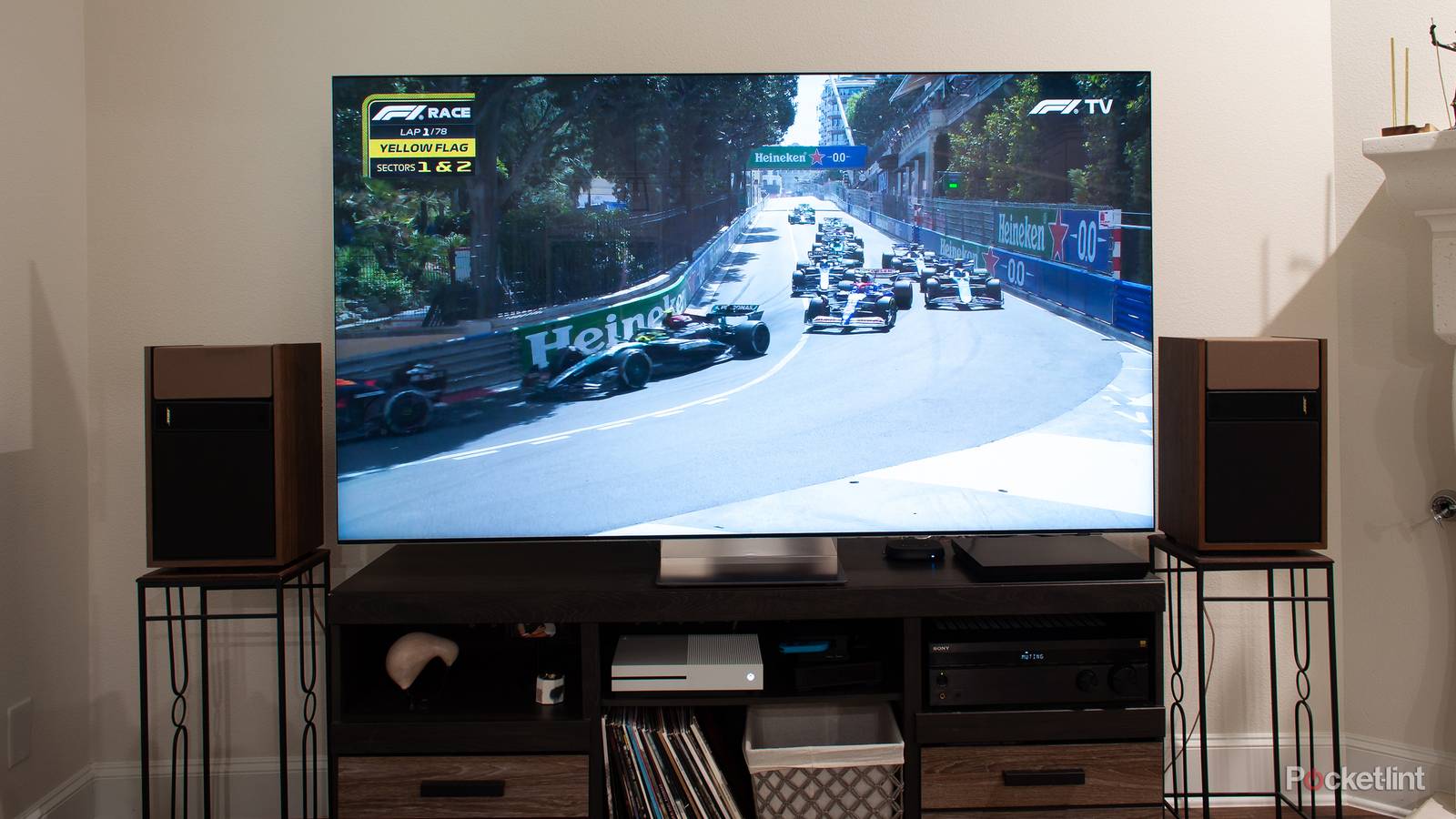
The feature is largely focused on fixing motion blur. When a display panel can’t keep up with rapid action, such as an F1 race, the result is a faint “ghost” or “echo” until all pixels are updated in the refresh cycle. This can be distracting, and indeed it was a serious issue in the early days of LCDs, which had very low refresh rates and response times.
Frequently bundled with motion smoothing is something called judder reduction. You may have noticed that when a camera pans or tilts in a scene, you’ll sometimes see objects become distorted until the camera stops moving. Some people find this incredibly annoying, and it’s all too easy to run into, since without corrective measures, it’s a natural consequence of pairing slow framerates with high refresh rates.
The solution to both blur and judder is frame insertion. In the case of judder, simply inserting a few duplicate frames at the right times may do the trick, a method known as frame repetition. To counteract blur, smoothing relies on frame interpolation — that is, analyzing two frames, and generating an entirely synthetic one in between based on what an image processor thinks would make sense.
This can work beautifully with genres like news and sports, which are typically displayed at 30fps (frames per second) or higher. The goal with that content is to bring you as close to reality as possible, and the only serious limit to our perception of real-world motion is the brain’s ability to process it.
By inserting extra frames to match the refresh rate of your TV, motion smoothing tends to kill the dreamlike effect that comes from 24 frames per second.
Where this technology comes crashing down is with the majority of movies, as well as cinematic TV shows. For many decades now, the standard cinematic framerate has been 24fps. This is just fast enough to be comfortable, but retain a touch of natural blur, producing a dreamlike quality. This is so ingrained in global culture that unless you’re prepared for it, anything smoother can feel instinctively wrong.
You might see where I’m going with this. By inserting extra frames to match the refresh rate of your TV, motion smoothing tends to kill that dreamlike quality. Worse, it reminds us of the most mundane content we’re exposed to, which is usually the exact opposite of what you want when it comes to immersion. That’s why aggressive motion smoothing is said to produce a “soap opera effect” — it can make an expensive blockbuster look like it was shot on the same high framerate videotape cameras that were once the norm for daytime soaps. Except for its CG effects, the 48fps version of The Hobbit trilogy looked like a low-budget production from a local TV affiliate.
As if all that weren’t bad enough, your TV’s image processor makes mistakes. It doesn’t truly understand what it’s looking at, so interpolation can produce artifacts of its own, such as halos. The more complex the motion, the more likely these artifacts are to appear, although better TVs should be able to quash most of them without trouble.
Smoothing doesn’t even have as much value as it used to in the context of news and sports. While 120 and 144Hz refresh rates are increasingly normal, so too are faster response times and more sophisticated processing algorithms. Combined with technologies like VRR, which can sync refresh rates to framerates, you might not even notice anything wrong when smoothing is off.
 Quiz
QuizTV settings and smoothing
Trivia challenge
From motion interpolation to refresh rates — find out how much you really know about what’s happening behind your screen.
Picture ModeMotionDisplay TechSettingsCalibration
What is the common nickname given to the artificial smoothing effect applied by many modern TVs that makes film content look like cheap video?
Correct! The soap opera effect is the name given to the hyper-smooth, overly fluid look that motion interpolation creates. It gets its name because the result resembles the look of low-budget daytime soap operas shot on video rather than film.
Not quite — the answer is the soap opera effect. Motion interpolation generates extra frames between existing ones, removing the natural cinematic cadence of 24fps film and replacing it with a look many viewers find jarring or artificial.
Which TV picture mode is generally considered the most accurate for watching movies in a darkened room without heavy post-processing applied?
Correct! Cinema or Movie mode is typically calibrated closest to industry colour standards like Rec.709, with reduced sharpness enhancements and more neutral colour temperature — ideal for an accurate, filmmaker-intended viewing experience.
The correct answer is Cinema or Movie mode. Vivid and Dynamic modes boost brightness and saturation far beyond reference levels to look impressive on a showroom floor, but they distort colour accuracy significantly in a real home viewing environment.
What does the term ‘motion interpolation’ actually describe in the context of TV processing?
Correct! Motion interpolation works by analysing two consecutive frames and using algorithms to create one or more new frames between them. This artificially raises the perceived frame rate, which is what produces that controversial over-smooth look.
Not quite — motion interpolation means generating new frames between existing ones. The TV’s processor predicts where objects are moving and synthesises intermediate frames, effectively multiplying the frame rate beyond what the original source contains.
What colour temperature setting is closest to the D65 white point standard used by most professional video and broadcast calibration?
Correct! The D65 standard sits at approximately 6500 Kelvin, which corresponds to the ‘Warm’ settings on most consumer TVs. Most TVs ship with a cooler, bluer default that looks punchy in stores but is technically inaccurate.
The answer is Warm 1 or Warm 2. D65 is roughly 6500 Kelvin, and warmer colour temperature presets on TVs approximate this best. Cooler settings push the white point toward 9000–10000K, making whites appear bluish and skin tones inaccurate.
What is ‘black frame insertion’ (BFI) used for in TV displays?
Correct! BFI mimics the shutter behaviour of a cinema projector by inserting a brief black frame between each content frame. This reduces the sample-and-hold motion blur inherent to flat panel displays, making fast motion appear crisper.
The correct answer is that BFI inserts a black frame between image frames to sharpen perceived motion. It comes at the cost of reduced peak brightness and can introduce visible flicker, so it’s a trade-off best suited to those sensitive to motion blur.
Why do most TV manufacturers recommend enabling ‘Game mode’ when connecting a games console, even on TVs with otherwise excellent picture processing?
Correct! Picture processing takes time to execute, and all that computation adds input lag — the delay between your controller input and the on-screen response. Game mode bypasses most of this processing, reducing lag from potentially 80–120ms down to under 10ms.
The right answer is that Game mode reduces input lag by disabling most processing. For watching films this processing is fine since you’re passive, but when gaming even 30–40ms of extra lag can make controls feel sluggish and unresponsive.
What is ‘judder’ in the context of TV and film playback?
Correct! Judder is the stuttering, uneven motion that occurs when a TV’s refresh rate doesn’t divide evenly into the source’s frame rate. A classic example is 24fps film on a 60Hz TV, where frames must be unevenly repeated using a 3:2 pulldown pattern.
Judder is the uneven, stuttering motion caused by a mismatch between source frame rate and TV refresh rate. It’s most noticeable during slow pans in cinema-shot content. Many TVs offer a 24p or film mode specifically to address this by running at 48Hz or 120Hz instead.
What does adjusting the ‘sharpness’ control above its neutral midpoint typically do to a TV image in practice?
Correct! Sharpness controls on most TVs apply an edge enhancement algorithm that draws bright and dark halos along contrast boundaries. This creates the illusion of sharpness but is actually adding artificial detail not present in the source, which can look unnatural on close inspection.
The correct answer is that it adds artificial edge enhancement halos. Rather than resolving genuine detail, the sharpness circuit finds edges and over-emphasises them. Most calibrators recommend setting sharpness to zero or its midpoint to let the source content speak for itself.
Your Score
/ 8
Thanks for playing!
Is there any way to salvage motion smoothing?
Both now and in the future

Mercifully, it’s common for TVs to offer multiple levels of motion smoothing. Lower presets — like the Cinematic Movement option for LG’s TruMotion — will apply some blur and judder reduction, but use as little as possible, hopefully preventing the soap opera effect. If you can’t find an equivalent preset on your TV, you may still be able to manually adjust levels, for instance dialing in separate blur and judder sliders. If this is what you’re given, you’ll have to experiment until you find settings that are pleasing for a favorite movie or show.
Remember that you should never leave smoothing on for a connected PC or game console. In fact the associated HDMI input should always be set to Game Mode, which disables all post-processing. The extra rendering is not only redundant — the GPU in a PC is infinitely more powerful than a TV chip — but a detriment to games and other apps. It adds input lag, which in a game might mean the difference between landing a jump or just missing one. Even scrolling through webpages might become a little irritating.
If you can’t find a movie-oriented smoothing preset on your TV, you may still be able to manually adjust levels, for instance dialing in separate blur and judder sliders.
In the near future, two HDR (high dynamic range) technologies could help switch things up: Dolby Vision 2 and HDR10+ Advanced. While those are mostly centered around enhanced metadata and tone mapping, both also promise integrated motion smoothing that avoids the pitfalls I’ve explained. I have yet to see either in person, but I suspect that both Dolby and Samsung (HDR10+’s main backer) will do everything they can to get them right. Failing to do so might render the formats useless, or at least less meaningful if smoothing still has to be disabled. No one’s going to pay for tech that gets the shadows and highlights right, but nevertheless makes Dr. Strangelove feel like General Hospital.
Don’t hold your breath. The tech is only coming to TVs later in 2026, and even then, most existing units won’t have the specs to handle it. Studios also have to remaster their movies and shows. While you could luck into having some of your favorites remastered right away, it’s probably going to take years before Vision 2 and Advanced are as commonplace as their predecessors. Consider that HDR10+ first launched in 2017, but never gained heavy traction until recently.
There could even be another format war. Though Vision 1 and HDR10+ often coexist, if one of the new formats shows obvious superiority, backers of the other side may have to fight tooth and nail to attract support from studios and TV manufacturers. If you bet on the wrong horse, its improvements won’t matter very much.