


To get an important thought out of the way, no, you can’t make any major upgrades to a TV through software. Through downloads, you might gain access to an AI assistant, some new apps, or expanded smart home functions, but it’s not like you can add 4K or HDR10+ to a TV that wasn’t already compatible. It’s akin to expecting a patch to add another 20mph to your EV (or PEV).
What you can do through settings is unlock your hardware’s existing potential. The stock configuration on your TV isn’t necessarily the best one, and you might be surprised at how much better it can perform if you move past a manufacturer’s conservative approach. TV makers are often more worried about whether something will work out of the box, period, than delivering the performance you thought you were paying for.
Filmmaker Mode
See it the way it was meant to be seen

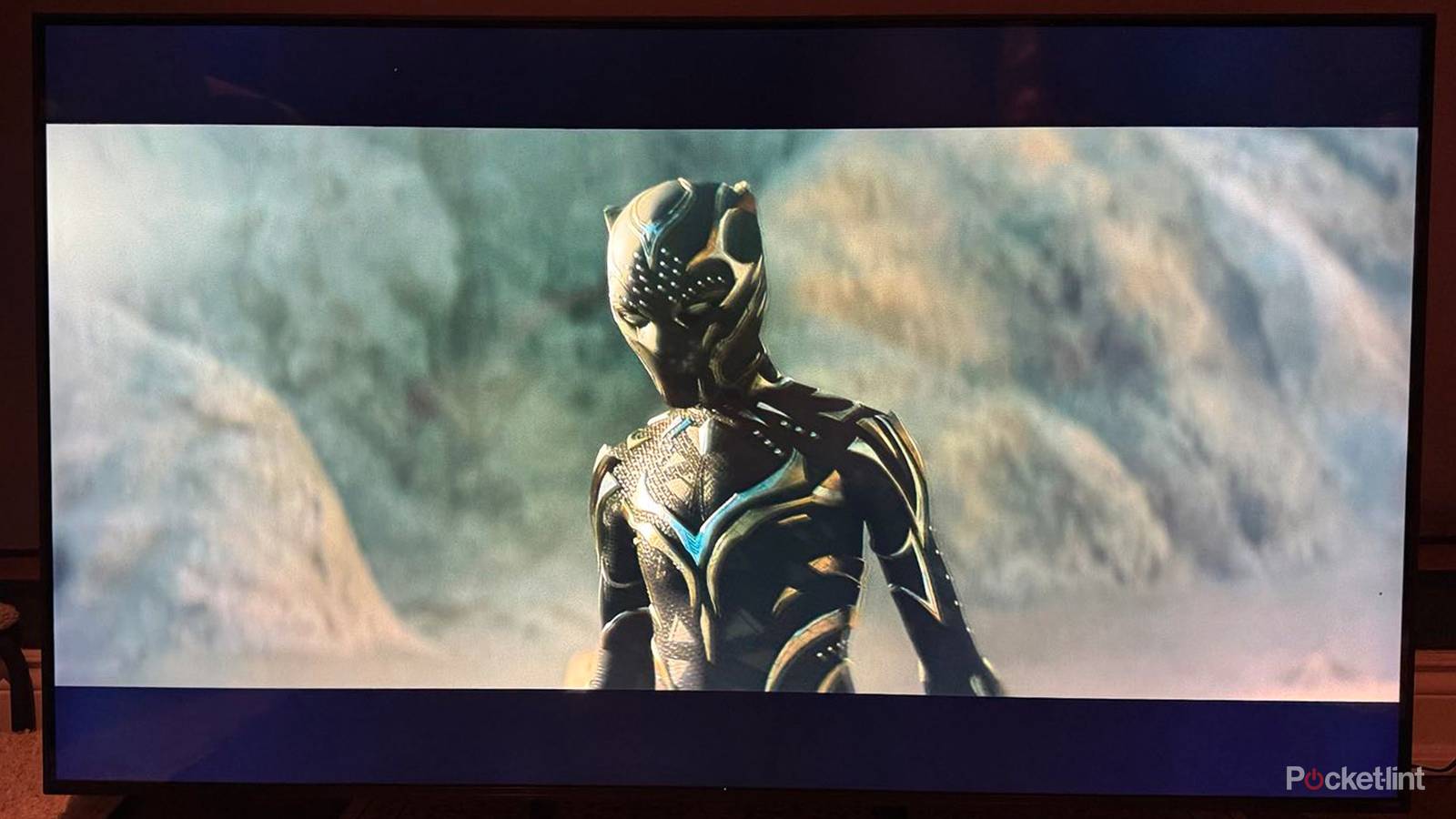
The picture modes most TVs default to might look impressive at first, but chances are, they’re wrecking your movies and TV shows. These ramp up aspects like brightness, contrast, saturation, and sharpness in a way that might grab your attention at the store, but actually destroys detail on closer examination. Worse, they may incorporate noise reduction and motion smoothing. The first may accidentally remove film grain, and smoothing often produces the garish “soap opera effect” that makes a Hollywood blockbuster look like a ’90s episode of General Hospital.
Filmmaker Mode is an industry-standard option that disables almost all post-processing and sets a specific white point. It’s probably more subdued than you’re used to, which ironically can be a little jarring. The tradeoff, though, is an image closer to what a director intended, and less of an assault on your eyes. You may catch nuances you missed in some of your favorite movies.
 Quiz
QuizTV settings and formats
Trivia challenge
From Filmmaker mode to HDMI specs — how well do you really know your TV’s settings?
Filmmaker ModeHDMIColor DepthEthernetDisplay Settings
What is the primary purpose of Filmmaker mode on modern TVs?
Correct! Filmmaker mode disables motion interpolation (the so-called ‘soap opera effect’) and turns off other processing enhancements so content looks exactly as the director intended. It was introduced as an industry-wide standard backed by major filmmakers and the UHD Alliance.
Not quite. Filmmaker mode is all about disabling post-processing features like motion smoothing, sharpening, and noise reduction. The goal is to preserve the director’s original creative vision rather than enhance the picture with the TV’s own algorithms.
Which organisation was primarily responsible for developing and promoting the Filmmaker mode standard?
Correct! The UHD Alliance, the same body behind the Premium 4K UHD and Dolby Vision certification programs, spearheaded Filmmaker mode. It was announced in 2019 with backing from directors like Christopher Nolan and Patty Jenkins.
Not quite. The UHD Alliance developed Filmmaker mode, announcing it in 2019 with support from prominent Hollywood directors. The feature began appearing on TVs from brands like LG, Samsung, and Vizio from 2020 onwards.
What maximum bandwidth does the HDMI 2.1 specification support?
Correct! HDMI 2.1 supports up to 48 Gbps of bandwidth, a massive leap from the 18 Gbps ceiling of HDMI 2.0. This extra headroom enables features like 4K at 120Hz, 8K at 60Hz, and Variable Refresh Rate (VRR).
Not quite. HDMI 2.1 supports 48 Gbps, which is more than double the 18 Gbps offered by HDMI 2.0. This increase in bandwidth is what makes features like 4K/120Hz gaming and 8K/60Hz video possible over a single cable.
Which HDMI feature allows a TV to send audio back to a soundbar or AV receiver through the same HDMI cable used for video?
Correct! eARC (Enhanced Audio Return Channel) is an HDMI 2.1 feature that allows high-quality audio, including lossless formats like Dolby TrueHD and DTS:X, to travel from the TV back to a connected audio device over the same HDMI cable. It supersedes the older ARC standard.
Not quite. The answer is eARC — Enhanced Audio Return Channel. Unlike standard ARC, eARC supports lossless and object-based audio formats like Dolby Atmos via TrueHD, making it essential for high-end home theatre setups. HDMI CEC, by contrast, handles device control commands.
How many possible colour values per channel does 10-bit colour depth provide?
Correct! 10-bit colour depth provides 2^10 = 1,024 possible values per colour channel (red, green, and blue). Compared to 8-bit’s 256 values per channel, this results in over a billion possible colours versus 16.7 million, dramatically reducing banding in gradients.
Not quite. 10-bit colour means each colour channel can represent 2^10 values, which equals 1,024 steps. This is crucial for HDR content, as it allows much smoother gradients and a wider range of brightness levels compared to standard 8-bit displays.
What is the term for the visual artefact caused by insufficient colour depth, where smooth gradients appear as visible stepped bands of colour?
Correct! Colour banding occurs when a display lacks sufficient bit depth to render subtle tonal transitions smoothly, causing gradients like a blue sky to show distinct stripes instead of a smooth fade. It is one of the main reasons 10-bit and 12-bit panels are preferred for HDR content.
Not quite. The artefact is called banding. It appears as visible stripes in what should be smooth colour or brightness gradients, and is a direct result of too few available colour steps. Posterisation is a related but slightly different effect often associated with heavy image compression.
Which HDMI specification first introduced the HDMI Ethernet Channel (HEC), allowing devices to share an internet connection over an HDMI cable?
Correct! HDMI 1.4, released in 2009, introduced the HDMI Ethernet Channel, which allows compatible devices to share a 100 Mbps network connection through a single HDMI cable. While clever in theory, adoption has been limited and most users still connect devices to their network separately.
Not quite. HDMI Ethernet Channel (HEC) was introduced with HDMI 1.4 back in 2009. It provides up to 100 Mbps of bidirectional network connectivity between connected devices, though it has never become widely used in practice compared to dedicated Ethernet or Wi-Fi connections.
Why do many home theatre enthusiasts recommend using a wired Ethernet connection rather than Wi-Fi for a smart TV when streaming 4K HDR content?
Correct! A wired Ethernet connection offers more stable and consistent throughput than Wi-Fi, which can be affected by interference, distance from the router, and network congestion. For 4K HDR streams that can demand 25 Mbps or more, a reliable connection helps prevent buffering and quality drops.
Not quite. The key advantage of Ethernet over Wi-Fi for streaming is reliability and consistency. Wi-Fi signals can fluctuate due to interference from other devices, walls, or distance from the router. For high-bitrate 4K HDR content, a stable wired connection helps ensure smooth, uninterrupted playback.
Your Score
/ 8
Thanks for playing!
Admittedly, some people find the mode a little dim or flat even if they respect the intent. In that case, it may be best to treat the mode as a baseline, making your own tweaks from there. Remember also to take advantage of HDR10+ or Dolby Vision, if your streaming options support it. You’ll get brighter highlights and an expanded color gamut, which goes a long way to making images pop.
HDMI format
Why is this so often crippled?

You might assume HDMI ports would always perform as well as their specs say they should, but you’d be wrong. On many TVs, your inputs may be set to an overly conservative format that ensures compatibility, but doesn’t come anywhere near maximizing performance. Since I’ve never heard anyone complain about compatibility problems, I don’t understand why this is so often the norm, especially with modern PCs and game consoles being so demanding.
Exact options are going to depend on your TV, its operating system, and port specs, but there should be obvious signs as to what to pick. In the example above for instance, you’d pick the option with Dolby Vision for a Blu-ray player or media streamer, or the one with VRR if you’re connecting a PC or console. You might alternately see a mode listed as supporting high refresh rates (120Hz and up), which is probably also geared with PCs and consoles in mind.
If you’re not familiar, VRR stands for Variable Refresh Rate. The feature syncs refresh rates to framerates, which isn’t essential if you’re watching Johnny Mnemonic on Blu-ray, but becomes enormously important if you’re playing Cyberpunk 2077. A movie or show is typically going to stay locked at 24 or 30 frames per second — apps, however, can be all over the board, especially if they’re pushing rendering technology to the limit. If there’s a mismatch between refresh and framerates, it’s going to result in visual artifacts like screen tearing.
Remember that for anything involving VRR or high refresh rates in general, you need to use an HDMI 2.1 (or 2.2) port and cable combo. HDMI 2.0 doesn’t support VRR, or 4K refresh rates over 60Hz.
Ethernet
You may need a workaround

In most circumstances, the Wi-Fi on your TV (or media streamer) is going to be fine for network access. Wi-Fi 6 or higher will deliver plenty of speed, whether you’re streaming 4K HDR video or downloading an OS update. I’d argue that Wi-Fi 7 should already be de facto, but manufacturers can be very stingy with connectivity, so I’ll take what I can get.
Any version of Wi-Fi is susceptible to two threats, however: interference and range. If your router is in another room, or has a lot of obstacles in the way, its signal might become weak or drop out entirely in some scenarios. In an apartment building, it might have to compete with rival wireless traffic.
Ethernet eliminates these concerns by establishing a wired pipeline. On top of that, speeds are liable to be more consistent, which is almost more important when streaming than peak capacity. If you’re at 600Mbps one second but a fraction of that the next, your TV may have to stop and rebuffer video, or even drop its quality to keep going.
One catch here, apart from stringing Cat 6 around your home, is that corporate stinginess means your TV or media streamer might have a 100Mbps Ethernet jack instead of gigabit. You can work around this by connecting an Ethernet adapter to one of your TV’s USB ports, although you’ll need USB 3.0 or better to achieve 1Gbps. USB 2.0 caps you at 480Mbps.
Color depth (and/or chroma subsampling)
The wonderful world of HDR

When you’re watching content in SDR (standard dynamic range), what you’re looking at is 8-bit color. There’s nothing inherently wrong with it, and indeed I’ve seen some pretty spectacular results in movies like Samsara or The Color of Pomegranates.
Once you switch to HDR, though, switching to 10-bit color is essential if you want to see an extended color palette with superior gradients. Your TV or media streamer may already be set to 10-bit, or configured to switch automatically — but it’s worth doublechecking that, and perhaps forcing 10-bit if you know everything you watch is going to support HDR.
If you’re using a PC or console, 4:2:0 chroma can make small text hard to read, and produce other odd effects.
You can if you like try 12-bit color, but that’s largely pointless. No TV supports rendering 12-bit at the moment, so at best you’ll get more accurate processing for Dolby Vision or HDR10+. That also generates 68.7 billion shades, which is far more than human vision can register.
While not strictly necessary, you might also want to check into chroma subsampling rates. If your TV is set to 4:2:0 or 4:2:2, that means there’s some color compression going on. It doesn’t (usually) matter much if you’re watching Netflix or YouTube, but if you’re using a PC or console, 4:2:0 can make small text hard to read, and produce other odd effects. Those devices should always be paired with 4:4:4 if possible, since that eliminates color compression entirely.

Samsara
- Release Date
-
September 16, 2011
- Runtime
-
102 minutes
- Director
-
Ron Fricke
- Producers
-
Mark Magidson
-

Ni Made Megahadi Pratiwi
Dancer: Valinese Tari Legong Dancers, Indonesia
-
Puti Sri Candra Dewi
Tattoo Daddy: USA
-
Putu Dinda Pratika
Professor and Robot Clone: Japan
-
Marcos Luna
Man At Desk: France