In the internet age, it’s incredibly easy to import physical media products from one region of the world to the next. When it comes to movies and television shows, you might find yourself wanting to import a piece of media that is only available on the other side of the globe, and doing so is generally as simple as visiting one of several e-commerce storefronts.
For as accessible as purchasing a film or show from another continent is, however, there’s still a major hurdle you’ll need to reckon with: region locking. Here’s the lowdown on what region locking entails, why you might want to sidestep it, and how to go about actually doing so.
What is region locking, exactly?
A form of Digital Rights Management (DRM)

Media companies and distributors collectively adhere to a Digital Rights Management (DRM) system by which discs are hard locked to only work with players from the same geographical region. In the case of DVD, there are six regions outlined in the format’s specification, but Blu-ray discs streamline this down to only three overarching regions.
As per a Sony support documentation, here’s a breakdown of these regions in question:
- Region A: North America, South America, U.S. Territories, Japan, South Korea, Taiwan, and other areas of Southeast Asia
- Region B: Europe, Africa, Middle East, Australia, and New Zealand.
- Region C: Asia (except for Japan, Korea, Taiwan, and other areas of Southeast Asia)
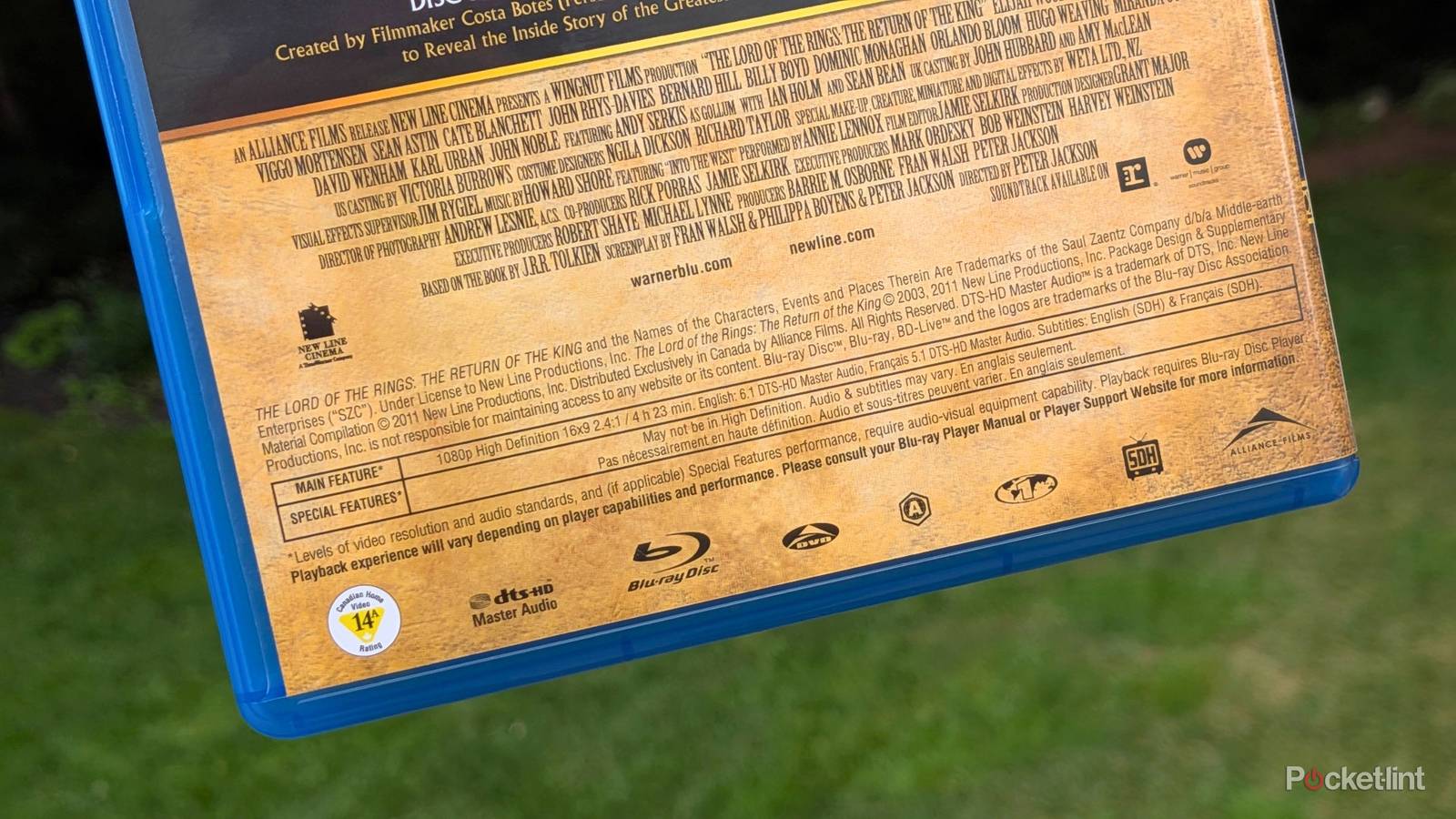
Generally speaking, the region code of a given Blu-ray release is printed on the back of the box, and sometimes on the disc itself for good measure. Occasionally, you’ll find a Region ABC emblem, which is classified as region-free as it applies to the aforementioned three regions (A, B, C).

Interestingly, 4K UHD Blu-ray discs are region-free from the get-go, though 4K UHD Blu-ray players still maintain region locking in their backwards compatibility with standard Blu-ray discs and DVDs. Computers with Blu-ray drives (as well as external USB-powered Blu-ray drives) also adhere to the same region locking system as dedicated players.
On a technical level, region locking is accomplished via small packets of digital data that are embedded right into the optical discs in question. There’s a ‘handshake’ that then takes place between the disc and the player, with both needing to match each other’s region code in order for playback to commence.
Why bypass my Blu-ray player’s region locking?
To experience an entire world of audiovisual entertainment

Pragmatically, optical disc region locking is done for a variety of reasons, most notably to control distribution rights, to manage release dates, to insulate against global fluctuations in currencies, to fortify regional pricing strategies, and other factors. On the consumer side, however, region locking is an arbitrary, restrictive measure that reduces the number of movies and TV shows you can play back on your existing hardware.
There are countless blockbuster hits and indie projects out there that may not be readily available in your jurisdiction, and unlocking the ability to play them back on your Blu-ray player is a massive win for both A/V flexibility and for worldwide media preservation.
It’s worth noting that bypassing Blu-ray geo-restrictions is a grey area under the law. Technically speaking, it’s legal to own and to use a region-free Blu-ray player, but the action of modifying a player exists in a state of limbo under the legal framework of the Digital Millennium Copyright Act (DMCA).
How do I make my Blu-ray player region-free?
There are several ways to go about doing so

Unfortunately, ‘unlocking’ a Blu-ray player to make it region-free isn’t something that can be done using a simple remote control code or software-side hack. Instead, you’ll have to go about the process in one of three main ways:
- Flash custom firmware: depending on your Blu-ray player make and model, you might be able to find a specially-crafted software patch or firmware solution that can unlock region-free Blu-ray disc playback.
- Modify your hardware: on some Blu-ray players, it’s possible to physically install a multi-region modification chip onto the circuit board — of course, going down this route requires some soldering know-how and technical expertise.
- Purchase pre-modded hardware: The most accessible solution of all is to simply buy a pre-modded Blu-ray disc or 4K UHD player from a reputable source, which will have already flashed custom firmware or made hardware-level customizations to unlock region-free playback.
No matter how you choose to tackle the removal of regional restrictions, the end result is a disc reader that can accept discs from anywhere in the world. Once you’ve gone through the process, you’ll never need to worry about keeping track of region codes ever again, and an entire planet of content will become immediately accessible to you directly via your player.