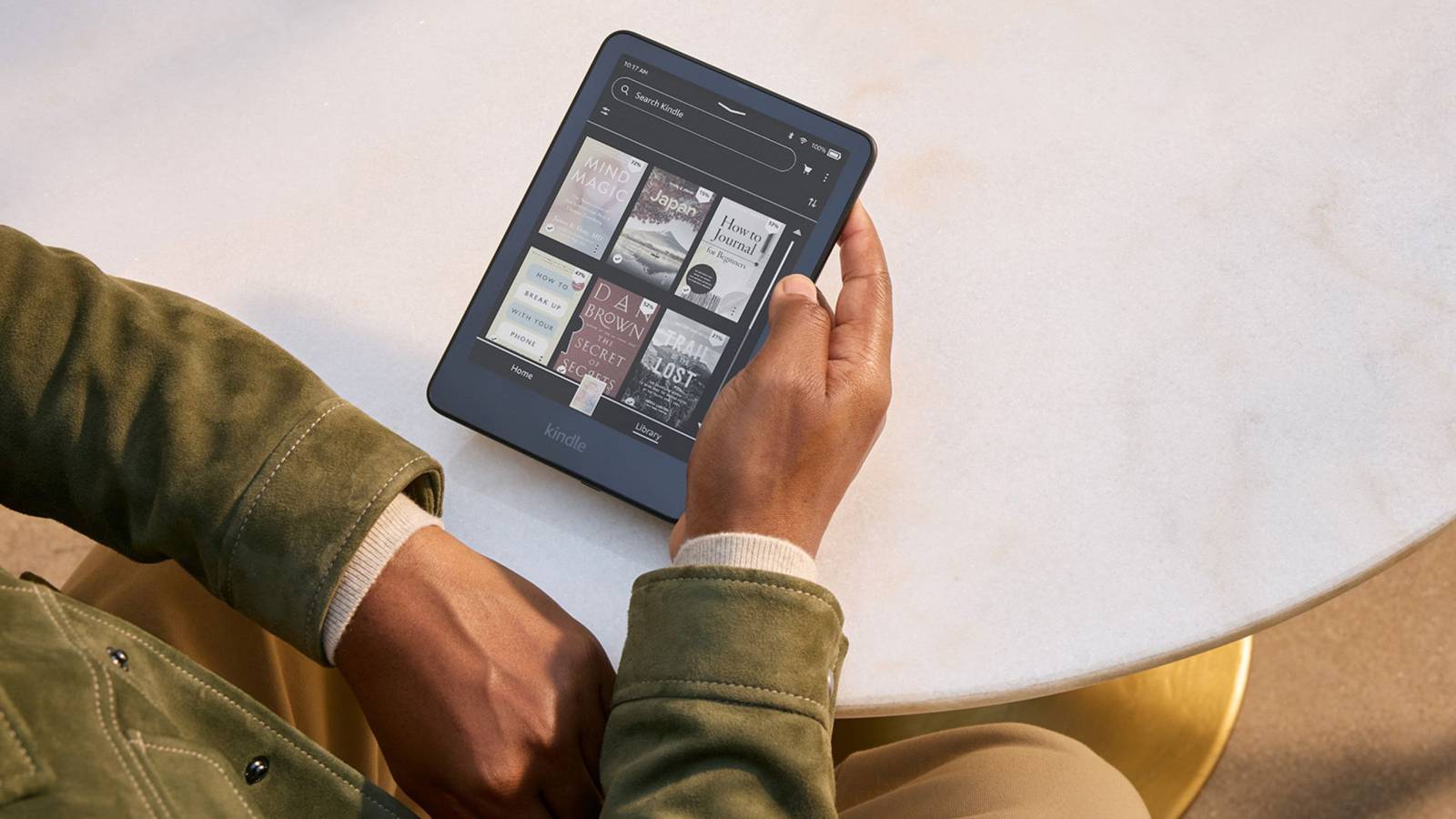
If you own a Kindle Colorsoft, you know the one major feature it’s lacking: Dark Mode. Unlike the rest of Amazon’s famous e-reader line, the regular Kindle Colorsoft and Kindle Scribe Colorsoft can only display your books, graphic novels, documents, and notes in Light Mode, which isn’t so easy on the eyes in a dark room.
While a vibrant color palette was a fair compromise for some time, users will be glad to know that, over the next few weeks, they’ll be able to have their colorful cake and eat it in the dark too: a system-wide Dark Mode is finally rolling out for both the Kindle Colorsoft and Kindle Scribe Colorsoft.
Additionally, Scribe users will be gaining access to Smart Shapes, which are structured features designed to elevate your handwritten notes. They’ll be available in your Scribe’s Notebooks, and anyone who likes to organize their notes with a few perfect shapes will want to read to the end to find out what they are.

- Storage
-
32GB
- Brand
-
Kindle
- Screen Size
-
7-inch Colorsoft Display (300ppi BW, 150ppi color)
Amazon’s first-ever Kindle e-reader with a 7-inch color E Ink display, perfect for reading magazines, comic books or graphic novels.
Dark Mode rolling out to the Kindle Colorsoft line
A new, system-wide way to view your e-books and Notebooks

On regular black and white Kindles, users enjoy the iconic Dark Mode, which essentially inverts the E Ink screen and puts white text on a black background. The result is a display that’s much easier to view in darker environments. It’s also a result that Colorsoft owners have been deprived of since they opted for a colorful display over a basic Kindle, Paperwhite, or even Paperwhite Signature Edition — all which boast Dark Mode.
Today, Amazon is finally rolling out a brand-new Dark Mode to the Colorsoft line. Users can expect the update to land on their devices over the next few weeks, and they will finally be able to take advantage of that eyeball-saving screen. Plus, because it’s a system-wide update, you’ll be able to apply Dark Mode to all surfaces on your device.
But if you don’t want it everywhere all at once, you can customize where and when it goes into effect. For instance, if you use a Kindle Scribe Colorsoft and want to keep your Notebooks clean like a brand-new sheet of printer paper (like I do), you can keep that section in Light Mode and opt to put everything else (like Home, Library, Settings, etc.) in Dark Mode.
So how do you access Dark Mode on your Kindle Colorsoft device? You’ll find it in the quick actions menu by swiping down from the top-middle of the screen. Tap Dark Mode, and you’ll be able to customize from there.
What is Smart Shapes?
For Kindle Scribe users

Both the Kindle Scribe Colorsoft and black-and-white Scribe models will be able to take advantage of Smart Shapes when the update hits your device. Smart Shapes are exactly what they sound like — shapes like lines, arrows, circles, triangles, and rectangles are engineered on Amazon’s backend to be perfect and accessible right from the toolbar.
You can add them to your notes to enhance or highlight what you’ve already written, or even drop them onto the sheet first to help organize and structure the Notebook before you’ve begun your first bullet point. But if you don’t want to stop your flow by tapping into the toolbar, you can draw the shape, keep holding your stylus down at the end for a moment, and it will automatically convert it into a perfect version of that shape. It reminds me of the hold-to-snap function inside my iPad’s Notes app, and it makes taking notes so much cleaner.

- Storage
-
32GB, 64GB
- Brand
-
Amazon
- Screen Size
-
11-inch glare-free display
- Resolution
-
150ppi
Amazon’s Kindle Scribe Colorsoft is an 11-inch note-taking tablet and e-reader with a color display, faster quad-core processor, and new AI-powered productivity features.
When will this update be available?
Starting today

Amazon announced that the update will be rolling out to Kindle Scribe Colorsoft and Kindle Colorsoft devices worldwide starting today. So, Dark Mode should be available on your applicable device sometime in the next few weeks if you don’t see it already.
If you want to download the update manually, you can access it here. Just follow Amazon’s instructions to download it onto your device.