For all the excitement that swirls around smart TV features, from top audio and video formats to variable refresh rates, you still need compatible components to truly utilize these perks. It’s not enough to simply connect a device to your TV, whether it’s a gaming console, soundbar, or streaming stick. You need to make sure you have the right connection.
A proper HDMI cable is imperative for anyone who wants to fully enjoy all the features available across their various devices. Here’s why you need to check your cables right now; they may not be doing the job you’re hoping for.
Why HDMI cables are so important
Essential connection for audio and video

High-definition multimedia interface (HDMI) cables transfer audio and video from a source device to your TV screen; in the case of audio, the transfer can also go from the TV to your output speakers. The first HDMI became available over 20 years ago, replacing a more tedious system that involved a separate cable for audio and video. You may remember, and even still own, those color-coded connections that were required for early gaming consoles.
That first version has been updated several times over the years, with new iterations increasing bandwidth to allow for better resolution at higher speeds. The current popular version, HDMI 2.1, welcomes 48Gbps bandwidth, which can support 4K resolution at 120Hz refresh rate and 8K resolution at 60Hz refresh rate. This version also supports dynamic HDR formats like Dolby Vision and HDR10+ as well as an enhanced Audio Return Channel (eARC) for improved audio fidelity and consistency. For anyone who owns a new smart TV, gaming console, stereo system, or premium streaming service subscription tiers, an HDMI 2.1 cable is necessary.
Previous HDMI versions are still in existence; you’re likely to have some HDMI 2.0 cables hanging around and potentially in use, and maybe even some HDMI 1.4 models too. While these versions will still transfer audio and video, it may not be the quality you’re expecting.
Devices may not come with the best cables
Gaming consoles are optimized, but not every soundbar or streamer

The main reason you need to check your connections right now is that while your various devices may come with an HDMI cable in order to use them, it may not be one that unlocks the fullest entertainment potential. Newer, faster, stronger HDMI cables are going to cost more than more basic ones, so most companies won’t give you the best option right off the bat.
Both top gaming consoles, the PlayStation 5 and the Xbox Series X, come with appropriate HDMI 2.1 cables included. You should be using these cables as they allow for the best image quality as well as VRR and ALLM, two top gaming features designed to reduce lag and stutter.
However, other devices you’ve acquired over the years may not have the ideal cable. If you’re using a new soundbar, streaming device, or physical media player, you want to make sure you’re using HDMI 2.1 cables.
If your device doesn’t come with an HDMI cable, like the Google TV Streamer, it might be tempting to use whatever one you have around. I know firsthand that USB and HDMI cables pile up over the years, but that doesn’t mean they’re the right model either. Be sure to check what kind of cable it is before using it.
How to inspect your HDMI cable
Take a closer look to determine capability

HDMI cables can get confusing for a couple of reasons and figuring out what does what isn’t the easiest. To start, the naming conventions aren’t intuitive. For many people, myself included, it’s a lot easier to revert to the numbered version of the cable than using their given names. HDMI 2.1 cables are known as Ultra High Speed HDMI Cable. An HDMI 2.0 cable, which has a bandwidth up to 18Gbps and only allows 4K resolution at 60hz refresh rate, is known as a Premium High Speed HDMI Cable.
You may still have an HDMI1.4 (or HDMI 1.3) in use as well. These dated cables were revolutionary at the time, implementing an Audio Return Channel (ARC) while becoming the new standard for HD resolution. However, they are dated by current innovation standards. One of these is known as a High Speed HDMI Cable.
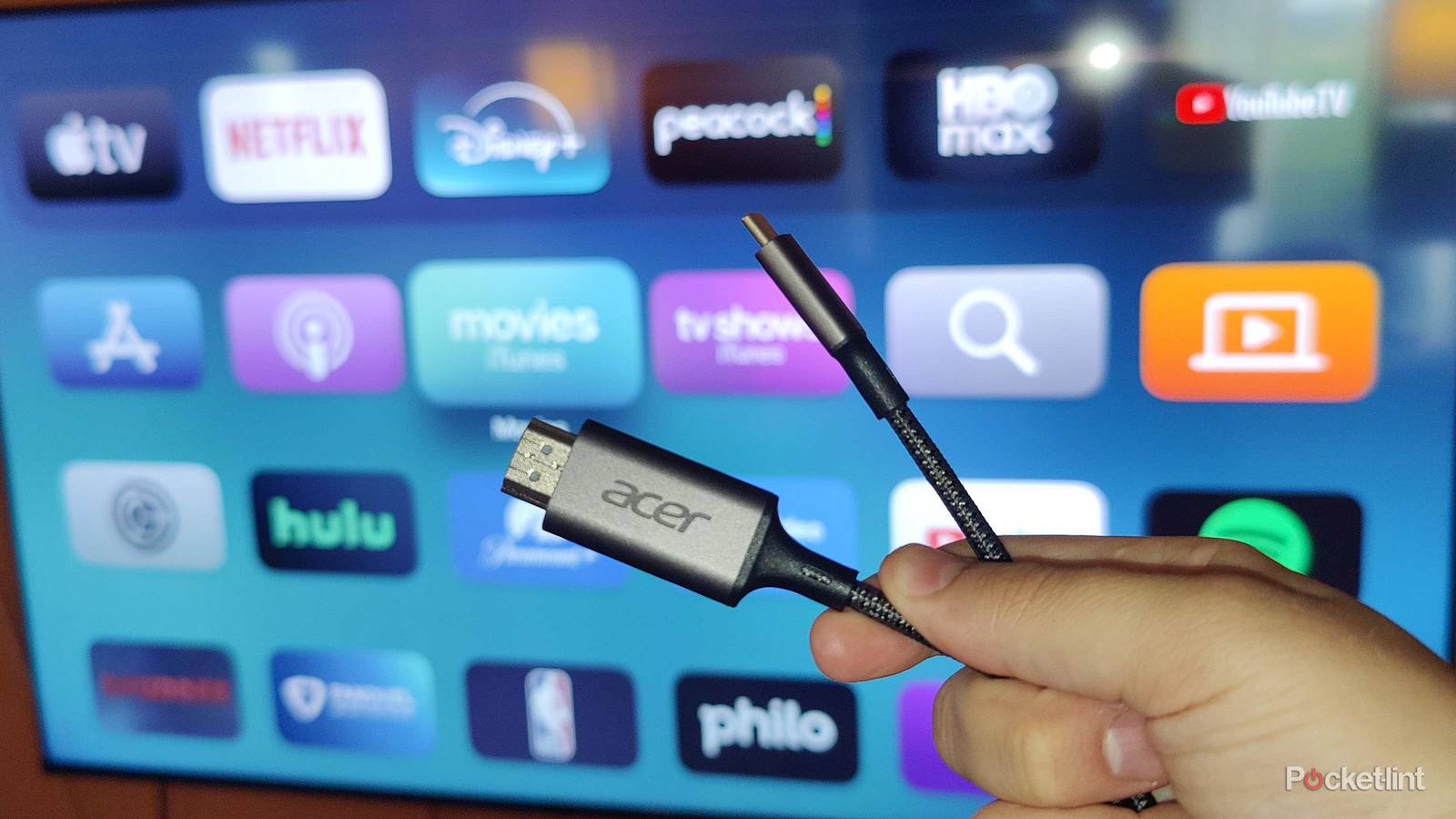
Another reason it may be hard to discern what kind of HDMI cable you have is because companies don’t necessarily make them easy to identify when they’re not right out of the box. The title may be etched on the cap or imprinted along the cable itself; those writings aren’t exactly easy to spot from a far away. You may have to move around items, unplug devices, and get in close to see what you’re working with.
How to make sure you have the right HDMI cable
Buy certified cables from reputable sources

If you don’t have an appropriate HDMI cable included with the purchase of your device, then you’ll have to acquire one on your own. Only buy new and unsealed cables from trusted sources and known brands. It’s all too easy for scammers to overstate the capability of a cable or simply sell you a faulty model.
A new HDMI cable isn’t prohibitively expensive, but be mindful of deals that sound too good to be true. Also watch out for words like “compatible” that don’t clearly specify the cable’s capabilities. Your smart TV and Blu-ray player may handle HDR10+ and therefore require an Ultra High Speed HDMI cable to work. But if you put in a Premium High Speed Cable, you’ll still enjoy the transfer of video. It just won’t be at the highest quality and, depending on what you’re watching, you may not be able to tell there’s an issue right away.
Another HDMI iteration has already been released, but you don’t need to get too excited about HDMI 2.2 as the advanced connection with 96Gbps bandwidth is ahead of its time. Few consumers will have devices that require such capabilities, at least for the next couple of years.
To ensure your HDMI 2.1 cable is legit, look for a QR code on the package alongside a holographic label. Cables that undergo certification and are verified will display these two markers. You can use the official HDMI Certification App to ensure authenticity. If you’re going to invest so much time and money finding the best smart TV, and you’re going to connect it to a top gaming console, soundbar, streaming device, or physical media player, then take time to find the right cable.