Recently, I gave my Pixel smartphone the Dynamic Island glow-up I didn’t know it needed. While initially skeptical, it didn’t take long for me to fall in love with the hybrid experience unlocked by snagging Apple’s signature iPhone user interface element, and adapting it to Android’s Material 3 Expressive design language.
Now, my phone’s hole-punch camera cutout is equal parts utilitarian and aesthetically pleasing, capable of performing actions, aiding in multitasking, notifying me of both system and third-party status updates, and much, much more.
This all had me thinking: what if I could extend my PC’s functionality with a conceptually similar software product? After digging around and experimenting with plenty of different Apple-inspired ‘smart’ notches and islands for Windows 11, I stumbled across a game-changing application called DockBar.
DockBar complements my PC to a T
Windows customizability, with a touch of macOS thrown in
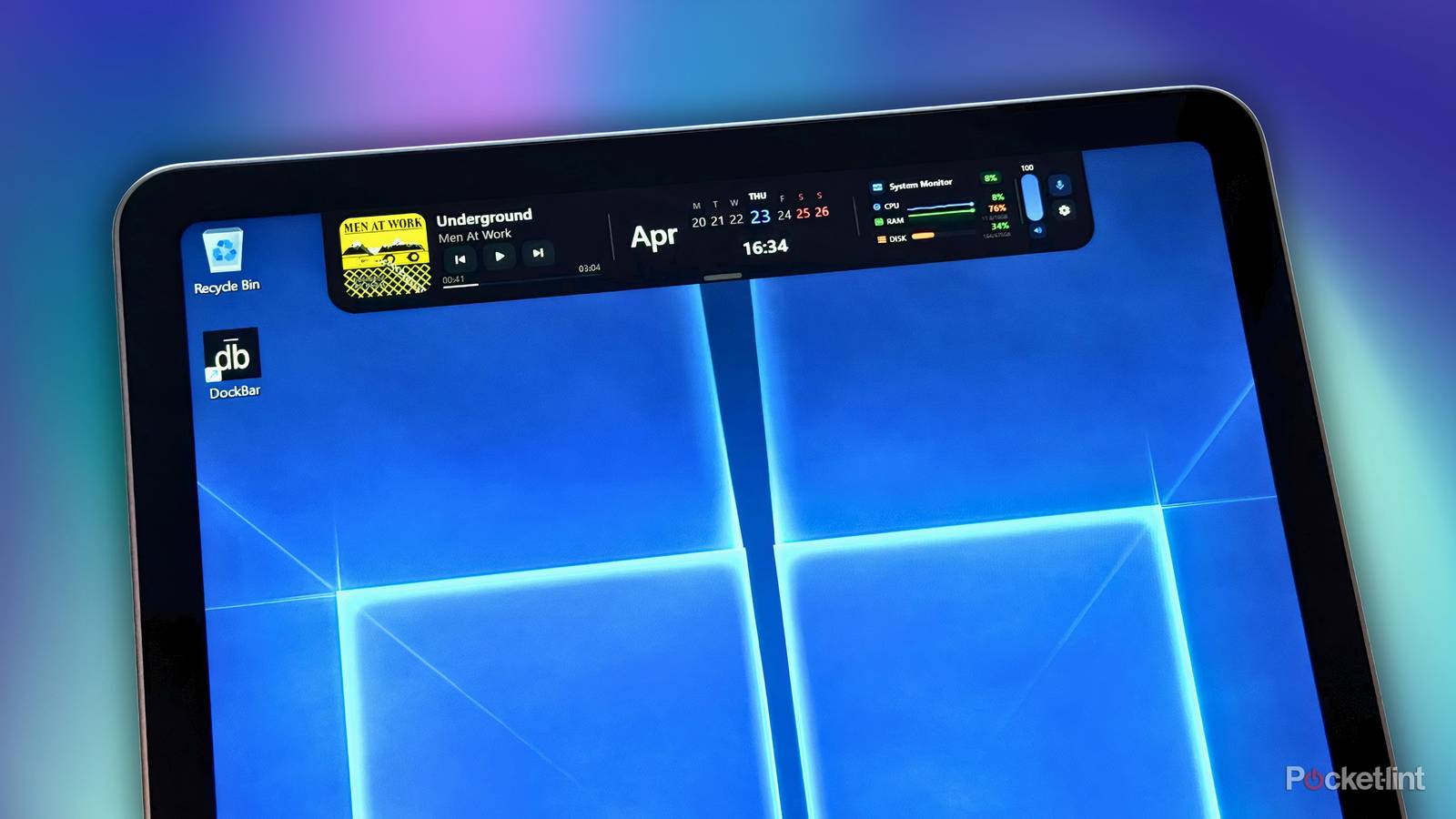
DockBar, which is available for $5 USD / $6.50 CAD over on Steam, epitomizes clever software design. The app features a notch-like ‘smart’ interface (ok, so not an island per-se) that’s clearly inspired by Apple’s Dynamic Island, but implemented in a way that feels distinctly ‘PC’ in nature.
Out of the box, DockBar offers various modular components or ‘widgets’ that can be rearranged, hidden, or added to the main bar view. These include audio playback controls, an equalizer, a calendar, a pomodoro timer, a countdown timer, a to-do list, current stocks, system monitoring details, quick notes, and quick access to designated apps of your choosing.
The bar itself dynamically adjusts in size based on the number of widgets you’ve configured, and it can be collapsed into a smaller state to get out of the way when necessary. There are also auto-hide, hover to open, UI scale, bar opacity, and show in taskbar options included here, all of which are appreciated additions.
…I’d personally love to see Windows 11’s Mica and Acrylic materials be added to the mix in a future update.
Visually speaking, the app features rounded corners and is pleasantly animated, but in a way that complements Windows 11 as opposed to feeling like a copy-and-paste job from iOS or macOS. By default, the interface ships in a stealthy black color, but there are preset themes on deck as well, in addition to the ability to add your own background image via File Explorer.
Uniquely, DockBar also includes a Liquid Glass theme, which makes the whole UI far more translucent, but without the reflective and refractive elements that set Apple’s implementation apart. The look is nice enough, but I’d personally love to see Windows 11’s Mica and Acrylic materials be added to the mix in a future update.
There’s also an accenting system within DockBar, with several hues available to choose from by default. Unfortunately, there’s no manual color picker option, nor is there a setting to have the app default to your native Windows 11 color theme — both of which would be nice quality-of-life inclusions.

Being a relatively new application out on the market, I did spot a couple of minor rough edges during my time testing DockBar. For one, its interface sometimes gets cut off when rotating my Surface Pro 12-inch’s screen between landscape and portrait orientations. Additionally, while I love that the app’s settings are all housed within the bar itself — rather than existing in a separate application window — the animation for expanding the settings pane tends to clip momentarily when invoked on my PC.
Even with these minor gripes in mind, I’m a big fan of DockBar. The product feels like a complete package, all while being stable and responsive. It adds genuine utility to my PC’s desktop without feeling like a soulless Apple knock off, and its visual appearance is genuinely pleasing to the eye. As of now, my Pixel 10 isn’t the only non-Apple device I carry around with me that sports a dynamic UI element, and I genuinely wouldn’t want it any other way.