By nature, streaming sticks like the Fire TV Stick 4K Max are limited by their size. Since they’re so compact, the hardware inside is usually not as powerful as it could be, and there’s no room for extra ports. So if you want to hook up an external storage device, like an SSD, to watch your own media, you can’t. And Fire TV Sticks don’t include Ethernet natively either, so if you want a wired internet connection for more reliable performance and faster speeds, you have to spend extra money on an adapter.
Initially, when I got my Fire TV Stick 4K Max, none of those things really mattered to me. But over the past year or so, the way I watch shows and movies has changed dramatically, and after extensively trying out other devices, I’ve realized that while Fire TV Sticks are undeniably convenient, the compromises they entail may no longer be worth it.
Set-top streamers are the way to go
I’ve enjoyed my Roku Ultra a lot more than I thought I would

Earlier this year, I picked up a Roku Ultra, and while I initially got it mainly to jump into the Roku ecosystem, test out its features, and compare it to Fire TV, I quickly realized I was enjoying using it a lot more than my Fire TV Stick 4K Max. And a lot of that comes down to two things: the form factor and the free streaming experience.
Starting with the form factor, the Roku Ultra is a set-top box, and its larger size allows it to pack in more powerful hardware. I’ve been extremely impressed with the performance — I hardly ever experience lag on it, which is something I can’t say about my Fire TV Stick 4K Max, where I’ve regularly had to restart it or clear the cache to fix laggy menus and frozen apps.
The larger form factor also means the Roku Ultra includes features you simply don’t get on most streaming sticks, like a built-in Ethernet port and a USB port. That means I can hardwire it for a more stable connection and plug in my portable SSD to watch shows and movies locally.
Now, in all fairness, Amazon does sell the Fire TV Cube, which is a set-top streaming box similar to the Roku Ultra. But it hasn’t been refreshed in nearly four years, and it’s also more expensive, coming in at $140 compared to the Roku Ultra’s $100 price tag.
…I think the free streaming experience on the Roku Ultra is way better than on Fire TV, thanks to how deeply integrated The Roku Channel.

Beyond that, I think the free streaming experience on the Roku Ultra is way better than on Fire TV, thanks to how deeply integrated The Roku Channel is into Roku OS. In my experience, it easily beats Prime Video when it comes to the amount of free content available, with thousands of free on-demand movies and TV shows, plus more than 500 live TV channels.
While I’m focusing on the Roku Ultra, I also want to mention that devices like the Onn 4K Pro and Google TV Streamer are solid alternatives. Since they run Google TV (based on Android), they offer much more freedom and flexibility, and also benefit from faster hardware and extra ports you just don’t get on Fire TV Sticks. They also include access to Google TV Freeplay, which adds another strong free streaming option to the mix. The biggest downside to any of these devices is price, since they’re all more expensive than a Fire TV Stick. But in my experience, the extra investment is absolutely worth it in the long run.
Still, even with all that in mind, there’s another crucial device that’s pulled me away from my Fire TV Stick — and it’s possibly already one you have sitting in your living room.
Watching 4K movies on disc is much better than streaming

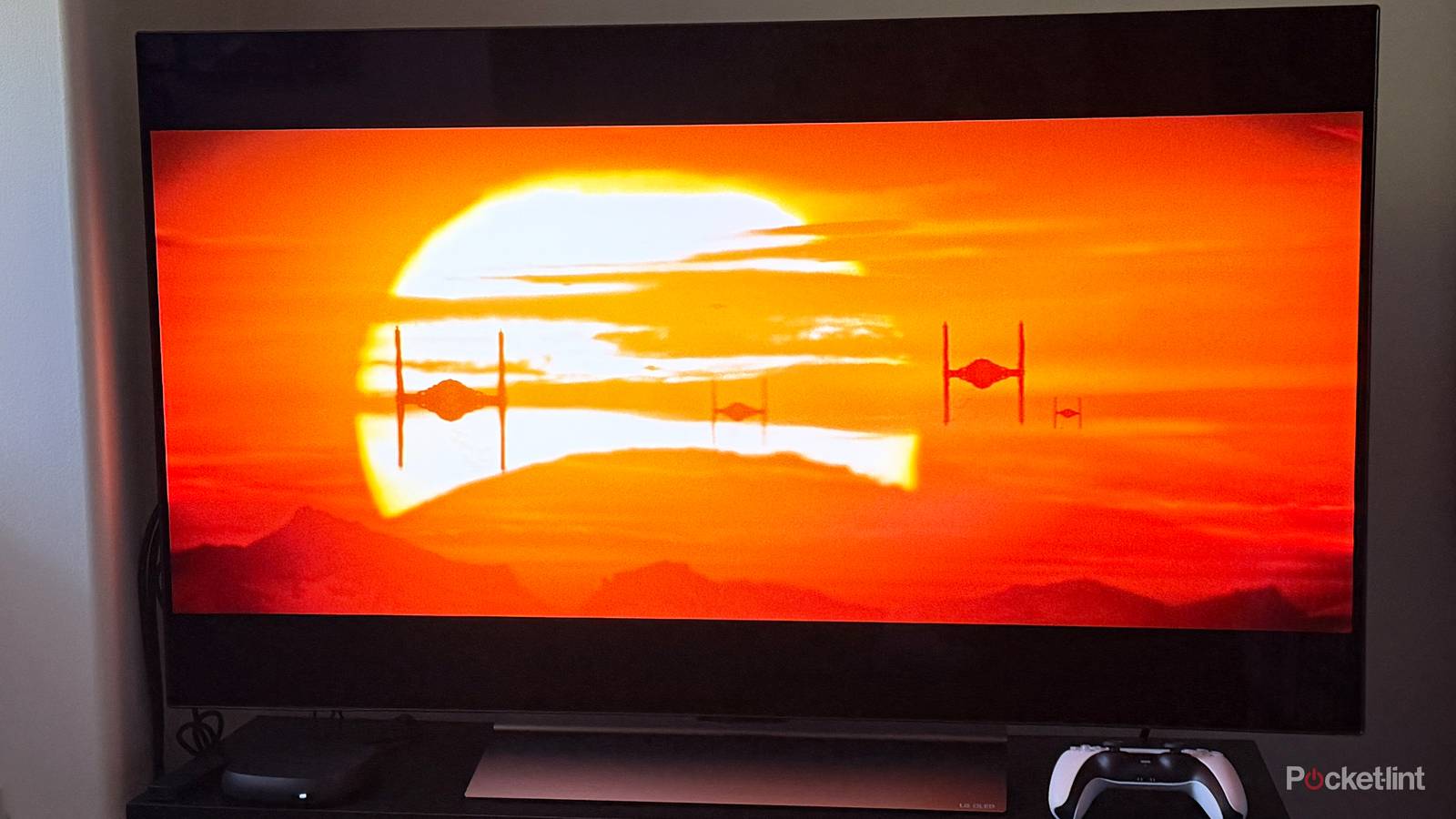
One thing every set-top streaming device is missing, whether it’s a Roku Ultra, Fire TV Cube, Apple TV 4K, or Google TV Streamer, is a disc drive. And recently, with physical media experiencing a bit of a renaissance, I’ve gotten back into collecting and watching Blu-rays and, for the first time, 4K Ultra HD Blu-rays. Since neither my Fire TV Stick 4K Max nor my Roku Ultra can play Blu-rays, I turned to my PS5, which I had really only used for gaming up until recently. But after watching several 4K movies on disc with it, I’ve become completely transfixed by just how much better the quality is compared to streaming.
In the back of my mind, I always knew 4K physical media looked better, but until I actually experienced it firsthand, I didn’t realize just how massive the difference really was. For example, I watched Oppenheimer in 4K on disc on my PS5, and the picture quality and sound absolutely blew me away because there’s no compression holding it back like there is with streaming.
Together, the Roku Ultra and PS5 ended up covering everything I felt was missing from my Fire Stick.
What also makes the PS5 so convenient is that it supports all the major streaming apps, including Netflix, Prime Video, Pluto TV, and Tubi. So whenever I don’t need my Roku Ultra, I can just use my PS5 instead.
So while I originally bought my Fire TV Stick 4K Max thinking it would be all I’d ever need from a streaming device, I eventually realized just how restrictive streaming sticks can be in terms of hardware, ports, and overall flexibility. I also came to appreciate just how much better the free streaming experience is on Roku compared to Fire TV.
And when it comes to physical media, my PS5 has turned out to be far more valuable to my setup than I ever expected. Together, the Roku Ultra and PS5 ended up covering everything I felt was missing from my Fire Stick.
Ultimately, I don’t regret buying a Fire TV Stick 4K Max, but my setup has improved tremendously thanks to my Roku Ultra and PS5, and I don’t expect that to change anytime soon.

- Dimensions
-
4.9 x 5.0 x 1.0 inches
- Connective Technology
-
Bluetooth® streaming, 802.11ax dual-band MIMO Wi-Fi 6 (2.4 GHz / 5 GHz), 10/100 Base-T Ethernet
- Brand
-
Roku