Computer mice have come a long way since their prototypical introduction some sixty years ago. Gone are the days of underside trackballs, giving way to light-based optical sensors. Mice have shed their wired tails, too, in favor of Bluetooth and 2.4Ghz dongles. They’ve also evolved additional buttons, scroll wheels, and, in some cases, even rumble packs and dedicated displays.
All this newfangled technology is nice and all, but there’s something quaint about yesteryear’s trackball mice that I continue to appreciate in 2026. Perhaps it’s that signature retro beige gray colorway that they all shiped with, or perhaps its the quirky Personal System/2 (PS/2) plug that they interfaced with PCs using.
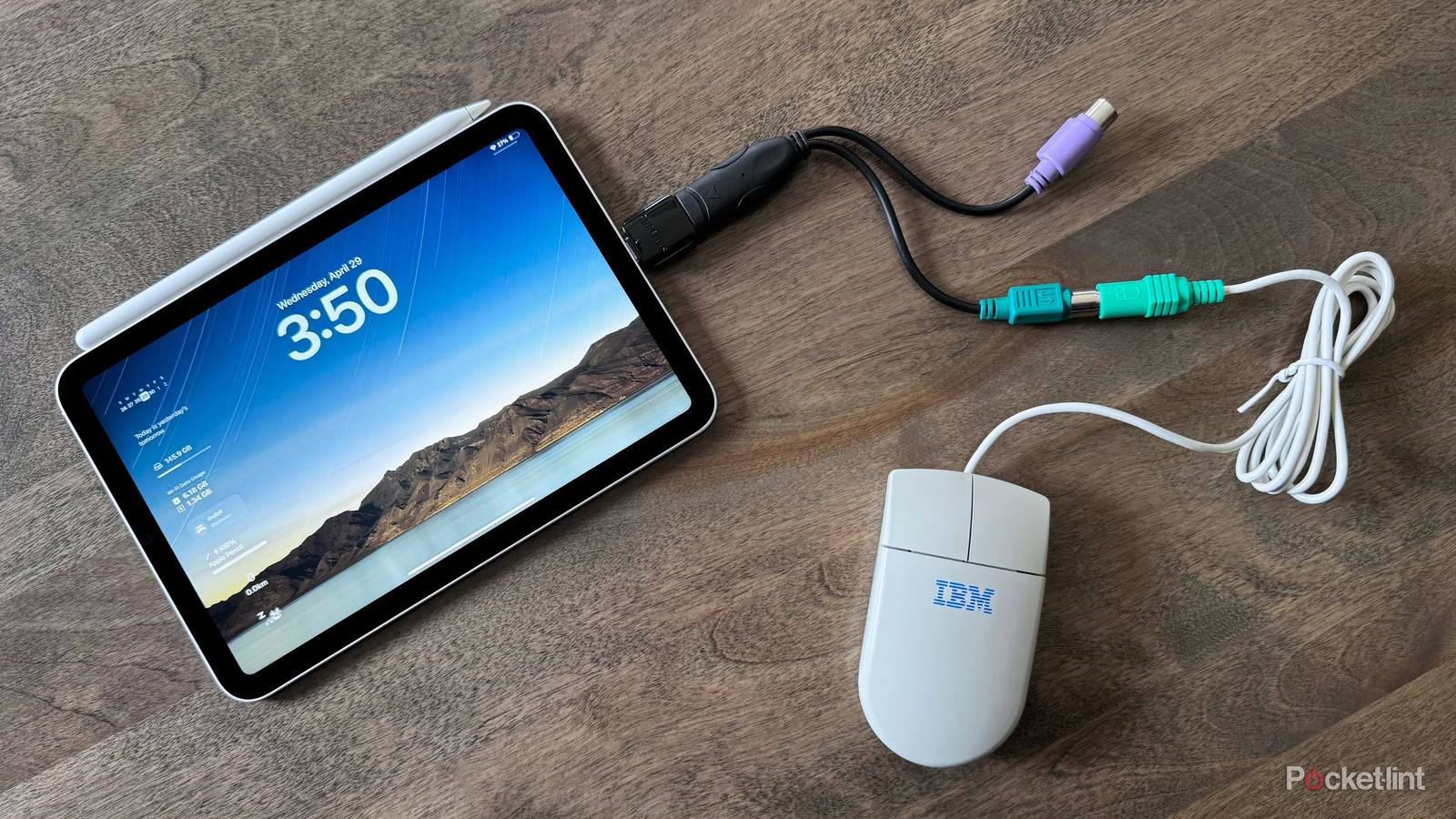
The good news — for me at least — is that it’s entirely possible to use retro mice with modern computing hardware. I was initially unsure if this would be the case, and so I employed two seperate dongles and a ninties-era IBM Two Button Mouse to test my hypothesis. After securing all the peripherals and plugging them all into each other, my iPad minilit up with that familiar iPadOS cursor I was so hoping to encounter.
Controlling my iPad with a 20th century mouse
It took two seperate dongles, but I made it happen

To get my IBM Two Button Mouse working with my iPad mini, I first needed a PS/2 to USB-A adapter. PS/2 (no relation to Sony’s PlayStation 2 home video game console) is a 6-pin mini-DIN connector that was the de facto mouse and keyboard interface prior to USB’s takeover in the 2000s. My adapter is a dual-style one, meaning it splits USB into both green (for legacy mice) and purple (for legacy keyboards).
Next, I had to plug my PS/2 to USB-A adapter into a seperate USB-A to USB-C adapter. For the most part, PS/2 dongles on the market are older and lack USB-C, which is the only port available on my iPad mini (and, indeed, on many modern computers and tablets). I thought my days of dongle-ception were behind me, but my IBM Two Button Mouse evidently had other plans.
Once everything was said and done, the setup worked like a charm. My IBM trackball mouse was instantly recognized by iPadOS, allowing me to control and manipulate the interface as though I was using any other mouse or trackpad. I haven’t updated my iPad mini to iPadOS 26, and so I still have access to Apple’s experimental circular-style mouse cursor — the new-age pointer style feels strange when paired with a mouse belonging to the tower PC era.
PS/2 trackball mice live on in 2026
Vintage tech still has a place in the modern era of computing

In addition to being a cool party trick, plugging a vintage trackball mouse into a modern tablet is a great example of making old tech useful in the modern context, all while avoiding undue e-waste. Sure, affordable Bluetooth mice are readily available on the market, but my IBM Two Button mouse is still alive and kicking in 2026, and so why not give it a new lease on life.
Aside from having to deal with so many dongles that I almost accidentally created a modern Gordian Knot, the process itself was remarkably seamless, even on the historically limited iPadOS. I chose my iPad mini for this experiment precisely because of its relative limitations as a computing platform — if I can get my IBM mouse working on iPadOS, then surely it’ll work across macOS, Android, ChromeOS, Windows 11, and Linux, too.
If you happen to have an old PS/2 trackball mouse collecting dust somewhere in a closet, or if you’re simply a lover of retro tech like myself, then I genuinely think connecting it to your modern PC or mobile device is a viable alternative to purchasing an all-new mouse. Now, if you’ll excuse me, I’m off to disasemble my IBM mouse — it’s trackball unit is in need of a quick debris purge.