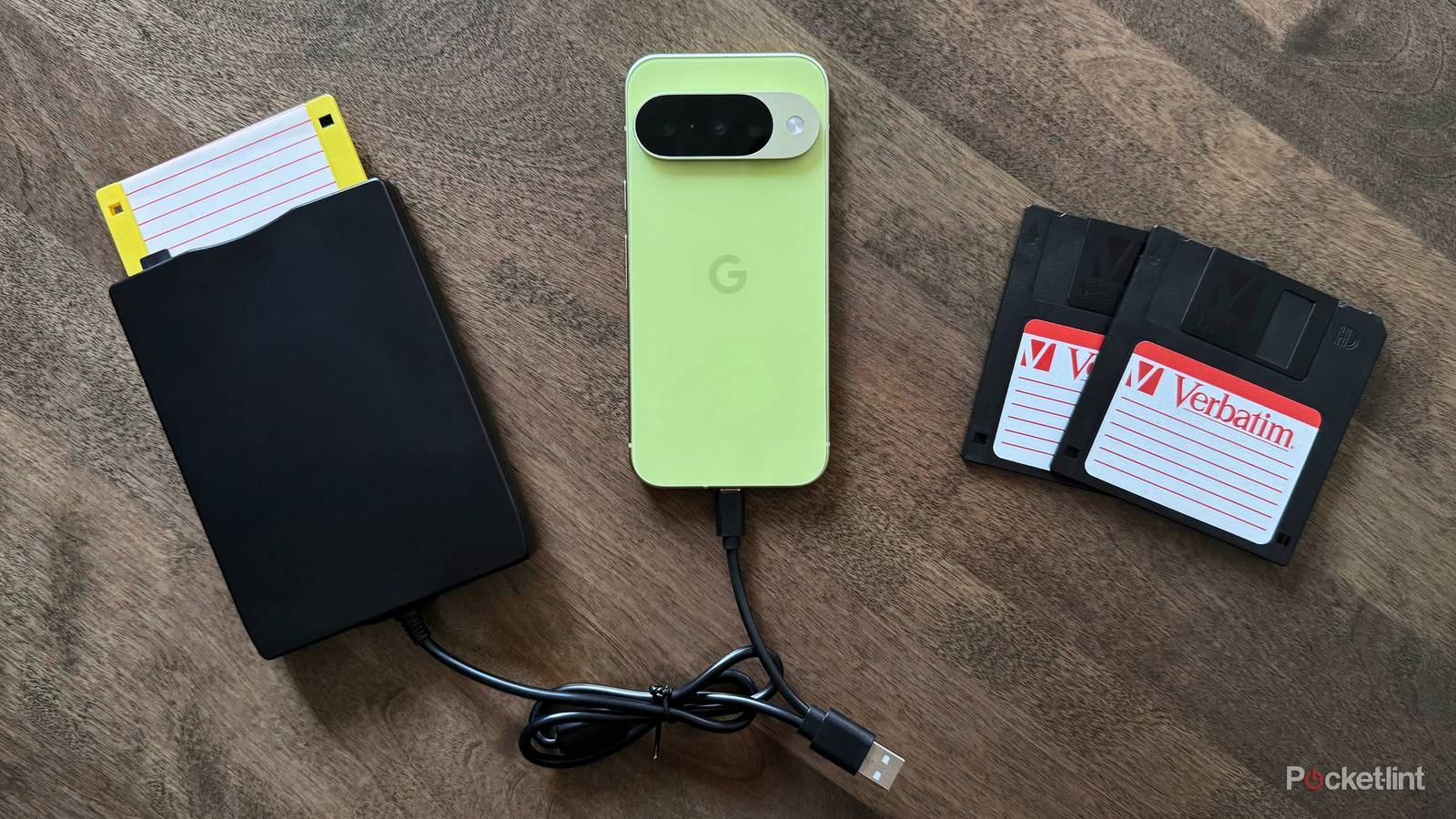
The other day, as I was doing some spring-cleaning, I stumbled upon something I forgot I even owned: a plastic tote filled with old 3.5-inch floppy disks from the nineties. With fascination, I sifted through the collection, discovering a mix of blank diskettes, archaic printer drivers, and even personal work files belonging to my parents.
It didn’t take me long to want to plug these floppy disks into my computer, but, of course, I don’t own a PC with a floppy drive in 2026. That’s when it dawned on me that USB-powered external drives are a very real alternative. Next thing you know, with sirens calling out, I found myself purchasing a cheap USB-C floppy disk reader from Amazon.
As expected, the external drive I acquired plugs right into my Windows 11 PC (as well as into my MacBook) without fuss, happily reading the contents of my various floppy disks within a matter of seconds. From there, something else occurred to me: considering that today’s mobile devices are essentially pocket computers, what’s stopping me from plugging my floppy disks right into, say, my smartphone or my tablet?
Android reads floppy disks like a charm
I’m surprised by how painless the process is

I wasn’t initially sure what to expect, but my presumption was that Android would recognize my newly-acquired 3.5-inch floppy disk reader without a problem. To my relief, this proved to be the case. The moment I fastened one of the floppy disks into my external bay and plugged it into my Pixel 10 via USB Type-C, I heard the clicks and clacks of the mechanism springing to life.
From here, I was able to view decades-old files and documents right from within Google’s native Files application, and third-party browsers like Cx File Explorer, Material Files, and Fossify all worked like a charm as well. For some of my floppy disks, Android prompted me to format them as new drives (thereby wiping all existing data off of them), which was the only snag in the road I experienced.

On a technical level, external USB floppy disk bays are treated by modern operating systems as USB mass storage devices, in the same manner as a typical USB stick or SD memory cards. In other words, Android doesn’t natively support floppy disks in the way a Windows 95 computer does — it simply reads the data through what I presume to be USB storage emulation system or the like.
Out of curiosity, I also plugged my floppy disk reader into both my iPhone and my iPad mini to see whether they too would recognize floppy disks in the same manner as Android. Unfortunately, I wasn’t able to get it working, despite numerous attempts. I’m not quite sure what the bottleneck is on the Apple-platform side — I know many of my floppy disks aren’t formatted for Apple software, but I also couldn’t seem to get the external bay itself to power on via USB-C, either.
The floppy disk lives on in 2026
A convergence between retro and modern technologies

Floppy disks are an undeniably antiquated technology by 2026 standards, but they’re a charming window into the pre-mobile era of personal computing. Even if there’s technically nothing out of the ordinary going on when plugging an external floppy disk reader into a modern Android device, I still find this convergence of new and old tech to be incredibly fascinating.
In my case, I used the opportunity to archive long-forgotten Microsoft Office documents, as well as to store documents onto a blank drive just for the sake of doing so. Of course, the average 3.5-inch High-Density (HD) floppy disk is capable of storing a maximum of 1.44MB of data, meaning that there’s very little room to work with on the whole.
Nevertheless, this experiment put a smile on my face, even if it was only a success on the Android side. I plan on reformatting another blank floppy disk for macOS / iPadOS sometime soon, in an attempt to get the diskette to work with my iPad Mini. I still have to figure out how to make the external drive itself power on when plugged into my mini’s USB-C port, but, hey, that’s part of the fun in tinkering with old and outdated technologies.