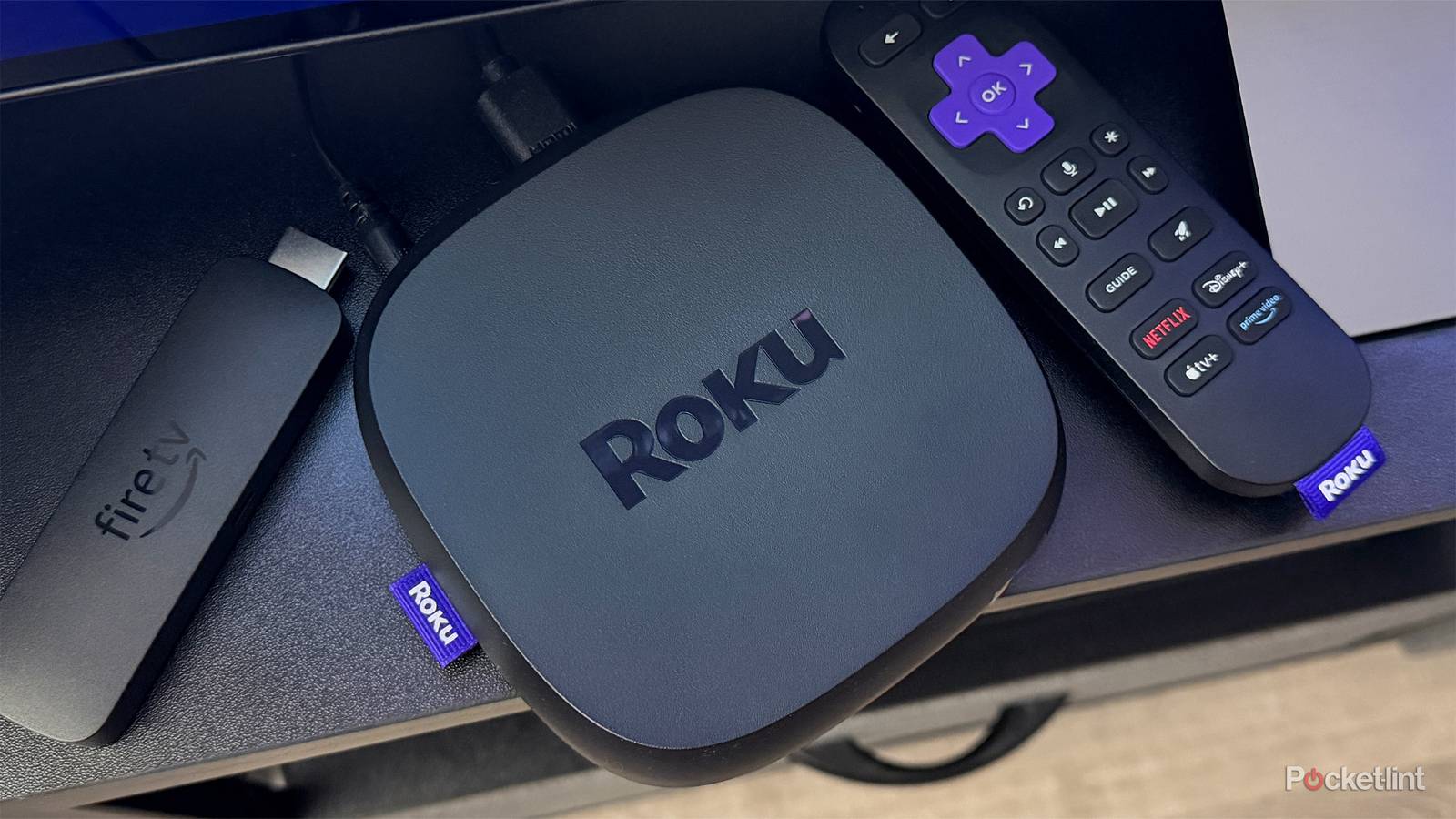
I’ve had a Fire TV Stick 4K Max plugged into my TV for a long time, and for a while I even called it my favorite streaming device. But earlier this year, I picked up a Roku Ultra and dipped back into the Roku streaming world for the first time in years, and I have to admit, I’ve slowly found myself reaching for the Roku more and more, while my Fire TV Stick has started collecting dust.
And it all really comes down to a few simple reasons. One of the biggest is The Roku Channel’s massive library of free content. It’s just too hard to pass up, especially with how seamlessly it’s built right into the device. It’s always there, one click away, and that kind of convenience goes a long way, especially since I’ve canceled streaming services like Netflix this year due to price hikes and have found myself leaning more on free streaming.
But another key reason I’ve grown more fond of my Roku Ultra recently is a feature tied to the Roku app that, surprisingly, you can’t get on Fire TV Sticks with the Fire TV app: Private Listening Mode, better known as Headphone Mode.

- Dimensions
-
4.9 x 5.0 x 1.0 inches
- Connective Technology
-
Bluetooth® streaming, 802.11ax dual-band MIMO Wi-Fi 6 (2.4 GHz / 5 GHz), 10/100 Base-T Ethernet
- Brand
-
Roku
The Roku Ultra has refreshed for the first time since 2021. A new backlit remote, faster performance, and Wi-Fi 6 support separate this 2024 edition from the past generation.
Headphone Mode is a game-changer
You can easily listen to your Roku through your phone

If you’re unfamiliar with Headphone Mode, it’s a feature on Roku devices that lets you listen to whatever you’re watching on your TV through headphones connected to your mobile device instead. I’ve found Headphone Mode very useful for late-night binge sessions when I don’t want to disturb family that is already asleep, and for when I’m just watching something alone, as I’ve found watching TV with my AirPods to actually be a lot more immersive than with my TV’s speakers, which admittedly aren’t the greatest.
To use Headphone Mode with your Roku, all you have to do is download the Roku app on your phone or tablet (available on both iOS and Android for free) and connect it to your Roku, whether that’s a Roku TV or a streaming device like the Roku Streaming Stick Plus or Roku Ultra.
Once everything is connected, you’ll see an option to enable Headphone Mode on the remote screen in the app (the headphone icon, as you can see in the image above), which instantly redirects all audio from your TV to your mobile device. So if you want to listen privately to your Roku using something like AirPods or any Bluetooth headphones paired to your phone or tablet, you can.
Over the past few months, I’ve really enjoyed being able to use Headphone Mode with the Roku app with my Roku Ultra, and whenever I go back to using my Fire TV Stick 4K Max, I do notice its absence, and it would be great if something like this existed on Fire Sticks as well through the Fire TV app.
And before the pitchforks come out for me, yes, I’m fully aware Fire TV Sticks support Bluetooth audio, so you can connect Bluetooth headphones or speakers directly to your Fire Stick as an alternative. But it’s still not quite the same as the Headphone Mode Roku offers on its devices and app.
Bluetooth is an alternative, but it’s not as convenient
Amazon needs to implement something similar to Headphone Mode

Before I started using Headphone Mode on my Roku Ultra, I used Bluetooth headphones paired directly with my Fire TV Stick 4K Max. It technically works as an alternative to Roku’s Headphone Mode, and the sound experience was great, but for me, the convenience factor just isn’t the same.
If I want to use my AirPods with my Fire TV Stick, I have to disconnect them from my iPhone (by turning Bluetooth off) and then reconnect them to my Fire TV Stick every time, which quickly becomes annoying. With my Roku Ultra, I don’t have to deal with any of that. I just open the Roku app, tap the Headphone Mode button, and instantly I’m listening to my Roku through my AirPods on my iPhone.
That’s the big difference for me. Most Roku devices do support Bluetooth audio as well, but with Headphone Mode, there’s no disconnecting, re-pairing, or digging through settings menus. It just works with a single tap on your phone, and that simplicity is exactly why I find it so convenient, and why I wish Fire TV Sticks had something similar built into the Fire TV app.
Amazon recently redesigned the Fire TV app, so it’s clear the company is paying attention to the mobile experience again. If there was ever a time to add a feature like Roku’s Headphone Mode, now feels like the perfect opportunity, especially while it’s already making changes in that space.
But for now, I’ll continue using Headphone Mode with my Roku Ultra, and hopefully, Amazon comes around to adding a similar feature someday.