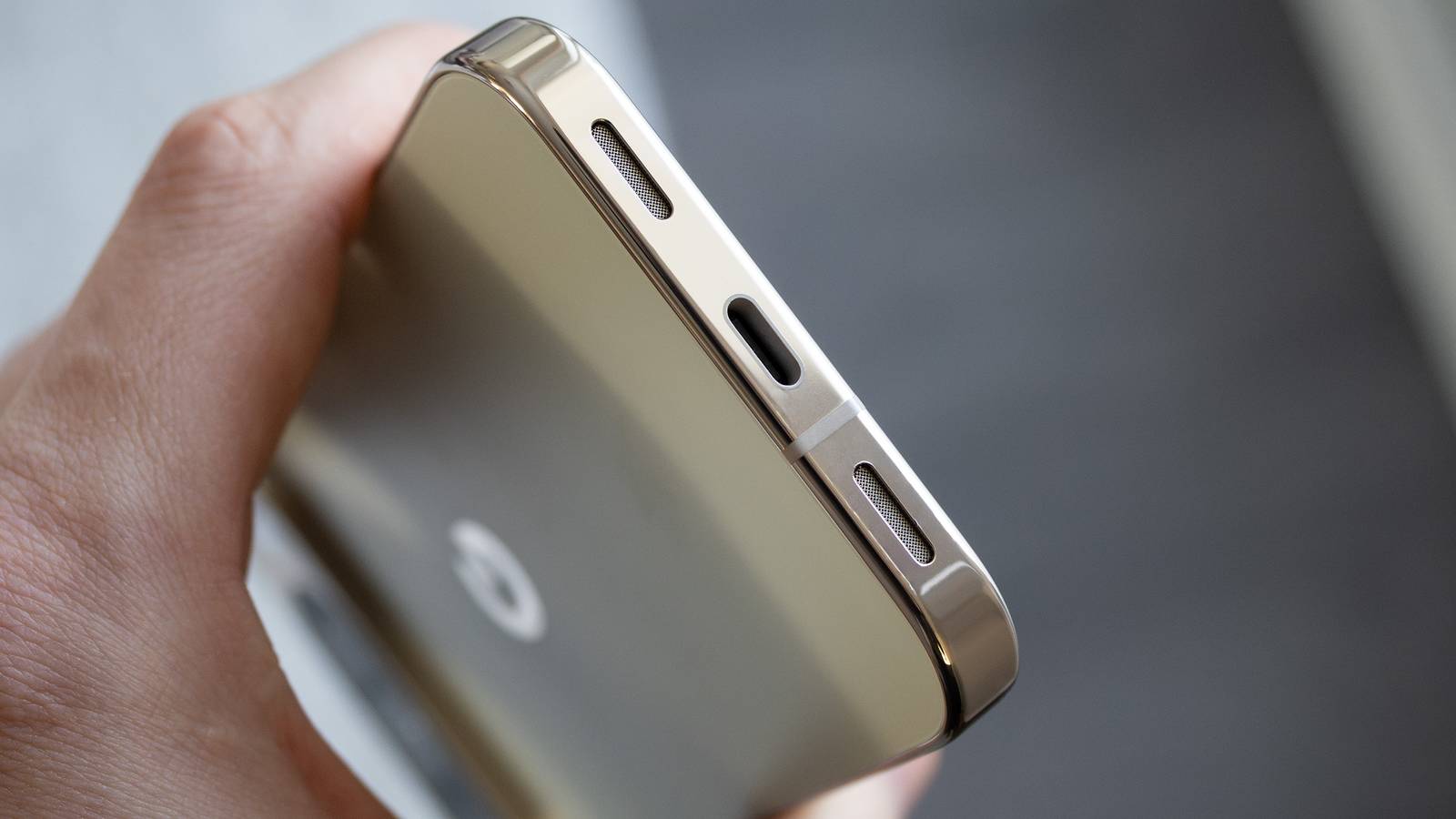
Smartphones used to come with headphone jacks and SD card slots, believe it or not. While there might be some holdouts, it’s clear the industry is ushering us to a world with just a single USB-C port on our phones. It’s not entirely bad since Bluetooth connectivity is so solid these days, but sometimes I want to kick back and use a cable like in the good old days.
That’s become a lot harder to do with these newer phones, but thanks to the power of adapters, you can still make it happen. That’s right, your phone’s USB-C port can do a lot more than just charge it. While you’ll spend the most time using the port to charge your device, you can still get some use out of it while doing other things. I like it when my devices can do more than you’d think, and my smartphone is no exception. Considering how expensive smartphones are these days, they’d better do something more than just let me scroll through Reddit for hours a day.

- Brand
-
Google
- SoC
-
Tensor G5
- Display
-
6.3-inch Actua Display 1080 x 2424 pixel resolution OLED (60-120Hz)
- RAM
-
12GB
- Storage
-
128GB/256GB
- Battery
-
4,970mAh
You can use wired earbuds
A nice little converter

While your phone might not have a headphone jack, it doesn’t mean you can’t use wired headphones. I went on a hike and decided to try wired earbuds with a USB-C to 3.5mm headphone jack adapter, and while I wouldn’t recommend that, I would recommend getting one of these dongles for lying around the house. It works exactly the way you’d expect, where you plug the headphones into the female connector, and then you plug the USB-C end into your phone.
This Linsoul Kiwi Ears AD1 adapter I used in the picture above acts as a DAC (digital audio converter), so you can get some enhanced audio by using one. Keep in mind that your smartphone already has a DAC, so it’s not like you’d notice a giant leap, but if you get something more than the $15 dongle I bought, you could hear some changes. Nevertheless, an adapter like this is an excellent way to give your older earbuds some new life just by being able to use them again. You can just leave the dongle permanently attached to your earbuds and treat it as an extension of the same device. This way, you never lose your dongle, and you’ll always be able to plug your earbuds into your phone.
 Quiz
QuizUSB-C ports
Trivia challenge
Think you know everything about the connector that changed charging forever? Put your knowledge to the test.
HardwareStandardsHistoryChargingCompatibility
In what year was the USB-C connector specification first published?
Correct! The USB-C specification was published in August 2014 by the USB Implementers Forum (USB-IF). It was designed from the ground up to replace the growing zoo of USB connector types with a single, reversible solution.
Not quite — the USB-C specification was finalized and published in August 2014. Development had been underway for a couple of years before that, but 2014 was the official release that set the standard in motion.
How many pins does a USB-C connector have?
Correct! A USB-C connector features 24 pins arranged symmetrically, which is a key reason it can be inserted either way up. Those pins handle everything from power delivery and data transfer to audio and display signals.
The correct answer is 24 pins. The symmetrical arrangement of those 24 pins is exactly what allows USB-C to be reversible — there is no wrong way to plug it in, unlike its predecessors.
What is the maximum power delivery wattage supported by the USB Power Delivery 3.1 specification over USB-C?
Correct! USB Power Delivery 3.1, finalized in 2021, raised the ceiling to an impressive 240W. This makes USB-C a viable charging solution even for high-performance laptops and other power-hungry devices.
The correct answer is 240W. USB Power Delivery 3.1 dramatically expanded on the original 100W cap, pushing USB-C into territory once reserved for proprietary laptop chargers and large power bricks.
Which USB-C cable is required to support USB4 Gen 3 speeds of up to 40Gbps?
Correct! To achieve USB4 Gen 3 speeds of up to 40Gbps, you need a Thunderbolt 3 or USB4 certified cable. Not all USB-C cables are created equal — using a lower-rated cable will bottleneck your speeds significantly.
Not quite. USB4 Gen 3 at 40Gbps requires a Thunderbolt 3 or USB4 certified cable. One of the most confusing aspects of USB-C is that the connector looks identical regardless of the cable’s capability, so certification labels matter a lot.
Which Apple laptop was among the first mainstream devices to ship exclusively with USB-C ports, controversially removing all other port types?
Correct! The 12-inch MacBook released in 2015 made headlines for having just a single USB-C port for everything — charging, data, and display output. It was a bold and divisive design choice that sparked widespread debate about port diversity.
The answer is the MacBook (2015). Apple’s 12-inch MacBook launched with a single USB-C port and nothing else, not even a headphone jack on early models of other lines. It was one of the most talked-about laptop designs of that era.
USB-C is a connector shape — which of the following is a data transfer *protocol* that can run over a USB-C cable?
Correct! Both DisplayPort Alt Mode and Thunderbolt 5 are protocols that can run over a USB-C physical connector. This is the key distinction — USB-C is just the shape of the port, while the protocol determines what it can actually do.
The correct answer is both DisplayPort Alt Mode and Thunderbolt 5. It is a common misconception that USB-C is a single standard — it is actually just a physical connector shape that can carry many different protocols depending on the host device and cable.
Which regulatory body mandated USB-C as a common charger for mobile phones sold in the European Union from late 2024?
Correct! The European Parliament passed legislation requiring USB-C as a common charger for smartphones, tablets, and other small electronics sold in the EU, with compliance deadlines starting in late 2024. The move was largely aimed at reducing electronic waste.
The answer is the European Parliament. EU lawmakers pushed through the common charger directive to cut down on cable waste and consumer frustration. This regulation was notably one of the factors that pushed Apple to finally add USB-C to the iPhone 15 lineup.
What does the ‘Alt Mode’ feature of USB-C allow a device to do?
Correct! Alt Mode allows the USB-C connector to carry completely different protocols — such as DisplayPort, HDMI, or Thunderbolt — by repurposing some of the connector’s pins. This is why a single USB-C port can drive an external monitor without an adapter box.
Not quite — Alt Mode lets USB-C transmit non-USB protocols like DisplayPort or HDMI natively through the connector. It works by reassigning certain pins within the 24-pin connector to carry those alternative signals, making the port incredibly versatile.
Your Score
/ 8
Thanks for playing!
Connect your phone to your TV
I wouldn’t do this often

If you want to watch Netflix or something like that on your TV and have absolutely no other way to do it, you can connect your phone to your TV and do it. I got bored one day and grabbed a USB-C to HDMI cable that let me do this, and I wouldn’t say it was worth the hassle in any way. I say this because I already have a smart TV and numerous streaming devices that accomplish the same task without needing a phone at all.
Smart TVs are common enough today, and streaming sticks often can be found for about $20, so I don’t see any real reason to do this aside from the novelty. The purpose of this list was to show the different things your phone’s USB-C can do — not to show you things that you should do. I’m sure there are plenty of other reasons to use a cable like this, and accessing your phone’s photo library is a good one. On the other hand, I’d say screen mirroring is the easier option of the two, but if you have a cable lying around and don’t mind being tethered to your TV, then by all means, go for it.
Transfer to an SD card
No slot, no problem

Back in the days of every phone having an SD card slot, this wasn’t a problem, but things have changed. Now, if you record video or take pictures, they’ll probably be saved to your phone’s internal storage. There’s nothing inherently wrong with that, but it makes it more difficult to transfer larger files to your computer. You could use the cloud or get an SD card adapter. There are plenty of options available, and if you want a reputable brand, you can get the Acer adapter on Amazon for $13. This plugs directly into your phone’s USB-C port and acts as a reader.
This adapter lets you easily move files off your phone to an SD card that you would then plug into your computer. It’s nice for when you don’t want to move large files over Bluetooth, because that can take a while. If you’re somebody who’s into content creation or filming, you probably have a lot of video files that are stuck on your phone like this, so this is an excellent use of your phone’s USB-C port. What you might not realize is that your phone might already be your best camera, so instead of shelling out for an expensive one right away, it’s often better ot just use your phone when you get started.
Use a telescopic game controller
Phones are solid gaming machines

Mobile gaming has come a long way since the days of Angry Birds, and now you can have full-blown console experiences on your phone. Games like Genshin Impact and Fortnite run great on mobile devices, and you get a much better experience if you plug in a controller and use it. You can use a Bluetooth connection and use your Xbox controller if you’d like. There are even several mounts that let you connect your phone to your controller, but that can get uncomfortable over long stretches of time — believe me, I know.
What I ended up getting was the 8BitDo Ultimate Wireless Mobile Gaming Controller. That mouthful of a name works over Bluetooth, but there are controllers of the same ilk that plug directly into your phone’s USB-C port. The GameSir G8 Galileo is a popular suggestion, and the USB-C connection means you won’t deal with any latency issues that could show up over a Bluetooth connection. For what it’s worth, I haven’t run into any problems using my Bluetooth controller, but if you’re at all concerned about that, you can get a USB-C controller for about the same price. Many mobile games have full controller support, and if you get into game emulation, you can get a lot more mileage out of one of these controllers.
I installed a new Android frontend on one of my phones and turned it into a game console of sorts. When I pair it with a telescopic controller, it feels a lot like a console, and it’s actually where I do the vast majority of my gaming now. I’m not saying that’ll be you, but I’m saying mobile gaming is a lot different than it was a decade ago.