New TVs are packed with features that are often buried in the menus. Some, like Filmmaker mode and brightness settings, are essential and improve my viewing experience. I don’t use others, like motion smoothing and energy saving, but understand their benefits. A third category exists of hidden privacy risks with no benefits to me or you.
TV brands add these features to mine viewing, voice, and other data to help “improve the experience.” This actually means targeting us with ads and selling our information to third parties. Automated Content Recognition (ACR) is probably the most invasive feature, and you should disable it on any TV you buy.
What is ACR, and why is it a privacy risk?
You don’t benefit from this invasive feature
ACR is like a spy working in the background and recording everything on your screen. It takes screenshots of whatever you’re viewing, whether it’s a movie, game, or YouTube video, and uploads them to your TV brand’s servers. The saved content is then compared to a database to create a record of your viewing habits, supposedly to improve recommendations.
According to the LG user agreement, ACR will “Identify the content you watch or listen to on your device regardless of the source of information.” It does this to “provide relevant content and improve your user experience.” This is a roundabout way of saying it’s mining your data..
The information ACR gathers includes the content you’re watching, location data, IP addresses, ad completion rates, and more.
Some of the information ACR gathers includes the content you’re watching, location data, IP addresses, ad completion rates, and more. LG gathers your data and also shares it with third parties, like marketing agencies and networks, to increase their ad revenue.
ACR doesn’t usually collect RAW screenshots. It converts the data into digital fingerprints, which are just as intrusive. Apart from recording your screen, ACR is always running in the background and wastes your internet bandwidth while it uploads to external servers.
How to disable ACR on your LG TV
Just a few simple steps
Each TV brand has a different name for ACR. It’s called Viewing Information Services on Samsung and Hisense TVs. It’s known as Live Plus on LG TVs.
Disabling Live Plus is as simple as navigating to Settings => Settings => General => System => Additional Settings, then turn off the Live Plus toggle. It’s straightforward and only takes a minute or two for me to disable it with my LG Magic Remote.
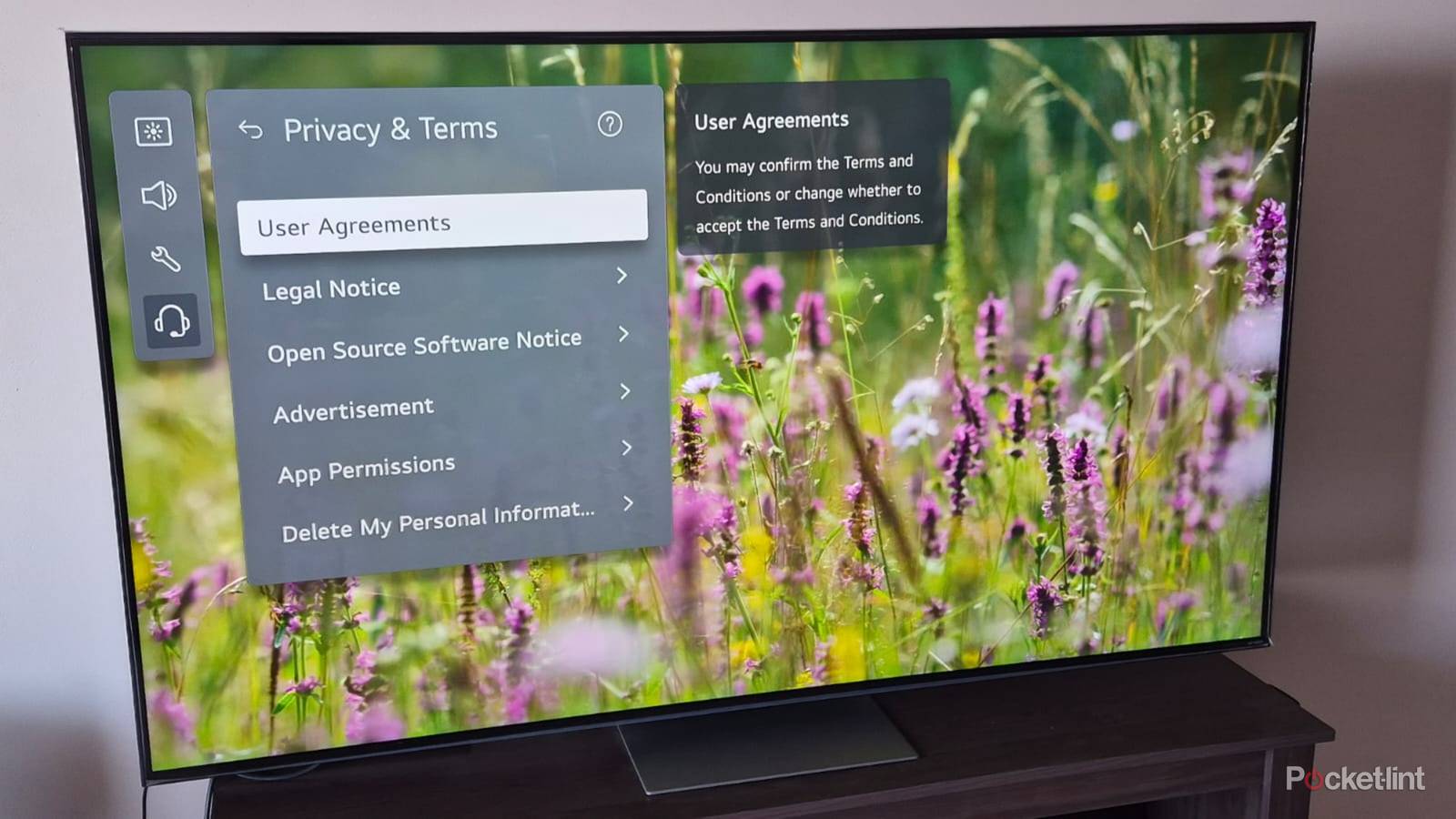
It’s also worth deleting all your saved personal information your TV gathers. To do this, navigate to Settings => Settings => Support => Privacy & Terms => Delete My Viewing Information. Select Delete Request in the open dialogue box.
You should remove other personal information your TV has gathered while you’re in the Delete My Personal Information menu.
You should remove other personal information your TV has gathered while you’re in the Delete My Personal Information menu. Follow the same steps and delete your voice information and personal information.
User Agreements
Opt out of unwanted features

Most of us skim through TV user agreements and tick the boxes at the end without realizing the implications. We end up signing away our privacy and giving brands the right to mine and share our data. It’s worth opting out of these LG user agreements while you’re disabling ACR and deleting your stored personal information. I usually read through the entire user agreements before changing any settings to understand what they’re all about.
It’s worth opting out of these LG user agreements while you’re disabling ACR and deleting your stored personal information.
The Terms of Use and Privacy Policy are compulsory on an LG TV, and you’ll keep getting notifications if you don’t agree to them. Navigate to Settings => Settings => Support => Privacy & Terms => User Agreements. Then untick the Viewing Information Agreement to opt out of ACR.
While you’re on the user agreements page, you should also opt out of Voice Information, which captures your voice input and lets LG save it for analysis and share it with third parties.
Then follow the same instructions and untick the Internet-Based Advertisement Agreement, which lets LG and its affiliate companies display ads on your TV and other connected devices, like phones or tablets. You should also untick the Marketing Communications Agreement. This feature sends marketing notifications like pop-up news and special offers to your TV.
Disabling the above features and opting out of unwanted user agreements goes a long way to improving your privacy and preventing LG from mining your personal data. You should also disable ACR on your Roku and Google TVs if you care about your privacy.

- Brand
-
LG
- Display Size
-
42, 48, 55, 65, 77, or 83 inches
- Operating System
-
webOS
- Display Type
-
OLED
- Display Resolution
-
4K
- Refresh rate
-
165Hz (with VRR)
A premium mid-range 4K UHD OLED smart television set from LG that ships with the webOS operating system, HDR10/Dolby Vision/HLG support, and up to a 165Hz refresh rate.