


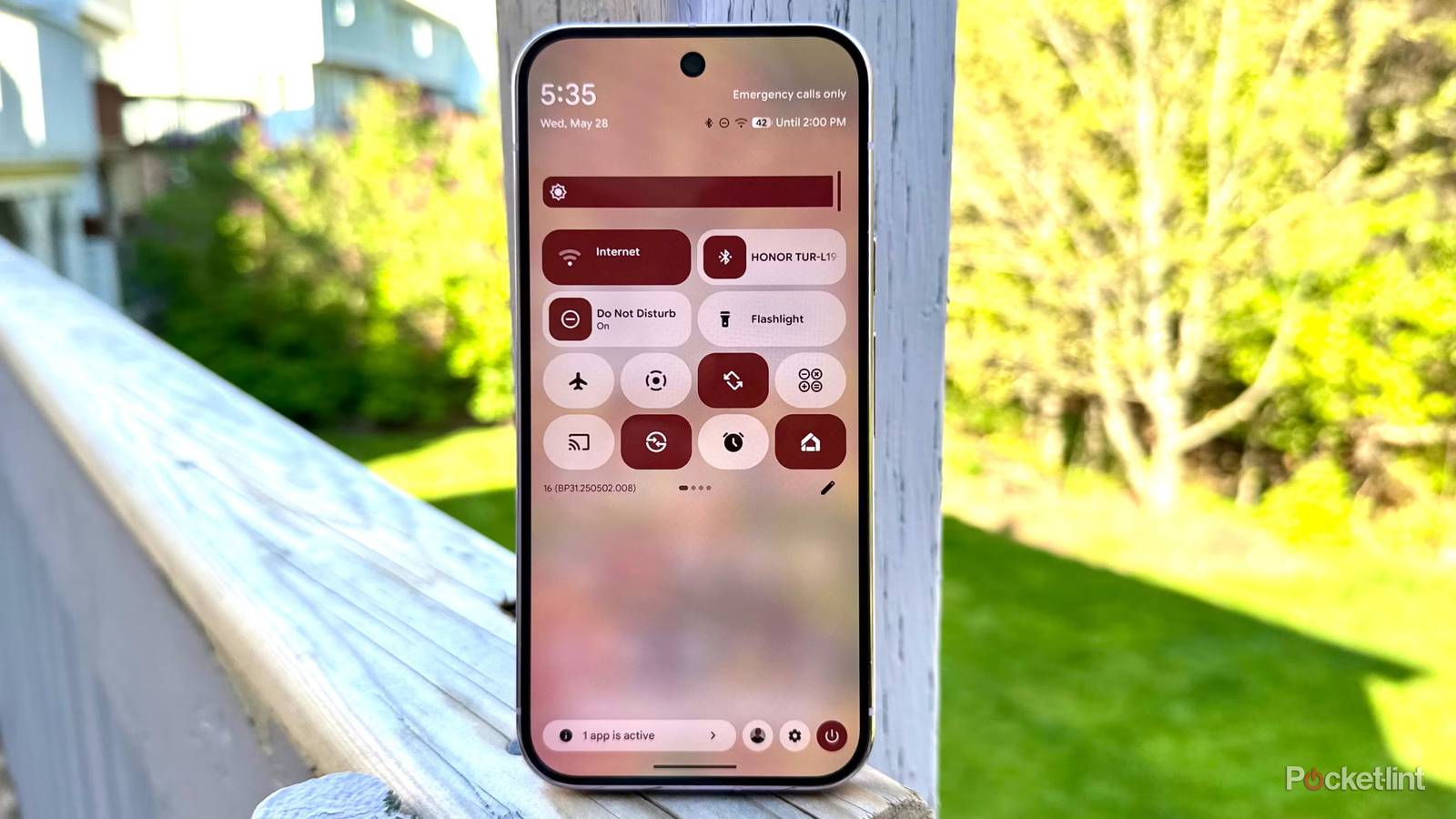
Hot off the heals of The Android Show: I/O 2026 Edition, Google has seeded an all-new preview build of Android to users of the operating system’s Canary branch. Known technically as Android Canary 2605, this latest update doubles down on the translucent blur effects that first shipped on the Pixel in Android 16 Quarterly Platform Release 1 (QPR1) in the fall of last year.
Chiefly, Android Canary 2605 adds additional blur elements to several parts of Android’s user interface, including the volume slider flyout, the expanded volume picker platter, the home screen context menu, and the power menu (via 9to5Google). These new blur elements supplement the existing Material 3 Expressive design framework Google has been building out since last year.
It’s worth pointing out that these additional Android user interface blur effects were expected to arrive sooner or later, with the refresh having previously leaked online (via Android Authority). Nevertheless, it’s great to see it live in a functioning build of the platform, bringing us one step closer to having the visual touch-up release to the public in stable form (perhaps as early as Android 17 QPR1).

- Brand
-
Google
- SoC
-
Tensor G5
- Display
-
6.3-inch Actua Display 1080 x 2424 pixel resolution OLED (60-120Hz)
- RAM
-
12GB
- Storage
-
128GB/256GB
- Battery
-
4,970mAh
Google’s Pixel 10 features the tech giant’s new Tensor G5 chip and a three-camera setup for the first time that includes a 10.8-megapixel telephoto camera.
Android is getting prettier by the day
UI translucency that doesn’t copy Apple’s Liquid Glass aesthetic

As part of Google’s Material 3 Expressive design overhaul, various elements of the Android user interface have been given the blur treatment in recent months. Android Canary 2605 refines the look and feel of the platform by making blur more consistent across various surfaces of the system.
While many will draw comparisons between Google’s doubling down of blur effects on Android and Apple’s Liquid Glass interface, the two companies take very different approaches to virtual translucency. Rather than copying Apple wholesale, Google’s blurs give off a different look and feel, carving out a unique identity for Android in today’s blur-saturated tech space.
I was initially skeptical about Material 3 Expressive when it was unveiled last year, but after seeing it in motion first-hand, I’ve come to really appreciate the way it all comes together. Adding extra translucency across more elements of the UI makes all the sense in the world, especially considering there’s now an option within Android’s accessibility settings to disable blur if it’s not your cup of tea.
I expect Android’s latest blur effects to make their way over to Android’s desktop interface in time for launch.
Aside from Android Canary 2605, Google has been busy scaling up Android to work across more form factors, and in particular laptop PCs. Ahead of Google I/O 2026, the company hosted the aforementioned Android Show: I/O 2026 Edition, where it formally unveiled not only Gemini Intelligence, but also the Googlebook platform, a new class of laptops that run full-blown Android under-the-hood.
I expect Android’s latest blur effects to make their way over to Android’s desktop interface in time for launch later this year, which will go a long way in making the Googlebook ecosystem feel like a polished, cohesive product offering. On the other hand, I don’t expect third-party OEMs like Samsung to adopt Android Canary 2605’s new blur effects, as they use their own proprietary software skins that don’t rely on the Material 3 Expressive design language.