


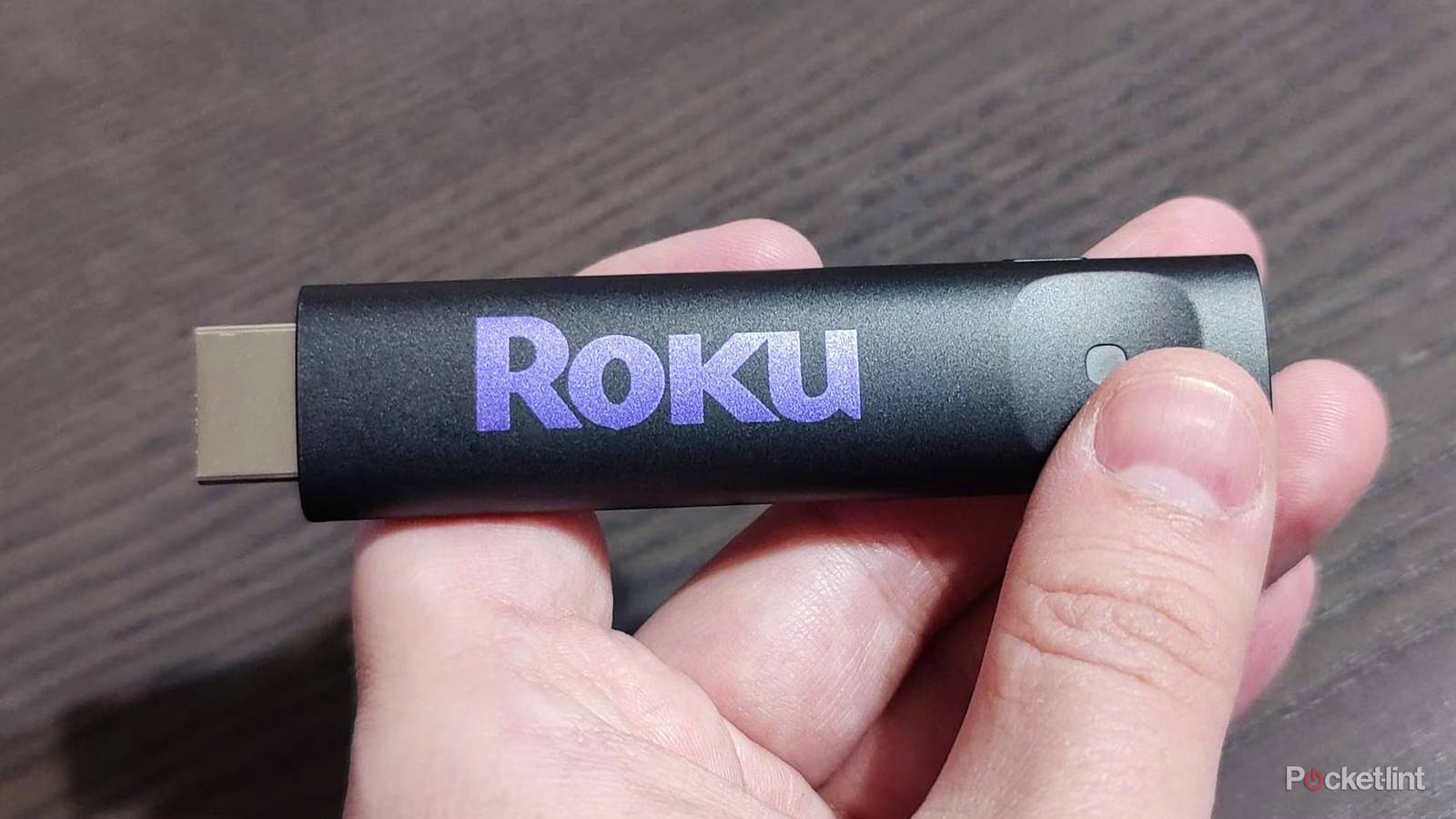
Streaming devices are all over the place these days. If you walk into the electronics section of a store, you’ll see names like Roku, Onn, Apple, and Google all over the place. If you’re an Amazon Prime member, you have no doubt seen the vast number of Amazon Fire TV Sticks for sale. The point is that there are many, many options available if you choose to move to something other than your smart TV’s interface. I would highly recommend doing so, since this is almost always a more seamless experience, unless your TV is really new and not bogged down by any additional bloat yet.
The question you’ll have to ask yourself is what’s the difference between the low-end sticks and the high-end options? It’s a fair question, and the answer depends on you. If you’re somebody who likes to do more than just watch shows and movies, then something like a Roku Ultra will appeal to you more than a Roku Streaming Stick. A Roku Ultra has a USB port, an Ethernet port, and 4 GB of internal storage for the 2024 model. Unfortunately, it doesn’t have a way to expand the storage through an SD card like older models did.
However, most people don’t need to have that type of versatility. I would argue that most people buy a device, install a bunch of streaming apps, and start watching things. For that reason, the wide selection of cheaper streaming sticks works just fine.


4/5
- Dimensions
-
4.9 x 5.0 x 1.0 inches
- Connective Technology
-
Bluetooth® streaming, 802.11ax dual-band MIMO Wi-Fi 6 (2.4 GHz / 5 GHz), 10/100 Base-T Ethernet
- Brand
-
Roku
- Audio outputs
-
Digital stereo over HDMI, DTS Digital Surround pass through over HDMI, Dolby Atmos decode via HDMI (with compatible speakers)
Cheaper is often better for streaming devices
Don’t splurge unless you have to

A Roku Streaming Stick can often be found for as low as $20, and the same goes for Fire TV Sticks. At this price, it’s hard to go wrong. These are no-frills devices that do exactly what you expect of them. In many cases, they are faster than your smart TV, so they’re easy upgrades to make for your viewing experience. Don’t get me wrong, though. A Roku Ultra is faster than a Roku Streaming Stick, but it’s not like it’s four times faster or anything. You can get a stick for dirt cheap, while a Roku Ultra costs $100, although you can often find them on sale.
I mean, let’s be honest, the main draw of a streaming stick is to watch things. Any device will get that done, whether it’s cheap or expensive, and that’s why a lot of people gravitate toward the cheaper options. A stick won’t be as fast as a streaming box, and it won’t be able to do as much, but does it actually matter? I would say that for most people that it doesn’t. This is probably why there won’t even be a dent in Amazon Fire TV Stick sales after the switch to Vega OS, even though that put an end to sideloading. Most people don’t sideload onto their sticks in the first place, so this is a shift that’ll only affect a niche audience.
The same thing goes for the Roku Ultra, omitting an SD card slot. Roku must have some analytics showing that it went to waste, so it wasn’t worth the effort of including one. I’m not a fan of removing features either, but the reality is that a lot of these things go to waste. It’s why I think the cheap streaming sticks are released in abundance, and why so many people grab them over boxes. There’s also that dopamine hit of browsing Amazon and seeing something listed as half off. Nobody has to know that these prices are almost always the norm, but I digress.
If somebody asked you what streamer to get, and you know all they do is watch TV, would you really tell them to go out and get a Roku Ultra or Apple TV 4K? I have and love both of those devices, but I know they’d go to waste elsewhere. I’ve tried all sorts of things on my Apple TV 4K. I’ve installed RetroArch, I played Apple Arcade, and I took advantage of Dolby Atmos on Apple Music, the latter being the reason I bought one in the first place. I like all of the different things that it can do, but it’s obvious that not everybody would care about those things. This makes the Apple TV 4K, especially if you’re paying full price for one, a bad value. There’s no reason to get an Apple TV 4K unless you’re a fan of the ecosystem or want to take advantage of what it can do with its performance.
Higher-end models still have their place
Just not for everyone

I don’t want companies to stop releasing high-end models, and I don’t think that’s going to stop any time soon. Budget-friendly brand Onn recently released a 4K Pro box that looks like a great alternative to the Apple TV 4K or Roku Ultra for a retro game emulator for cheaper. I love that options like that exist, even if a few people actually get use out of it.
Even if you’re using your high-end device strictly for streaming, there’s a lot to like. I love the fast speeds, and sometimes you have to get something more expensive to take advantage of better HDR and audio formats such as Dolby Vision and Atmos. It’s not like your money is going to waste if you get something more expensive; it’s just that a lot of people don’t take advantage of everything these devices can do. It’s a bit like the meme of people building expensive gaming PCs only to play games like Balatro. Sometimes, it’s nice to know you’re capable of more, even if you don’t plan to use it.
The point I’m making is that you shouldn’t feel bad for being on a budget, especially if you had no intention of using your device for more than streaming. In this specific scenario, it’s better to be on a budget because there’s no point spending more than double the price to do the same thing. There are so many budget options out there that you’re bound to find something that fits your needs. The only thing you really need to keep an eye out for is a 4K stick. 4K TVs are the norm these days, and while you can use something like a 1080p Roku Streaming Stick, you really should spend the extra couple of dollars and get a 4K stick.
What’s nice is that these cheaper sticks aren’t slouches. They can do everything you need them to, and even Fire TV Sticks can do more than you think. While you can’t sideload emulators or anything of the sort on them anymore, you can still play Xbox Game Pass games via the cloud, so they have that going for them.