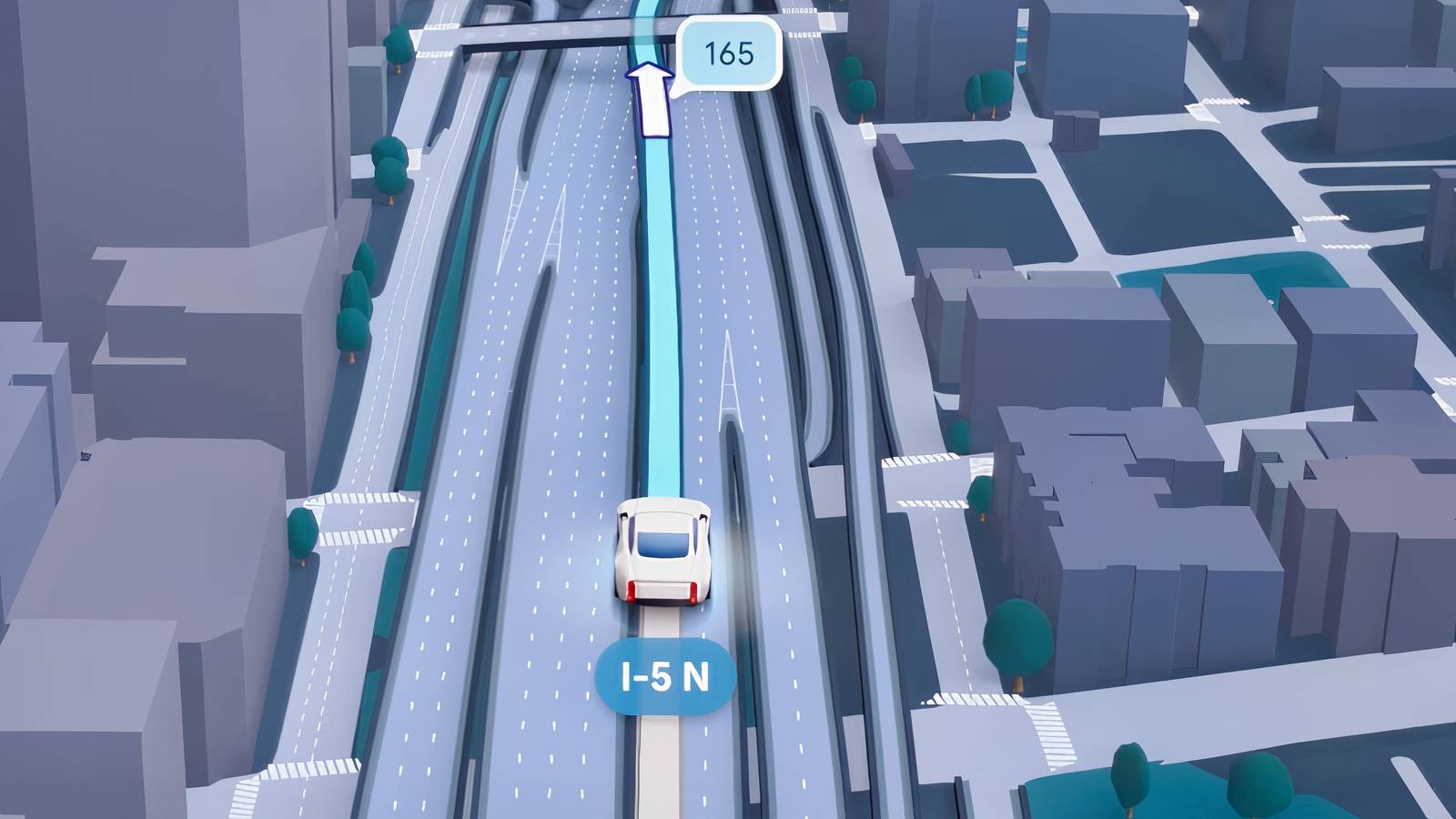
It’s not often that CarPlay or Android Auto get major redesigns. They rank lower on the priority list for Apple and Google, since they don’t bring in the cash that new hardware and cloud services do. And yet they can’t be ignored for too long, since people depend on them to drive and ride, and slipping too far behind would give the opposition the upper hand.
Google’s latest salvo is a feature called Immersive Navigation, which may have a huge impact on how you navigate cities. I’m going to explain the basics of how it works, how and when you can get it, and the limitations it carries.

- Developer
-
Google
- Subscription cost
-
No
Immersive Navigation comes to Android Auto
All the essentials

At its core, Immersive Navigation is an upgrade for Google Maps that renders urban terrain in more elaborate 3D. Using Gemini models, it merges conventional info with data gleaned from Street View and aerial photos.
That might not seem like a big deal at first, especially since Maps has long presented some regions in 3D. The difference is that you should get a far superior view of landmarks, including crosswalks, overpasses, and building entrances. The landscape will reflect what you’re actually seeing in front of you, in other words, with help like transparency and a “smart” camera to keep navigation clear. I would’ve really enjoyed this tech while living in Texas, as Maps was often unclear about whether you were supposed to get on an Austin ramp or drive underneath it.

There’s more though. The feature is clearly meant to compete against similar tech in Apple Maps, and to that end, Google is pairing it with better voice instructions. Instead of “In 1 mile, exit right,” you’ll hear something like “Go past this exit and take the next one for Duval Road.” I don’t know about you, but I find it far more intuitive to navigate based on landmarks, since I can’t really picture a mile (or a kilometer) in my head. This also avoids the occasional confusion when exits and intersections are close together.
Google has actually been rolling out Immersive Navigation since March 2026. Until now, however, the company seems to have restricted it to native phone interfaces. If you want to use it inside Android Auto, you’ll need to make sure your phone is updated to both Android Auto 17.3 and the latest version of Google Maps. There may also be performance limitations. Don’t expect this to work smoothly if your phone struggles with 3D or doesn’t have 5G.

There are some other caveats. For one, even if your device meets all the requirements, that just makes you eligible. Google still has to open up access to you via its servers. Related to that is general coverage — I mentioned “urban terrain” for a reason. Immersive Navigation is really built for major cities, so I wouldn’t expect any access in rural areas, and Google’s priority is presumably the biggest American population centers. Rich countries like Canada and the UK tend to be next in line, but even if you’re in England or Ontario, you could still be waiting for Immersive Navigation to reach your hometown.
Some of you reading this might be curious iPhone users (like myself) wondering about CarPlay. To my knowledge, CarPlay still isn’t supported, but my guess is that Google will get more aggressive ahead of the iOS 27 and iPhone 18 launches this fall, not wanting to lose any more users to Apple Maps than it has to.