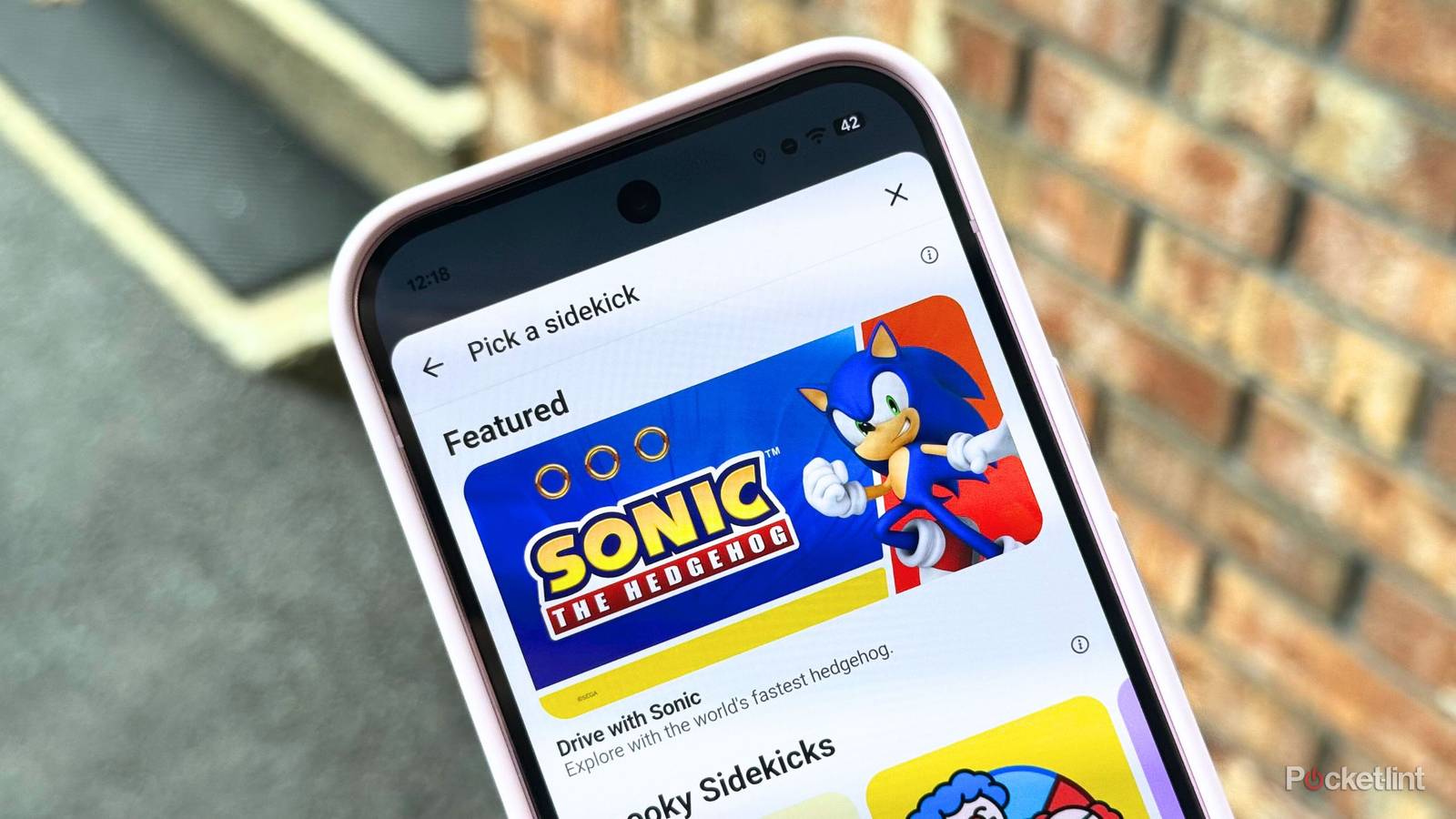
Waze, the Google-owned navigational service for Android and iPhone, has just unleashed its latest sidekick persona: Sonic the Hedgehog. In collaboration with Japanese video game company Sega, the iconic nineties-era platform mascot is available now within the latest app update for all English and French-speaking users across the globe.
Sonic is cool, speedy and unbeatable, an ace combination for a travel companion who’s on the lookout for new adventures. He’ll guide you with phrases like, “All right! Let’s roll! Keep your eyes on the road. Never know when a loop-de-loop or spike trap will be in the way!,” writes Waze in a blog post.
Waze sidekicks, for the uninitiated, are virtual personas that live within the Waze app. Each sidekick character offers its own unique set of voice directions, with distinct mannerisms, voices, and personality styles. In addition to altering the in-app navigation style while using the mapping app to get from point A to point B, each sidekick can display a unique on-screen car icon that’s visible only to you, as well as a separate Mood icon that is visible to other drivers using the Waze service.
In the case of Sonic the Hedgehog, the sidekick is designed to convey an ‘Energetic’ mood, delivering encouraging and up-beat traveling tips while out on the road. The included on-screen car icon is Sonic’s Speedster Lightning vehicle from the Sonic Racing: CrossWorlds video game, and the Mood icon is a smiling portrait of Sonic himself.

- OS
-
ios, Android
- Price
-
Free
Waze is a popular navigation app available on iOS and Android devices. You can get real-time traffic updates and road alerts to help make your commute as smooth as possible.
Which sidekicks are available for Waze?
Waze lets you select from a whole host of navigational avatars

The ability to switch between various characters is one of the most charming aspects of the Waze experience. Including Sonic, here’s a list of every sidekick currently available within the app:
- Spooky Sidekicks: Alien, Happy or Scary Clown, Zombies, Supervillain
- Entertaining: Sonic, The Wizard of Oz, The Bad Guys, How to Train Your Dragon, World of Warcraft, Halo, Paddington, Retro Mode, Blockbuster Mode, Jonas Brothers, Noir Detective, Spy
- Funny: Supervillain, Dolphin, Alien, Dad Jokes, Cats or Dogs, Nate Bargatze, Emotions, Business Jargon, Boy Band, Zombies, Dashie, Hasan Minhaj
- Calming: Gold Commentator, Chaka Khan, Karamo, Christina Aguilera, Headspace, Slime Blob, Kehlani, Zen Surfer
- Encouraging: Soccer Analyst, Language Teacher, Roger Federer, Unicorn, Lilly Singh, NPC, Professor Facts, Resolution Buddy, Zodiac, Jennifer Hudson, Allyson Felix
- The Garage: Excapemobile, El Vanarino, Rad Racer, SUV4EVA, Surfmobile, The Communal Cruiser
Separate from the rest of the sidekick selection, the vehicles listed within The Garage only alter your in-map icon, without tweaking Voice directions.
As you can see, there’s a wide variety of Waze sidekicks to pick from. These avatars range from caricatured personas, to real-life celebrities, to video game and movie characters, and more.
How do I swap out my Waze sidekick?
Switching between characters is a breeze

To add some whimsy to your next GPS-powered excursion, follow these steps:
- Launch the Waze app on your Android phone or your iPhone.
- Tap on the hamburger (triple line) menu in the top left-hand corner of the screen.
- Tap on Pick a sidekick.
- Within the overlay menu that appears on-screen, select your sidekick of choice.
- Optionally, toggle on Voice directions, your Car icon, and your current Mood.
- Tap on the blue Save button located near the bottom of the screen.
You can freely switch between available sidekick characters at any time, so feel free to experiment until you find one that speaks to your current mood.