There are seemingly endless smart TV features that companies promote in order to get you to buy their latest shiny model. From mini-LED zones to gaming features, enhanced motion smoothing to environmental sensors, TV manufacturers are doing everything they can to make their new units accommodate everything you need for your home entertainment experience.
While there are a great many features that are important to consider, there are a bunch that are more about marketing and branding and likely to have less of an effect on watching TV than is implied. Then there are features that just aren’t worth the extra money. The latest effort by manufacturers involves AI smart TVfeatures. Don’t be fooled.
AI voice search is problematic
Privacy issues and quality control

One of the first AI-enhanced features that you should avoid involves voice search. The ability to press a button on your remote or activate a smart assistant by using a wake word has been around for a while. For several years, you’ve been able to use a simple voice search to find titles, genres, or actors. Some models have also allowed to open or adjust settings on your TV.
With LLMs, however, the voice search function has improved. Instead of a simple search asking for a specific director, for example, your request could be more detailed and specific. At least, in theory. As more people use AI models, the models are supposed to get better.
There are a couple of reasons you shouldn’t use voice searches, however. The first comes down to privacy; every time you say something into your remote or TV or virtual assistant hub, your voice and your searches are logged. The more you use the voice search function, the more data is collected and your behavior and viewing preferences will then be easier to learn and identify. And as a profile gets made of you, that data can be used to sell you targeted advertisements.
The second reason voice searches aren’t worthwhile is that they still are not going to be that great. Streaming services want you to use their own platform to find titles; they don’t want you to use any universal search functions because then they can’t learn about how you scroll and find a title you like. That means you might not get all the results you are looking for, or at least not in the order that you want. The function isn’t necessarily any more efficient than scrolling with your remote. So don’t bother.
AI personalization and recommendations
Learning identity through viewing habits

Another AI feature that companies are pushing involves helping you find what you want by learning about your behavior and preferences and suggesting titles you might like. Just like voice search, there are both privacy and quality problems here.
In terms of privacy, unless you go through and disable tracking features, using search functions is going to help the TV cretae a profile of you. What you like to watch is a great way to learn about who you are, including your age, your ethnicity, your religion, your political beliefs, and what your household looks like. And all of that information can be used to sell you targeted goods and services. And you never know where that information might end up, and what companies will do with it.
And just like voice search, there’s no reason to believe the recommendations that come from AI personalization will be accurate and unbiased. Every streaming service or operating platform has a carousel for suggested viewing, but it’s always going to include titles that the service or system wants you to watch.
AI picture settings distort video
Personal preferences complicate fidelity

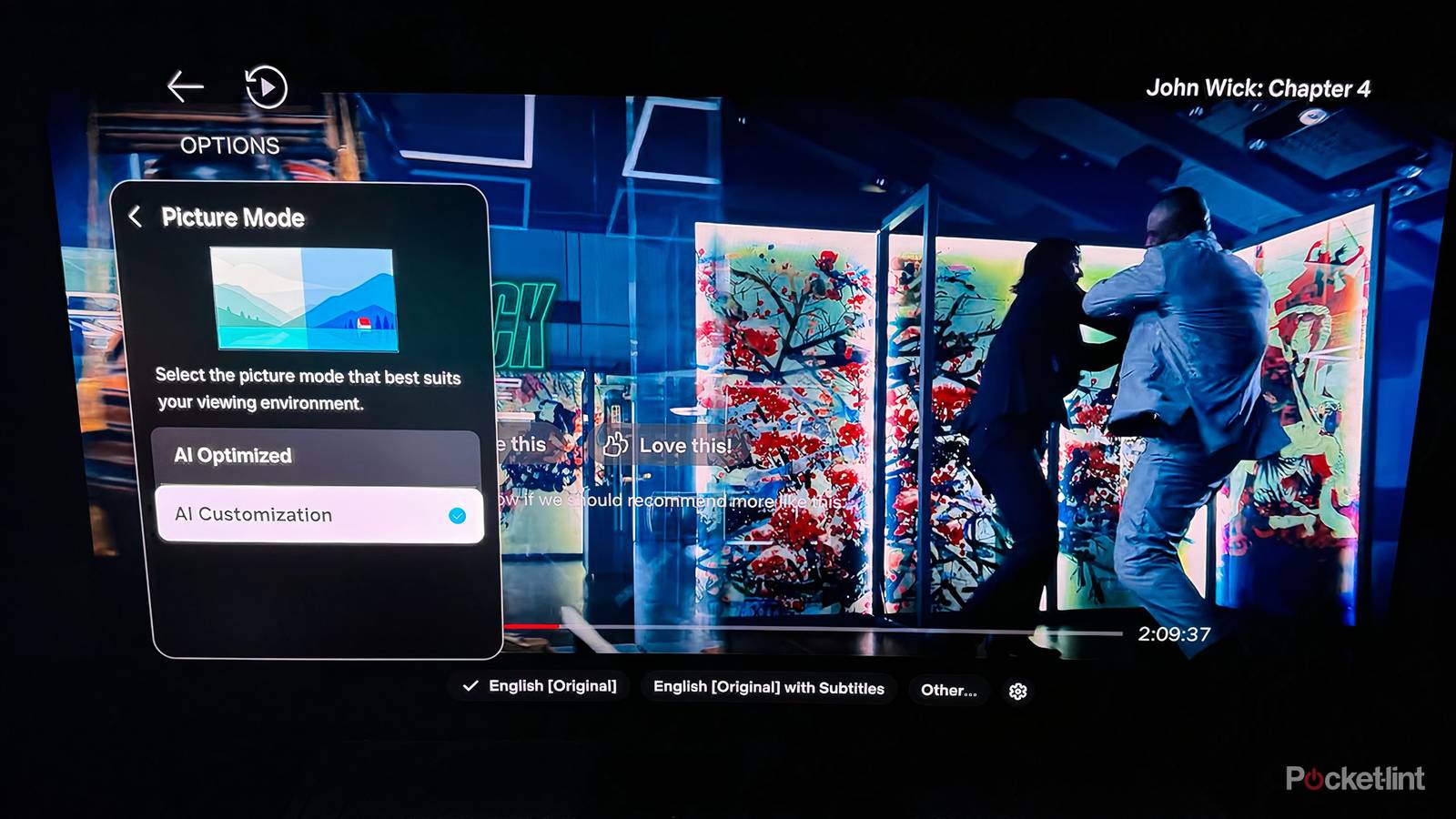
Newer TVs may ask you what kind of image you prefer. The idea seems well-intentioned enough: if you tell the TV what images you prefer, it will recreate future images that adhere to those settings. So, if you prefer images with bright colors or sharp edges, then the TV will keep that in mind the next time it plays a title for you. You can go through a bunch of screenshots, select the options that most appeal to you, and a personal profile of sorts is created.
The problem with this, however, is that your personal preferences can change; they can also be wrong. An AI customized picture stands against any kind of cinematic fidelity. When you set up this feature, you’re basically telling the TV that you would rather have images that look a certain way than have images look the way they are intended.
Now, certainly there are situations where you need to adjust the image on screen, whether that’s due to accessibility concerns or environmental factors. But if you want to watch things the way they were intended, then you need to turn off any extra processes. It’s also better to let the TV adapt to the title than have you tell it how to frame it. That’s especially true if you are watching varied titles. Brightness, sharpness, and contrast may all differ when you’re watching a prestige HBO genre versus when you’re watching a live sporting event.
It’s not exactly that your personal preferences are wrong, but you can be misled. Color temperature, for example, is a commonly misunderstood setting. TVs sold in stores are set to cooler temperatures because the blue tint is more dynamic to the eye. But the cooler, blue tone isn’t realistic. When you use a TV at home, you want to make sure the setting is warmer. That creates more authenticity. It may seem off at first, but it’s truer to life and the filmmaker’s intention. You don’t want to tell your AI TV feature that you like cooler temperatures just because it looked decent for a split second.
AI motion smoothing is unnecessary
Feature should be used sparringly

This is another so-called AI feature that is really just an existing process that gets a bit tweaked by some AI software upgrades. However, just like any kind of software enhancement that involves motion smoothing, you probably don’t want to use it.
Motion smoothing is the process by which your TV bridges the gap between its own refresh rate and the frame rate of the source material you’re watching. New TVs have a high refresh rate that doesn’t always mesh nicely with show or movie’s frames per second. When those numbers aren’t compatible, your TV will create frames to insert into the source material, but while that process can help some older titles, it can also make newer ones look worse.
Motion smoothing, whether it’s enhanced or upgraded, even with AI, is a feature that is seldom used, if at all. It’s helpful for live programming, such as news or sports, but there isn’t much else that it’s worthwhile. Instead of making the video on screen less stilted, it can make scenes look uncanny, with excessive smoothing creating the hated “soap-opera effect,” where the video looks ultra-realistic and characters seem to float in front of the background.
Above all else, motion smoothing, like other software features on your TV, will alter the director’s vision of a particular title. That’s why Filmmaker Mode, for example, turns off motion smoothing and other enhancements. That setting, like viewers, seeks out cinematic fidelity. So don’t use AI Motion Smoothing.