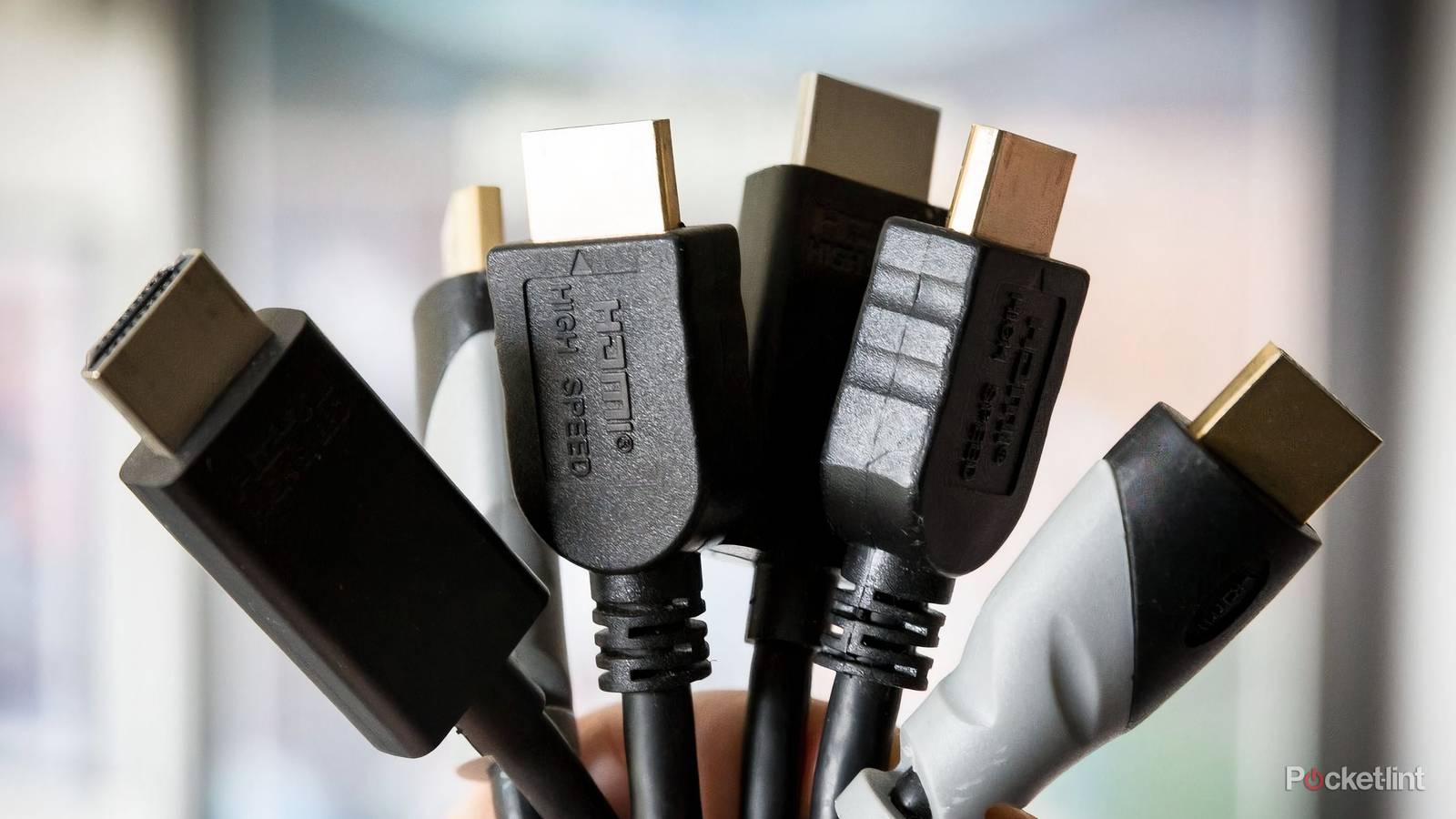
HDMI cables have been around for decades, and if you’ve been taking care of your cables, you might even be using the same ones as you were in 2005. Now, there’s nothing inherently wrong with that, and it’s actually one of the cool benefits of the HDMI format. The fact that your same cables from two decades ago can be used with your modern devices is nothing to scoff at, but you probably shouldn’t be doing that.
Although the cables look the same and use the same ports, the HDMI format has come a long way since the early days. For example, 120 FPS gaming on your PS5 and Xbox Series X is only possible if you’re using an HDMI 2.1 cable. Yes, you could still use an HDMI 1.4 cable from your Xbox 360 with your Xbox Series X, but it’ll result in limited performance. The same goes for all your devices, so make sure you have the right cable for the job.
Your cable matters more than you think
Make sure you have the right one

It can be very difficult to tell HDMI cables apart if you don’t know what to look for. It’s even harder if you already own the cables and keep them all put away in a box, as I do. What you need to look for is Ultra High-Speed written on the cable itself. If you see this printed somewhere on the cable, that means it’s a 2.1 cable, and it means it’s currently the best available HDMI cable you can have.
This is important for game consoles specifically, as those are devices that can take full advantage of what HDMI 2.1 has to offer. Not only is it the gateway to 120 FPS 4K gaming, but it’s also how you get access to the variable refresh rate feature. Many new TVs have VRR included that smooths out frame drops if they’re within a certain range. This doesn’t mean your games will run better, but it means they’ll have the illusion of running better, and any jerkiness would be smoothed out without you noticing anything was awry.
HDMI 2.0 cables can handle 4K 60 FPS gaming just fine, which is still great for the majority of games this console generation. However, it means you won’t have VRR, and I’d call that a more important feature. The good news is that most of your devices that benefit the most from an HDMI 2.1 cable come bundled with one. Just take it out of the box and plug it into your device. If you’re still unsure about whether you have the wrong cable, your PS5 and Xbox Series X each have a screen in the settings that shows you what your console can do. If you don’t have 120 FPS support, for example, it means either your TV or your HDMI cable isn’t capable of it.
Another important area where your HDMI cable matters is audio. Audio feels like it flies under the radar a lot, but I’d argue that it’s the most important part of your viewing experience. I know I have enjoyed watching movies at home a whole lot more once I set up my Dolby Atmos surround sound system. It’s even led to a resurgence in my physical media collection because that’s how I can guarantee the best audio around.
Your TV’s eARC port is the gateway to better audio, and your older cables won’t cut it there. Fortunately, that’s an area where an HDMI 2.0 cable would be good enough, so make sure you at least have one of those plugged into the port instead of something older. HDMI 2.1 cables have 48 Mbps of bandwidth compared to the 18 Mbps offered by a 2.0 cable, so you should use the newest format when possible. Remember, these cables are fully backwards compatible, so you’re not losing out by using them with every device, even if said device can’t get the added performance.
These are two of the biggest reasons you should be using the latest cables, and it’s why you should check and make sure you have updated ones. While you’re at it, make sure you have your sound system plugged into your TV’s eARC port that I mentioned earlier. There’s nothing wrong with plugging a game console or an Apple TV into the port, but you should have your sound bar or audio receiver plugged in there instead if you have one.

Quiz
HDMI 2.0 and its history
Trivia challenge
Think you know everything about the standard that supercharged your home cinema? Put your knowledge to the test.
HistoryStandardsVideoHardwareBandwidth
In what year was HDMI 2.0 officially released?
Correct! HDMI 2.0 was released in September 2013 by the HDMI Forum. It arrived just in time to support the growing demand for 4K content and displays entering the consumer market.
Not quite. HDMI 2.0 launched in September 2013. This timing was deliberate, as manufacturers needed a standard capable of handling 4K resolution at smoother frame rates than its predecessor could manage.
What is the maximum bandwidth offered by HDMI 2.0?
That’s right! HDMI 2.0 delivers a maximum bandwidth of 18 Gbps, a significant jump from HDMI 1.4’s 10.2 Gbps. This extra headroom was essential for supporting 4K at 60 frames per second.
Not quite. HDMI 2.0 supports up to 18 Gbps of bandwidth. For comparison, its predecessor HDMI 1.4 was capped at 10.2 Gbps, which wasn’t enough for smooth 4K playback at 60fps.
What is the maximum frame rate HDMI 2.0 supports at 4K resolution?
Correct! HDMI 2.0 can handle 4K resolution at up to 60fps. This was a major improvement over HDMI 1.4, which could only push 4K at 30fps — a limitation that made motion look choppy on large screens.
Not quite. The answer is 60fps. HDMI 1.4 had already introduced 4K support but was limited to 30fps, and HDMI 2.0 doubled that frame rate, making a huge difference for sports and gaming content.
Which organisation took over governance of the HDMI specification from HDMI Licensing LLC, leading up to the release of HDMI 2.0?
Spot on! The HDMI Forum was established in 2011 and took over development of the HDMI specification, releasing HDMI 2.0 as its first major standard in 2013. It brought a broader group of industry members into the process.
Not quite. The HDMI Forum was the body responsible. Founded in 2011, it replaced the original HDMI Licensing LLC structure for specification development, opening membership to a wider range of consumer electronics companies.
How many simultaneous audio streams does HDMI 2.0 support?
Correct! HDMI 2.0 supports up to 4 simultaneous audio streams, an upgrade over earlier versions. This made it better suited to multi-room audio setups and more complex home theatre configurations.
Not quite. HDMI 2.0 can carry up to 4 simultaneous audio streams. This was one of several audio improvements in the specification, alongside support for up to 32 audio channels in total across those streams.
What sub-revision of HDMI 2.0 introduced support for HDR (High Dynamic Range) video?
Well done! HDMI 2.0a, released in April 2015, was the revision that added static HDR metadata support. This allowed TVs and displays to receive HDR content from sources like Ultra HD Blu-ray players and streaming devices.
The correct answer is HDMI 2.0a. Released in 2015, this update added static HDR support to the standard. A later revision, HDMI 2.0b from 2016, then extended that with support for the HLG (Hybrid Log-Gamma) HDR format.
HDMI 2.0 uses the same physical connector type as which earlier version of HDMI?
Correct! One of the great conveniences of HDMI 2.0 is that it uses the same physical connectors introduced with the original HDMI 1.0 specification. That means existing cables and ports are physically compatible, though older cables may not support the full bandwidth.
Not quite — the answer is all previous HDMI versions. HDMI has always maintained physical connector compatibility going back to version 1.0. The key caveat is that older cables may not have the bandwidth capacity to carry HDMI 2.0 signals reliably.
Which colour space format did HDMI 2.0 add support for, enabling more vivid colours on compatible displays?
Excellent! HDMI 2.0 introduced support for the Rec. 2020 colour space, which covers a far wider gamut than the Rec. 709 standard used for HD content. This laid the groundwork for truly vibrant, lifelike images on 4K HDR televisions.
Not quite. The answer is Rec. 2020, also known as BT.2020. This wide colour gamut standard was a key feature of HDMI 2.0, enabling displays to reproduce colours much closer to what the human eye can perceive compared to older HD standards.
Your Score
/ 8
Thanks for playing!
Don’t toss out your old cables just yet
They still have life in them

Thanks to the cruel passage of time, I’ve been getting more into retro gaming and trying to revisit some childhood classics that I either missed or played a ton a couple of decades ago. Believe it or not, but a couple of decades ago takes us to the PS3 and Xbox 360 generation, and I didn’t have a PS3 growing up. I actually didn’t end up buying one until I got into college, but I still never dove much into the console.
Now that I have a lot more free time, I’ve been free to dive into that console library, and I can use an HDMI 1.4 cable with that console without any worries about limited performance. Many devices work like that, and if you have an older Blu-ray player or DVD player, feel free to use a 1.4 cable with that, too. It’s a good way to continue getting usage out of older technology. If you’re like me, you hang on to way too much stuff, so it’s nice to find out how to use some of it. I would recommend eventually transitioning over to all HDMI 2.1 cables, however.
HDMI 2.1 works with everything, and if you know all of your cables are the newest format, you don’t have to squint at anything to know if it’s the right one. It also helps that these cables are very affordable, and you can get a very cheap Amazon Basics-branded one for just a few dollars. The thing about an HDMI cable is that it either works or it doesn’t, so it’s not like you need to shell out for a more expensive cable to just get the same performance. One thing I would splurge for is a braided cable, especially if you’re somebody who has their cable in harm’s way. Children and pets could both shorten the lifespan of a cable, and a braided cable could make sure it holds up to wear and tear like that. It’s not necessary, but I’d rather have one for piece of mind if my cable is constantly being attacked.