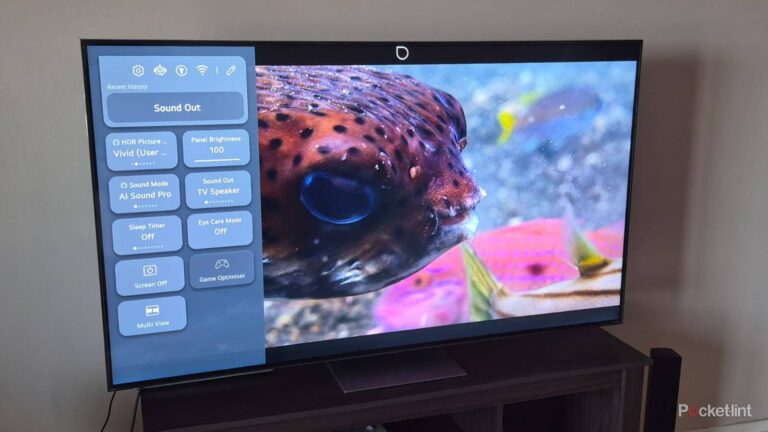



The world has been moving away from traditional cable for several years now, and that means you should be hopping on the streaming bandwagon. Pretty much any TV you buy these days will have a streaming interface that lets you download all the popular streaming apps like Netflix, HBO Max, and Disney+. A lot of people just install those apps on their TV and call it a day, but there’s so much more that can make your streaming setup better. Many upgrades mean you have to spend an arm and a leg, but there are some smaller ones you can make too.
I look at it like this — if I buy an expensive TV, why would I pair it with nothing to help enhance it? It’s a lot like buying an OLED TV just to stream Netflix. There’s a lot more that an OLED can do, so if I bought an OLED TV, I’d pair it with a collection of physical media. The same thing applies to your TV you brought home for streaming. Sure, you don’t need to have the best gear imaginable, but there are so many ways to make streaming a bit more enjoyable at home.
Pick up a streaming stick or box
Give your TV a boost

One of the first recommendations I give people when their TVs are running slower than expected is to just get a streaming stick or box. Why not get a head start and get a streaming box right off the bat? My favorite device is an Apple TV 4K, and my first-gen model has been going strong for years now. An Apple TV 4K represents the highest end of the price spectrum, so I don’t think it’s the perfect answer for everybody, unless you really like the Apple ecosystem.
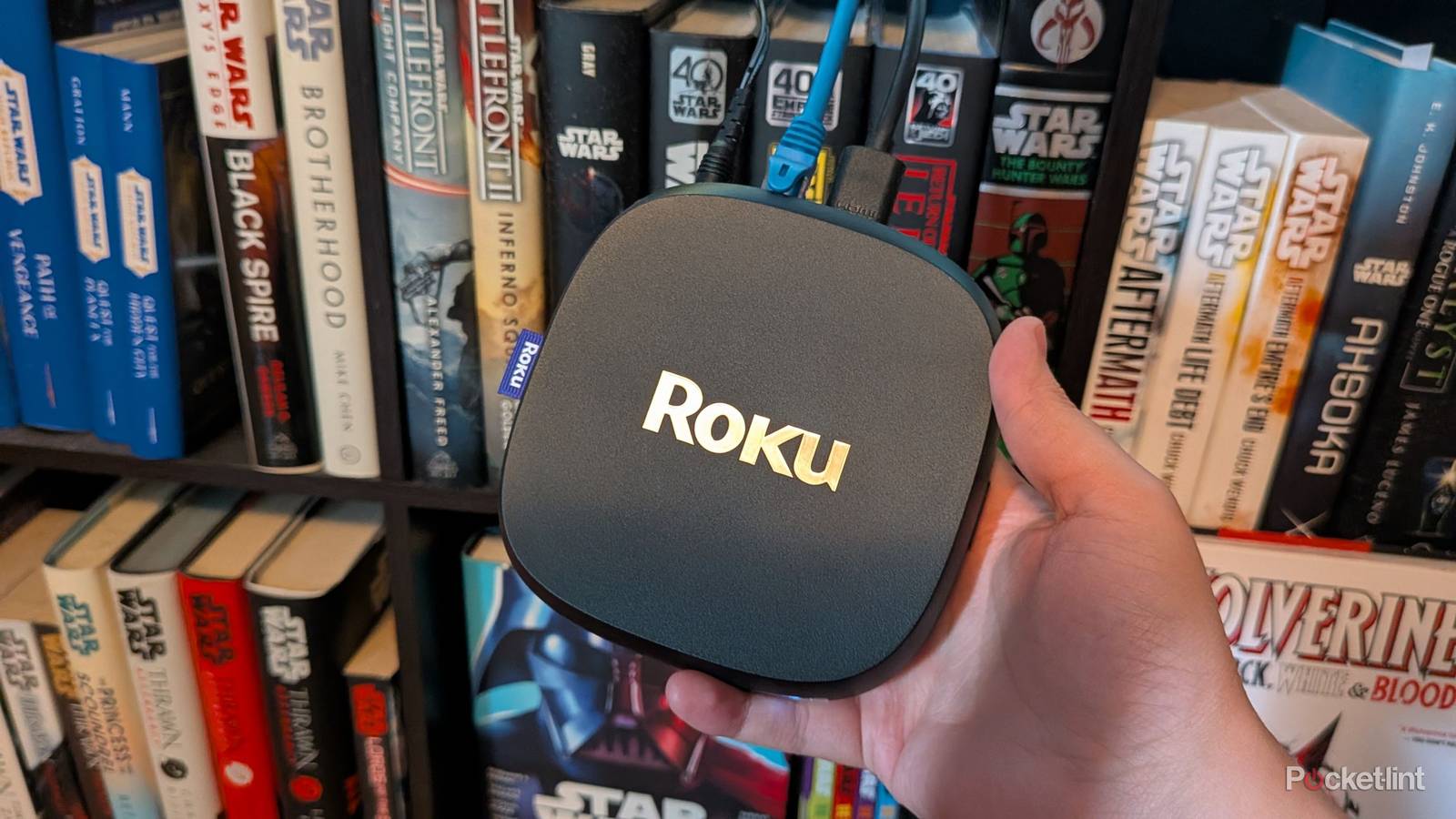
Roku and Fire TV sticks represent better value for most people, and I don’t think either of those would let you down. They don’t perform as well as their bigger brother streaming boxes, but that’s not what they’re going for. Either one of these devices outperforms your TV’s UI, and you can get access to audio formats such as Dolby Atmos that your TV might not have. A streaming stick will also continue to receive regular updates while your smart TV won’t be as lucky. I haven’t once regretted using a streaming stick on any of my TVs. I used my TV’s apps for years, but there really is a big difference in speeds once you switch to a device designed with streaming in mind. A cheap stick only costs about $20 or so, so there’s no reason not to give one a try.

- Brand
-
Apple
- Bluetooth codecs
-
5.0
- Wi-Fi
-
6
- Ethernet
-
Gigabit (128GB model only)
- Storage and RAM
-
64GB, 128GB
Get a soundbar
At the very least

I don’t typically recommend soundbars, especially if you can build a stereo 2.0 setup for around the same price. However, your TV deserves to have a good sound system. TVs aren’t exactly cheap, and even expensive options that cost over $1,000 leave a ton to be desired in terms of audio. Far too many people buy a TV and do nothing for the sound, and I think that’s a bizarre decision. Audio is just as important as picture quality to me.
Soundbars are a very easy and no-frills way to upgrade your audio. They typically slot in nicely on an entertainment stand, and they are a big upgrade over your TV speakers. A step up from that would be a receiver paired with some speakers. I think that’s the better path forward since it leaves room for upgrades down the road. A soundbar is what it is, and if you want better sound, you just have to replace it. You can start out small with a receiver and a pair of speakers, and when you want to upgrade, you can just add to it. I like that option, but I understand if you don’t have the space for a receiver. I just recommend doing anything to upgrade your TV’s audio because even compressed streaming services sound better if you have a dedicated audio device.
Get some stands and mounts
A clean finish

Putting a TV down on a stand is perfectly fine, but I like to add some personal flair to my setups. I find that when I can make a space feel cozy, I spend more time there. The way I did that in my living room was to get an Ikea Besta. As far as Ikea furniture is concerned, the Besta isn’t that wacky, but it sits very low to the ground. In order to get the TV closer to my eye level, I mounted it on the wall. I probably went a tad too high, but it beats having to look down to watch TV. I just have to get around to hiding my wires someday.
Another important thing to consider if you have an audio setup is speaker stands. Many people place their bookshelf speakers on the same stand as their TV, and that means you could muddy your sound. You don’t want something vibrating or thumping to mess with the quality, so you should get a stand for each of your speakers. You can get some for around $50 if you look around enough, and most of these let you funnel the speaker wire directly through the stand, so nothing’s an eyesore. Hiding wires results in a very clean look, and it effectively eliminates any distractions you’ll run into while watching something. That’s part of why I like having a clean wall behind my TV in case I find my eyes wandering while watching a movie.
A set of blackout curtains help a lot
Streaming services will thank you

I have my TV placed opposite a window, which isn’t ideal, but I didn’t have a better place for it with a clean wall. Because of that, a lot of what I watch suffers, especially when there’s a glare during the day. Streaming doesn’t have the greatest visual quality already, but when you factor in the compression paired with sunlight, it’s a bad mix. The answer to my troubles was to get some blackout curtains. You don’t have to pay for a higher streaming tier because that won’t make a difference if you don’t address the underlying issues.
I’m able to fully control the light in my living room now, and it means I can watch things during the night and day without much of an issue. This is actually one of the biggest upgrades you can make to your setup if you’re dealing with a lot of glare. Getting a TV with high peak brightness is also a solution, but I’d rather keep my brightness in check and solve the glare problem with a third-party solution. Then again, this is a big selling point for Mini-LED TVs over OLED. Brightness is an important thing to consider if you can’t control the overall brightness in your room.
 Quiz
QuizHome theater systems
Trivia challenge
From surround sound to 4K projectors — how well do you really know your home cinema setup?
AudioDisplayFormatsHardwareHistory
What does the ‘1’ refer to in a 5.1 surround sound system?
Correct! The ‘.1’ in any surround sound configuration refers to a dedicated low-frequency effects (LFE) channel, which is typically handled by a subwoofer. This channel carries bass-heavy sounds like explosions and deep musical tones, adding physical impact to your listening experience.
Not quite. The ‘.1’ refers to the dedicated low-frequency effects (LFE) channel, handled by a subwoofer. The ‘5’ counts the full-range speakers — typically front left, front right, center, and two surrounds — while the subwoofer handles the deep bass on its own separate channel.
What is the native resolution of a Full HD (1080p) display?
Correct! Full HD, commonly known as 1080p, has a native resolution of 1920 x 1080 pixels. It became the standard for HDTVs in the mid-2000s and remains widely used today, even as 4K (3840 x 2160) becomes more mainstream in home theater setups.
Not quite. Full HD (1080p) has a resolution of 1920 x 1080 pixels. You might be thinking of 2K cinema (2048 x 1080), which is slightly wider, or 4K (3840 x 2160), which is four times the resolution of 1080p and increasingly common in modern home theater displays.
Which audio format was developed by Dolby Laboratories and introduced with Blu-ray as a lossless surround sound option?
Correct! Dolby TrueHD is a lossless audio codec introduced alongside the Blu-ray format, capable of carrying up to 14 discrete audio channels. It is the codec underlying Dolby Atmos on Blu-ray discs and delivers studio-master-quality sound to home theater enthusiasts.
Not quite. The answer is Dolby TrueHD, a lossless codec introduced with Blu-ray that can carry up to 14 channels of audio at full master-quality fidelity. Dolby Digital is an older lossy format from the DVD era, while Dolby Digital Plus is an enhanced but still lossy codec used for streaming services.
What is the primary function of an AV receiver in a home theater system?
Correct! An AV receiver is the hub of a home theater system, responsible for decoding audio formats like Dolby Atmos and DTS:X, then amplifying those signals to power connected speakers. It also handles video switching, allowing multiple source devices to route through a single HDMI connection to your display.
Not quite. An AV receiver’s primary role is to decode multi-channel audio formats and amplify the signal to drive your speakers. While many modern receivers include video processing features like upscaling, their core purpose has always been audio decoding and amplification — making them essential for true surround sound setups.
In what decade was Dolby Surround — the first consumer surround sound format — introduced to home video?
Correct! Dolby Surround made its way into home video in the 1980s, first appearing on VHS and LaserDisc releases. It was a matrix-encoded format derived from Dolby Stereo used in cinemas, and it laid the groundwork for the more sophisticated discrete surround sound formats that followed in the 1990s.
Not quite. Dolby Surround arrived in homes during the 1980s, encoded into VHS tapes and LaserDiscs. While the technology had cinema roots in the 1970s, it wasn’t until the 1980s that consumer home video hardware began to support it, kicking off the era of home theater surround sound.
What does HDR stand for in the context of modern home theater displays?
Correct! HDR stands for High Dynamic Range, and it refers to a display’s ability to reproduce a wider range of brightness levels — from deep blacks to very bright highlights — as well as a broader color gamut. Formats like HDR10, Dolby Vision, and HLG are all HDR standards used in home theater TVs and projectors.
Not quite. HDR stands for High Dynamic Range. It’s a display technology that dramatically expands the contrast ratio and color range of a picture, making bright highlights more dazzling and shadows more detailed. Common HDR standards you’ll see on home theater equipment include HDR10, Dolby Vision, and HDR10+.
Dolby Atmos introduced a fundamentally new concept to surround sound mixing. What was it?
Correct! Dolby Atmos revolutionized surround sound by introducing object-based audio. Instead of assigning sounds to fixed speaker channels, sound designers can place audio objects anywhere in a three-dimensional space, including overhead. The system then renders those objects dynamically based on whatever speaker configuration you have at home.
Not quite. Dolby Atmos introduced object-based audio, which was a major departure from traditional channel-based surround sound. Rather than mixing sounds into set channels like ‘left surround’ or ‘center’, mixers place audio objects in 3D space and the Atmos renderer figures out the best way to reproduce them through your specific speaker layout, including height channels.
Which physical disc format won the high-definition home video format war in 2008, defeating its main rival?
Correct! Blu-ray, backed by Sony and a broad coalition of studios and manufacturers, defeated HD DVD — championed primarily by Toshiba and Microsoft — in early 2008. The turning point came when Warner Bros. announced it would go Blu-ray exclusive, prompting several major retailers and studios to follow suit, effectively ending the format war.
Not quite. Blu-ray won the high-definition format war in 2008. The conflict between Blu-ray and HD DVD had raged for roughly two years, but Warner Bros.’ decision to go exclusively Blu-ray in January 2008 proved decisive. Toshiba officially discontinued HD DVD shortly after, leaving Blu-ray as the standard for high-definition physical media.
Your Score
/ 8
Thanks for playing!