


People can be paranoid about the security of their laptops and smartphones, and they’re not necessarily off-base about that. Those are frequently the most important devices in a person’s life, so hackers are eager to hijack them, whether for fraud or planting spyware. In countries with authoritarian regimes, a lapse in phone security could easily put you or someone else in prison.
There’s usually less concern about smart appliances like TVs, but not zero. It’s one of the reasons some people actively hunt down “dumb” TVs, or choose to leave smart ones disconnected from the internet as often as possible. How seriously should you take the threat of TV malware? The news is largely good, though some platforms are more secure than others. For the sake of brevity, I’m going to focus on the three main smart TV platforms: Google TV, Roku OS, and Amazon’s Fire OS.
How secure is your smart TV?
Google TV

As you might guess, Google TV is based on Android, the company’s open-source operating system, more commonly found on phones and tablets. For security purposes, this is generally a good thing — all Android apps are sandboxed, meaning they can’t interact with each other or the main operating system beyond approved frameworks. In fact, as on your phone, a service called Google Play Protect is constantly running safety checks, even on apps from beyond the Google Play Store. In tandem with the defenses on your Wi-Fi router, the chances of a successful hack are low.
If there’s a risk, it’s mostly in your TV not being up-to-date. While Google regularly updates its platforms, older TVs may not be compatible with the latest software, especially if a TV maker has to fork its own version to accommodate differences — which it probably does. This in turn might affect your ability to update apps with security fixes, and some developers aren’t smart about security in the first place. As recently as 2022, a disturbing number of Android TV apps were opening unencrypted local network ports. To translate, someone could potentially attack your TV if they got access to another device on your network first.

Quiz
TV spyware and smart TV privacy
Trivia challenge
Think your TV is just watching shows? Test how much you really know about smart TV tracking and staying safe.
PrivacySecuritySmart TVsBest PracticesSurveillance
What is the term used to describe the technology built into smart TVs that automatically identifies and reports what content you are watching?
Correct! Automatic content recognition, or ACR, is software embedded in most modern smart TVs that silently identifies the content on screen by matching snippets against a database. It works regardless of whether you are streaming, watching cable, or playing a Blu-ray.
Not quite — the correct term is automatic content recognition, or ACR. This technology is built into TVs from brands like Samsung, LG, and Vizio, and it operates quietly in the background, sending viewing data back to manufacturers and their advertising partners.
Which major smart TV manufacturer was fined $2.2 million by the FTC in 2017 for collecting viewing data without proper user consent?
Correct! Vizio was fined $2.2 million by the FTC after it was found to have collected detailed viewing data from 11 million TVs without adequately disclosing this to customers. The settlement required Vizio to make its data collection practices much more transparent going forward.
The correct answer is Vizio. In 2017, the FTC fined Vizio $2.2 million for tracking viewing habits on around 11 million smart TVs and selling that data to third parties — all without obtaining proper informed consent from users.
What is generally considered the most effective first step to reduce smart TV data collection when setting up a new device?
Correct! Most smart TVs present data-sharing options during the initial setup wizard, and opting out at this stage is the most direct and effective way to limit collection. Many users skip through these screens quickly, unknowingly agreeing to extensive data sharing.
The best first step is to opt out of ACR and data collection during the initial setup. Manufacturers are now required to present these options, but they are often buried in long terms and conditions or pre-ticked by default, so reading carefully before tapping ‘agree’ really matters.
Smart TV ACR technology can track viewing data even when you are watching content from which of the following sources?
Correct! ACR works by analysing the actual pixels on the TV screen, which means it can identify content regardless of how it gets there — streaming apps, a connected Blu-ray player, a games console, or a cable box are all fair game.
The correct answer is that ACR can track content from any source displayed on screen. Because the technology samples what is visually on the display rather than intercepting a data stream, it captures content from external HDMI devices just as easily as from built-in apps.
In 2019, the FBI issued a public warning about smart TV security. What was the primary vulnerability they highlighted?
Correct! The FBI’s Portland field office warned consumers that bad actors — as well as TV manufacturers themselves — could potentially exploit built-in cameras and microphones on smart TVs to spy on users in their own homes. They recommended covering cameras with black tape as a precaution.
The FBI’s 2019 warning focused on the risk that hackers and even TV manufacturers could gain access to built-in cameras and microphones on smart TVs. The bureau specifically recommended placing black tape over any camera lens and checking TV settings for microphone controls.
Which network security practice is recommended to help isolate a smart TV from more sensitive devices like laptops and smartphones on your home network?
Correct! Placing your smart TV on a separate guest or dedicated IoT Wi-Fi network means that even if the TV is compromised, attackers cannot easily pivot to your laptop, phone, or NAS drive. Most modern routers support this network segmentation feature.
The recommended practice is to put your smart TV on a separate guest or IoT network. This isolates it from your more sensitive devices, so a compromised TV cannot be used as a stepping stone to access your personal data on other gadgets sharing the same network.
What does the privacy setting often labelled ‘Samba Interactive TV’ or ‘Nielsen Measurement’ refer to on many smart TVs?
Correct! Labels like ‘Samba Interactive TV’ and ‘Nielsen Measurement’ refer to third-party data analytics companies that partner with TV manufacturers to collect and monetise your viewing habits. These can often be disabled in the TV’s privacy or account settings.
These labels actually refer to third-party audience measurement and ACR services embedded by TV manufacturers as part of commercial data-sharing agreements. Companies like Samba TV pay manufacturers to include their software, and the collected viewing data is then sold to advertisers and media companies.
If you want to keep using smart TV streaming apps but minimise tracking, which combination of steps offers the strongest privacy protection?
Correct! Disabling ACR removes the most pervasive layer of passive tracking, turning off personalised ads cuts down on data being used to profile you, and reviewing app permissions ensures no individual app is quietly accessing your microphone or location without good reason.
The strongest practical approach is to disable ACR, opt out of personalised advertising, and regularly audit app permissions. A PIN or screen lock does nothing to stop background data collection, and factory resets only offer a temporary fix before the same data collection resumes once you log back in.
Your Score
/ 8
Thanks for playing!
One thing to avoid is sideloading unapproved apps. This isn’t very common or convenient on any TV, but effectively, it bypasses some of Google’s security measures. If an unsanctioned app really turns out to be a vehicle for things like spyware or crypto mining, this is letting it in the back door, and you might not have any way to get rid of it short of performing a factory reset.
Fire OS

Amazon’s platform is also based on Android, but there are some significant differences. For a start, Fire OS doesn’t use Google Play Services, a series of libraries and frameworks most Android devices depend on. Amazon substitutes this with its own software, to the extent that you’re not downloading apps from the Google Play Store. The company actually maintains an entirely separate track from the rest of Android, simply incorporating major upgrades over time. Fire OS 16 is based on both Android 15 and 16.
A concern here is that most Fire devices, even Amazon’s own, are way behind the latest version. In fact nothing is shipping with Fire OS 16 out of the box. At best you’ll get 14, and Amazon’s Ember Artline, a premium 2026 product, ships with Fire OS 8. The company is in the middle of rolling out a major interface overhaul — yet it’s taking a while, and it’s likely that many older Fire devices will never get it.
A delayed updated cycle does hypothetically leave Fire OS more vulnerable to attacks than Google TV. Real-world problems still seem to be rare, however, and Amazon has actually taken a lot of flak for cracking down on sideloading via its Vega OS. You can still sideload to Fire OS, which poses risks similar to Google TV if you’re not careful about vetting.
Roku OS
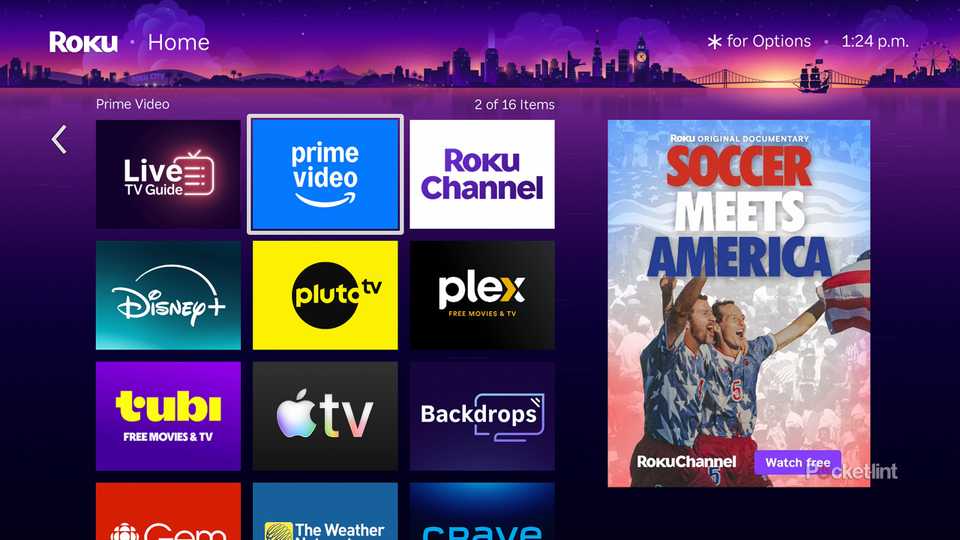
Roku’s software is unique. While it’s based on Linux, which you’ll find on many PCs, apps are required to use a proprietary scripting language called BrightScript, and must be distributed exclusively through the company’s Channel Store. It’s technically possible to sideload apps — but this normally requires using Developer Mode, which only allows one app at a time, and of course there are far fewer apps for Roku devices than there are for Android. The platform is built exclusively for streaming. Indeed, it’s not a very appealing target for hackers beyond accessing your payment data.
That said, it’s not immune to some of the more general risks with TVs. An attacker could still attempt credential stuffing attacks, or exploiting vulnerabilities in local network protocols, for example spoofing your remote control to manipulate your TV without executing code. If all this sounds esoteric, it is — awareness of these threats comes from research rather than any significant real-world incidents.
Roku OS is probably the most secure of the big three TV platforms, mostly because it’s not something hackers are going to care much about. Regardless, you should follow a few general tips to keep your TV safe.
How to protect any TV against hacking
Memorize this

Your first line of defense should be your Wi-Fi router. Make sure its firmware is always up-to-date to protect against exploits, and take advantage of any advanced firewall or encryption features it might have, such as WPA3. You might even try assigning your TV to a guest network, which will automatically limit its interactions with the rest of your home. Bear in mind that this could backfire if you’ve got smart home accessories on your main network, since they may not be able to communicate with your TV. It’s best to have all your smart home products in the same silo.
Next, make sure you update all your TV’s software on a regular basis, including the OS and apps. Often this will happen fast enough automatically. You still need to make sure those automatic updates are on, however, and ensure your TV is only set to sleep when you hit the power button, not shut off completely. Otherwise your TV will only be able to update when you’re about to watch something, and you might be tempted to skip that process if you’ve just finished a long day at work.
Make sure your router’s firmware is always up-to-date to protect against exploits, and take advantage of any advanced firewall or encryption features it might have, as well.
Avoid sideloading unless you’re a developer, and exercise good judgment with apps hosted on a first-party store like Google Play or the Roku Channel Store. If an app isn’t an immediately recognizable one like Netflix or Twitch, there’s a higher risk that its developer will have lax security practices. I don’t mean to discourage you from trying niche services, since you’ll probably be fine, and it’s not like the majors can’t screw up too. It’s just a fact that small teams don’t have as much labor at their disposal.
Finally, be sure to secure related accounts on other devices. If someone steals your Roku login via the web, it’ll hardly matter if your TV is secure — they’ll have access to your account data, and might start splurging on purchases until you block your account or credit card.


4/5
- Dimensions
-
4.9 x 5.0 x 1.0 inches
- Connective Technology
-
Bluetooth® streaming, 802.11ax dual-band MIMO Wi-Fi 6 (2.4 GHz / 5 GHz), 10/100 Base-T Ethernet
- Brand
-
Roku
- Audio outputs
-
Digital stereo over HDMI, DTS Digital Surround pass through over HDMI, Dolby Atmos decode via HDMI (with compatible speakers)