


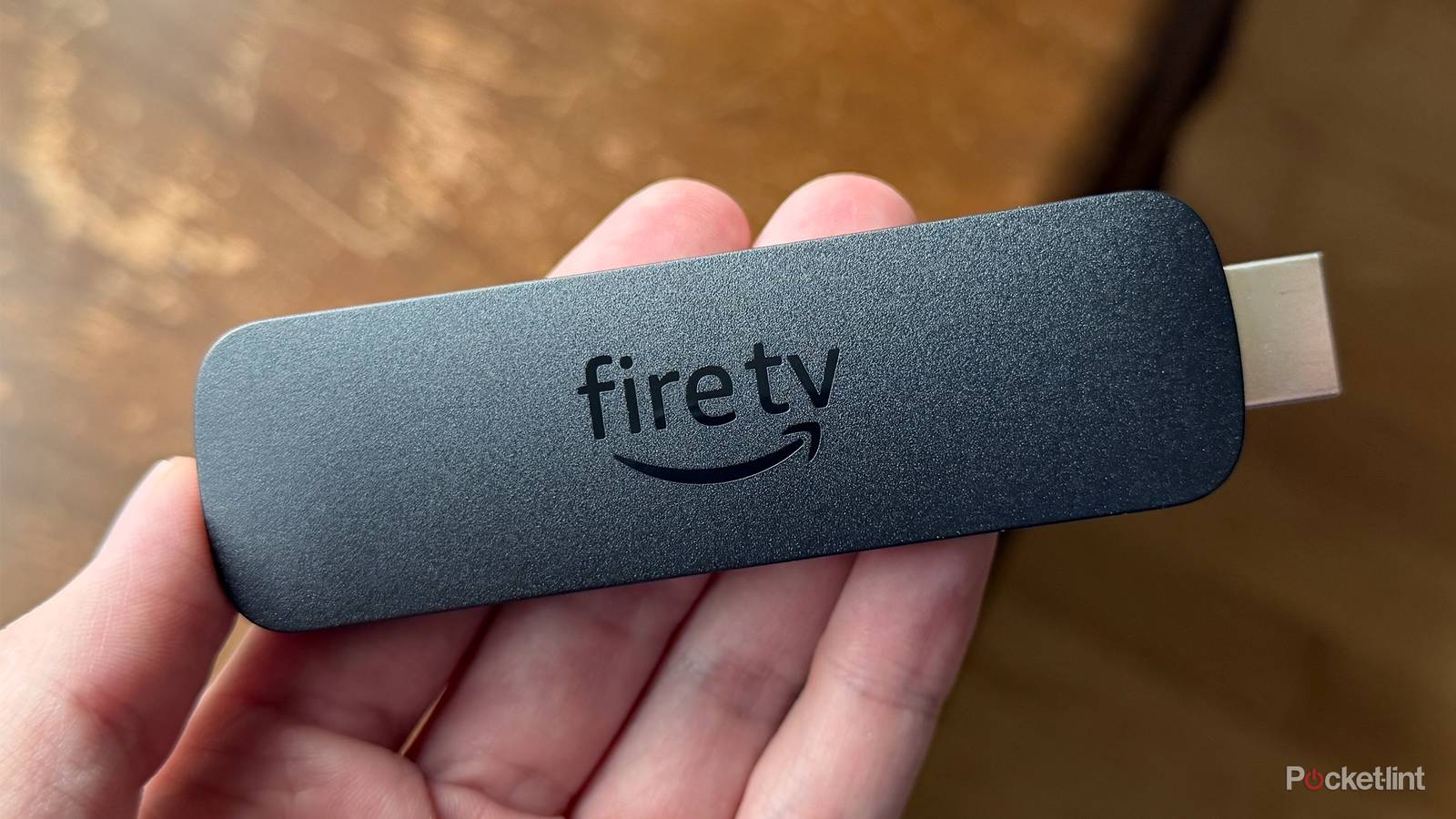
Slowdowns happen for various reasons on your streaming devices, but the good news is that it often doesn’t mean it’s the end for them. In fact, there are a number of things you can do that get your device running as good as new, or at least close to it. One of those is clearing the cache, and it’s a common fix for Fire TV devices. Other streamers don’t have a dedicated way of doing this other than restarting the device. To be fair, that gets the job done, and is often a quick fix.
The same idea applies for Fire TV devices, but it requires actually going through the process of clearing the cache. This works on all Fire TV devices, including an actual Fire TV. If you’re running into slowdowns, try clearing the cache on your Fire TV device before you do anything. In my experience, it fixes any slowdowns I have more often than not, and it saves me the couple of bucks that I’d spend going out and buying a new device.


4.5/5
- Downloadable Apps
-
Yes
- Resolution
-
Full HD
- RAM/storage
-
8GB of storage
- Connectivity
-
HDMI
Clear the cache, clear the problems
A quick, easy fix

Clearing the cache for specific apps is worthwhile because these can become very bloated over time. The way your cache works is that your apps store data that you access often, so it makes it easier to jump back into what you were doing. Clearing that doesn’t erase your data, but it does make you build up the cache again, so opening the app will take a little longer than it previously did. Eventually, you’ll use the app enough to where you need to clear the cache again, so it’s a process you should know about.
Fire TVs let you wipe the cache of all apps if you’d like, but you can do individual apps if you’d like. The ones you use the most will likely be the biggest culprits for having the largest cache, so look at things like Netflix and HBO Max first. The way you clear the cache is simple, as you select Settings, click on Applications, choose Manage Installed Applications, and then there’s an option to clear the cache. For an individual app, click on the app and then Clear Cache.

Quiz
Fire TV Stick history
Trivia challenge
From its 2014 debut to 4K streaming dominance — how well do you really know Amazon’s Fire TV Stick?
HistoryHardwareStreamingFeaturesAmazon
In what year did Amazon first release the original Fire TV Stick?
Correct! Amazon launched the original Fire TV Stick in November 2014, initially as an invitation-only product before making it widely available. It was designed as a budget-friendly alternative to the full Fire TV box released earlier that same year.
Not quite. Amazon launched the Fire TV Stick in November 2014, following the debut of the larger Fire TV set-top box earlier that year. It quickly became one of the best-selling streaming devices on the market.
Which port does the Fire TV Stick plug into on your television?
Correct! The Fire TV Stick connects directly into an HDMI port on your TV, making it incredibly simple to set up. A separate USB cable is also included to provide power to the device.
Not quite. The Fire TV Stick uses an HDMI connection to plug directly into your television. This design keeps the device compact and ensures compatibility with virtually any modern TV.
Which Fire TV Stick model was the first to support 4K Ultra HD streaming?
Correct! The Fire TV Stick 4K, released in October 2018, was the first stick-form-factor Fire TV device to support 4K Ultra HD, HDR10, Dolby Vision, and Dolby Atmos. It was a significant upgrade over the standard stick lineup.
Not quite. The Fire TV Stick 4K, launched in 2018, was the first in the stick lineup to offer 4K Ultra HD support along with HDR10, Dolby Vision, and Dolby Atmos audio. Earlier stick models were capped at 1080p Full HD.
What is the name of Amazon’s voice assistant built into the Fire TV Stick remote?
Correct! Amazon’s own voice assistant, Alexa, is integrated into the Fire TV Stick remote, allowing users to search for content, control smart home devices, check the weather, and more using just their voice.
Not quite. Amazon built its own voice assistant, Alexa, into the Fire TV Stick remote. Alexa lets you search for content hands-free, control compatible smart home devices, and access a wide range of skills beyond just streaming.
What is the name of Amazon’s own free streaming service that comes pre-installed on Fire TV Sticks?
Correct! Amazon Freevee (previously known as IMDb TV) is Amazon’s free, ad-supported streaming service that comes pre-loaded on Fire TV devices. It offers a wide library of movies and TV shows at no subscription cost.
Not quite. Amazon Freevee, formerly called IMDb TV, is Amazon’s free ad-supported streaming service that comes built into Fire TV Sticks. While Prime Video requires a subscription, Freevee is completely free to watch with ads.
Which budget-focused Fire TV Stick model was introduced in 2020, featuring a simplified remote without TV controls?
Correct! The Fire TV Stick Lite launched in 2020 as Amazon’s most affordable streaming stick. Its remote omits the dedicated TV power and volume buttons found on standard Fire TV remotes, keeping costs down for budget-conscious buyers.
Not quite. Amazon introduced the Fire TV Stick Lite in 2020 as its entry-level streaming stick. The Lite version’s remote drops the TV control buttons to reduce the price, making it an attractive option for first-time streamers.
Before being rebranded, what was the original name of the Fire TV Stick’s operating system?
Correct! The Fire TV Stick runs Fire OS, Amazon’s own operating system that is based on Android but heavily customised with Amazon’s own apps, services, and interface. It has been the backbone of all Fire TV devices since launch.
Not quite. Fire TV Sticks have always run Fire OS, Amazon’s forked version of Android that replaces Google’s services with Amazon’s own ecosystem. Despite its Android roots, Fire OS looks and behaves quite differently from standard Android TV.
Which connectivity standard did the Fire TV Stick 4K Max (1st Gen, 2021) introduce to the Fire TV Stick lineup for the first time?
Correct! The Fire TV Stick 4K Max launched in 2021 as the first Fire TV Stick to support Wi-Fi 6 (802.11ax), offering faster and more reliable wireless connectivity compared to previous models. It also featured a more powerful processor than the standard 4K stick.
Not quite. The Fire TV Stick 4K Max, released in 2021, made history as the first Fire TV Stick to include Wi-Fi 6 support. This newer wireless standard delivers improved speeds and better performance in homes with many connected devices.
Your Score
/ 8
Thanks for playing!
That’s all it takes, and you should notice an uptick in speed after doing so. It’s good practice to do this periodically as it can give your Fire TV devices, and other streaming devices for that matter, a new lease on life. Nobody likes to go out and replace their devices, especially if they aren’t broken, so try this out if you’re dealing with problems.
A lot of small devices like this suffer from cache issues, so it’s nice that Amazon gives you the option of addressing it directly. Other devices make you do an official restart to accomplish the same goal. Whatever the reason is, I’m glad there’s an easy way to do it — and bonus points for the ability to pick specific apps to clear the cache. Any time your device is feeling slower than usual, give this a try and see if it solves the problem. If it does, then you’ll know what to do in the future.
Replacing a Fire TV Stick isn’t expensive
Not ideal, but it’s easy to get a new one

If clearing the cache doesn’t fix your Fire TV Stick, and it won’t fix all of them, then you have to start considering other options. For a lot of people, it’s not worth troubleshooting when you consider how cheap these devices already are. I could go on Amazon and have a new Fire TV Stick delivered within hours, but that’s since I live in a city. Others can still get a new one in a matter of days, and considering that these things are almost always on sale, they won’t break the bank either. Unlike Roku, Google, and Apple, Amazon doesn’t have a dedicated streaming box. Instead, the company has the stick market flooded with different models, and these sticks have almost become synonymous with streaming sticks.
With so many options available, I don’t think it’s worth the time or effort to spend too much time troubleshooting a stick when it’s just as easy to go out and get a new one. The setup on Fire TV Sticks is about as painless as it gets these days, and you can be up and running in little time if you’re just bringing over your old apps and logins. In all my time owning a Fire TV Stick, I’ve never had one break down on me. I’m far more likely to run into something I’d rather have instead, and it leads to me throwing a bunch of older things into a box. It’s exactly how I’ve ended up with a Fire TV Stick 4K Max and a Google Chromecast 4K lying around with nothing to do. At least I know both of them would work if I plug them into a TV again.