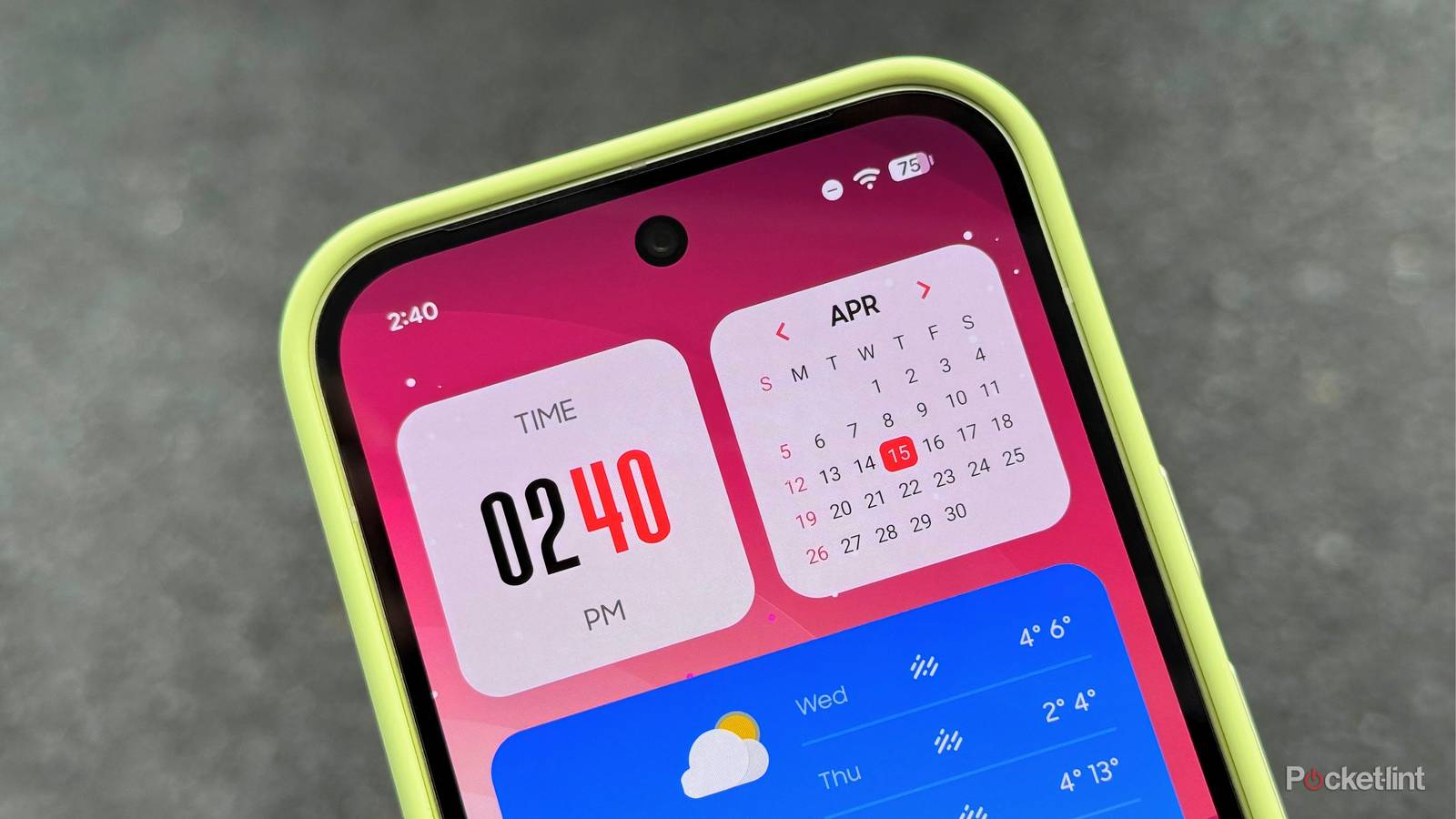
In the world of Android widgets, there exists a diverse range of options to choose from. Plenty of standalone home screen widgets are worth their salt, as are countless dedicated widget pack apps that can be downloaded and installed right from the Google Play Store.
Recently, I’ve been decking out my home screen with one widget pack in particular called Galaxy Widgets: One UI. As its name implies, this app provides a curated, third-party set of Samsung-inspired widgets, democratizing One UI’s unique design language for the broader Android ecosystem.
To my surprise, this fifty-cent application features hundreds of widget configurations to choose from, covering just about every widget category and style imaginable. Some options look like they’d be right at home on a Galaxy S26 Ultra, while others carve out their own identities by taking additional creative liberties beyond the scope of Samsung’s first-party aesthetic.
Bringing Samsung design sensibilities to non-Galaxy devices

Galaxy Widgets: One UI’s main app interface is suitably Samsung-like. Its UI follows the same basic design language you’ll find on any modern Galaxy device, with heavily rounded corners, clean iconography, and iOS-style toggles. A buttery-smooth animation plays out when switching between tabs within the app, which is a nice touch that adds to the app’s own unique and hybridized identity.
There exists plenty of customization options within the main app, including universal slider controls to adjust the sizing and padding of widgets, as well as tap action configurations to map apps or actions to each widget on your home screen. There’s also color accenting settings, with a color picker that lets you input your own hex code, but unfortunately, there’s no option for automatic wallpaper-based Material 3 Expressive dynamic color theming.
Widget options themselves range from the most common of suspects like clocks, calendars, and weather, to more advanced options like AI shortcuts, counters, a compass, and more. Most widgets are uniform in their rounded square and rectangle shapes, but a few are shapeless and lean into Android’s flexible home screen ethos.

Ultimately, every last widget on offer within Galaxy Widgets: One UI is well-crafted, making the entire package look and feel premium. Based on the app’s name, I was initially worried that it’d be a straight rip of Samsung’s own widgets, but that’s thankfully not the case. There’s a lot of care placed in the craft of these widgets, and countless options are wholly unique while tastefully dipping into the One UI aesthetic.
If you have a non-Samsung Galaxy device and would like to introduce a dash of One UI onto your home screen, this app makes that happen. Even if you do have a Samsung-branded smartphone or tablet, I see real value in Galaxy Widgets: One UI as a supplement to the existing widgets that the South Korean tech giant ships out of the box.