


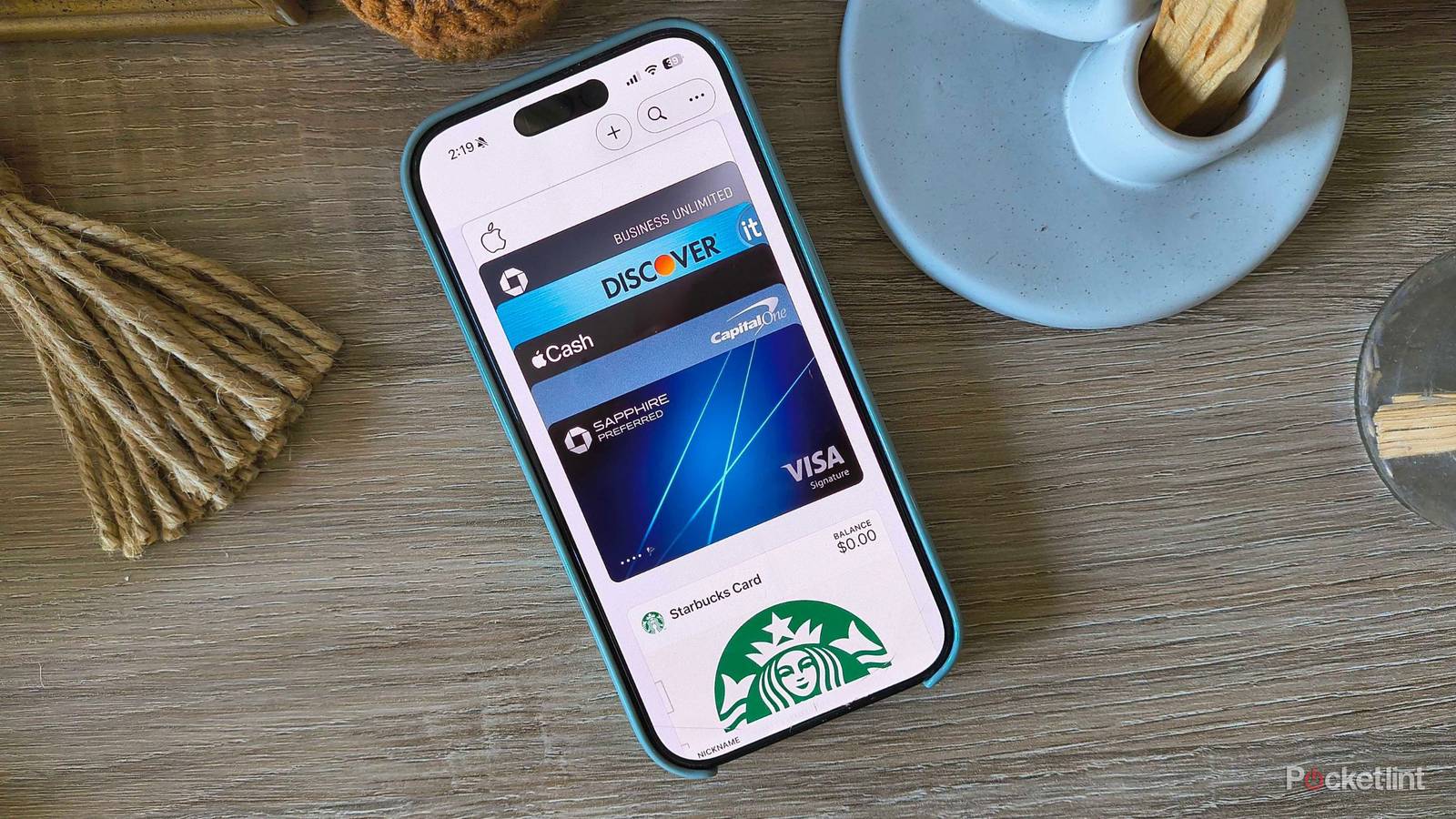
Currency is predominantly digital nowadays, and Apple Wallet is the tool that makes it almost too easy to access your cards and cash. As an iOS-native tool, the app lives on your iPhone, Apple Watch, and other Apple devices and lets you make purchases with a simple tap against the card reader.
It has a very simple and intuitive interface that leaves almost zero room for user error, but that doesn’t mean it doesn’t have room to grow. iOS 26 vastly improved the boarding pass experience, so your screen includes tools like luggage tracking and airport maps in addition to your basic flight information. While digital car key and house key support have been around for some time (since iOS 13.6 and iOS 15 respectively), general adoption has been limited by slow third-party integration.
If it can’t get done in-house by Apple, chances are, it won’t pick up immediately. However, new developments signal a bright light at the end of the tunnel: major players have recently jumped on the Wallet bandwagon, and there are even more hopeful additions on the horizon.
Apple Wallet gains support from important third parties
For car keys, home keys, and boarding passes

Apple Wallet works by using communication technology called NFC (Near Field Communication) or UWB (Ultra Wideband). It uses short-range wireless technology that lets your device securely exchange information with a receiver (like a card reader) without the internet. It’s quite handy for credit, debit, and gift cards, but Apple Wallet also supports boarding passes, event tickets, transit passes, some hotel keys, health and ID cards, and more. It’s a quick way to launch what you need without digging through your wallet or purse, email confirmations, or even screenshots in your camera roll.
Now, depending on your devices, car, or next flight, you might be able to finally use Apple car key, house key, or the fancy boarding passes yourself. Third parties are finally joining the Apple party.
Apple’s car key feature should be a game-changer. Not only does it let you lock, unlock, and start your car when you’re nearby, but you can also share the digital car key with another person via AirDrop or iMessage. Last summer, Apple promised that 13 more car companies intended to add digital car key compatibility at WWDC 2025, but a very prominent manufacturer just stepped onto the racetrack: Toyota. Available with the popular 2026 RAV4 (Per MacRumors), and likely to expand to other models soon, the feature will require a $15 per month Toyota Connect subscription. Although, you’ll get a year free when you first buy a new model.
Porsche is also adopting Apple car key support for its 2026 EV Macan and Cayenne models soon.
The Apple home key feature works the same way — with proximity, you can unlock any smart lock that supports Apple’s home key feature. The big name that has joined the Apple Wallet bandwagon is Aqara, specifically with its U400 Smart Lock. While plenty of the company’s other smart locks are home key compatible, the U400 is a deadbolt that uses UWB, which makes it especially useful for automatic proximity unlocking. That means you don’t have to wake up or even unlock your iPhone to unlock the door.

Now for boarding passes. If you’ve flown on a major airline in 2026, you’ve likely seen something different on your boarding passes in Apple Wallet. The company gave the boarding passes a major facelift with iOS 26 and tacked on luggage tracking, live activities, and even folded Apple Maps into the interface to make confusing airports easier to navigate. But like car keys and home keys, it was up to the airlines to offer their support. Many major fliers were already on the guest list, but American Airlines is the latest name to add its support in a recent app update, which you can already find in its description on the Apple App Store.
What else is coming to Apple Wallet?
Other exciting additions

Apple does a fair job of keeping speculation under wraps. However, the company doesn’t have to — it already announced almost all of these features in years past. Now, the exciting announcements come from the organizations that decide to hop on board. For example, digital identification cards in Apple Wallet have long been something the company has been working towards, but it’s up to the individual states in the US to decide whether or not to opt in. Arkansas and Virginia are the latest states to cave and announce support in the future, but right now, the other states and territories that currently support Digital ID in Apple Wallet include:
- Arizona
- California
- Colorado
- Georgia
- Hawaii
- Illinois
- Iowa
- Maryland
- Montana
- New Mexico
- North Dakota
- Ohio
- Puerto Rico
- West Virginia

You can add a driver’s license or state ID to your Apple Wallet by opening the Wallet app > tapping Add Card > choosing Driver’s License or ID Cards > choosing your state or region > adding your ID to iPhone only or a paired Apple Watch > following the instructions on screen > confirming it’s you with a Live Photo or selfie.
Speaking of IDs, universities could very possibly start leaning into the digital ID era. The University of Texas at Austin recently announced its plans to “go digital with university IDs” for the 2027-2028 academic year. This initiative will let students, faculty, and staff access buildings, dining halls and retail centers, events, libraries, and more with their phone alone.
As someone who lost her University of South Carolina student ID more times than she could count (and was locked out of countless buildings and dorms) a digital card would’ve solved many more problems than I’d like to admit.