


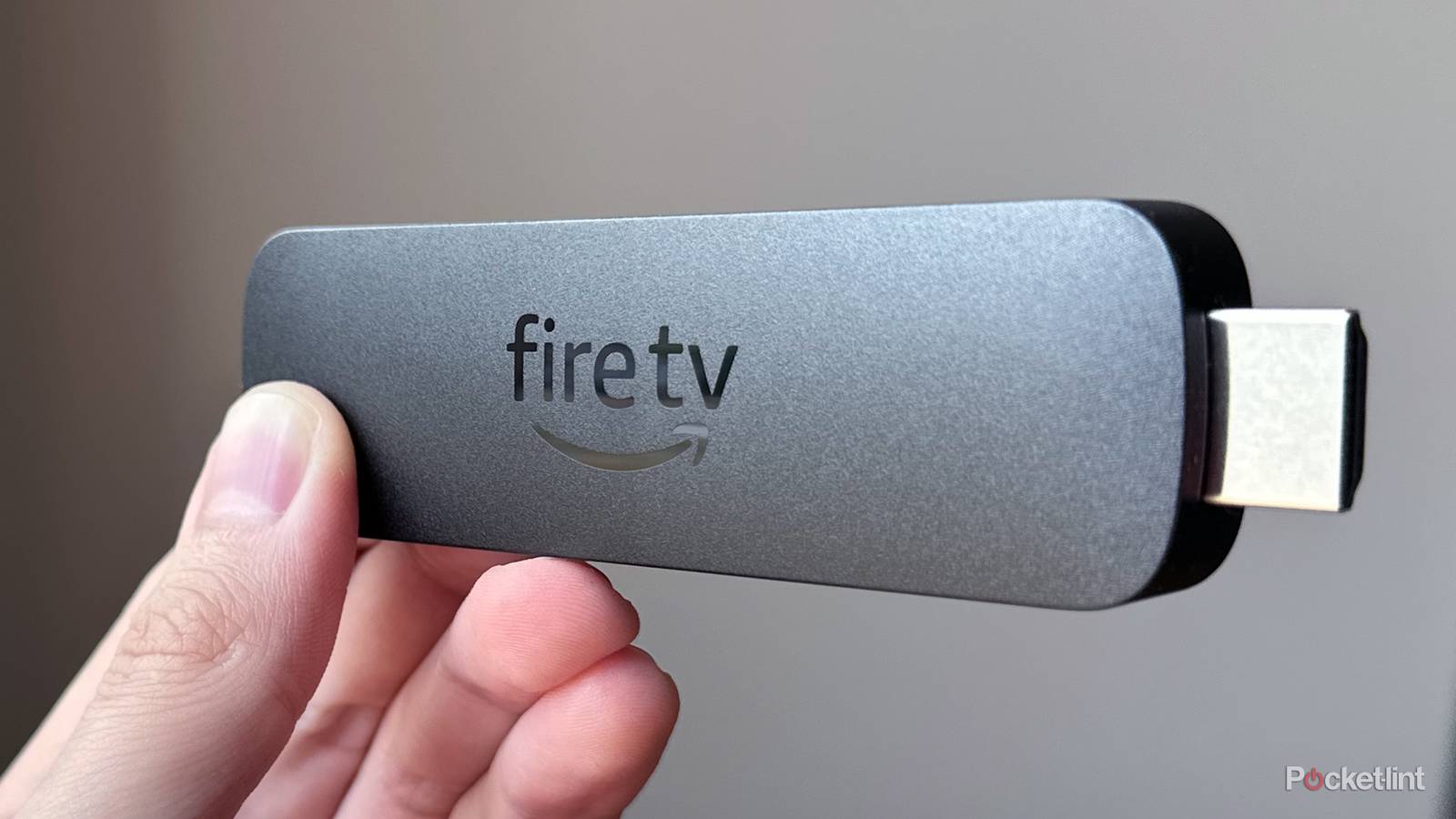
When Amazon released the Fire TV Stick 4K Select last October, it marked a major turning point for Fire TV — and not in a good way. On the surface, the 4K Select looks like any other Fire TV Stick Amazon has released over the years, but the real difference lies in the software it runs.
The Fire TV Stick 4K Select runs Vega OS, Amazon’s new Linux-based operating system that doesn’t support sideloading. In other words, if you want to install third-party apps outside of Amazon’s Appstore, you’re out of luck. While Amazon has said it’s now a “multi-OS company” and plans to continue developing both Fire OS and Vega OS, the direction it’s taking is clear. In April, the company released a new Fire TV Stick HD running Vega OS and announced that all future Fire TV Sticks will also run Vega OS. So if you were hoping Amazon might eventually release a new Fire TV Stick 4K Max powered by its Android-based Fire OS, that’s not going to happen.
As Amazon continues its shift toward Vega OS, many users are starting to wonder whether it’s time to move on from Fire TV altogether. If you’re in that camp — whether you’re frustrated by the move to Vega OS or simply looking for something different — here are five Fire TV Stick alternatives that I think are actually worth switching to and could be a worthwhile upgrade for your streaming setup.
Onn 4K Pro
Walmart’s powerful budget-friendly streamer

The first device I want to put in the spotlight is the Onn 4K Pro. If you’ve never heard of Onn, it’s Walmart’s budget-friendly tech brand. In recent years, its streaming devices have developed quite a following, particularly the Onn 4K Pro, the company’s flagship streamer.
What makes the Onn 4K Pro stand out is that it runs Google TV, giving you all the flexibility of Android, including the ability to sideload apps. At the same time, it’s packed with surprisingly capable hardware for a device that costs just $60 — the same price as the Fire TV Stick 4K Max.
The latest version of the Onn 4K Pro, released this spring, features a quad-core processor, 3GB of RAM, 32GB of storage, Wi-Fi 6, and support for Dolby Vision and Dolby Atmos. And because it’s a set-top box rather than a streaming stick, it also includes an Ethernet port (albeit limited to 10/100 speeds) and a USB 2.0 port.
So if you’re looking for an Android-based streaming device with near feature parity to the Fire TV Stick 4K Max that won’t break the bank, the Onn 4K Pro is an easy recommendation.

- Brand
-
Onn
- Wi-Fi
-
Wi-Fi 6
- Ethernet
-
100Mbps
- Supported video
-
HDR10+, Dolby Vision
Google TV Streamer
One of the best Android streaming experiences

Nearly two years ago, Google hit the reset button on its streaming lineup, officially retiring the Chromecast brand and replacing it with the Google TV Streamer. While I was a big Chromecast fan back in the day, I’ve found the Google TV Streamer to be a formidable successor.
What I like most about the Google TV Streamer is its hardware. In many ways, it feels like a more premium version of the Onn 4K Pro, with 4GB of RAM, a speedy quad-core processor, and 32GB of storage. It also supports all the streaming features you’d expect, including HDR10+, Dolby Vision, and Dolby Atmos, and it even includes Thread support for connecting compatible smart home devices. Of course, it runs Google TV, so if you want to sideload apps and install custom launchers, you can.
My favorite feature, though, is the built-in Gigabit Ethernet port. Unlike many streaming devices that are limited to slower 100 Mbps wired connections, the Google TV Streamer can fully leverage faster Gigabit internet speeds. That’s especially useful for cloud gaming, streaming from a Plex or Jellyfin server, and delivering a snappier experience when browsing media libraries or loading high-bitrate 4K content with Dolby Vision and Dolby Atmos.
At $100, the Google TV Streamer is on the pricier side, but with Prime Day deals kicking off, you can find it on sale for about $80.

- Dimensions
-
6.4 x 3 x 1-inch
- Connective Technology
-
Wi-Fi, Bluetooth
- Brand
-
Google
Apple TV 4K
The best non-Android option

Next up is the Apple TV 4K, and the best way I can describe it is this: if you don’t care about your streaming device being Android-based, the Apple TV 4K is arguably the best streamer you can buy, especially if you’re already invested in Apple’s ecosystem with an iPhone, iPad, or Mac.
What I like most about the Apple TV 4K is its combination of power and reliability. Even nearly four years after its release, it’s still arguably the most powerful streaming device on the market, thanks to its A15 Bionic chip. Combined with tvOS, Apple’s streamlined operating system designed specifically for TVs, it delivers an incredibly fast and easy-to-use streaming experience. And if you’ve used an iPhone or iPad, everything will feel very familiar.
Additionally, like the other devices I’ve mentioned, the Apple TV 4K supports Dolby Vision and Dolby Atmos and offers more storage than most competitors, starting at 64GB. There are two versions available, though: a $130 model with 64GB of storage and a $150 model with 128GB of storage and Gigabit Ethernet. If you’re considering one, I’d strongly recommend spending the extra $20 for the Ethernet model, as I think Gigabit Ethernet is worth having for the fastest connection possible.
One thing worth keeping in mind, though, is that Apple is widely expected to release a new Apple TV 4K this fall. So if you’re not in a rush and are still weighing your options, it may be worth waiting to see what Apple announces. The next-generation model is rumored to feature upgraded hardware, potentially powered by the A17 Pro chip, along with support for Siri AI, Apple’s new version of Siri enhanced by Apple Intelligence.

- Brand
-
Apple
- Bluetooth codecs
-
5.0
- Wi-Fi
-
6
- Ethernet
-
Gigabit (128GB model only)
Apple’s third-generation 4K set-top box ships with an A15 Bionic chipset, HDR10+ and Dolby Vision support, and a rechargeable USB-C Siri Remote.
Nvidia Shield TV Pro
It’s older, but it’s still reliable

Although it was released back in 2019, the Nvidia Shield TV Pro remains a popular streaming device, and for good reason. For starters, it runs Android TV with Nvidia’s custom interface, known as the Shield Experience, giving you all the flexibility that comes with Android, including app sideloading and support for custom launchers.
Another reason the Shield TV Pro has stood the test of time is its hardware. Even six years after launch, it’s still one of the most powerful Android-based streamers you can buy, thanks to Nvidia’s Tegra X1+ processor and 256-core GPU. It also includes Gigabit Ethernet and two USB 3.0 ports, which makes it especially appealing for media enthusiasts. Not only can you connect to a fast wired network, but you can also connect external storage devices, such as portable SSDs and hard drives, to watch high-bitrate 4K content locally. And, like the other devices I’ve mentioned, it supports Dolby Vision and Dolby Atmos.
Where the Shield TV Pro shows its age is in storage and codec support. It only comes with 16GB built in, compared to the 32GB offered by the Onn 4K Pro and Google TV Streamer, and the 64GB available on the Apple TV 4K. It also lacks support for the AV1 video codec, which has become increasingly common on modern streaming devices. As a result, services have to fall back to older codecs like VP9 or H.264 on the Shield TV Pro, which are generally less efficient and can require more bandwidth to deliver the same video quality.
It’s also the most expensive option here at $200. Because of that, I’d mainly recommend the Shield TV Pro to enthusiasts who want to take full advantage of Android or plan to do a lot of local media streaming through platforms like Plex or Jellyfin. For that audience, it’s still quite appealing. Plus, Nvidia has said it plans to continue supporting it with new updates.

- Brand
-
Nvidia
- Operating System
-
Android 11.1 powered by Android TV
- Resolution
-
4K
- Ports
-
Gigabit ethernet, HDMI 2.0b, two USB 3.0 Type A
Roku Ultra
Best choice for just basic streaming

Finally, the last device I want to mention is the Roku Ultra. Like all Roku devices, it doesn’t run Android. Instead, it uses Roku OS, which is much more locked down when it comes to third-party apps and customization. But if all you want from a streaming device is something that boots up Netflix, HBO Max, Disney+, Prime Video, and your other favorite streaming services without any fuss, the Roku Ultra is a solid option.
As a set-top box, it offers faster hardware than Roku’s streaming sticks, resulting in a snappier overall experience. It’s also tightly integrated with The Roku Channel, which gives you access to a huge library of free movies, TV shows, and live TV channels. On top of that, you can download other free streaming apps from Roku’s app store, including Pluto TV, Tubi, and Plex, giving you plenty of content to stream without spending a dime.
The Roku Ultra is priced similarly to the Google TV Streamer at $100, though it’s often discounted to around $80. Ultimately, if having Android is important to you, I’d lean toward the Google TV Streamer. But if you prefer a simpler, more straightforward streaming experience and like the idea of all the free content available through The Roku Channel, the Roku Ultra is definitely a Fire TV Stick alternative worth considering.

- Dimensions
-
4.9 x 5.0 x 1.0 inches
- Connective Technology
-
Bluetooth® streaming, 802.11ax dual-band MIMO Wi-Fi 6 (2.4 GHz / 5 GHz), 10/100 Base-T Ethernet
- Brand
-
Roku


