


Even if they aren’t as prominent as they once were in the Android world, third-party launcher applications remain an excellent way to infuse some personality into your mobile device’s home screen. Some launcher apps double down on Android’s ethos by focusing on expanded customizability, while others veer far into unique user experience territory.
There are also a set of Android launchers that try and do something different. This specific sub-genre of launcher apps aims to port over elements of the Windows PC experience onto mobile, whether it be classic Windows XP, modern Windows 11, or even the Live Tile-infused Windows Phone of yore.
Here are five of my personal favorite third-party Android launcher apps that offer a Microsoft Windows-esque look and feel right from the moment you install them onto your phone, foldable, or tablet. Note that these apps are not emulators or direct ports — rather, they each reference the Windows OS while being built from scratch with new code.
Metrov Launcher
For a Windows Phone 7 and 8 look and feel

- Price: Paid, free tier available
- Open source: No
- Foldable support: Yes
The newest product on this list, Metrov Launcher takes pains to recreate the classic Windows Phone 7 and Windows Phone 8 experience for an Android audience. Metrov is remarkably well-designed, with attention to detail placed in animation quality throughout. The home screen can be customized with various dynamically-updating Live Tiles, including for weather alerts, calendar entries, and recently-snapped photos. Everything feels remarkably nostalgic with Metrov, even down to its Metro-style launcher settings page.
Launcher 10
For a Windows 10 Mobile look and feel

- Price: Paid, free tier available
- Open source: No
- Foldable support: Yes
If you’re looking for an Android launcher that resembles Windows 10 Mobile, look no further than Launcher 10. This app recreates the look and feel of Microsoft’s now-obsolete mobile operating system with excellent results, down to translucent Live Tiles that can be resized in various ways. Launcher 10 infuses elements of Android into its launcher interface, with options to add widgets or to even switch to a third-party icon pack right on the fly.
Square Home
For a unique spin on the live tile home experience


- Developer
-
Total_Apps
- Free trial
-
Yes
- Ads
-
No
Square Home is a third-party Android launcher that makes your home screen look like a Windows Phone with a unique tile design.
- Price: Paid, free trial available
- Open source: No
- Foldable support: Yes
Square Home is similar to Launcher 10 in that it aims to bring Windows 10 Mobile’s Live Tile interface to your Android device, but it does so by taking some creative liberties. Windows 10-style Live Tile groups are here, allowing you to organize your apps into titled bundles. The app’s home screen is highly customizable, with options to add folders, to scroll both vertically and horizontally, and to add a dedicated photo banner Live Tile to the top of your screen.
Windows Launcher
For a Windows XP, Vista, and 7 look and feel

- Price: Free
- Open source: Yes
- Foldable support: Yes
Windows Launcher for Android aims to adapt the classic Windows desktop paradigm for mobile. The app is incredibly well-designed and performant, and i t’s shocking how well old-school Windows works when retooled to work on a modern mobile device. There are three themes to pick from, each representing a different era of Microsoft’s storied desktop OS: WIndows XP, Windows Vista, and Windows 7. There are even a set of included retro-style apps that come bundled in, including Notepad, Solitaire, and Internet Explorer.
HyperDroid
For a Windows 11 look and feel

- Price: Free
- Open source: Yes
- Foldable support: Yes
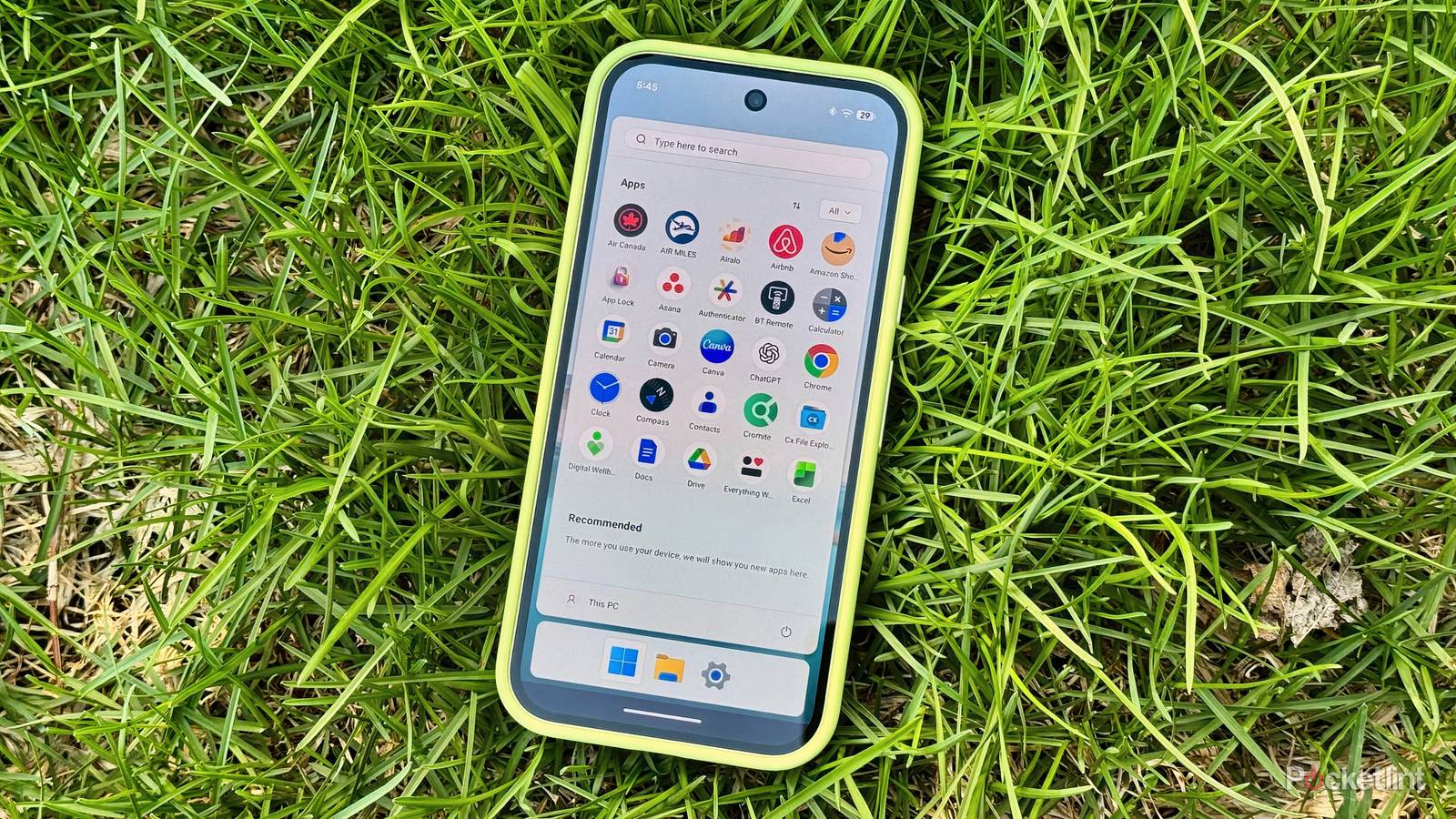
HyperDroid recreates the contemporary Windows 11 look and feel on Android, and it does so with superb craftsmanship. Animations are buttery-smooth, the desktop, Start Menu, File Explorer, and Settings page are all faithfully adapted for mobile, and everything manages to come together in a way that feels like a complete product as opposed to a janky proof of concept. HyperDroid proves that the Windows 11 shell can and does work in the smartphone context, and it’s genuinely an impressive launcher application.