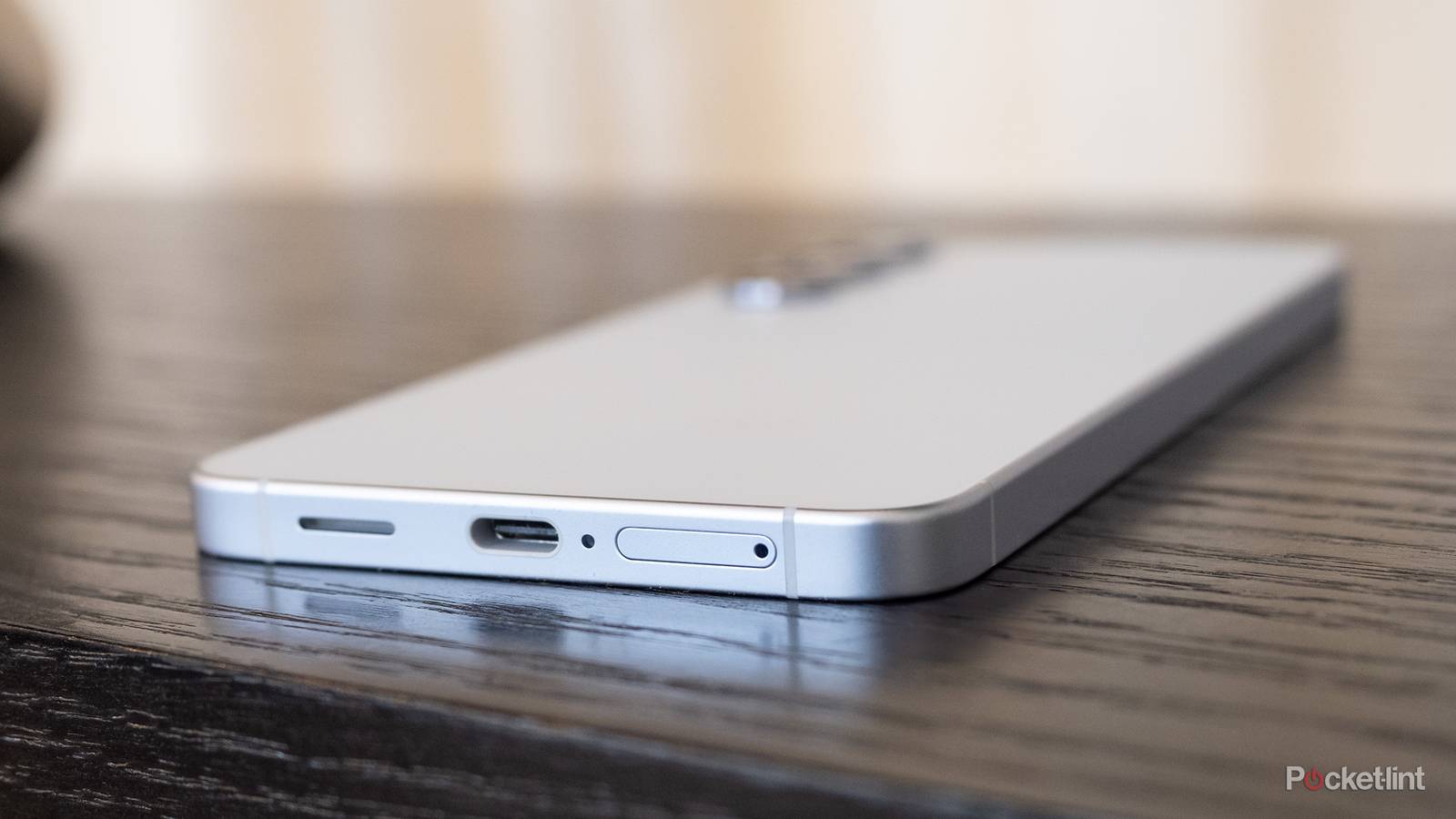
We’re well into the USB-C era, but it feels like I’m still finding out about new things that it can do each day. Aside from the obvious ones like charging your phone, USB-C can do quite a bit. It helps that it’s a high-speed cable, at least if you have the correct one, and can send data back and forth. This versatility opens up even more when you add hubs into the mix. The point is that a USB-C cable can do a lot of things that you might not know about.
I don’t think I’ve scratched the surface of what these cables can do, and there’s no telling what advancements will be made in the coming years. If this ends up being a long-term format, which I hope it does, then we might see these cables doing just about everything we ask of them by the time the 2030s roll around. This list is just a handful of things I thought were game-changing when I first found out about them.

USB-C ports
Trivia challenge
Think you know everything about the connector that changed charging forever? Put your knowledge to the test.
HardwareStandardsHistoryChargingCompatibility
In what year was the USB-C connector specification first published?
Correct! The USB-C specification was published in August 2014 by the USB Implementers Forum (USB-IF). It was designed from the ground up to replace the growing zoo of USB connector types with a single, reversible solution.
Not quite — the USB-C specification was finalized and published in August 2014. Development had been underway for a couple of years before that, but 2014 was the official release that set the standard in motion.
How many pins does a USB-C connector have?
Correct! A USB-C connector features 24 pins arranged symmetrically, which is a key reason it can be inserted either way up. Those pins handle everything from power delivery and data transfer to audio and display signals.
The correct answer is 24 pins. The symmetrical arrangement of those 24 pins is exactly what allows USB-C to be reversible — there is no wrong way to plug it in, unlike its predecessors.
What is the maximum power delivery wattage supported by the USB Power Delivery 3.1 specification over USB-C?
Correct! USB Power Delivery 3.1, finalized in 2021, raised the ceiling to an impressive 240W. This makes USB-C a viable charging solution even for high-performance laptops and other power-hungry devices.
The correct answer is 240W. USB Power Delivery 3.1 dramatically expanded on the original 100W cap, pushing USB-C into territory once reserved for proprietary laptop chargers and large power bricks.
Which USB-C cable is required to support USB4 Gen 3 speeds of up to 40Gbps?
Correct! To achieve USB4 Gen 3 speeds of up to 40Gbps, you need a Thunderbolt 3 or USB4 certified cable. Not all USB-C cables are created equal — using a lower-rated cable will bottleneck your speeds significantly.
Not quite. USB4 Gen 3 at 40Gbps requires a Thunderbolt 3 or USB4 certified cable. One of the most confusing aspects of USB-C is that the connector looks identical regardless of the cable’s capability, so certification labels matter a lot.
Which Apple laptop was among the first mainstream devices to ship exclusively with USB-C ports, controversially removing all other port types?
Correct! The 12-inch MacBook released in 2015 made headlines for having just a single USB-C port for everything — charging, data, and display output. It was a bold and divisive design choice that sparked widespread debate about port diversity.
The answer is the MacBook (2015). Apple’s 12-inch MacBook launched with a single USB-C port and nothing else, not even a headphone jack on early models of other lines. It was one of the most talked-about laptop designs of that era.
USB-C is a connector shape — which of the following is a data transfer *protocol* that can run over a USB-C cable?
Correct! Both DisplayPort Alt Mode and Thunderbolt 5 are protocols that can run over a USB-C physical connector. This is the key distinction — USB-C is just the shape of the port, while the protocol determines what it can actually do.
The correct answer is both DisplayPort Alt Mode and Thunderbolt 5. It is a common misconception that USB-C is a single standard — it is actually just a physical connector shape that can carry many different protocols depending on the host device and cable.
Which regulatory body mandated USB-C as a common charger for mobile phones sold in the European Union from late 2024?
Correct! The European Parliament passed legislation requiring USB-C as a common charger for smartphones, tablets, and other small electronics sold in the EU, with compliance deadlines starting in late 2024. The move was largely aimed at reducing electronic waste.
The answer is the European Parliament. EU lawmakers pushed through the common charger directive to cut down on cable waste and consumer frustration. This regulation was notably one of the factors that pushed Apple to finally add USB-C to the iPhone 15 lineup.
What does the ‘Alt Mode’ feature of USB-C allow a device to do?
Correct! Alt Mode allows the USB-C connector to carry completely different protocols — such as DisplayPort, HDMI, or Thunderbolt — by repurposing some of the connector’s pins. This is why a single USB-C port can drive an external monitor without an adapter box.
Not quite — Alt Mode lets USB-C transmit non-USB protocols like DisplayPort or HDMI natively through the connector. It works by reassigning certain pins within the 24-pin connector to carry those alternative signals, making the port incredibly versatile.
Your Score
/ 8
Thanks for playing!
Adding an Ethernet port
Feels like magic

Any time I’ve used an Ethernet port before the advent of USB-C, it always meant I was using a port that was permanently attached to something. My Xbox, TV, and PC all had Ethernet ports that I used growing up, and I couldn’t have imagined that I’d have one I could stuff into a bag. A lot of laptops today launch without Ethernet ports, and many other ports for that matter, so it’s nice that you can add some of those features back like this.
Perhaps the most shocking part about it to me is that these adapters don’t even cost an arm and a leg. I imagined that adding something that gives my laptop the ability to do something that it couldn’t otherwise do would be expensive, but that’s not the case. At the time of this writing, you can snag an Anker USB-C to Ethernet adapter for just $15. There are several other options that give different speeds and durability, but this is a great option for anybody who needs to connect their cable in a pinch without breaking the bank. A downside to this is that if your laptop doesn’t have a lot of USB-C ports on it, you’d have one port being taken up with the Ethernet connection. This might mean you can’t plug in your mouse or charge your device, so just keep that in mind. It might be a situation where an external USB-C hub is better. I love using hubs because you can often get an Ethernet port from them along with several other ports. It sucks that laptops have been shedding ports like this, but at least a USB-C hub is able to add them back, albeit with an added price on top of the laptop.
Fast-charging still blows me away
A fantastic piece of technology

It’s so surreal to grow up through advancements in technology and be able to see things like fast charging become a staple. I remember having to leave my phone plugged in for a few hours to get charged up all the way, and now it seems like my phone can come from a dead charge to half full in just a matter of minutes. While that’s just the norm now, it’s something that I don’t take for granted. It’s something I look for in any hub I pick up. If there’s not a little lightning bolt on the hub, I don’t want it.
What’s even better is that you don’t necessarily need the speediest cables to achieve fast-charging. This means that many of the USB-C cables you have around your home can get the job done, and you don’t need to go out and buy a Thunderbolt cable. Any cable that comes with your phone is capable of fast-charging it, so if you don’t lose track of what came with your phone, then you’re good to go.
Powering a monitor without an HDMI cable
No HDMI needed

I love the HDMI format, but sometimes it’s nice that I don’t have to lug around a long cable. What you might not realize is that a USB-C can provide both audio and visuals to a monitor — all without the need for an HDMI cable. It sounds crazy, but it’s been the reality for a while now. There are still some hurdles you have to cross, and your computer needs to support DisplayPort Alt Mode. Essentially, this is just a DisplayPort signal coming from a USB-C port. This is a good option for people on laptops, as many of them don’t have HDMI ports anymore. I’m not sure I’d want to ditch HDMI or DisplayPort cables completely for this, but it’s nice for portability.
Another thing you can do is daisy-chain monitors. This means you can power an additional monitor that’s already plugged in by using a USB-C cable. Not every monitor allows this, and you’ll need to do it through DisplayPort 1.2 or 1.4, or use a Thunderbolt 3 or 4 cable. If you try this out, I highly recommend high-quality cables because you’re asking a lot of your setup to do this.
Your phone can charge another phone
Share the load

If you’re out and about and have a low battery, you’re not always going to have easy access to a wall outlet to charge up. It’s nice if you are, because you can take advantage of fast-charging, as I talked about earlier. Another option is to take some of the battery life from another phone and pass it on to yours. This is done simply by connecting two phones together using a USB-C cable. In my experience, the phone that was plugged in first will start receiving the charge, but you can easily change that by clicking on the USB settings that pop up and toggling the option to charge the other device. This essentially turns a second phone into a power bank, and it’s nice for when you need to be topped off. The downside is that you’re stealing battery life from another phone, so it’s a tough situation if you’re out in the wilderness and the person you’re with still wants a charged phone.
The easier answer here is to use a power bank, and that’s another thing a USB-C cable is great for. Power banks are charged beforehand, and if you get a 10,000 mAh bank, you can get a few full charges to your phone before it dies. It’s great for long trips where you don’t know where your next consistent power source will come from. Camping is a common way I use mine.