


Upgrading TV audio is always exciting because it means you get to listen to your shows and movies the way they were intended, or at least in a way that’s much better than your TV’s speakers. It’s no secret that TV audio nowadays leaves a lot to be desired, and it’s been the case for several years now. As it turns out, the show you’re watching isn’t purposely quiet — it’s just that your speakers aren’t up to snuff.
There are a few ways to upgrade your TV audio, and if you ask me, you should opt for a home theater-esque setup with a receiver and a pair of bookshelf speakers to start. I understand that’s well out of the price range for a lot of people, and it’s easier to go for a soundbar. While that’s a compromise, you can still get some high-quality soundbars that don’t break the bank and still represent a massive audio upgrade. It’s obvious that it’s the right path for many people, but I would say there are still plenty of things you need to be aware of before pulling the trigger on a soundbar. I’d hate for you to buy soundbar expecting it to be something that it isn’t.
It won’t rival a home theater setup, no matter the price
Soundbars can punch above their weight, but not that high

Soundbars are definitely much better than what your TV offers, but you should treat them as a bit of a middle ground between that and a full home theater setup. Soundbars are still little devices that get placed under your TV, so they can only do so much. I wouldn’t expect bombastic sound, mainly because everything’s coming from one spot instead of all around you like an expensive surround sound system would.
I’m not going to sit here and say that soundbars sound bad, because there are plenty of good ones out there. Expensive ones can come with their own set of surround speakers that help fill out your room, but that’s not always an option, depending on the budget. Once you’re in that price range, I would even argue that it’s worth going for the typical home theater setup so you can have a little more control over your audio. As long as you’re aware of a soundbar’s limitations, I don’t think there’s anything to be afraid of.
Be wary of gimmicks
Dolby Atmos doesn’t always mean true Dolby Atmos

I don’t think Dolby Atmos is a gimmick by any means. I have a Dolby Atmos system in my living room with height speakers, although they are just small satellite speakers instead of proper speakers. Nevertheless, I’m happy with how things sound, and I plan to upgrade in the future. With that out of the way, I do think that a lot of what soundbars advertise as Dolby Atmos can fall under the gimmick category. Yes, your TV will recognize it as a Dolby Atmos mix, but a soundbar will give you upfiring speakers that can simulate the sound, but it pales in comparison with a true setup.
For some people, that’s not a big deal, and I would agree that it sounds better than not having Atmos at all. For Atmos to work properly, it needs to fill in all of the audio around you, and that’s not going to happen if it’s all coming from a soundbar. There’s definitely some trickery involved to make it sound as good as it does, and if it makes you happy, then by all means go for it. I recommend testing out a Dolby Atmos soundbar in person if you can, and then comparing it to a surround sound Atmos setup. You might find that you’re perfectly happy with what the soundbar provides, and if you are, then you can save a good chunk of cash on an audio upgrade that satisfies you.
You still need to make room for one
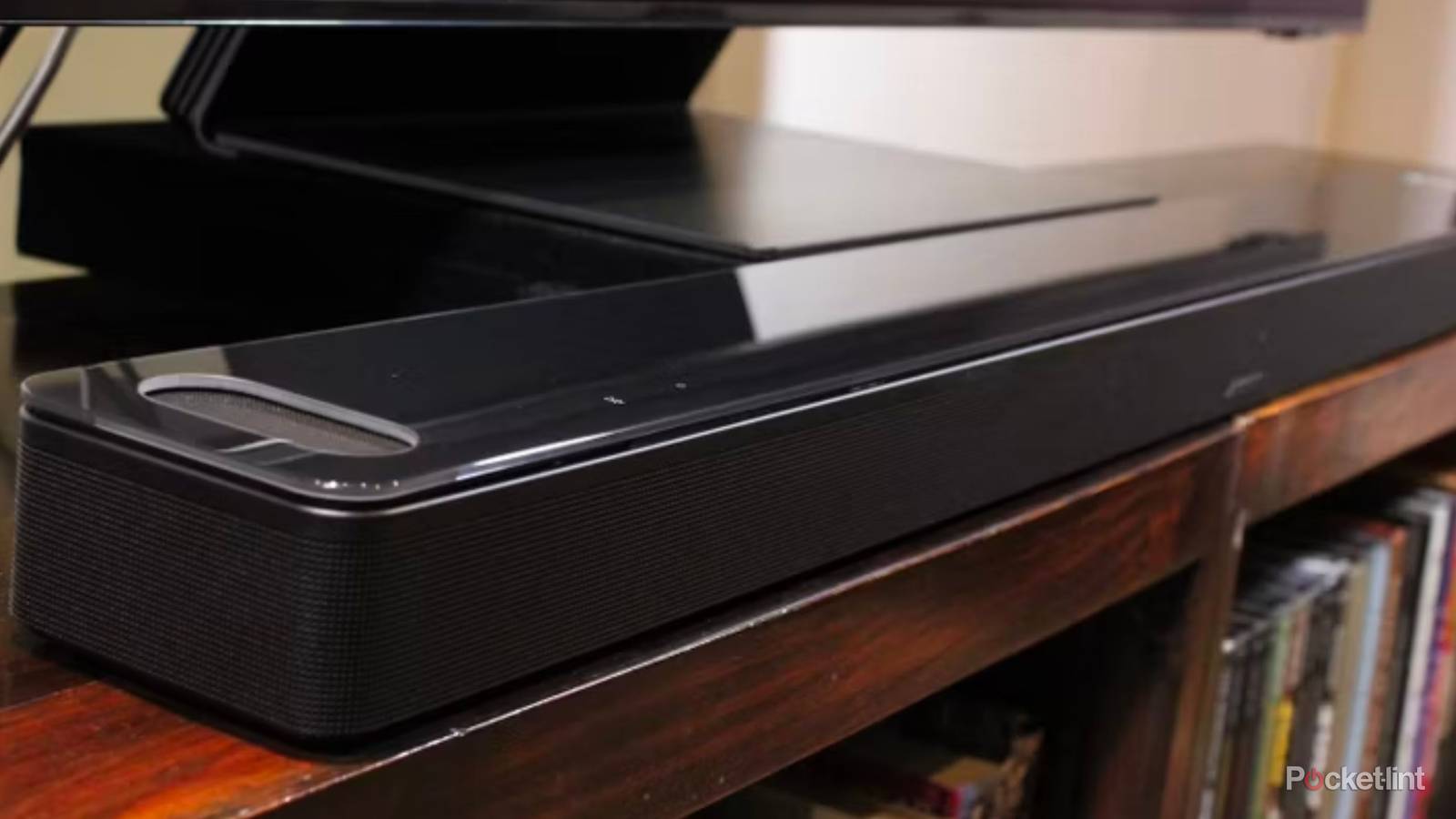
Soundbars are small, but they take up space

If you mount your TV, you can just skip this tip entirely, but if you have a TV stand, you need to be aware of the space a soundbar takes up. There are many small form-factor soundbars that don’t block anything, but if you have a TV that sits on top of a stand, there’s a possibility that your soundbar could actually block the bottom of your screen a little bit. Most TVs come with a set of legs to sit on top of that fixes this problem, but some older TVs with just a regular stand could easily be blocked by the soundbar.
Some soundbars are slimmer than others, so my advice is to measure how much clearance you have from your stand to the bottom of your TV and go from there. It’d be annoying to have to move your TV or even mount it after buying a soundbar just because it’s blocking part of the screen. I think in most situations you’d be just fine, but it’s better to be safe than sorry. I actually find surround setups to be a bigger eyesore in this case because center channel speakers can be quite large, so soundbars take a win here.
Plug your soundbar into the correct HDMI port
A very easy mistake to make

Once you buy your soundbar, the easy part is out of the way, but the job’s not finished. Your soundbar still has to be connected to your TV, and while you might think that any HDMI port would do, that’s not the reality. While your soundbar will work plugged into any port, if you care about your audio quality, and you probably do, since you bought a soundbar, then you should make sure you get it plugged into an HDMI ARC or eARC port. Your TV, depending on its age, has one or the other, but both give you superior quality.
Both ARC and eARC are an HDMI port on your TV, but they are designed to give you the best audio that you can get. Because of that, you want to make sure your audio system is plugged into that port, whether it’s a soundbar or a receiver.
If you value uncompressed audio, which you should, then you need to double-check and make sure you’re using this port. It’s such an easy mistake to make, and it’s a problem that’s made even worse considering that your PS5, for example, will work just fine by hogging this port. I don’t know if it’d be a mind-blowing difference coming from a regular HDMI port to an eARC one, but it’s something that’s built directly into your TV that’s offered free of charge, so there’s really no reason not to make sure you’re in the right port.