Spam, robo, and telemarketer phone calls are an ever-present nuisance of modern life. Even with all the technological advancements of today’s world, unwanted incoming calls somehow remain peskily persistent in 2026.
Anecdotally, I’ve actually found myself experiencing more spam calls these days than at any other time in the past. Last month it got so bad, in fact, that I finally took it upon myself to fight back against the sudden onslaught via any and every tool available at my disposal.
After researching and implementing the following three practical measures, I’ve since been able to substantially reduce the amount of spam calls I receive or have to interact with on a regular basis. These tips and tricks have helped me achieve fewer unwanted rings on the whole, and I bet they can help you out too.
Make use of first-party call filtering
AI-powered call screening is an up-and-coming smartphone staple

On both iPhone and Android, there are built-in ways to filter incoming phone calls and to reduce the likeliness of spam-ridden robocalls, telemarketers, scams, and the like.
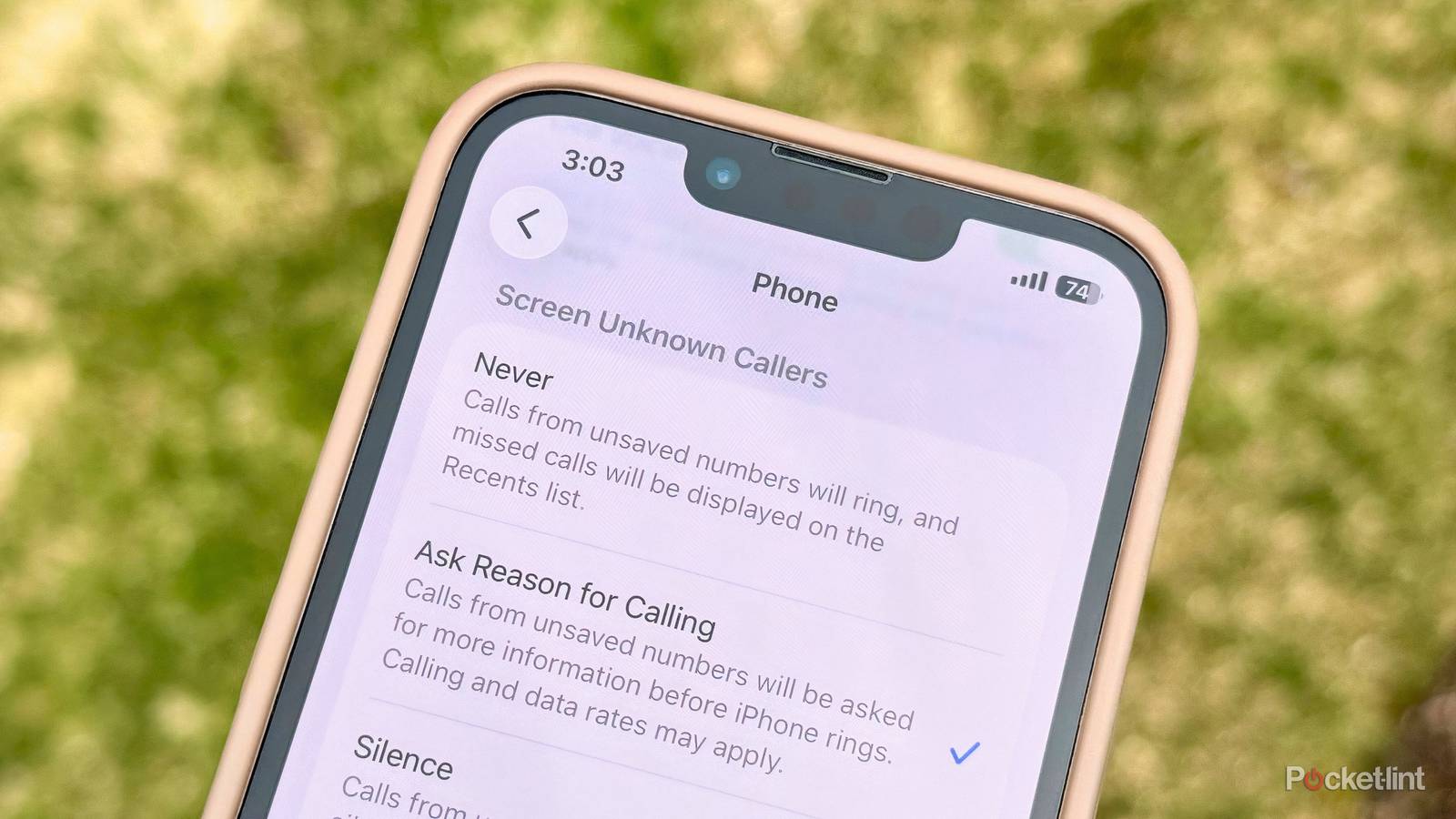
If you have an iPhone running iOS 26 or newer, you can filter calls by navigating to Settings > Apps > Phone > Screen Unknown Callers and then selecting either Ask Reason for Calling or Silence. The former will automatically screen incoming calls using AI to confirm legitimacy before ringing begins, while the latter will simply send suspected calls straight to voicemail and notify you via your Recents log.
If you have a Google Pixel or any other Android handset with the Phone by Google application installed, you can go to the app’s Settings page > Caller ID & spam and then toggle on See caller and spam ID and Filter spam calls to achieve a similar result. Google also offers an AI-powered Call Screen feature for Pixel that will automatically answer calls on your behalf through its Call Assist function, though automatic screening is currently only available in the United States.
Certain Android hardware makers like Samsung feature their own proprietary phone dialer applications, complete with their own in-house screening guards like Smart Call. Depending on your Android phone’s make and model, the flow for setting up the feature will vary. Google’s Phone by Google app can be downloaded on any Android phone right from the Google Play Store, though AI-powered Call Screening remains a Pixel-exclusive feature at this time.
Use a third-party caller ID and spam app
There are a variety of specialty apps that can neutralize robocalls

A number of third-party applications are available on both iOS and Android that can help with detecting and blocking unwanted robocalls. Samsung’s Smart Call feature is powered by Hiya, which can also be downloaded on any non-Galaxy handset via its dedicated application. Other popular apps include Robokiller and Truecaller. Certain cellular carriers even offer their own call filter software, such as AT&T’s ActiveArmor.
On the iPhone, you can manage your default call filtering service by navigating to Settings > Apps > Default Apps > Call Filtering. On Pixel phones (and on most Android phones generally), the same thing can be achieved by heading to Settings > Apps > Default apps > Default caller ID & spam app.
Don’t answer unknown calls
Don’t give scammers and data brokers anything to work with

While the above tactics work to silence, block, or neutralize spam calls, they don’t solve the root cause of the problem. Telemarketer calls and scams might be a fact of life, but there are steps you can take to reduce their occurrence on the whole. Notably, if a robocall does break through your defenses, it’s a good idea not to answer the call. Answering such calls may cause your phone number to be flagged as active, increasing the likelihood of follow-up spam calls.
Generally speaking, the larger your digital footprint, the more information data brokers have to work with, and the more spam calls you’ll receive. There are third-party services that specialize in locating and removing personal details from online databases, including Incogni, DeleteMe, and Aura.
Additionally, you can also take steps like making your social media accounts private, deleting unused or old accounts, unsubscribing to newsletters and other mailing lists that no longer interest you, and using services like iCloud Private Relay and Sign in with Apple to hide as much of your info as reasonably possible.