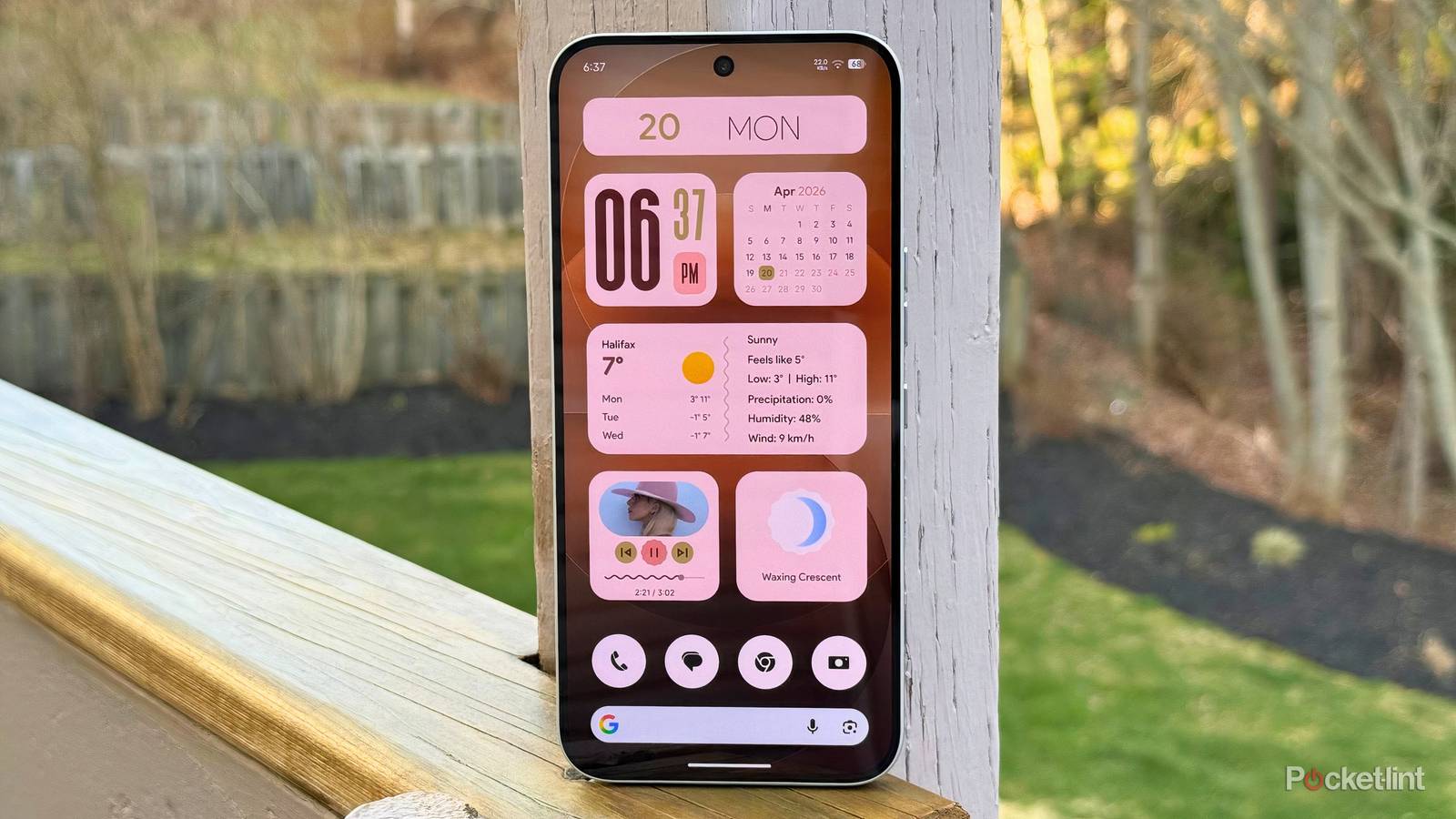
Despite having initial reservations about Google’s Material 3 Expressive design language, I can now safely say that I’m a fan of the visual overhaul. On my Pixel 10, it makes Android come alive with its bouncy animations, its hearty dose of wallpaper-based color accenting, and its liberal application of blur effects.
As soon as Material 3 Expressive clicked with me, I set out to find third-party applications and widgets that embrace its design principles wholesale. Luckily, it didn’t take long to find excellent software on the Play Store that looks and feels as though Google made it itself.
One such application is Material You Widgets — a $1.00 USD / $1.40 CAD widget pack that features a staggering 316 widgets and shortcuts to choose from (this number also includes certain duplicate widgets that are dynamically resizable).
Google’s Expressive design language really shines on third-party handsets

Material You Widgets is chock-full of Google-esque widgets. The majority of the included catalog are of the circular or rounded square variety, but a few feature transparent backgrounds/non-uniform shapes for added diversity. The type of widgets on offer here is staggering, covering all the basics as well as some more niche concepts. Clocks, calendars, and weather forecasters are aplenty, but you’ll also find fun facts, tic-tac-toe, and even a Nokia-inspired Snake mini-game.
I’m particularly fond of the folder flower and folder triangle widgets, which allow you to place several apps into a carousel for quick access. In a way, this emulates the ‘large app folders’ that you’ll find on certain third-party Android skins. I also quite like the majority of the hybrid clock styles, which not only lean heavily into the Material 3 Expressive aesthetic, but also merge together elements of both analogue and digital timepieces.
Elsewhere, Material You Widgets lets you dial in on widget size, with options to adjust height, inner size, and scaling via intuitive sliders. You can also configure tap actions, letting you map a press of each home screen widget to any other app installed on your device. In my case, for example, I mapped my weather widget to open the free and open-source (FOSS) Breezy Weather from F-Droid.

Interestingly, there’s no manual coloring options on offer here, though the app does intelligently adjust color tones to match your wallpaper when using a modern Pixel device. Unfortunately, most third-party Android skins won’t play nice with Material Design 3’s dynamic color system, meaning that the default red hue is all you’ll be able to get.
What I love about Material You Widgets is that it allows you to bring the Pixel’s software ethos to any and every non-Pixel smartphone or tablet running Android. Google’s design language is certainly distinct, but it meshes surprisingly well when ported over to, say, my Nothing Phone 4a Pro.
If you have a Samsung Galaxy, a Motorola, a OnePlus, or any other type of device, Material You Widgets adds a dash of “Googleness” into the mix. And, if you do own a Pixel, the app is the perfect supplemental package for adding extra Expressive goodness to your handset experience.