


Eons ago, there used to be relatively little trouble figuring out how to hook up devices to a TV, sometimes even if you had a receiver. If you were able to fit the plug in, you were usually good to go. I do remember sometimes fumbling around a bit with component cables for consoles, or early on, a VCR — but just because I had to match the color coding for each input.
In 2026, it’s sometimes possible for the same device to offer multiple connection options, all of them valid, depending on your needs. But some options provide better performance than others, and as a rule, you should probably avoid using optical unless there’s no other choice. I’ll explain why, what’s better, and an instance in which you might want to deliberately go the optical route.
What is optical, and why isn’t it great for surround sound?
The future of the future isn’t what it used to be

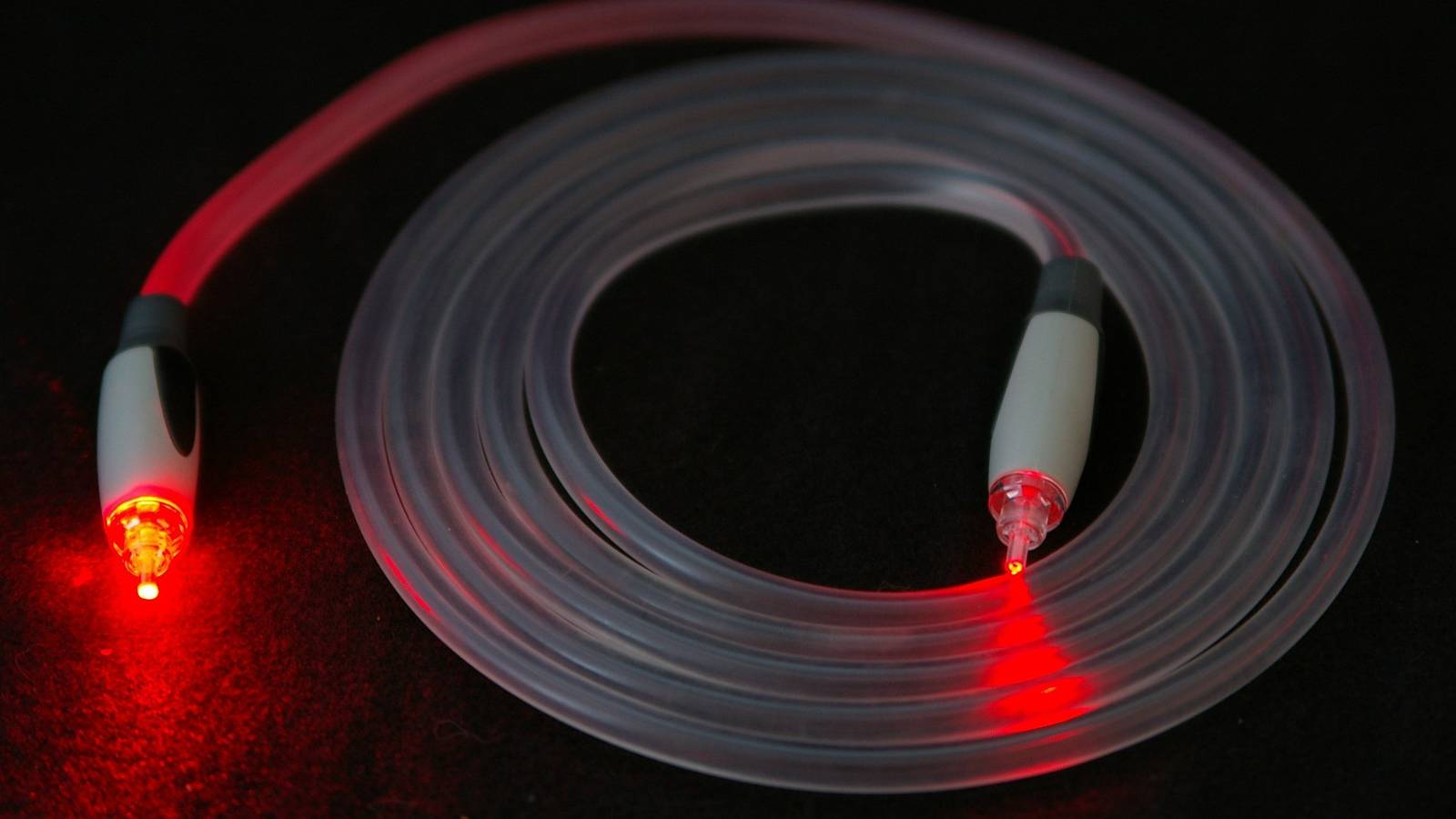
Optical is sometimes known as TOSLINK or S/PDIF, that first term stemming from the format’s creator, Toshiba. It was first developed in 1983 as a way of delivering PCM (pulse-code modulated) audio from CD players to receivers. Confusingly, S/PDIF stands for Sony/Philips Digital Interface, which also refers to a separate copper cable type that’s fallen out of favor. The tech you see today isn’t actually linked to a specific brand.
Initially, optical was very cutting-edge in the home theater space. Via fiber optics, it enabled not just high-speed digital audio, but protection from issues that plagued earlier cable types, such as RF interference. To this day you’ll still find optical ports on products ranging from TVs and speakers through to cable boxes, DVD players, Blu-ray players, and game consoles. You might even find it on some computers, although I’ve never seen anything like that myself.
Within its limits, optical sounds fantastic. It supports two channels of uncompressed PCM audio, as well as several compressed surround formats, including ones based on DTS and Dolby Digital. It’s powerful enough to handle a 7.1-channel surround system, which is something I could’ve only dreamed of back in the 1990s.
For purists, the lack of uncompressed surround options may be an immediate dealkiller. Lossless is actually rare in the home theater space, since most streaming services rely on compression for bandwidth reasons — but it is the most accurate, full-range audio you can get, and you might resent the absence of Dolby TrueHD or DTS-HD Master Audio if you prefer to watch movies on Blu-ray. Personally, I find that lossless is overrated. It’s often hard or impossible to tell the difference between that and high-bitrate compression, even on the best speakers.
Optical’s major flaw, however, is that its 384Kbps (kilobits per second) of bandwidth isn’t even enough for the compressed versions of the two major spatial audio formats, Dolby Atmos and DTS:X. These aren’t just an evolution of traditional surround-sound formats — they simulate sound “objects” in 3D space. They’re the gold standard, and Atmos in particular is often packaged alongside 4K resolution as a premium streaming feature. If you plug in via optical, you simply won’t be able to use Atmos or DTS:X, even if your speaker is otherwise equipped for the formats.
What should you use instead of optical?
The current trifecta

For anything directly connected to your TV, you should probably be using HDMI ARC or eARC. While ARC dates back to the launch of HDMI 1.4 in 2009, it still offers enough bandwidth for the compressed version of Dolby Atmos, at least in some circumstances. eARC is preferable, as it’s guaranteed to support the lossless versions of both Atmos and DTS:X, owing to a whopping 37Mbps of bandwidth.
Even if you don’t have an Atmos-capable setup, eARC will at least get you uncompressed 5.1- or 7.1-channel sound, which is nothing to shake a stick at. It’s not like people watching VHS in the 1980s were wailing and gnashing their teeth when they were stuck with stereo — they were just happy to be watching their favorite movies at home.
ARC and eARC offer some additional benefits over optical, one being lip sync. While it’s actually unlikely that an optical connection will fall out of sync, it’s nice to know that with eARC, you’ll never have to make any manual corrections. Lip sync is optional over ARC.
eARC is guaranteed to support the lossless versions of both Atmos and DTS:X, owing to a whopping 37Mbps of bandwidth.
For me, one of the biggest advantages is CEC support. Speakers connected via ARC or eARC can automatically be controlled by your usual TV remote. With an optical speaker, you either have to “train” your main remote or use a secondary one. Neither approach is convenient, as you have to power the speaker on and off independently of your TV, and adjust volume the same way.
If you’re really lucky, you may be able to use a fully Wi-Fi-based sound system. I say “lucky” partly because most wireless systems have at least one unit wired to your TV. Going fully wireless usually requires speakers integrated into a TV or media streamer’s smart home ecosystem. If you’ve got a Fire TV device, for example, you can pair a couple of Echo Studios and an Echo Sub via Alexa. The Apple TV 4K can set any AirPlay speaker as a default output, although the safest bet is using a pair of HomePods.
There are some other caveats to Wi-Fi. Though it offers even more bandwidth than eARC, it’s critical that your Wi-Fi network be in tip-top shape. If there are any range, interference, or congestion issues, there’s a risk of one or more speakers falling out of sync, or dropping offline entirely. There are things you can do to prevent these issues. If you’d rather not bother, you might be better off with an HDMI soundbar.
So when does optical make sense?
The one big exception

There’s usually only one legitimate reason to go with optical these days: cost. The optical-only Sonos Ray is substantially cheaper than the eARC-ready Sonos Beam. If you’ve got a hand-me-down speaker system, it’s hard to complain too much about missing Atmos if the sticker price is cheap or free. I’d much rather be stuck with high-quality 2.1- or 5.1-channel audio than invest in an Atmos system that leaves me without much cash for movies and games. Which isn’t to say Atmos is inherently expensive — it’s just that for some people, that tradeoff isn’t an abstract issue.
I’d much rather be stuck with high-quality 2.1- or 5.1-channel audio than invest in an Atmos system that leaves me without much cash for movies and games.
You might also consider optical if all your best HDMI ports are full, and you’d rather not buy an HDMI switch. That tends to be a weak argument, however. If you’ve got that many devices, you can definitely afford a switch — there are two-port HDMI 2.1 models on Amazon for less than $30, and those are enough to free up your ARC or eARC port for better sound. Optical was amazing in the ’80s and ’90s, but it’s not the future of home theaters any longer.