


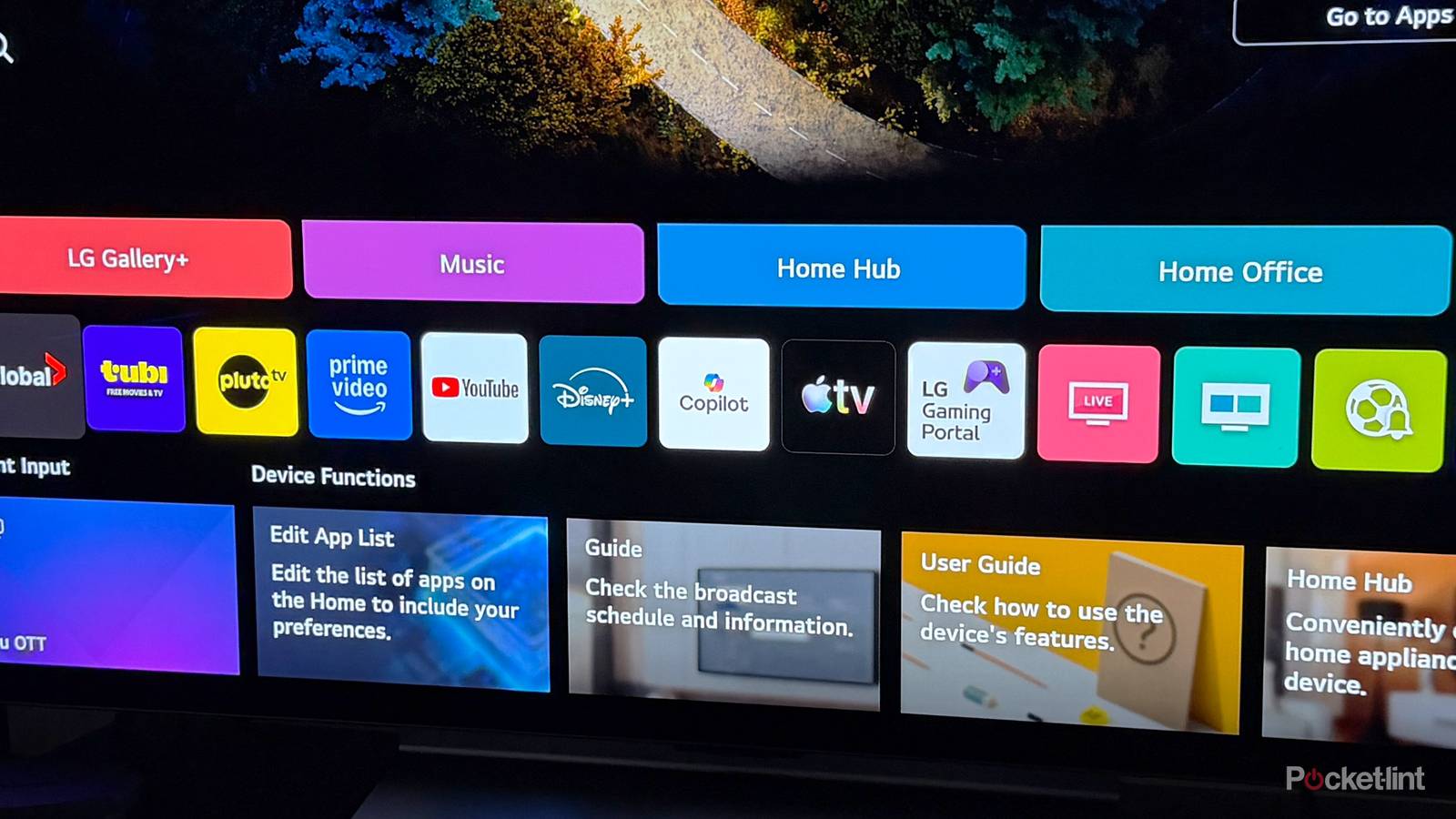
Thanks to webOS, LG’s smart TVs come loaded with a ton of preinstalled apps. Streaming staples like YouTube, Disney+, Apple TV, and Prime Video automatically populate the home screen right out of the box. And while it’s nice to have them there, LG does let you uninstall the ones you don’t use, which makes it easy to declutter your TV.
However, back in December, LG suddenly added the Microsoft Copilot app to its smart TVs — and unlike the other apps, you couldn’t uninstall it. That didn’t sit well with many users, myself included.
LG faced significant backlash for adding a non-removable AI app to its TVs, with a Reddit post about it going viral, garnering over 36,000 upvotes. Shortly after, an LG spokesperson told The Verge that it was not the full Copilot app but only a shortcut to a web version, and that the company would make it uninstallable in a future update, saying it “Respects consumer choice and will take steps to allow users to delete the shortcut icon if they wish.” The only catch? There was no timeline for when that would actually happen.
Thankfully, two months later, that day has finally arrived.
After updating my LG C5 TV to software version 33.30.92, I noticed I could finally delete the Copilot app — something I couldn’t do a week ago. Before this update, the best you could do was hide it from the home screen. Now, it appears LG has quietly added the option to uninstall it entirely, making good on its commitment from back in December.
How to delete Copilot from your LG smart TV
You might need to update your TV

If you have an LG smart TV and want to permanently delete Microsoft Copilot from it, it’s straightforward. For starters, make sure your TV is up-to-date by opening the Settings menu, going to Support > Software Update > Check for updates. If an update is available, it will install, and you can restart your TV to apply it. As I mentioned earlier, I was finally able to delete Copilot after updating my TV to version 33.30.92.
Once your LG smart TV is updated, head to the home screen and scroll over to Copilot in your app shortcuts. While hovering over the Copilot icon, press and hold the select button on your remote. A menu will pop up with two options: you can either hide the app from your home screen (the eyeball icon with a slash through it) or delete it entirely (the trash bin icon).
Select the delete option, and a confirmation message will appear on your screen. Select “Delete,” and boom, Copilot will finally be gone from your TV after LG forcibly added it late last year.

Additionally, from the same app screen, you can reorganize the apps that appear on your LG TV’s home screen and hide or delete others you no longer wish to see or use.
Personally, the fact that this whole situation happened in the first place still frustrates me, but I’m just glad LG has finally resolved it and now lets you uninstall Copilot. Hopefully, going forward, LG has learned that if it wants to add apps to people’s TVs suddenly and without notice, it will actually give users the ability to uninstall them from the get-go, rather than adding the option two months later.