


Arguably, there’s a lot to like about Roku’s streaming devices. They’re affordable, packed with features, and give you access to a wide range of free shows and movies through The Roku Channel and other FAST (free ad-supported TV) apps such as Pluto TV, Plex, and Tubi.
What I really love, though, is the flexibility they offer for how you listen to what you’re watching. Sure, you can use your TV’s built-in speakers or a dedicated sound system, but one of my favorite ways to listen to a show or movie when I’m by myself is with my headphones. And the best part? Roku makes it really easy to do this.
There are two ways to use your Bluetooth headphones, such as AirPods, with your Roku. The first is to pair them directly with your device; the second is to use the Headphone Mode feature in the Roku app. Here’s how to use both.

- Brand
-
Roku
- Operating System
-
Roku OS
- Downloadable Apps
-
Thousands
A slim plug and play streaming stick that includes 4K/HDR support and includes a voice remote.
How to pair Bluetooth headphones with your Roku

First, to pair your Bluetooth headphones with a Roku streaming device or TV, you’ll need to make sure your device supports it. Currently, the Roku devices with Bluetooth capability include: Roku Streaming Stick (2025), Roku Streaming Stick Plus (2025), Roku Ultra, Roku Select Series HD TV (2025), and the Roku Plus Series TV.
Unfortunately, the Roku Express, Roku Streaming Stick 4K, and Roku Streaming Stick 4K+ don’t support Bluetooth (via Roku).
If your Roku is Bluetooth-compatible, here’s a step-by-step guide to pairing your headphones with it:
1. Go to the home screen on your Roku.
2. Navigate to Settings.
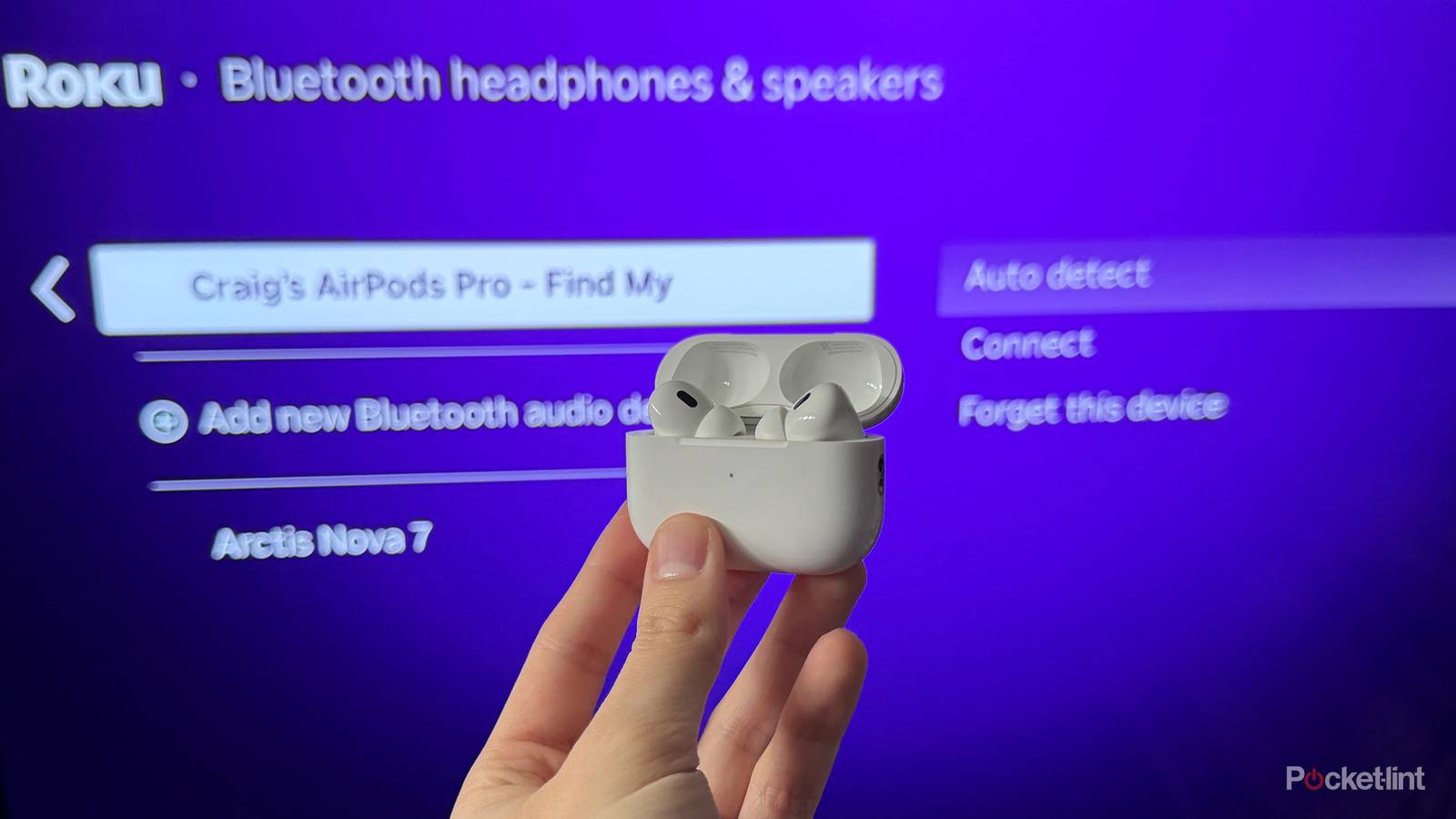
3. Under settings, select Remotes & devices > Bluetooth headphones & speakers.
4. Select Add devices.
5. Turn on your Bluetooth headphones and put them into pairing mode.
6. Select your headphones when they appear on the screen to pair them with your Roku. This could take about 30 seconds.
You can also pair a Bluetooth speaker to your Roku in addition to headphones.
Once your Bluetooth headphones are successfully paired with your Roku, all audio from what you’re watching will go to your headphones instead of your TV’s speakers.
In the same menu, you can also choose to have your headphones automatically connect to your Roku whenever they’re nearby. If you don’t want them to do this, you can turn off the Auto Detect feature. Keep in mind, though, that if Auto Detect is off, you’ll need to manually connect your headphones through this menu each time you want to use them with your Roku.
How to listen to your Roku via the app with headphones
The Roku app is free for both Android and iOS

Fortunately, if your Roku doesn’t have Bluetooth — or if you’d rather use the headphones already connected to your phone — the Roku app has a solution.

- Developer
-
Roku
- Subscription cost
-
No
The Roku app, which is free on Android and iOS, includes a feature called Headphone Mode. This lets you listen to whatever you’re watching on your Roku through the headphones already connected to your phone or tablet. For example, if you want to use your AirPods, which are paired with your iPhone, you can do that.
Here’s how to get started:
1. Install the Roku app (if you haven’t already) and pair it with your Roku.
2. Make sure your headphones are connected to your phone or tablet.
3. Open the Roku app and go to the Remote tab.
4. Tap the Headphone icon.
Once you’ve done that, you’ll see a pop-up that says Headphone Mode is now turned on and notes that it works only with streaming apps and digital channels. Tap OK, and you’re ready to start streaming on your Roku with your headphones.
If Headphone Mode in the Roku app isn’t working, make sure your phone or tablet is connected to the same Wi-Fi network as your Roku.