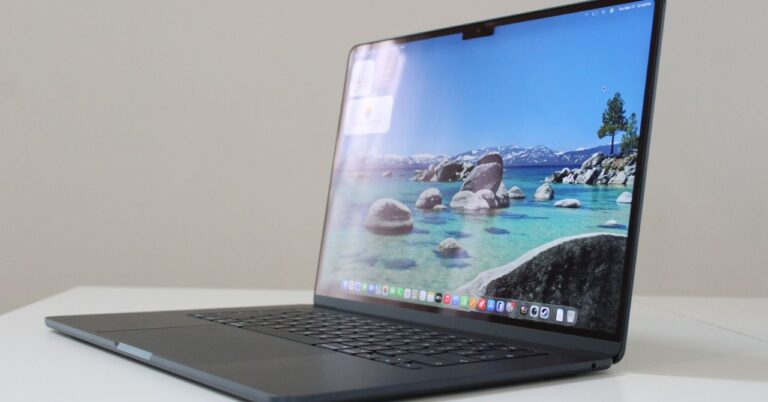



I think the MacBook Neo has taken a lot of people by surprise, even us journalists. Rumors of a Mac based on an iPhone chip had been circulating for a while — it’s just that the Neo actually performs surprisingly well for something with the specs of my iPhone 16 Pro, while actually costing less at $600. It’s only $50 more than the AirPods Max 2, although that may say more about how overpriced those headphones are.
The Neo’s pricing and specs put it in more direct competition with another Apple product: the iPad. In fact, I’ve seriously weighed picking up a Neo myself instead of replacing my 2020 iPad Pro. If you’re in a similar situation, I’ll explain what you need consider. To make things easier, I’m going to divide this piece into the broad use cases most people will fall under.
High school and college students
An easy win for the Mac, with some exceptions

I’m not going to mince words on this one — if you’re shopping for a single do-it-all device for school, it should almost certainly be the MacBook Neo. The laptop has several major advantages, the first being apps. The Mac platform has access not just to a better collection of productivity apps than the iPad, but in some circumstances, more advanced versions. The iPad versions of the Adobe Creative Cloud and Microsoft 365 suites are scaled back from their Mac counterparts. You can get serious work done on an iPad if you need to, but you may find yourself running into unexpected barriers.
Speaking of which, another limitation is with iPadOS itself. Being based on iOS, its filesystem is heavily locked down for security reasons. Apps can only communicate with each other through special frameworks, and you can only install apps from the Apple App Store unless you’re sideloading them as a developer. It’s impossible to mod the software without jailbreaking, and file and folder browsing is limited to whatever Apple deems acceptable to include in the Files app. Simply put, macOS is more flexible and customizable, which could be particularly important for some disciplines, such as coding.
The Neo also includes a built-in trackpad and keyboard, making it a far better value when it comes to typing out notes and papers. iPads are touchscreen devices first and foremost — keyboards, mice, and Apple Pencils are all optional add-ons that can dramatically increase your sticker price. An entry-level iPad with the same amount of storage as a Neo starts at about $450, but simply adding a Magic Keyboard Folio raises the price to nearly $700. If you want a 13-inch display like the Neo, you’re looking at switching to an iPad Air with a full-scale Magic Keyboard, bringing the total to $900. While you can save money with third-party accessories, it’s going to be hard to top what the Neo includes out of the box.
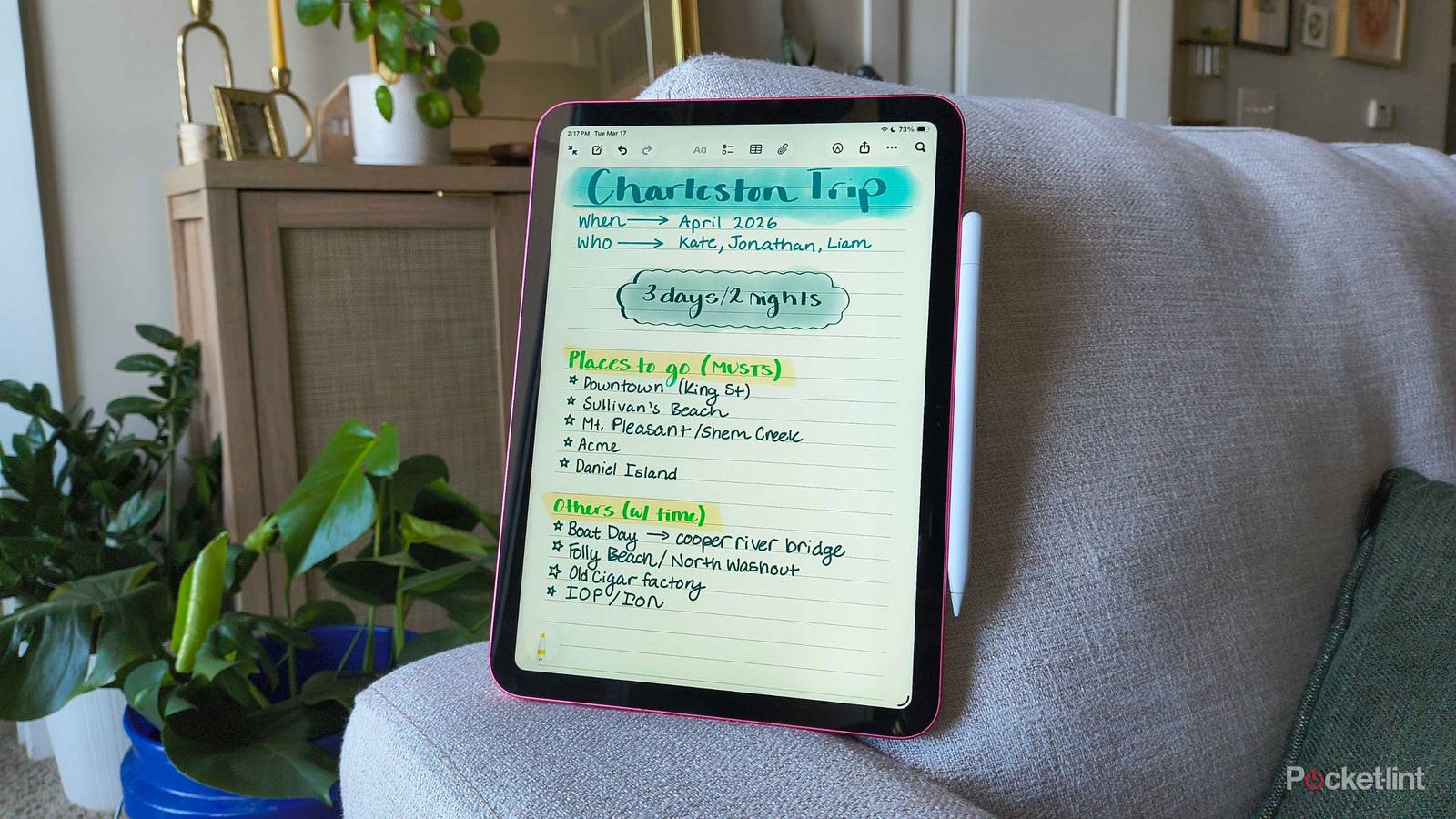
The only situations in which an iPad might win are if you need handwritten notes, or you’re pursuing an art-related degree that involves illustration or design. It’s hard to top the convenience of a tablet form factor and an Apple Pencil, though if you’re into illustration, bear in mind that the Apple Pencil Pro isn’t compatible with the base iPad — you need one of the more expensive models. The Pro Pencil includes some must-have features for artists, such as pressure sensitivity and easier switching between tools.
Young kids
Learn your child’s needs and interests first

This is a delicate subject. There’s a lot of disagreement on the right age to get a child a tablet or computer, mostly because kids lack impulse control. They can not only get distracted from more important things, but throw tantrums if their device is taken away or restricted. There’s a further risk of kids being exposed to inappropriate people or content. Conversely, depriving them of devices risks them falling behind in digital skills, and missing out on opportunities to educate themselves or discover new interests. My son absolutely loves making music and sound effects.
You’ll have to decide on the right age for yourself. For the youngest kids, however, an iPad is probably the right decision. It’s a lot easier for them to grasp a touch interface, and the limits that make one problematic for college students are actually a benefit here. There’s only so much a child can do to mess up an iPad, short of physically breaking it or filling it with too many photos and videos. Parental controls are preloaded via Screen Time, and even if they delete native apps, those can just be re-downloaded from the App Store. I would recommend buying a rugged case.
An iPad also tends to encourage the sort of creativity kids are into. Apart from making music, it’s easy for them to draw on, and a rear camera lets them shoot photos and video of more than just themselves. As for learning, a lot of apps exploit the tactile experience of a touchscreen.
Past a certain age, the MacBook Neo may make more sense. A dedicated keyboard and trackpad help with homework, and a Mac is ultimately a better “hangout” device, for lack of a better word — its superior multitasking makes it easier to have games, music, school apps, and/or chat running at the same time. iPadOS can technically handle all these things, but not as well. Some games may refuse to run in a small enough window, and Apple still seems to be working out the best way to handle resizing and task switching on iPads. Some kids will of course want an iPad for creative purposes, but even budding musicians may be better served by the more extensive music production apps for the Mac.
Adult professionals (and casual users)
Match your special requirements

For most professional purposes, the MacBook Neo is preferable for the same reasons it is for students: a built-in keyboard and trackpad, and access to a better selection of productivity apps, with fewer restrictions on what those apps or the operating system are capable of. Indeed for some professions, you might not be able to find the apps you need on an iPad. If you’re trying to integrate a device into an existing workplace, it’s also more likely that your employer will require a specific assortment of desktop apps, not mobile ones.
Where things get interesting is performance. The Neo is equipped with an A18 Pro chip and 8GB of RAM, whereas the iPad Air and Pro are equipped with M-series processors and 12 to 16GB of RAM. If you’re not familiar, M-series processors are used in every other Mac, and are typically much better for multitasking and high-end apps. You can edit professional-quality images, music, and videos on a Neo — but if you can find the apps that accomplish everything you need, you’ll actually get smoother performance out of an iPad Air.
For some workers, the portability of an iPad will trump everything. iPads tend to be both thinner and lighter than any Mac — the 13-inch M5 iPad Pro is just 1.28 pounds (579 grams) and 5.1mm thick, whereas the Neo is 2.7 pounds and 1.27 centimeters (0.50 inches). An iPad is inherently easier to carry and pack, even with a case. For some functions — like making rounds as a nurse, or checking items in a warehouse — it simply doesn’t make sense to buy a device you can’t use handheld.
What about casual users? By that, I mean people who only really care about the web, email, chat, music and videos, and maybe playing a few games. It’s really hard to go wrong, so it may come down to whether you prefer macOS’s more powerful interface or using a touchscreen, and just how much portability matters. An iPad is typically friendlier for couch use or travel, yet you may really miss being able to sync your iPhone, or having a built-in keyboard for emails and chat. A keyboard case is a costly solution to the second issue.