



Kindles are one of the most popular e-readers on the market — so much so that they’re famously synonymous with the word ‘e-reader.’ Between the paper-like display and ultraportable design, storing and reading thousands of books has never been more convenient or distraction-free.
Well, almost distraction-free. Because Amazon can’t help itself, your Kindle has ads on it. That is, unless you buy a device without them up front or pay to remove them later on. Over the years, jailbreakers across the internet have found loopholes and little tricks that get rid of ads, but the processes are either complicated, temporary, or come with other unintended consequences that could brick your e-reader.
The other day, I set out to find more ways to preserve my Kindle’s battery life, and came across a screen option I hadn’t heard of in the Kindle Paperwhite user manual. It doesn’t save battery life, but it achieves something far more useful in the long run: removing those pesky ads from the lock screen.

- Storage
-
16GB
- Brand
-
Amazon
- Screen
-
7-inch E-ink, 300ppi, 16-level gray scale
- Connectivity
-
Bluetooth, Wi-Fi
Amazon’s new Kindle Paperwhite is its fastest yet, with 25 percent faster page turns. It also has a larger 7-inch display.
Kindle’s Screen Off feature gets rid of ads
Can’t show ads if the screen itself isn’t on

E Ink is a static display, which means that once the image is set on the lock screen, the display isn’t drawing any power. Background activity like Wi-Fi pings, syncing, and other housekeeping activities happening behind the screen are the only things sipping at your battery life (which can be minimized by turning on Airplane Mode).
While those Amazon ads on your lock screen aren’t draining your battery, they still might be chipping away at your patience. If the screen is truly off, not only does it use zero battery, but it can’t show anything. Simple, but effective when you’re trying to get rid of what’s on that screen in general. The Screen Off option achieves this beautifully, and you can enable it in less than 10 seconds.
I prefer this blank slate look, especially on my nightstand or work desk where I might be distracted by whatever sci-fi romance Amazon thinks I’ll enjoy.

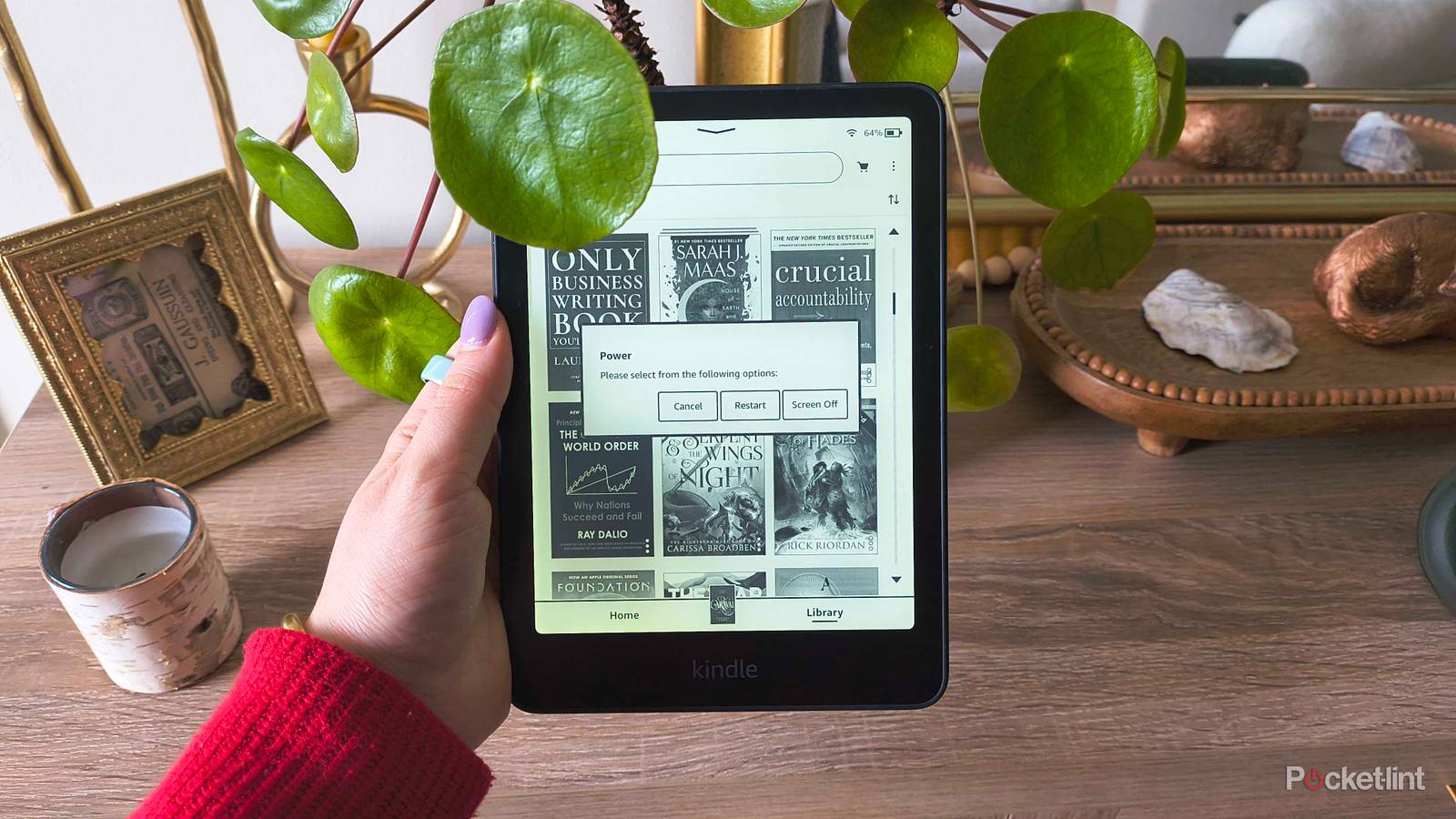
When you’re done with a reading session and go to lock your Kindle, you press the power button on the bottom, and it quickly takes you to the lock screen. Instead, you’ll want to activate Screen Off by pressing and holding the power button for approximately 5-9 seconds, which will make a Power menu appear on your screen. Select Screen Off, and the screen will lock immediately like usual, except that it’s completely blank.
No screen power, no ads. I prefer this blank slate look, especially on my nightstand or work desk where I might be distracted by whatever sci-fi romance Amazon thinks I’ll enjoy.