


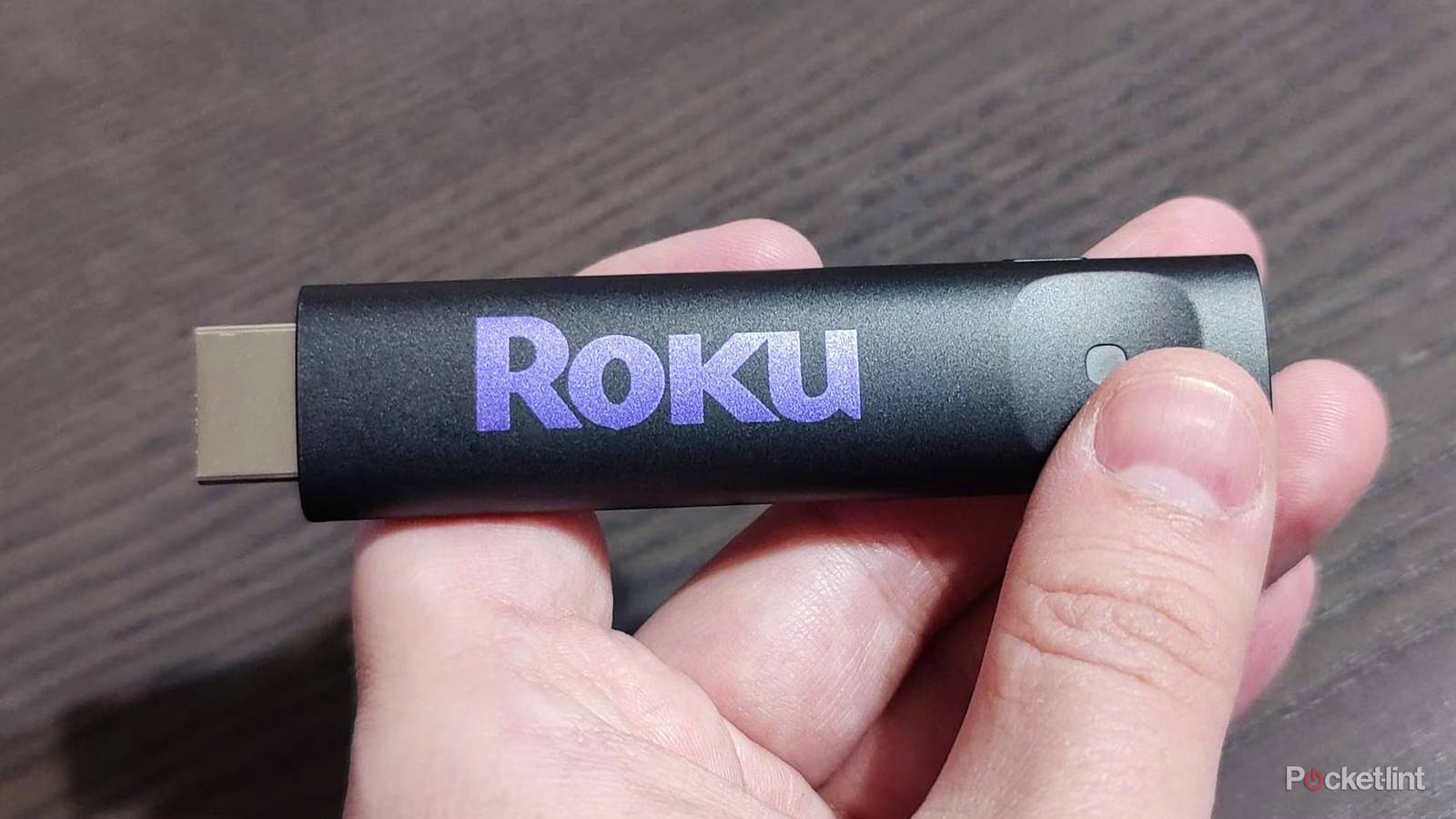
Smart TVs are largely a good thing, especially since streaming has become as big as it is. Instead of having to run all your apps through your cable bill, you can cut the cord completely. It’s nice, but over time, companies started to release standalone sticks. Now, you have your pick between Google, Apple, and Roku, just to name a few. At their core, these sticks do the same thing as your TV, so you might be wondering what the point is in buying them.
It’s a fair concern to have, because I wouldn’t want to spend extra money on something if I don’t have to. This is the sweet spot that a Roku stick hits. These sticks are very cheap, and even the high-end Roku Ultra comes in a lot cheaper than something like an Apple TV 4K. In my mind, this price tag makes it well worth the price of admission. I don’t use any TV in my house with a streaming stick of some sort anymore. I have some good reasons for that.
Sticks are much faster than your TV
They’re built for it

A streaming stick, whether it’s Roku or an Amazon Fire TV Stick, plugs right into your TV and offers a transformative experience. What you should notice right away is a much faster experience. I’ve typically had no problems with my smart TVs when I first got them, but as time went by, my TV started to go slower and slower. The strange thing is that everything else on the TV works just fine, so it’s just the software that slowed down.
A Roku Streaming Stick, even the cheap ones, can come right in and make your TV feel new again. It’s what happened to all my TVs, and it’s especially nice on your non-smart TVs. I completely understand not wanting to buy a streaming stick right away for your TV, but if you’re noticing sluggish performance, get a stick instead of a new TV. It’ll save you a lot of money, and you might be able to hold off on buying a new TV for several more years. These sticks last a very long time, and as long as you don’t drop them into a bucket of water or something, I don’t see why you can’t get upwards of a decade and beyond out of them. That’s what I would consider to be excellent value.
You can get a new interface
Not everyone’s a fan of Google

I have a Google TV in my living room, and while the interface is fine, I eventually replaced it. I have an Apple TV 4K there now, but when I had a Roku Ultra, I still used it over the default Google TV interface. Of the three I mentioned, I’d put Apple first, Roku second, and Google in third. It’s all personal preference, and plugging in a streaming stick gives you total control over that. I use my TV quite a bit, so I’d rather navigate through an interface I actually like.
If you like what you have currently, then don’t feel pressured to go out and buy a new stick. That is, unless you’re running into speed issues as I mentioned in the previous point. The great thing about Roku is that it comes with Roku City. It’s not everybody’s cup of tea, but I love watching the scrolling city go by in bed. I have a Roku Ultra in my bedroom, and I often turn it on even if I don’t plan on watching anything, just to see the city lights before I go to sleep.
Your stick typically has longer support
Don’t worry about becoming outdated

Roku sticks, and most streaming sticks and boxes for that matter, have long-lasting support. Samsung promises to give their TVs seven years of software updates, and that’s on the generous side of things when compared to other brands. How long Roku continues to update its product varies, but you can typically expect something along that lifespan or longer. The 3400X stopped receiving updates by 2020, so that gave it about eight years of support. This is still longer than your typical smart TV.
What’s nice is that even if your Roku stops receiving updates, you can always go out and buy a newer one without breaking the bank. A new Roku stick is way cheaper than a TV, and if you’re still happy with your screen, then you should definitely buy a new stick over a TV. My advice would be to buy the newest stick as you can, as that’ll usually guarantee you the longest support. Roku sticks go on sale so often that I’d also recommend waiting for one instead of paying full price. Even outside of big events such as Black Friday or Prime Day, you can find a deal on a Roku stick.
The universal search is a big selling point
Don’t have to open up every app

Between Netflix, HBO Max, Disney+, Prime Video, etc., there are so many streaming services. If you’re subscribed to several, it can be difficult to find out where everything is, especially since the catalogs change monthly. Thankfully, Roku has a universal search function that’ll scour the top streaming services automatically. I don’t want to call it true universal, because I’m sure something’s left out, but all your major streamers show up in the search bar — all without you having to open up a specific app.
This is great since you can just type in something you want to watch, and if one of the services has it, it’ll show up for you. I’d much rather have this than having to individually open up HBO Max, Prime Video, and the others just hoping it’s there. Of course, you can always look something up beforehand, but it’s still appreciated that this type of functionality is built right into the Roku interface.
Much better portability
You can’t take your TV on vacation

A smart TV interface is tied to your TV, and that typically means it’s stationary. Many people I know, including myself, have TVs mounted to the wall, and that means it’s a pain to move it around. A Roku Streaming Stick doesn’t have these limits, and you’re able to move it around to any TV you want with ease.
The big selling point is the ability to stuff your stick into a bag and take it on vacation. All of your favorite apps are still loaded on the device, and the only thing you need to do is plug it into your hotel TV and start enjoying your shows on the road. You might run into some issues with watching something outside your home location, so watch out for warnings from the streamers if that happens.