


Casting my mind back to the early 2000s, the very first operating system I ever interacted with was Microsoft’s Windows Me, otherwise known as Millennium Edition. As a child, I remember being enamored by Paint, Word, PowerPoint, and other programs that, a quarter-century later, we now take for granted.
Of course, Windows Me would ultimately go down as one of Microsoft’s least popular OS releases of all time, but by the time the dust had settled, I was already well and truly in love with personal computing. Over the next several years, I became familiar with not only new versions of Windows as they released, but also Apple’s macOS (née OS X).
One desktop OS that I’ve only recently begun to familiarize myself with is Google’s Linux-based ChromeOS (I know, I’m several years late to the party). In the past, I’d written off the platform as less capable than its Windows and Mac counterparts, and simultaneously less innovative than the mobile-first approach of its Android, iOS, and iPadOS contemporaries.
I’ve been using the ExpertBook CB54 on a full-time basis, wholeheartedly committing to ChromeOS in the process.
In an attempt to challenge my preconceived notions, and within the context of Google’s upcoming plans to replace ChromeOS with its Android-based Aluminum OS in mind, I decided late last year that the time was right for me to finally test out the former OS. Since booting up my first Chromebook — the Asus ExpertBook CB54 ChromeBook Plus — I’ve tweaked some basic settings, and I’ve discovered both limiting factors and delights scattered throughout the system.
Fast-forward several months, and I’ve now been using the ExpertBook CB54 for an extended period of time, having wholeheartedly committing to ChromeOS in the process. Here are my thoughts on this particular high-end Asus ChromeOS laptop, from the perspective of someone who otherwise relies on Windows 11 PCs for both productivity and entertainment.
The Asus ExpertBook CB54 is a Chromebook Plus laptop. Chromebook Plus refers to a special category of ChromeOS laptops that adhere to stricter hardware requirements than standard Chromebooks, including enhanced processing power, extra memory and storage, and elevated webcam quality.

- Operating System
-
ChromeOS
- CPU
-
Up to Intel Core Ultra 7
- RAM
-
Up to 16GB LPDDR5x
- Storage
-
Up to 512GB M.2 PCIe 4.0 SSD
- Display (Size, Resolution)
-
14-inch 2560 x 1600 pixel resolution
- Colors
-
Fog Silver
The Asus ExpertBook CB54 is a Chromebook Plus laptop running Google’s ChromeOS operating system, with a 14-inch 2560 x 1600 pixel resolution display, an Intel Core Ultra processor, and a wide selection of onboard I/O.
The ExpertBook CB54 is a well-rounded laptop
Asus has mostly nailed the Chromebook Plus experience
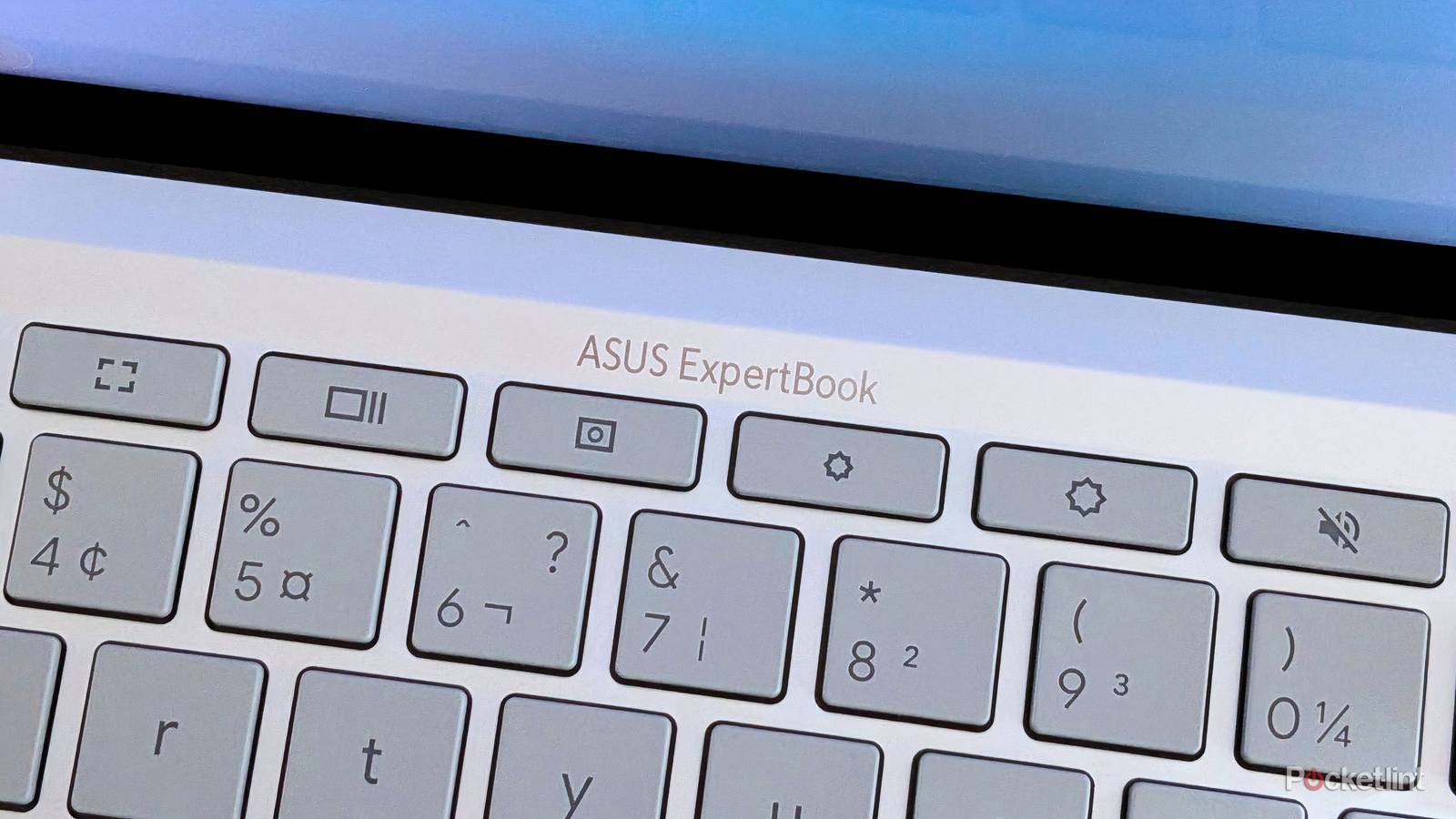
Putting aside operating systems for a moment, the Asus ExpertBook CB54 is a solid laptop from top to bottom. The notebook ships with up to an Intel Core Ultra 7 processor, up to 16GB of LPDDR5x RAM, up to 512GB of M.2 PCIe 4.0 SSD storage, and a 63Wh battery. Other key specs include a 2K anti-glare, touch-enabled 2,560 x 1,600 60Hz LCD display, an 8-megapixel 1080p HD webcam, Wi-Fi 6E and Bluetooth 5.2, and a built-in capacitive fingerprint sensor.
Physically speaking, the device is on the larger size by 14-inch laptop standards, measuring in at 12.35 x 8.77 x 0.67 ~ 0.6-inches (31.37 x 22.28 x 1.69 ~ 1.69 cm), and weighing in at 2.87 lbs (1.3 kg). That being said, it does offer military grade US MIL-STD 810H protection from the elements, and its I/O is full-featured with 2x Thunderbolt 4/USB4 ports, 2x USB Type-A 3.2 Gen 2 ports, 1x HDMI 2.1 port, a microSD card reader, and a 3.5mm headphone jack.
…the Asus ExpertBook CB54 is a solid laptop from top to bottom.
By all accounts, there’s a lot of processing power available inside the ExpertBook CB54, all stuffed within a physically robust and reasonably attractive hardware package. At a starting price of $700, I’m not going to fault the device for lacking a haptic trackpador Asus’ premium Ceraluminum build material, even if I’d loved to have seen them both included here.
As far as Chromebook Plus laptops go, Asus has built a premium product that can stand toe-to-toe with other ChromeOS-powered notebooks in the sector. The addition of touch is a nice bonus here, even if its utility is stifled somewhat by a lack of a 360-degree rotating hinge. The CB54 doesn’t measure up to the fit-and-finish of, say, Asus’ own Zenbook S14 PC line, but it gets enough of the way there while balancing its price tag in the process.
The ExpertBook CB54’s limiting factor is ChromeOS
ChromeOS may be limited in scope, but it does best Windows 11 in some areas

In many ways, I find the ExpertBook CB54’s software to be on the frustrating side. ChromeOS, at least in its current non-Aluminum form, lacks the robust customizability, legacy app and computer game compatibility, and flexible file management experience I’ve come to know and love on Windows 11 laptops at all price points.
On the other hand, I’ve been pleasantly surprised by ChromeOS in a number of key ways. The operating system’s user-facing UI elements are all fast and responsive, its first-rate connectivity with Android smartphones is a major quality of life enhancer, and certain things just feel ‘smooth’ when compared with even the highest end of Windows 11 PCs.
…I find cursor movements and gestures ‘stiffer’ than their Windows equivalents, which slightly hinders my productivity.
For example, waking up the CB54 from sleep, typing in my PIN or tapping my finger on the fingerprint sensor, and logging into the system can all be done with less friction than on an equivalently-specced Windows laptop. Window management, meanwhile, feels a lot smoother than I had expected it too, with tons of snapping positions to choose from and, cleverly, the adoption of Microsoft’s Snap Layouts feature when hovering over the maximize button on any title bar.
Anecdotally, I find touch responsiveness throughout ChromeOS to be solid but unremarkable, but the CB54’s trackpad experience leaves me wishing for more. I’m unsure if the issue stems from the trackpad hardware itself or from the way ChromeOS handles input, but I find cursor movements and gestures ‘stiffer’ than their Windows equivalents, which slightly hinders my productivity. Needless to say, I found myself switching to an external mouse after only a few days of testing.
There’s so much untapped potential with the ExpertBook CB54
Here’s hoping the laptop makes the eventual jump to Aluminum OS

The ExpertBook CB54 is packed with power via its high-end Intel Core Ultra processor, its speedy SSD storage, its spacious RAM memory, and its dual Thunderbolt 4 ports. In many ways, the laptop is hamstrung by ChromeOS, which limits the scale and scope of the device to progressive web apps (PWAs) and a limited set of virtualized Android apps.
We know that Google intends on transitioning some existing Chromebook laptops to its upcoming Android-based Aluminum OS (via Chrome Unboxed), and I feel that Asus’ ExpertBook CB54 is a prime candidate for making the jump. With the added flexibility of Android under-the-hood, while also maintaining access to full desktop-class web browsing, I can invision the touch-enabled CB54 coming into its own in the not-too-distant future.
…I can invision the touch-enabled CB54 coming into its own in the not-too-distant future.
Of course, even with Aluminum OS theoretically under its belt, I reckon I’ll still want to reach for my Windows 11 computer to access legacy PC programs and the like. That being said, Android’s PC trajectory is incredibly promising, and it has the potential to bloom into a viable PC competitor in a way that existing ChromeOS simply does not.
WIth this in mind, I sincerely hope to be able to revisit Asus’ ExpertBook CB54 in tomorrow’s Android-powered Chromebook world. The hardware here is more than solid enough for the price, and the device already covers basic computing tasks with grace. If Android apps can prove scalable for proper PC use, I can invision myself one day switching to a Chromebook Plus device and not missing Windows 11 (or macOS, for that matter) in the slightest.
This device was provided to Pocket-lint by Asus.