



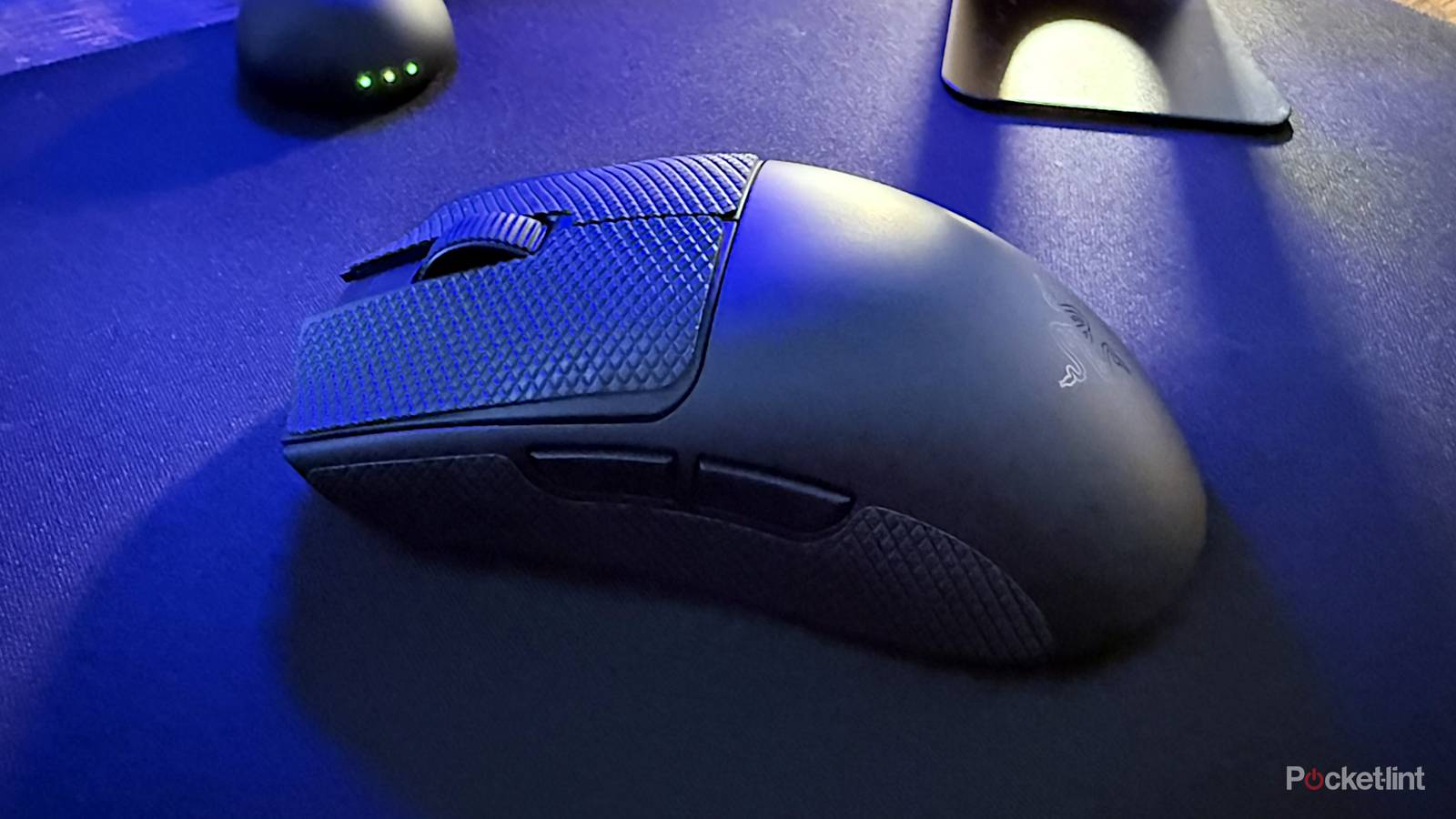
Ordinarily, I’m not in the business of covering mice and mousepads. It’s not that I think they’re unimportant — quite the contrary. I’m very picky about the mice I use, since a crummy mouse is not only uncomfortable, but a serious impediment to work and play. Whenever I need a new mouse, I spend some serious time researching the best options, and I’m willing to pony up for something that will last a long time. Mice just aren’t as sexy a journalism topic as smartphones or PEVs.
Recently I was invited to test Razer’s Viper V4 Pro, as well a new mousepad from the company, the Gigantus V2 Pro. I wasn’t expecting anything special from either of them, to be honest, but I can say that I’ve been pleasantly surprised. They do have flaws, yet together, they form the best mouse setup I’ve ever had. That’s saying something, considering that my previous daily driver was the Razer DeathAdder V2 HyperSpeed, and before that, a Logitech MX Master 2S. For many people, the MX Master line is the king of do-it-all mice.
What’s so special about the Viper V4 Pro?
Look past the hype

In the press briefing I got, Razer was hellbent on delving into all the numerous ways the V4 Pro is optimized for gaming. I’ll spare you the gory details — trust me, even if you cover PC tech for a living, most of the specs Razer promotes aren’t important unless you’re a professional e-sports player. Even then, you may not care about things like “just-in-time” scanning, or customizable liftoff and landing distances. It reminds me of the nitpicking you’ll see about gym equipment in the weightlifting community — really, as long as I can bench, squat, or deadlift the weights I’m supposed to, I can work with whatever I’ve got.
I will say, though, that the first thing I noticed about the V4 Pro is that it’s even lighter than the DeathAdder V2. The latter is somewhere between 86 and 103g, the higher number presumably including an AA battery. The V4 Pro is about 50g, which is so light that when you first grip it, it feels flimsy — which may not be what you want from a mouse that costs $160. Indeed I’d probably recommend against the V4 Pro if you’re looking for a travel mouse you can toss in your backpack.
There’s a method to this madness, however. Everything about the mouse is geared towards making it as responsive as possible, and sure enough, I started to appreciate how easy it was to drag the mouse and pick it up. I’d strongly recommend using its included grip stickers, as its plastic surface is a little too slippery otherwise.
Somehow, 6,400 DPI was as usable in productivity apps like Chrome and GIMP as much as games like PUBG and Space Marine 2.
On top of this, it’s not just a wireless mouse, but free of the need for removable batteries. It uses a permanent one instead, recharged via USB-C. There’s no Bluetooth mode unfortunately, but as long as you can plug in the included wireless dongle — which is mercifully very hard to lose — you’re good to go. Incidentally, I had no complaints about battery life. You may be able to go weeks between charges, depending on your habits and the polling rate you set.
Really, polling rate and DPI (sensitivity) are the main reasons to buy the V4 Pro. It defaults to polling at 1,000Hz, which is already unnecessarily fast in most circumstances, and you can ramp that up to 8,000Hz if you feel like it. Faster polling rates mean less input lag, yet even at 1,000Hz, there isn’t the faintest hint of a delay.
As for sensitivity, while I’ve never chased high DPI before, the V4 Pro puts up some impressive numbers that I actually found myself using. By default the mouse offers button-selected 400, 800, 1,600, 3,200, and 6,400 DPI presets, and I found myself preferring 6,400 most of the time, despite anything over 2,000 DPI typically being unwieldy on my previous mice. Somehow, 6,400 was as usable in productivity apps like Chrome and GIMP as much as games like PUBG and Space Marine 2. It’s hard to imagine using anything less accurate going forward, especially since in a gaming context, there was a small but tangible improvement in aiming and movement speed over the DeathAdder.
If you’re a complete lunatic, you can ramp DPI up to 50,000Hz, or down to 100Hz. I’m not sure why Razer bothered with these options beyond bragging rights — on any mouse, 50,000Hz would be so sensitive as to send your cursor flying across the screen at the slightest twitch. 100Hz is so unresponsive that simply trying to switch web tabs would be maddening.
Mousepads do matter, apparently
With an asterisk or two

For the most part, I don’t feel like mousepads are required gear. They improve wrist comfort, certainly, but as long as you’re not putting your mouse on a park bench or pure glass, they tend not to be a huge aid to speed or control, not when most mice are optical these days.
I do feel like the Gigantus V2 Pro might legitimately help some people, but only if you choose the right version. The gimmick of the pad is that when you buy one, you can choose not just from a few different sizes, but five speed ratings, ranging from Max Speed through to Max Control. These models not only sport different textures, but different foam densities.
While I was given two options to test, Balanced and Control, I’ve been happy enough with Balanced that I’ve felt no real urge to change things up. It offers just enough resistance to make 6,400 DPI usable without getting in the way. I might cave and try Control eventually, since I do sometimes find myself accidentally overshooting my target when selecting items in Chrome — but I’m worried that I might miss the smoothness of Balanced, which is closest to a standard mousepad, maybe slightly slicker.
Will something like the Viper V4 Pro/Gigantus V2 Pro combo revolutionize using your PC? Probably not. But it’s a reminder that mouse tech has come a long way.
If I have a gripe, it’s keeping the pad clean. Naturally, you can’t just toss it in the washing machine, so you need to wet a microfiber cloth and give it a very thorough wipe. This wouldn’t be such a big deal except that the product attracts debris like nothing else. I can imagine tidier gamers wanting to scrub it every week, if not every few days, and that’s without spilling any crumbs or liquids on it. If you don’t like that idea, you’re probably better off choosing a pad with a glass, metal, or plastic surface. Or no pad at all.
Will something like the Viper V4 Pro/Gigantus V2 Pro combo revolutionize using your PC? Probably not, unless perhaps you’re coming from a mouse with 1,000 DPI or less. But it’s a reminder that mouse tech has come a long way, and that gaming mice and mousepads aren’t all marketing hype. It’s going to influence my future shopping decisions, regardless of whether I stick with Razer. Brand loyalty isn’t my thing.