


Apple Wallet is objectively one of the iPhone’s most versatile apps. The digital wallet securely stores your credit cards, debit cards, gift cards, and more for contactless payment on the go. It’s dangerously convenient and makes you feel like you aren’t spending real money at all — which could be good or bad depending on your spending habits.
I call on Apple Wallet when I need it, not the other way around. But last June, Apple caused quite a ruckus on iPhones everywhere when it sent out a push notification to everyone promoting Apple TV’s original F1 movie.
Users everywhere stopped what they were doing to make sure one of their cards hadn’t been stolen, they hadn’t missed a bill, or even hadn’t forgotten to cancel a subscription. I, myself, was in the middle of a run (listening to Tate McRae’s song from the movie, ironically) when the notification came through, and I even stopped on the sidewalk to make sure nothing was wrong.
Long story short, Apple knew it screwed up. So, it added a feature to make sure its users could opt out of any future notifications — which, luckily, hasn’t happened since. But just in case Apple decides to drop another hit movie with Brad Pitt and announce it via what should be your simple contactless payment app, here’s how to disable ads and promotions from your Apple Wallet for good.
No more pesky ads

Right before writing this article, I used Apple Wallet to buy the latte I’m currently sipping on in my local coffee shop. Next week, I’ll use it to show my boarding pass to the TSA agent at the airport. When I go grocery shopping in a few days, I’ll likely use the last of my Publix gift card’s balance on the ingredients for beef stroganoff — all by simply tapping my phone against the card reader.
Even if I don’t get ad notifications now, they’re something I don’t ever want to see from my Apple Wallet — harmless or not. So, here’s how I disabled them for good:
- Open the Wallet app on your iPhone.
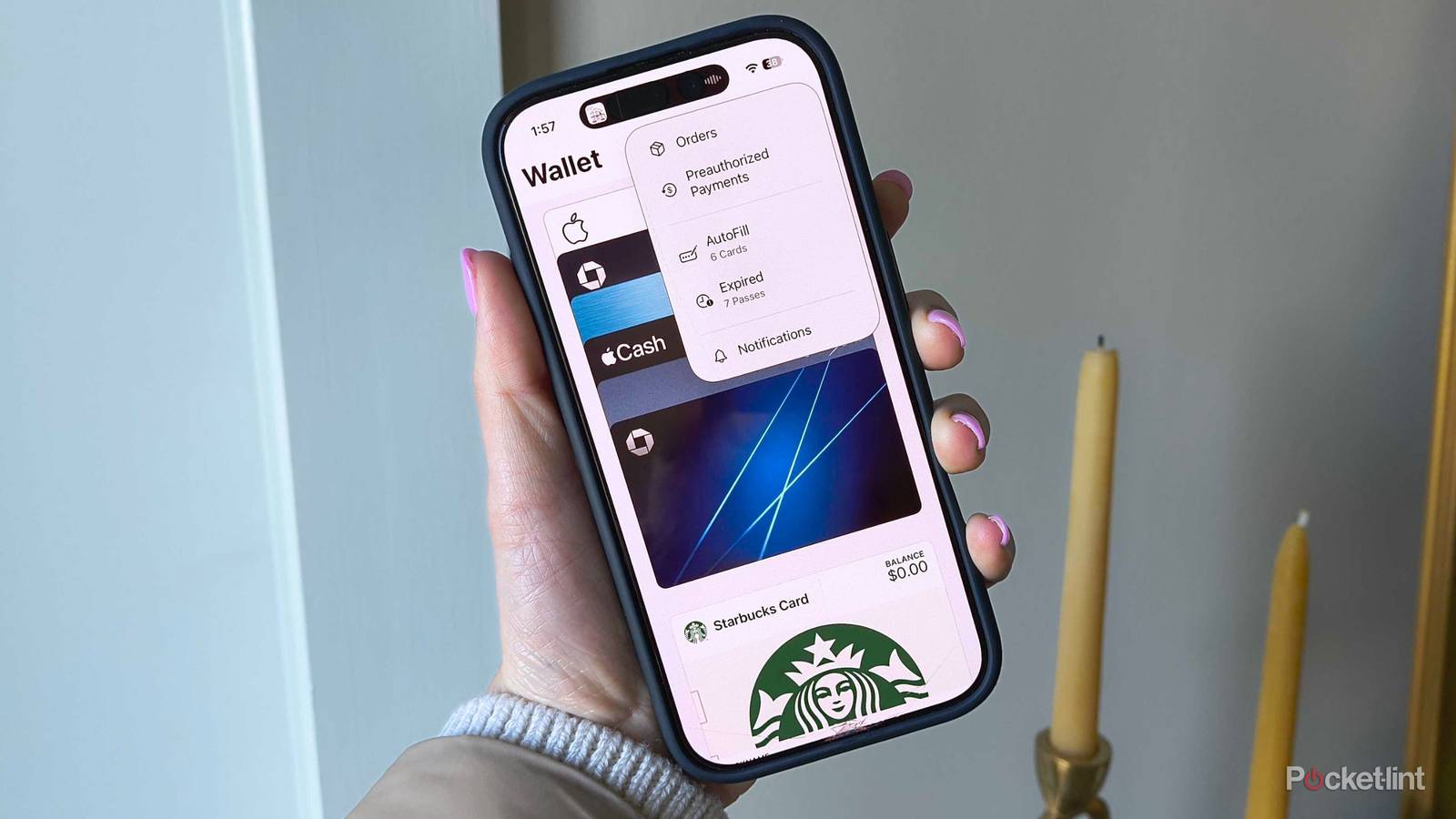
- In the top-right corner, there is a three-dot menu icon. Tap it.
- Choose Notifications from the drop-down menu.
- Toggle off Offers & Promotions.
All done. Now, you won’t receive any unwanted advertisements or push notifications from your wallet app. I’m glad Apple took quick action and added the toggle, even if the F1 advertisement never should’ve gone out in the first place. It was a great movie, I’ll admit, but I didn’t need to hear about it from my designated credit card app.