


Summary
- With tvOS 26, which is set to arrive in stable form this fall, Apple TV aerial screen savers are receiving some much-needed attention.
- Aside from all-new aerials captured from across India, Apple is adding in the ability to customize which aerials actually appear on screen.
- This manual selection serves as a sort of screen saver ‘playlist,’ and I’m glad to see the added flexibility make its way to Apple’s streaming box.
At its Worldwide Developers Conference (WWDC) for 2025 back in May, Apple took the wraps off its next-generation lineup of operating systems. Naturally, much of the attention was concentrated on the likes of iOS 26, iPadOS 26, and macOS 26, but the company also made plenty of improvements to its watchOS, visionOS, and tvOS platforms.
In the case of tvOS, which powers the popular Apple TV streaming box, Apple unveiled a visual overhaul that aligns with its new liquid glass design principles, a redesigned TV app, a new profile selector on wake, and other smaller tweaks and enhancements throughout the system.
However, there’s one smaller tvOS 26 update that piques my interest more than the rest, and it’s to do with enhancements to the Apple TV’s screen saver experience. Aside from announcing a new set of aerial screen savers captured from across the Indian subcontinent (including in Goa and Kerala), Apple is finally opening up customization to a greater degree that before.
In specific, tvOS 26 is introducing the option to manually select and deselect specific Aerial screen savers to display on screen, with granular control over the Cityscape, Earth, Landscape, and Underwater categories. In effect, this allows you to create a bespoke screen saver playlist, which can then cycle through your chosen scenic views on the big screen.

Related
Customizing my Apple TV’s aerial screen savers was easier than I thought
Apple TV’s 4K built-in aerial screensavers are a feast for the eyes.
I remain a screen saver loyalist
Why settle for a blank screen if you don’t have to

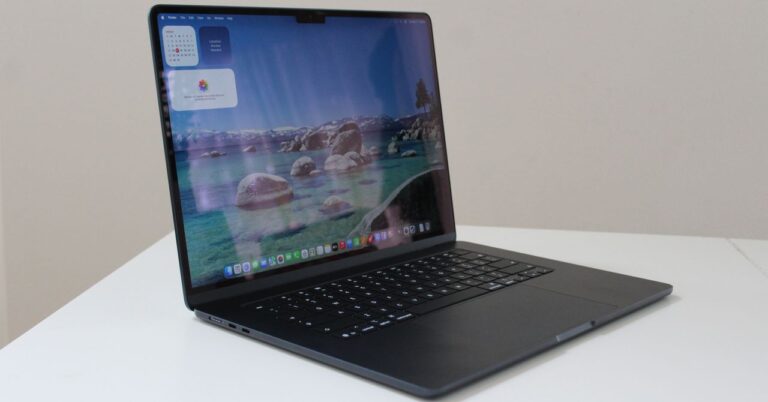
The increased control over aerial screen savers in tvOS 26 is a welcome move by Apple, and it brings the Apple TV experience in closer parity with the company’s macOS platform. On macOS, which brought aerial screen savers into the fold starting on version 14 Sonoma, it’s simple to browse through and select whichever aerial you’d like displayed on screen during times of idle.
I’ve gone on record saying this before, but it bears repeating that I love a good screen saver. With the ubiquity of display panels in our homes, offices, public environments, and just about everywhere in between, it only makes sense to keep those pixels useful and aesthetically pleasing even when not actively being interacted with.
The increased control over aerial screen savers in tvOS 26 is a welcome move by Apple.
I was happy when Apple ported the Apple TV aerial screen saver experience over to the Mac, and I’m hopeful that the iPad will eventually receive this exact same treatment. I also love the iPhone’s StandBy feature, and I’m equally fond of Hub Mode on the Google Pixel Tablet.
Over on the PC side of things, of which the concept of a screen saver ironically had its genesis (due to fears of CRT display burn in), things are less impressive. The screen saver selection and the picker interface is in dire need of rejuvenation on Windows 11, and I hope to see Microsoft get its act together on this front sooner rather than later.
In the meantime, I’ll continue using my favorite Windows 11 app that does absolutely nothing for screen saving purposes on PC, and I’ll be patiently waiting to enjoy the added customization controls and the new Indian aerial backdrops on my Apple TV later this fall.

Related
Windows 11 is great, but I wish Microsoft would give its screensavers more love
Windows screensavers are an iconic part of the PC’s history, and Microsoft needs to modernize them yesterday.